Digital advertising has become brutally competitive: users scroll faster, acquisition costs keep rising, and creative fatigue hits campaigns in days instead of weeks. Marketers who win in 2026 are the ones who ship more creatives, test faster, and let data not gut feeling drive ad ideas. AI ad creation tools make exactly that possible by turning product info, past campaign data, and brand assets into fresh, on‑brand ads across channels in minutes instead of days.
In this guide, you’ll discover six of the best AI tools for ad creation right now. Each one solves a slightly different problem such as research, video ads, UGC‑style creatives, static banners, or bulk experimentation so you can mix and match them into a powerful ad creation stack instead of relying on a single “do‑it‑all” solution.
Most teams start ad creation directly in a design tool and only think about performance after the launch. OutlierKit flips that approach by using AI to do the “strategy heavy lifting” first, so your ad ideas are backed by real audience, competitor, and creative performance data instead of guesswork. It’s designed for marketers and agencies that manage serious budgets and need to justify every creative decision.
Key Features
● Audience and competitor research mapped to creative angles, hooks, and messaging themes.
● Ad concept generation that turns research insights into ready‑to‑brief ideas and scripts.
● Creative validation workflows that score and prioritize ideas before you invest in production.
● Strategic dashboards you can use to present creative direction to clients or leadership.
Best For
OutlierKit is ideal for performance marketers and agencies managing significant ad spend who want to base creative decisions on hard data instead of intuition. It also suits brands preparing major launches or repositioning efforts, where understanding audiences and competitors in depth is critical before any creatives are produced.
When to Use It
Use OutlierKit at the very start of your ad creation process. Instead of jumping straight into Canva or a video editor, run your audience, competitors, and existing ads through OutlierKit to generate data‑backed hooks and angles. Then feed those directly into the production tools listed below to create actual assets.
UGC‑style ads dominate feeds on TikTok, Reels, and YouTube Shorts, but hiring creators, writing briefs, and editing content is slow and expensive. Creatify uses AI to generate UGC‑like video ads from simple inputs such as your product URL, value propositions, or a short text prompt, making it a powerful shortcut for social‑first brands.
Key Features
● Automatic script generation based on product pages, reviews, and key benefits.
● AI‑generated UGC‑style videos tailored to TikTok, Instagram Reels, and Shorts formats.
● Built‑in hooks, CTAs, and visual patterns optimized for direct‑response campaigns.
● A/B testing of creative variations so you can quickly find winning formats.
Best For
Creatify works best for DTC and social‑first brands that rely heavily on TikTok, Instagram, and Meta ads and need authentic, UGC‑style creatives at scale. It is also a strong fit for lean in‑house teams and agencies that want to rapidly test UGC concepts before involving human creators or investing in full‑scale production.
When to Use It
Use Creatify when you need scroll‑stopping social videos quickly—product launches, seasonal offers, flash sales, or new audience tests. It works especially well when you already know your core angle (for example, from OutlierKit) and want to turn it into multiple UGC‑style versions.
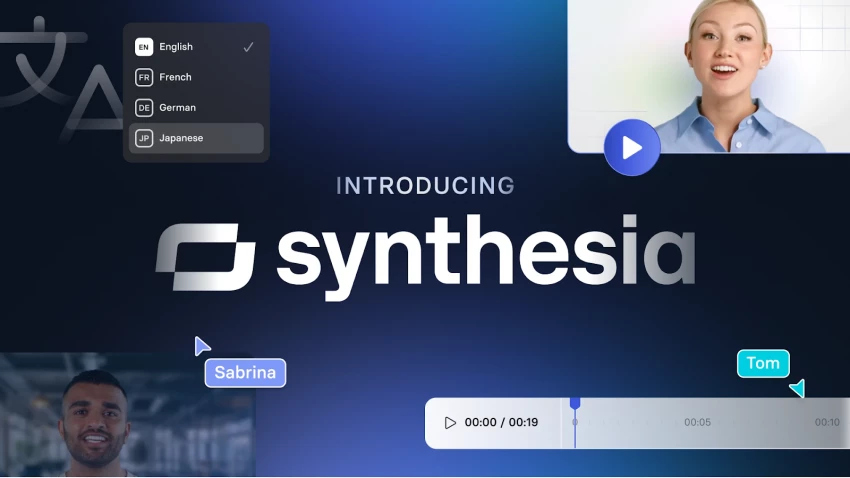
If your brand needs polished, studio‑style videos with presenters—without the cost of actors, cameras, and studios—Synthesia is one of the most effective options. It lets you generate video ads with realistic AI avatars speaking in multiple languages, driven entirely by a script you type or paste in.
Key Features
● Large library of AI avatars, including business‑appropriate presenters.
● Multilingual voiceovers with natural‑sounding AI speech.
● Templates for explainer ads, product walkthroughs, onboarding videos, and more.
● Branding options to align colors, fonts, and layouts with your visual identity.
Best For
Synthesia is best suited to SaaS, B2B, and educational brands that need trustworthy, presenter‑led ads and explainers without constant studio shoots. It is particularly valuable for global companies that must deliver the same core message in multiple languages and markets while keeping production fast, consistent, and affordable.
When to Use It
Use Synthesia when you want professional “talking‑head” ads—launch videos, feature announcements, or retargeting campaigns that explain value clearly. It’s especially powerful when you need to adapt one high‑performing script into several languages without re‑shooting.
Speed is often the bottleneck in creative testing. InVideo AI is built to fix that by converting plain text prompts or short scripts into full video ads in minutes. It is particularly useful when you want to quickly spin up multiple concepts and see what sticks before investing in high‑end production.
Key Features
● Text‑to‑video generation that combines stock footage, motion graphics, and on‑screen text.
● Templates optimized for common ad placements (YouTube, Facebook, Instagram, etc.).
● Simple timeline editing to tweak scenes, overlays, and music.
● Collaboration features for teams to review and iterate on ad drafts together.
Best For
InVideo AI is perfect for growth teams and solo marketers who prioritize speed, experimentation, and volume over pixel‑perfect production. It’s also a great option for agencies that need to quickly storyboard and prototype video ads for client approvals before committing additional resources.
When to Use It
Use InVideo AI early in your creative testing cycle to generate multiple variations of an idea from different hooks, angles, or offers. Once you find a winner, you can either scale that creative directly or recreate it in a more polished format if needed.
Display ads, retargeting creatives, and social image ads still drive a significant share of conversions. AdCreative.ai focuses on this world by using machine learning trained on high‑performing ads to generate conversion‑optimized banners, social creatives, and ad copy in bulk.
Key Features
● AI‑generated static ads, social posts, and headlines based on your brand inputs.
● Performance‑oriented scoring to highlight creatives most likely to convert.
● Brand consistency controls for logos, colors, and typography.
● Bulk generation of ad variations for A/B and multivariate testing.
Best For
AdCreative.ai is a strong choice for performance marketers and e‑commerce brands that rely on Meta, Google Display, and programmatic campaigns and need constant creative refreshes. It’s equally useful for agencies managing multiple accounts, where producing, personalizing, and testing large sets of on‑brand creatives is a recurring challenge.
When to Use It
Use AdCreative.ai when you already have core messaging and offers and need a large number of visual variations for testing. It’s especially useful for remarketing creatives, catalog ads, and always‑on campaigns where fresh visuals prevent fatigue.
Canva has become a default design tool for non‑designers, and its AI‑powered Magic Studio features now make it a serious player in ad creation too. While it may not be as specialized as some tools above, its flexibility and ease of use are ideal for teams that need multi‑format creatives handled in one place.
Key Features
● Magic Design and prompt‑based generations that turn ideas into ready‑to‑edit layouts.
● Integrated video editor for short social ads, carousels, and animated creatives.
● Brand Kits to lock in colors, fonts, and logos across all designs.
● One‑click resizing to adapt a single creative to multiple platforms and placements.
Best For
Canva AI is best for small businesses, solo creators, and generalist marketing teams that want a single, intuitive workspace to create almost any ad asset. It’s particularly handy for non‑designers who still need to produce professional‑looking creatives for social, email, and paid campaigns without relying on a dedicated design department.
When to Use It
Use Canva AI when you need to quickly convert ideas into polished assets across multiple channels—static ads, video snippets, email headers, social posts, and more. It works especially well paired with other tools: for example, export frames or scripts from video tools and refine or repurpose them in Canva.
Instead of searching for a single “best” tool, think in terms of building a stack that mirrors your workflow: research → concept → production → testing → optimization. A simple, practical stack could look like this:
● Strategy & Research: OutlierKit for audience insights, competitor analysis, and creative angles.
● Social‑First Video: Creatify for UGC‑style content, InVideo AI for quick text‑to‑video tests.
● Professional Explainers: Synthesia for avatar‑based, multilingual video ads.
● Static & Display Creatives: AdCreative.ai for conversion‑focused banners and social images.
● General Design & Repurposing: Canva AI to resize, adapt, and repurpose assets for every channel.
1. Start with strategy, not software: Use a research‑driven tool or workflow first so you’re testing the right angles, not just pretty visuals.
2. Treat AI as a creative accelerator: Use it to generate variations, scripts, and first drafts, then refine with your own brand voice and insights.
3. Build a testing culture: Plan your creatives in batches: one angle, multiple hooks; one offer, multiple formats; one audience, multiple visuals.
4. Document your learnings: Keep a simple “creative playbook” of hooks, formats, and design patterns that consistently perform so you can reuse them across tools.
AI tools for ad creation are no longer “nice to have” add‑ons, they’re becoming the backbone of modern performance marketing. By combining strategic insight platforms like OutlierKit with production‑focused tools such as Creatify, Synthesia, InVideo AI, AdCreative.ai, and Canva AI, brands can ship more creatives, test faster, and learn what truly converts far more efficiently than with manual workflows alone. The strongest results come when you treat these tools as an integrated stack, not isolated apps, and use them to amplify human creativity, judgment, and brand understanding rather than replace them.
YouTube Shorts has shifted from a side experiment to one of the fastest ways to...
Samuel Osei1 day ago
AI image generators have shifted from experimental toys to core creative tools....
Peter Woods5 days ago
AI-powered image editors are now central to modern content creation, marketing,...
Alexander Hughes6 days ago
AI text-to-speech (TTS) has evolved from robotic audio to almost human‑sounding...
Samuel Osei1 week ago
IntroductionGraphic design is no longer limited to people who know Photoshop sho...
Funke Ogunleye1 week ago
Introduction: Why AI Animation Tools Matter NowThe line between traditional anim...
Sandra Campos1 week ago
Discussion