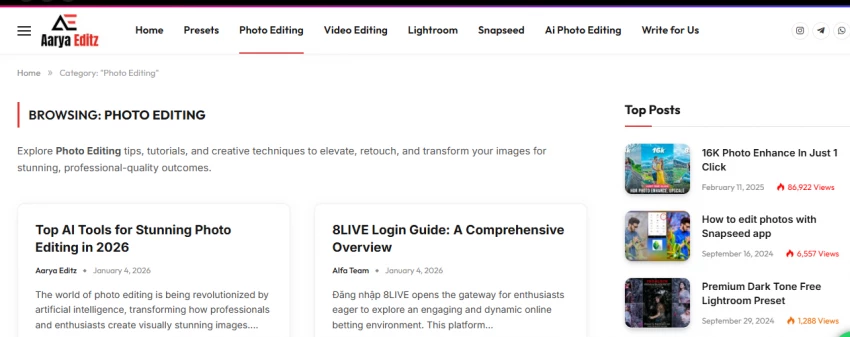
AaryaEditz.org is a resource-focused website that curates editing assets and tutorials rather than providing a built-in editing interface. The platform primarily offers:
● Lightroom presets for photo color grading
● PNG overlays and effects for creative editing
● CapCut templates and video transitions
● Guides and tutorials for mobile and PC editing workflows
The website targets beginner editors, social media content creators, and hobbyists who want to enhance their visuals without investing in expensive professional tools. The platform is free to access, but users need to download the assets and apply them in external editing software.
Unlike platforms like Canva or Lightroom, AaryaEditz.org is not a full-service editor. It is designed more as a library of creative resources to supplement existing editing workflows.
AaryaEditz.org provides a variety of creative assets suitable for different levels of users:
Photo Editing Resources:
Users can access presets for mobile and desktop apps to achieve specific visual styles quickly. PNG overlays, light leaks, smoke effects, and stickers help creators enhance photos with minimal effort.
Video Editing Resources:
For social media videos, the site offers templates for apps like CapCut. These include trending transitions, cinematic overlays, and ready-made effects suitable for reels or short-form content.
Learning and Tutorials:
The platform also includes guides and tutorials that cover fundamental editing techniques, app comparisons, and tips for achieving current trends in photo and video aesthetics. While the tutorials are beginner-friendly, they sometimes assume prior basic knowledge of the editing apps.
AaryaEditz.org features a simple blog-style layout that is accessible on mobile and desktop. Navigation is straightforward, allowing users to browse categories such as presets, templates, and tutorials. However, the site contains ad-heavy pages and multiple redirects, which can sometimes create a confusing experience for new users.
Downloads are typically hosted on third-party servers, so users need to exercise caution. Despite these minor usability challenges, the site is easy enough for beginners to explore and extract value from, particularly for casual content creation.
While the platform is widely used by hobbyists, trust and safety are important considerations.
Domain and Ownership:
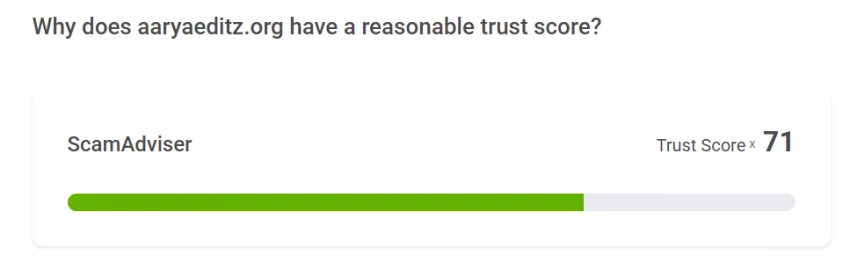
AaryaEditz.org has a relatively new domain with hidden ownership details. This reduces transparency, which is why trust scores from safety checkers are moderate.
Ad and Redirect Risk:
The website includes multiple ads and external links, which can sometimes lead to unexpected redirects. Users should avoid clicking suspicious links and refrain from entering personal information.
Licensing and Legal Use:
Downloaded assets do not include clear licensing information. This makes the platform suitable for personal experimentation, but risky for commercial or client work.
Recommended Safety Measures:
● Always scan downloaded files using antivirus software.
● Verify file types before opening (avoid suspicious executables).
● Use downloaded assets only in personal projects unless licensing is clarified.
AaryaEditz.org is best suited for:
● Beginner editors who want free presets and templates.
● Social media creators experimenting with trending visual styles.
● Students or hobbyists learning photo and video editing.
It is less suitable for:
● Professional photographers or videographers requiring high-quality, licensed assets.
● Commercial brands that need legally cleared content for clients.
To help users understand where AaryaEditz.org fits, here is a comparative overview:
| Feature | AaryaEditz.org | Canva | CapCut | Adobe Lightroom |
| Built-in Editor | No | Yes | Yes | Yes |
| Presets/Templates | Yes | Yes | Yes | Yes |
| Licensing Clarity | No | Yes | Yes | Yes |
| Reputation & Trust | Medium | High | High | High |
| Best For | Beginners | All users | Video editors | Photo professionals |
The comparison shows that while AaryaEditz.org provides quick-access creative assets, established platforms offer more robust, safe, and legally secure editing tools.
This comparison focuses on real user needs across four key editing platforms: AaryaEditz.org, Canva, CapCut, and Adobe Lightroom. The analysis looks at factors such as ease of use, safety, licensing clarity, workflow support, and ideal user profiles.
| Platform | Strengths | Limitations |
| AaryaEditz.org | Offers downloadable creative assets (presets, PNG overlays, templates) that can enhance visuals when used in an external editor. Good for quick experimentation. | Does not provide an editing interface. Users must use separate apps (e.g., Snapseed, CapCut, Lightroom) to apply assets. Workflow is fragmented rather than all‑in‑one. |
| Canva | Built‑in editor with drag‑and‑drop workflow, plus presets, templates, and design assets. All editing happens within the platform. | Some advanced design tools are behind a paid tier. Not specialized for deep photo color grading like Lightroom. |
| CapCut | Integrated video editor with transitions, effects, and templates. Excellent for short‑form video workflows (Reels, TikTok, Shorts). | Not designed for in‑depth photo editing or professional color grading. |
| Adobe Lightroom | Industry‑standard for photo editing and color grading. Offers detailed control over tones, colors, and presets. | The learning curve is steeper for beginners. Not focused on video editing or template‑based workflows. |
Analysis:
AaryaEditz.org can enhance the editing process with creative assets, but it does not replace the functional editing environment that platforms like Canva, CapCut, and Lightroom provide. Its value lies in supplementary assets, not core editing workflows.
| Platform | Ease of Use | User Experience Notes |
| AaryaEditz.org | Moderate | Content is easy to browse, but ads and redirect links can confuse new users. No editing environment means extra learning. |
| Canva | Very Friendly | Intuitive drag‑and‑drop interface; suitable for all user levels. |
| CapCut | Friendly (Focused on Video) | Designed for quick video editing; very accessible even for beginners. |
| Adobe Lightroom | Moderate to Advanced | Interface is powerful but requires learning curves, especially for detailed photo editing. |
Analysis:
Platforms with built-in editors (Canva, CapCut, Lightroom) are more intuitive to use because users can create and edit directly in one place. AaryaEditz.org requires users to download, locate, and then apply assets externally, a process that is less seamless.
| Platform | Safety & Trust | Support & Documentation |
| AaryaEditz.org | Medium | Ads and external links may lead to redirects; domain ownership is not transparent. Safety checks are recommended for downloadable files. |
| Canva | High | Clear company presence and strong reputation. |
| CapCut | High | Widely used with regular updates and official support routes. |
| Adobe Lightroom | Very High | Professional reputation with structured licensing and safety standards. |
Analysis:
The key difference here is transparency and institutional support. Established platforms have clear licensing, trusted corporate backing, and structured help resources. AaryaEditz.org relies on community‑style content and does not offer official customer support which can be a disadvantage for users who expect guidance or troubleshooting.
| Platform | Licensing Clarity | Commercial Use Suitability |
| AaryaEditz.org | Unclear | Not recommended for commercial work unless licensing is confirmed. |
| Canva | Clear (With Terms of Use) | Suitable for commercial projects (depending on subscription tier and licenses). |
| CapCut | Clear | Templates and effects can typically be used for commercial videos. |
| Adobe Lightroom | Clear | Allowed for commercial photography as long as you own/create the content. |
Analysis:
For creators who need legal certainty about how they use assets (especially in client projects or commercial content), established platforms are a safer choice. AaryaEditz.org lacks clear licensing information, which makes its use potentially risky in professional environments.
| Platform | Cost | Accessibility |
| AaryaEditz.org | Free | Accessible to anyone with internet access; no account required. |
| Canva | Free + Premium | Accessible with more features in paid plans. |
| CapCut | Free | Accessible; some optional paid features in mobile ecosystem. |
| Adobe Lightroom | Paid Subscription | Paid plans with free trials; professional tier pricing. |
Analysis:
AaryaEditz.org’s biggest advantage is that it costs nothing and requires no account. However, free resources with unclear origins must be weighed against the value of official tools that may cost money but ensure safety, licensing clarity, and long‑term support.
Can AaryaEditz.org replace professional editing software?
No. It provides supplementary resources, not a full editing suite.
Are the assets optimized for mobile apps?
Yes, most presets and templates are designed for mobile editing apps like Snapseed, CapCut, and mobile Lightroom.
How frequently are new assets added?
Updates are irregular; there is no official schedule, so content availability may vary.
Does the platform support collaborative projects?
No, it is primarily a library of resources for individual users.
Is there any customer support?
There is no official support system. Users must rely on tutorials and external guides.
AaryaEditz.org can be a useful starting point for beginner creators who want to explore presets, overlays, and templates without investing in professional tools. Its content is practical for hobbyists and social media enthusiasts looking to enhance their visuals quickly.
However, if you are a professional editor, working on commercial projects, or require legally cleared assets, I would recommend using established platforms like Canva, CapCut, or Adobe Lightroom. Approach AaryaEditz.org as a supplementary learning resource rather than a primary editing solution, and always exercise caution when downloading and using files.
In short, AaryaEditz.org is a gateway to creative experimentation, but users must balance convenience with safety and legal awareness.
What Is GoMyFinance.com?GoMyFinance.com is a financial content and tools platfor...
John Nyarko15 hours ago

1) Are “Gramhir AI” and “Gramhir Pro” the same thing?Best-supported conclusion-T...
Ina Gupta5 days ago

Moneydisquantified.org operates as an entry‑level personal finance content site...
Ina Gupta1 week ago
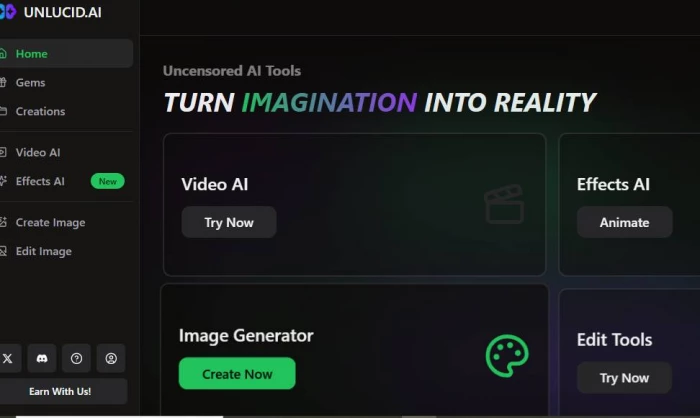
What Is Unlucid.ai?Unlucid.ai is a website that helps you create pictures a...
Ina Gupta1 week ago
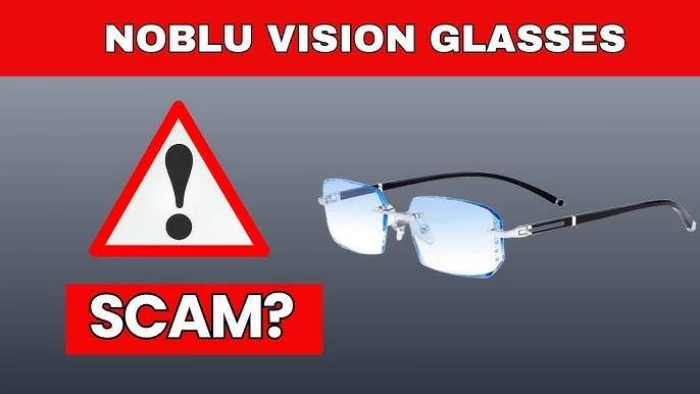
Noblu glasses are marketed as blue light blocking, “auto-adjusting” smart glasse...
John Nyarko1 week ago
Blooket is a browser‑based, game‑style quiz platform that lets teachers turn que...
Ina Gupta2 weeks ago
Discussion