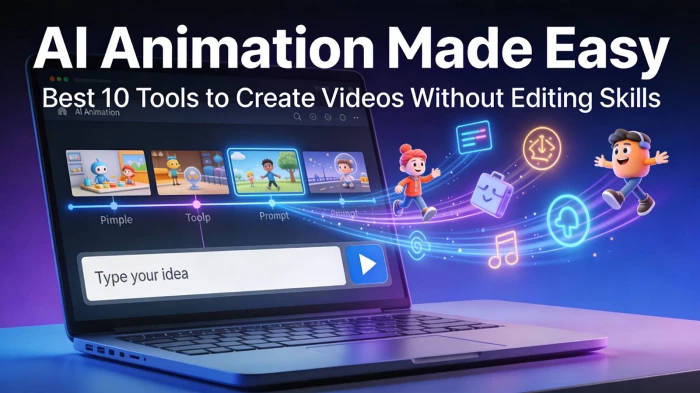
The line between traditional animation and AI‑generated motion is disappearing. Instead of spending weeks keyframing scenes in Blender or Maya, creators can now type a prompt, upload a still image, or use a basic 3D model and get a polished animation in minutes. From YouTube shorts and ads to explainer videos and game assets, AI animation tools are reshaping how individuals and studios plan their entire production pipeline.
For content creators, marketers, and indie filmmakers, this means three big advantages: lower production cost, faster turnaround, and the freedom to test multiple creative directions without a full team. The challenge now is not “Can AI do animation?” but “Which AI animation tool is the right fit for my workflow and budget?”.
Below are 10 strong options covering text‑to‑video, image‑to‑video, 3D animation, and motion design use cases.
Luma Dream Machine is a cinematic text‑ and image‑to‑video generator that turns prompts or still images into realistic, smooth clips with strong character consistency.
Key features
● Text‑to‑video and image‑to‑video from the same interface.
● Fast generation: around 120 frames (≈5 seconds) in a few minutes.
● High motion realism and natural camera movements.
● Tools for keyframes, character consistency, and storyboard‑style boards.
Pricing
● Free tier with limited generations and watermarking.
● Paid plans (credits/subscription) for higher resolution, priority speed, and commercial usage (exact tiers may change; always confirm on pricing page).
Pros
● Cinematic quality and realistic motion.
● Strong identity preservation for characters.
● Intuitive web interface suitable for non‑technical creators.
Cons
● Short clip length per generation compared to full editing suites.
● Heavier cloud usage; requires strong prompts for precise control.
Best use case
Cinematic shorts, concept trailers, product mood videos, and B‑roll for social content where visual realism and camera motion are critical.
Genmo AI is an open‑source‑driven video generator that converts text prompts and images into high‑fidelity, smooth videos using its Mochi 1 model.
Key features
● Text‑to‑video and image‑to‑video generation.
● Mochi 1: a 10‑billion‑parameter diffusion model with 30 fps and up to about 5.4‑second clips.
● Good prompt adherence and temporal coherence.
● Real‑time “chat with your video” editing experience in some interfaces.
Pricing
● Hosted playground with free access for basic use.
● Open‑source model available for developers; infrastructure costs depend on your own setup.
Pros
● Open‑source friendly, great for R&D and customization.
● Smooth motion and strong temporal consistency.
● Good for both creators and developers.
Cons
● Technical setup can be complex for self‑hosting.
● Interface and ecosystem are evolving; may feel less “polished” than commercial SaaS tools.
Best use case
Developers and advanced creators needing controllable AI video, experimentation, and integration into custom pipelines or apps.

Spline is a browser‑based 3D design and animation tool with collaboration, interactivity, and growing AI‑assisted features for speeding up 3D scene creation.
Key features
● Real‑time 3D modeling, animation, materials, and lighting in the browser.
● Interactive states, events, physics, particles, and game‑like controls.
● AI‑assisted generation of shapes/assets and smart materials (varies by version).
● Easy export for web integration and no heavy install required.
Pricing
● Free plan for basic projects.
● Paid plans for advanced features, collaboration, and higher limits.
Pros
● Great for interactive 3D web scenes, not just linear video.
● Friendly learning curve compared with traditional 3D software.
● Strong collaboration features.
Cons
● More of a 3D tool than a pure text‑to‑video generator.
● Browser‑based workflow can strain lower‑end machines with complex scenes.
Best use case
Interactive 3D product demos, website hero animations, simple 3D loops, and web‑embedded animated scenes.

Runway is a popular AI video suite that offers text‑to‑video, image‑to‑video, and editing tools tailored to creators and marketers.
Key features
● Multiple generative video models (e.g., Gen‑series) for different aesthetics.
● Image‑to‑video, style transfer, and video editing features in one place.
● Green‑screening, inpainting, motion tracking, and more for post‑production.
Pricing
● Free tier with limited credits and watermark.
● Subscription plans scaling with resolution, duration, and usage.
Pros
● All‑in‑one environment for generating and editing.
● Popular with creative pros; strong learning resources and community.
Cons
● Can get expensive for high‑volume, high‑res workflows.
● Browser‑based heavy workloads can be slow on big projects.
Best use case
Social media videos, branded content, and experimental short films where you need both generative clips and editing in one place.
Kaiber focuses on turning images, art, and short clips into stylized music videos and animations using AI.
Key features
● Image‑to‑video with multiple artistic styles.
● Music video‑friendly templates and pacing.
● Simple workflow designed for non‑experts.
Pricing
● Free or trial option with limited export quality.
● Paid tiers based on video length and resolution.
Pros
● Great for stylized, music‑driven visuals.
● Very easy to get started.
Cons
● Less suited for realistic cinematic storytelling.
● Limited advanced controls compared to pro tools.
Best use case
Music visuals, lyric videos, animated cover art, and stylized social clips from existing images or artwork.
Pika Labs is a community‑driven AI video generator focused on short, stylized clips and memeable animations.
Key features
● Text‑ and image‑to‑video for short clips.
● Community presets and styles trending among creators.
● Simple prompt‑first workflow.
Pricing
● Free access with restrictions.
● Paid tiers for more generations and better quality.
Pros
● Fast, fun, and community‑oriented.
● Good for trending content and experimentation.
Cons
● Not ideal for long‑form or highly controlled narratives.
● Quality and consistency can vary by style.
Best use case
Short social videos, memes, and quick exploratory animations to test visual ideas.
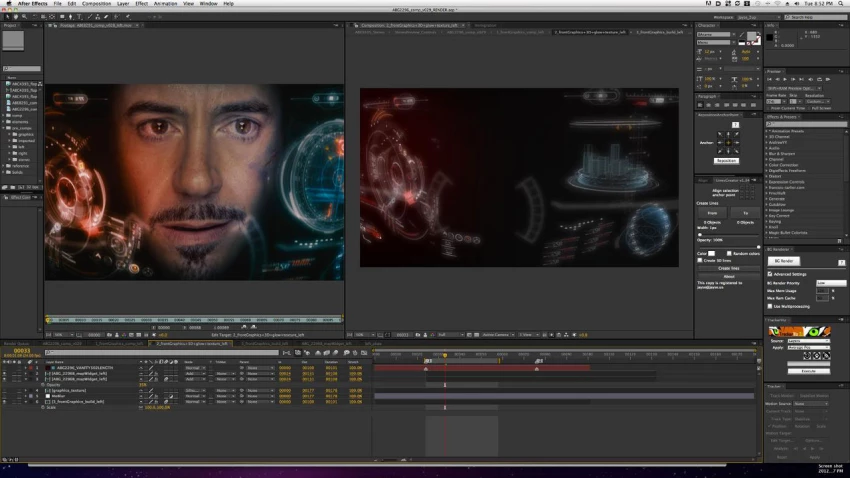
After Effects itself is not an AI animation generator, but with Adobe’s Firefly models and third‑party plugins, you can blend traditional motion graphics with AI‑assisted content.
Key features
● Integration with Adobe Firefly for generative fills and assets in the ecosystem.
● Huge plugin ecosystem, including AI‑powered tools for roto, tracking, and effects.
● Industry‑standard for compositing and motion graphics.
Pricing
● Subscription via Adobe Creative Cloud.
Pros
● Professional‑grade and production‑proven.
● Flexible: combine AI clips (e.g., from Luma or Genmo) with manual animation.
Cons
● Steeper learning curve for newcomers.
● Heavier system requirements and subscription cost.
Best use case
Hybrid workflows where AI‑generated shots are combined with traditional motion graphics, titles, and compositing.
Synthesia generates talking‑head style videos with AI avatars, ideal for explainer and training content rather than full cinematic animation.
Key features
● Text‑to‑speech with lip‑synced AI avatars.
● Multi‑language support and templates for corporate training.
● Simple browser‑based editor.
Pricing
● Subscription plans oriented towards business users.
Pros
● Very fast way to produce presenter‑style videos without cameras.
● Corporate‑friendly features and templates.
Cons
● Not suited for character‑driven or stylized animation.
● Avatar style can feel generic if overused.
Best use case
E‑learning modules, onboarding videos, and explainer content where a “virtual presenter” works better than full character animation.
D‑ID turns photos into talking portraits and offers AI‑generated presenters powered by text or audio input.
Key features
● Animate still portraits into talking head videos.
● Custom avatars and voice options.
● API for integrating into apps and workflows.
Pricing
● Free trial, then subscription and usage‑based plans.
Pros
● Great for quick spokespeople or character faces.
● API is useful for product teams.
Cons
● Limited body motion; mostly focused on faces.
● Not ideal for full‑scene animation.
Best use case
Talking‑head clips for customer support, microsites, or interactive experiences that need a human‑like face.

Leonardo AI focuses on generating art and game assets, but also enables animated elements and sequences useful for 2D‑style animations and game content.
Key features
● Image generation for characters, backgrounds, and props.
● Some tools for animated elements or sequences (varies by version).
● Asset pipelines tailored to game and interactive content.
Pricing
● Free tier with daily tokens.
● Paid tiers for higher limits and commercial usage.
Pros
● Excellent for consistent asset generation.
● Good for game‑adjacent animation (sprites, loops).
Cons
● Not a full video editor or story‑driven animation suite.
● Requires pairing with other tools for final video.
Best use case
Asset creation for 2D/3D games, animated UI elements, or assembling animated sequences from AI‑generated art.
When you’re comparing AI animation platforms, these are the critical features to evaluate for your article and real‑world use.
1. Generation modes
● Text‑to‑video, image‑to‑video, and 3D support depending on your workflow.
● Check whether the tool supports your primary input format (scripts, storyboards, stills, 3D assets).
2. Quality and style control
● Resolution, frame rate, and clip length limits.
● Controls for camera movement, keyframes, and consistency across shots.
3. Character and scene consistency
● Ability to keep characters on‑model across multiple clips.
● Tools for reference images, concept tokens, or “boards” to unify a project.
4. Editing and post‑production workflow
● Built‑in editor vs. export only.
● Compatibility with After Effects, Premiere, DaVinci, or your existing NLE.
5. Speed and reliability
● Average generation time and queue stability.
● Uptime, export failures, and how the tool behaves under heavy load.
6. Pricing and licensing
● Free tier limits, watermark rules, and commercial usage rights.
● Cost per minute of usable footage at the quality you need.
7. Integrations and API
● API access for automation or embedding into apps.
● Plug‑ins for major creative suites or CMS platforms.
8. Learning curve and community
● Tutorials, documentation, and sample prompts.
● Active user communities on Discord, Reddit, or in‑app feeds to discover real‑world use cases.
AI animation tools are no longer “experimental toys”; they are becoming central to professional content pipelines, from pre‑visualization and concept art all the way to final delivery for social and web. Your “best” tool will depend on whether you need cinematic realism (Luma), open‑source control (Genmo), interactive 3D (Spline), social‑ready clips (Pika, Kaiber), or scalable talking avatars (Synthesia, D‑ID). For most readers, the winning strategy will be a stack: generate shots in one tool, refine and assemble them in another, and then use a traditional editor like After Effects or Premiere to polish and package the final story.
YouTube Shorts has shifted from a side experiment to one of the fastest ways to...
Samuel Osei1 day ago
Digital advertising has become brutally competitive: users scroll faster, acquis...
Samuel Osei4 days ago
AI image generators have shifted from experimental toys to core creative tools....
Peter Woods5 days ago
AI-powered image editors are now central to modern content creation, marketing,...
Alexander Hughes6 days ago
AI text-to-speech (TTS) has evolved from robotic audio to almost human‑sounding...
Samuel Osei1 week ago
IntroductionGraphic design is no longer limited to people who know Photoshop sho...
Funke Ogunleye1 week ago
Discussion