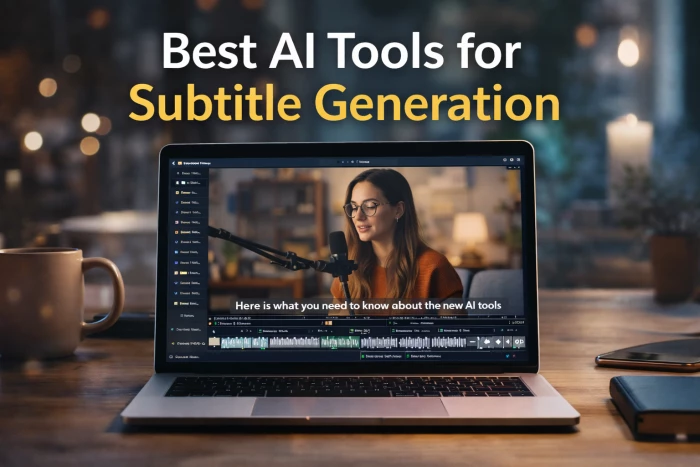
Video content has exploded across YouTube, courses, and short-form platforms, but one thing has become very clear. Subtitles are no longer optional. They improve accessibility, boost watch time, and help videos perform better in silent autoplay environments.
AI subtitle generators have dramatically compressed what used to be a slow manual process. Modern tools can transcribe speech, sync captions, and even translate into multiple languages in minutes. What once required hours of tedious work can now be handled during a coffee break.
That said, the quality gap between tools is still real. Some platforms prioritize styling and speed for creators, while others focus on transcription accuracy for professional workflows. Choosing the right tool depends heavily on what kind of content you produce.
Before jumping into specific platforms, it helps to understand what separates a good subtitle generator from one that creates extra cleanup work. Accuracy is still the foundation. Even the fastest tool becomes frustrating if you spend more time fixing errors than the AI saved.
Language coverage is the second major factor, especially for teams targeting global audiences. Many tools claim multilingual support, but the depth and reliability of those languages vary widely.
Equally important is editing flexibility. Modern creators often want dynamic, styled captions rather than plain subtitle files. Finally, workflow speed and export options determine whether the tool fits into real production environments or just looks good in demos.
With that context, here are the tools that currently stand out.
VEED has built a strong reputation among creators because it combines automatic subtitle generation with a full browser-based video editor. The experience is clearly designed for speed. You upload a video, generate subtitles, and can immediately style or burn them into the footage without switching tools.
In everyday use, VEED feels particularly well suited for YouTubers, course creators, and social media teams that want visually engaging captions. The styling controls are one of its biggest strengths, allowing users to create modern highlighted captions that perform well on short-form platforms.
Where VEED is slightly less dominant is in ultra high accuracy transcription for complex audio. For most creator workflows it performs well, but heavy enterprise users sometimes want deeper linguistic controls.
Kapwing takes a similar browser-first approach but leans even more heavily into simplicity. The platform is built for users who want captions fast without navigating complex timelines or production settings.
In practice, Kapwing is popular with social teams and marketers who need quick turnaround. The interface removes most friction, which is exactly why many beginners prefer it. Upload, auto-caption, quick edits, export. The workflow is intentionally straightforward.
However, Kapwing is more about convenience than deep customization. Advanced users working on long-form or broadcast content may eventually feel its limitations.
Happy Scribe sits on the more professional end of the spectrum. The platform focuses strongly on transcription accuracy and language coverage rather than flashy creator features.
For educators, podcasters, and documentary teams, this often makes a noticeable difference. The tool supports a very wide range of languages and tends to perform reliably on longer recordings.
The tradeoff is that the interface feels more utilitarian than creator-centric tools. It is built for precision and scale rather than quick social media styling. If your priority is linguistic reliability over visual flair, Happy Scribe becomes much more attractive.
Maestra positions itself as an end-to-end multilingual platform. It does not just generate subtitles. It also handles translation and multiple export formats within the same pipeline.
For companies pushing content into many regions, this integrated workflow can save significant time. Instead of juggling separate transcription and translation tools, everything happens in one place.
In real use, Maestra performs best for teams that think globally from day one. Solo creators can use it, but its strengths really show up in multi-language production environments.
Animaker’s subtitle tool is clearly designed with beginners and marketing teams in mind. The experience is simple and approachable, with one-click subtitle generation followed by optional manual cleanup.
This makes it useful for users who want automation but still want to keep a human eye on the final output. It is particularly common in explainer video workflows where speed matters more than perfect linguistic nuance.
However, compared to more advanced platforms, Animaker’s AI engine and styling flexibility are somewhat lighter. It works best as an entry-level or marketing-focused solution rather than a heavy production tool.
Dubverse focuses on efficient subtitle generation for longer videos and larger content libraries. The platform is built with scale in mind, which makes it appealing for educational platforms and media teams managing many hours of footage.
Its workflow is more functional than flashy, but that is intentional. The emphasis is on fast, time-coded subtitle output across multiple languages.
Creators looking for highly stylized captions may want additional tools, but teams prioritizing throughput and consistency often find Dubverse fits well into their pipeline.
| Tool | Strength Area | Ideal User |
|---|---|---|
| VEED | Styling plus editing | Creators and YouTubers |
| Kapwing | Speed and simplicity | Social media teams |
| Happy Scribe | Accuracy and languages | Professionals and educators |
| Maestra | Translation workflows | Global teams |
| Animaker | Beginner friendly captions | Marketers and new creators |
| Dubverse | Long-form scalability | Media and education platforms |
AI subtitle generation has matured rapidly. For most clear audio videos, modern tools now deliver solid first-pass captions that only need light human review.
The real differences today are less about whether subtitles work and more about workflow fit. Creator tools optimize for speed and styling. Professional platforms optimize for accuracy and language depth. Enterprise tools optimize for scale.
The smartest approach is not chasing the most popular name but choosing based on your actual content pipeline.
AI subtitle generators have quietly become core infrastructure for modern video production. They save time, expand reach, and improve accessibility across platforms.
No single tool dominates every category yet, but the overall direction is clear. Subtitle creation is moving toward fast, AI-assisted workflows with humans providing the final polish.
If your current process still involves manually typing captions from scratch, upgrading to one of these tools will likely deliver immediate productivity gains.
Customer service automation is no longer a future ambition. For many companies,...
Grace Howard2 days ago
AI chatbots in 2026 have moved far beyond simple question-answer tools. They are...
Alexander Hughes6 days ago

CrushOn AI has quietly built momentum among users searching for character based...
John Nyarko1 week ago
AI companionship platforms are advancing rapidly, but not every tool lives up to...
John Nyarko1 week ago
AI coding tools are transforming how developers write software. If you’re search...
John Nyarko1 week ago
When Suno AI first started appearing in conversations, expectations were low. Ma...
John Nyarko3 weeks ago
Discussion