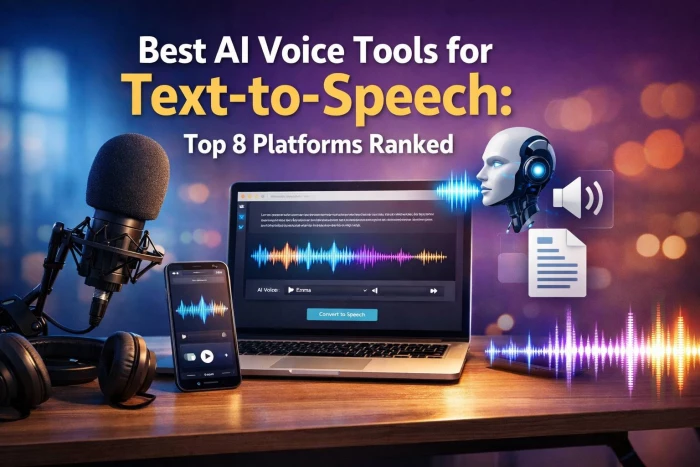
AI text-to-speech (TTS) has evolved from robotic audio to almost human‑sounding voices that can power YouTube videos, podcasts, explainer tutorials, product demos, audiobooks, and even real‑time assistants. The “best” tool now depends less on raw voice quality and more on workflow fit, pricing, languages, and how far you need to push realism or scale.
ElevenLabs is widely regarded as the benchmark for realistic, expressive AI voices with strong emotion control and powerful voice cloning. It suits creators and brands that care about natural storytelling and consistent voice identity.
Key features
● Hyper‑realistic neural voices with strong emotional range
● Instant and professional voice cloning
● Multilingual support with 100+ voices (and growing)
● API for apps, games, and products
Pricing (typical tiers)
● Free: ~10k characters/month with watermark
● Starter: from about 30k characters/month around the 5 USD range
● Mid/pro tiers: higher character limits, better cloning, team features
Best for: YouTubers, podcasters, storytellers, and brands needing a signature synthetic voice.
Voice quality note: Among the most human‑like TTS tools in blind tests, scoring around 4.8/5 on naturalness and 4.9/5 on emotional range in a 2026 benchmark.
Play.ht focuses on large voice variety and high‑volume output, making it attractive for content teams producing lots of voiceovers. It offers strong language coverage and a familiar SaaS studio workflow.
Key features
● 800–900+ voices across 100+ languages and accents
● SSML support for fine‑tuning pacing, emphasis, and pauses
● Voice cloning and audio downloads in multiple formats
● API and WordPress integrations for content pipelines
Pricing (typical tiers)
● Free: small monthly quota with watermark and standard voices
● Creator: around 19 USD/month for high word limits and downloads
● Pro/Growth: higher limits, priority generation, and collaboration
Best for: Agencies, publishers, and blogs converting large libraries of text into audio.
Voice quality note: Premium voices sound natural with good clarity; slightly behind ElevenLabs on emotion, but strong for narration and training content.
Murf AI combines a TTS engine with a full voiceover studio, including timeline editing, background music, and basic video support. It’s designed as an all‑in‑one production environment rather than just a voice API.
Key features
● Built‑in studio with multi‑track editing and media upload
● 100+ realistic voices, mainly focused on business and e‑learning
● Pronunciation, emphasis, and speed controls
● Collaboration and project sharing for teams
Pricing (typical tiers)
● Free: limited minutes, watermark, small voice set
● Basic/Creator: from ~19 USD/month for a few hours of audio per month
● Pro/Enterprise: more hours, voice cloning, and API access
Best for: Course creators, training teams, and marketers producing video explainers and presentations
Voice quality note: Polished, “corporate‑ready” tone that works well for pitches and learning content; less dramatic than ElevenLabs but very consistent.
WellSaid Labs targets enterprises that need consistent, professional‑sounding English voices for training, product, and corporate communications. Its studio voices are frequently used in large‑scale e‑learning and internal content.
Key features
● High‑quality, studio‑grade English voices
● Team workflows, user seats, and project management
● Enterprise‑grade security and compliance
● Custom voice creation for brands at higher tiers
Pricing (typical tiers)
● Maker: around 49 USD/month for limited yearly hours
● Creative/Team: higher annual hours and collaboration features
● Enterprise: custom pricing with custom voices and API
Best for: Enterprises, L&D teams, and agencies creating formal training or product documentation
Voice quality note: Natural, steady, and “human‑presenter” style; not as emotional as storytelling tools, but excellent for professional narration.
Speechify started as a reading‑assistant and evolved into a versatile TTS platform with apps and browser tools. It’s popular among students, professionals, and casual users who want to listen to text on the go.
Key features
● Cross‑platform apps (web, mobile, browser extension)
● Upload PDFs, docs, and web pages for instant listening
● Multiple AI voices and reading speeds
● Highlight‑as‑you‑listen and note‑taking options
Pricing (typical tiers)
Free: limited voices and daily listening
Premium: monthly or yearly subscription with more voices and higher limits
Best for: Students, readers with visual/attention difficulties, and professionals who “listen instead of reading”
Voice quality note: Modern AI voices sound clear and pleasant for long listening sessions, though not as nuanced as ElevenLabs or premium studio tools.
LOVO (often branded as Genny for its main product) blends TTS with simple video creation and a large catalog of creator‑style voices. It’s aimed at YouTube shorts, social clips, and marketing content where speed and style matter.
Key features
● Hundreds of voices in multiple languages
● Simple canvas for pairing voice with images, subtitles, and basic video
● Voice cloning and pronunciation controls
● API for developers
Pricing (typical tiers)
● Free/Trial: limited exports, watermark
● Creator/Pro: monthly or yearly plans with higher minute limits and better voices
Best for: Social media creators, marketers, and small teams producing quick, branded clips
Voice quality note: Modern, creator‑friendly tone with decent emotion; quality varies across voices, so testing is important.
Google Cloud TTS is an enterprise‑oriented API with dozens of WaveNet and Neural2 voices, ideal for apps and back‑end systems. It’s built to scale inside the Google Cloud ecosystem rather than as a drag‑and‑drop studio.
Key features
● 90+ voices across many languages and variants
● WaveNet and Neural2 models for natural audio
● Fine‑grained SSML for pitch, rate, and emphasis
● Tight integration with other GCP products
Pricing (indicative)
● Often in the ~4–16 USD per 1M characters range, depending on model
● Pay‑as‑you‑go with generous free trial quotas
Best for: Developers, SaaS products, and enterprises already on GCP needing reliable, scalable TTS
Voice quality note: Very natural narration, especially with WaveNet and Neural2; slightly less expressive than specialized storytelling tools, but excellent for assistants and UX audio.

Amazon Polly is AWS’s TTS service, optimized for large‑scale workloads and integrations with other Amazon services. It’s widely used in IVR systems, accessibility tools, and multi‑language apps.
Key features
● Dozens of neural and standard voices in many languages
● Neural TTS for more natural prosody
● SSML and lexicons for custom pronunciations (e.g., brand names)
● Deep integration with AWS (Lambda, S3, Connect, etc.)
Pricing (indicative)
● Around 4 USD per 1M characters for neural voices in many regions
● Separate pricing for standard vs neural and region‑based tiers
Best for: High‑volume TTS in AWS‑native products, IVR, and accessibility features.
Voice quality note: Strong, reliable neural voices suitable for assistants and support flows; less emotional than ElevenLabs, but great for scalable, “always‑on” speech.
| Tool | Standout strength | Typical entry cost | Voice quality note |
| ElevenLabs | Ultra‑realistic, emotional voices | Low starter (~5 USD/mo) | Near‑human, top scores for naturalness and emotion. |
| Play.ht | Massive voice library, volume | Creator at ~19 USD/mo | Natural premium voices, slightly less emotional. |
| Murf AI | All‑in‑one voiceover studio | From ~19 USD/mo | Polished, business‑ready narration. |
| WellSaid Labs | Enterprise‑grade English voices | From ~49 USD/mo | Studio‑quality, professional tone |
| Speechify | Reading assistant, accessibility | Free + premium tiers | Comfortable long‑form listening, moderate nuance. |
| Lovo / Genny | Voices + quick video creation | Creator/Pro monthly plan | Modern, creator‑styled voices; quality varies. |
| Google Cloud TTS | Scalable developer API (GCP) | Pay‑as‑you‑go per chars | Very natural neural voices for apps/UX. |
| Amazon Polly | High‑volume AWS workloads | Pay‑as‑you‑go per chars | Reliable neural voices for IVR and assistants. |
When comparing TTS tools, listen for more than just “does this sound human.”
1. Naturalness and prosody: Check if pauses, rhythm, and sentence flow feel like a real human or a “flat” robot.
2. Emotional range: Test calm, excited, serious, and conversational reads; some tools excel only in neutral tone.
3. Consistency at length: For 30–60 minute narrations, ensure the voice remains stable without odd glitches.
4. Pronunciation and control: Try brand names, technical terms, and acronyms; see if the tool offers lexicons or SSML fixes.
5. Background noise and artifacts: Listen on good headphones for hiss, metallic artifacts, or “choppy” transitions.
Use‑case and budget matter more than chasing the single “best” platform.
1. Define your primary use case
Start by clarifying what you need the tool for. ElevenLabs, Lovo/Genny, and Murf AI work well for YouTube and storytelling, while Murf AI, WellSaid Labs, and Google Cloud TTS suit e-learning. For app integration, consider Google Cloud TTS, Amazon Polly, or the ElevenLabs API.
2. Map your budget and scale
Choose based on how much you’ll spend and produce. Under ~$10/month, starter or free plans are fine; $20–$50/month plans like Play.ht Creator or Murf AI Creator support heavier use. Enterprises typically move to WellSaid Labs, Google Cloud TTS, Amazon Polly, or custom ElevenLabs.
3. Check languages and compliance
Make sure the tool supports your required languages and offers clear commercial rights. This is essential if you plan to publish or monetize content globally.
4. Test workflow and surrounding tools
Look beyond voice quality to the full workflow. Studio-style tools like Murf or Lovo can save time if you need editing timelines or collaboration features.
5. Start free, then standardize
Run a small test with 2–3 tools using real scripts. Compare quality, speed, and cost, then standardize on the best performer for your workflow.
In 2026, ElevenLabs is the frontrunner for raw voice realism, especially when emotion and storytelling matter. Play.ht and Murf AI offer the best balance of scale and workflow for content teams, while WellSaid Labs, Google Cloud TTS, and Amazon Polly dominate enterprise and developer‑first deployments. Speechify and Lovo/Genny fill important niches for reading‑assist and social‑first video creation, rounding out a mature ecosystem where your “best” tool is the one that fits your content type, scale, and budget most cleanly.

YouTube Shorts has shifted from a side experiment to one of the fastest ways to...
Samuel Osei1 day ago
Digital advertising has become brutally competitive: users scroll faster, acquis...
Samuel Osei4 days ago
AI image generators have shifted from experimental toys to core creative tools....
Peter Woods5 days ago

AI-powered image editors are now central to modern content creation, marketing,...
Alexander Hughes6 days ago

IntroductionGraphic design is no longer limited to people who know Photoshop sho...
Funke Ogunleye1 week ago

Introduction: Why AI Animation Tools Matter NowThe line between traditional anim...
Sandra Campos1 week ago
Discussion