
ChatGPT’s app integrations let you turn a simple chat into a control panel for day‑to‑day tasks like ordering food, booking rides, planning trips, managing music, shopping, or even house‑hunting. Once you connect services like DoorDash, Spotify, Uber, Booking.com, Canva, Figma, Coursera, Target, Zillow, and others, you can trigger real actions just by describing what you want in plain language.
ChatGPT “apps” are built‑in integrations that connect your existing accounts (like Spotify or Uber) so the assistant can act inside those services on your behalf. Instead of bouncing between half a dozen apps, you describe the task once in ChatGPT, and it talks to the right integration to handle the heavy lifting in the background.
These integrations can both read and write certain data, depending on permissions: for example, they might see your playlists to recommend music, or update a shopping cart so you can check out in the brand’s own app or site. This is what shifts ChatGPT from being just a chatbot into a more action‑oriented assistant that coordinates real-world services.
Getting everything set up is pretty quick if you know where to look.
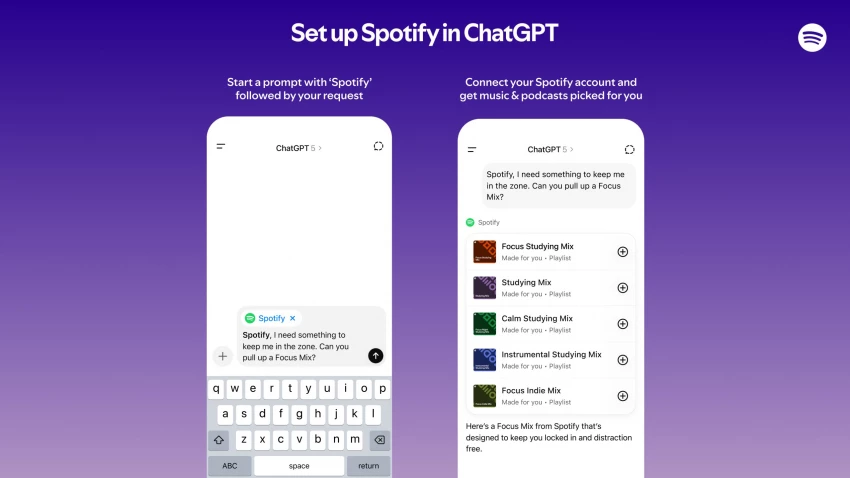
Once your accounts are connected, the fun part is using natural language to get things done. Below are some of the higher‑impact integrations and what they’re good at.
With DoorDash, U.S. users can ask ChatGPT to sketch out a meal plan, then convert that into a grocery list from chains like Kroger, Safeway, or Wegmans and drop the items straight into a DoorDash cart for delivery.
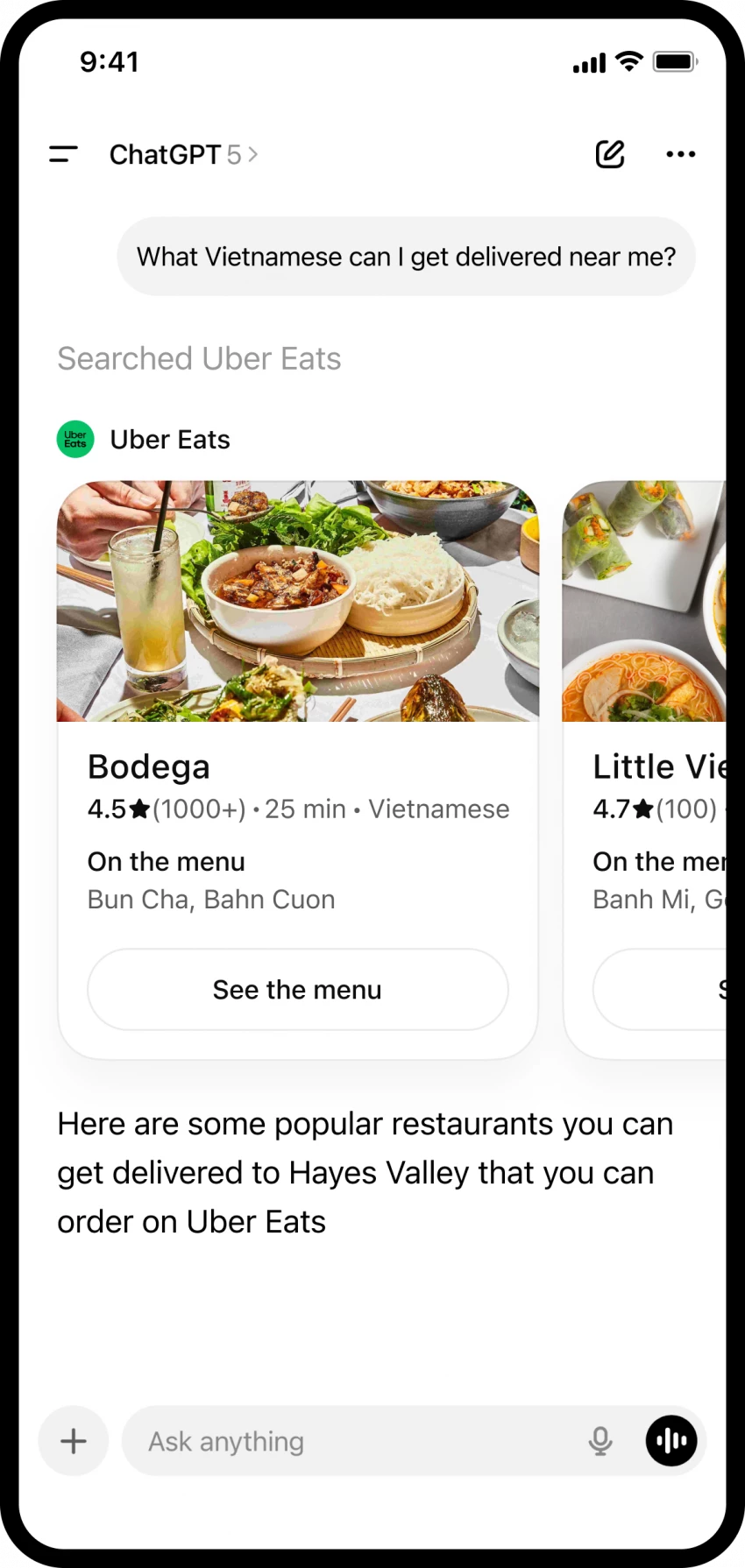
Uber also supports an Uber Eats integration so you can explore nearby restaurants and menu items inside ChatGPT, then finalize and pay in the Uber Eats app.
This is useful when you’re planning a week of meals or trying to restock quickly without manually searching every item.
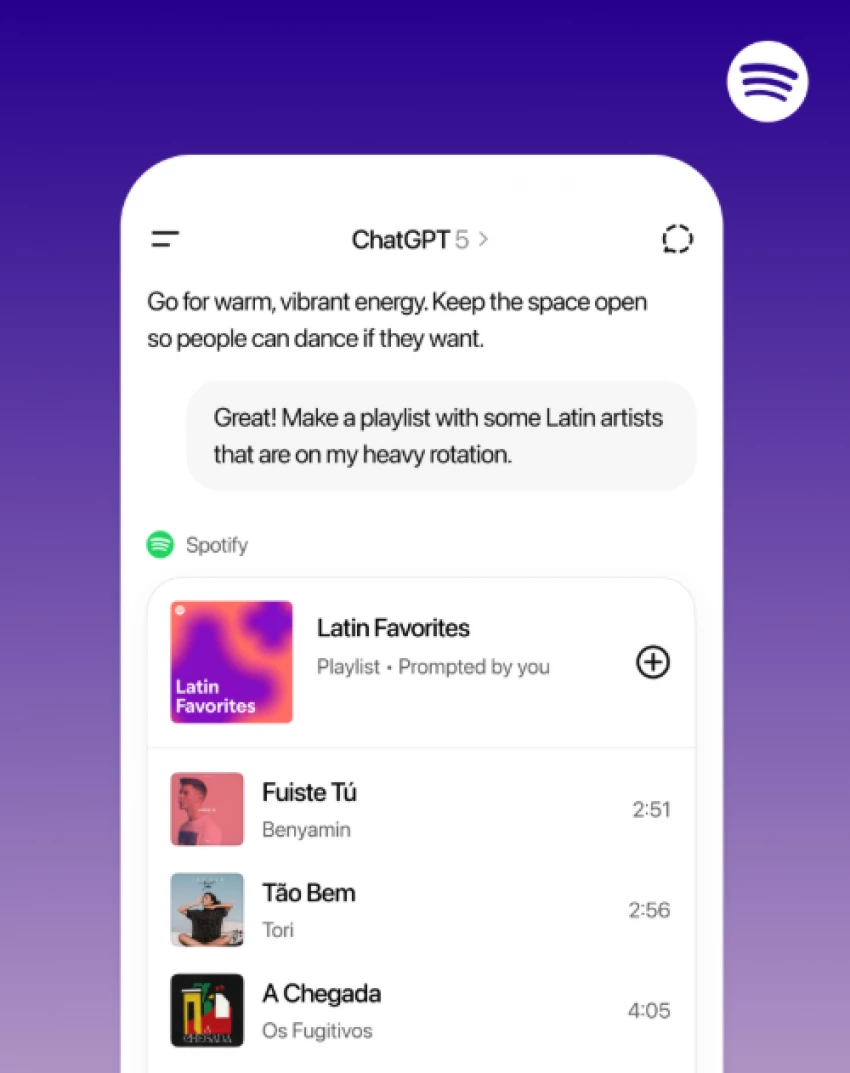
The Spotify integration can build playlists tailored to your mood, activity, or favorite artists and send them directly to your Spotify account.
You can ask for new artist recommendations, themed playlists, audiobooks, or podcast suggestions, and ChatGPT can also add or remove items from your library.
Because it can see your historical listening data, it can make more personalized choices than a generic “top hits” search.

U.S. users can plan an on‑demand Uber trip from within ChatGPT, choose options like UberX, UberXL, Comfort, or Black, and then jump into the Uber app to confirm and pay.
You can’t schedule rides ahead of time with this integration yet; it’s focused on immediate trips, which is especially handy in unfamiliar cities.
There’s also a parallel push to make Uber Eats and similar integrations part of the same conversational flow, so travel and food can be coordinated in a single thread.

With Booking.com connected, you can say something like “Find hotels in Paris for three nights under ₹10,000 per night, breakfast included, near public transport,” and get filtered suggestions that you can open in Booking.com to finalize the reservation.
Expedia lets ChatGPT surface flight and hotel options based on dates, budget, star rating, and group size, then sends you to Expedia to complete the booking.
Used together, ChatGPT becomes a hub for planning routes, accommodation, and timing before you lock everything in on the travel site.
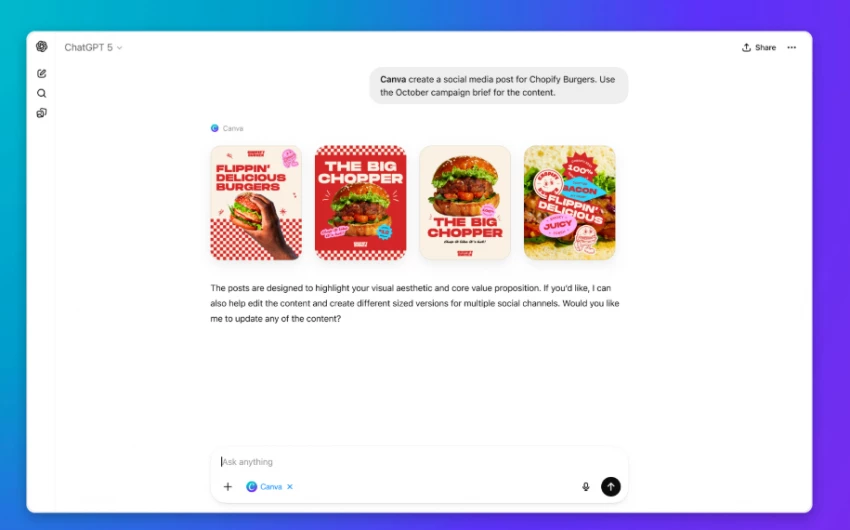
Canva can take an outline or idea you describe in chat, like a social post, presentation, or poster, and turn it into a draft design that you later refine inside Canva.
Figma is handy for diagrams, flowcharts, and product roadmaps; you can upload files and ask for a timeline with milestones, deliverables, and deadlines visualized for your team.
Coursera helps surface and compare courses by topic, level, rating, price, and duration, and can summarize what each course covers so you can decide faster.
These tools make it easier to move from rough idea to something concrete, such as slides, wireframes, or a learning plan, without switching tabs repeatedly.
Target’s integration, tested around Black Friday, lets you ask for gift ideas or shopping lists and build a cart from within ChatGPT, then choose Drive Up, in‑store pickup, or shipping when you check out with Target.
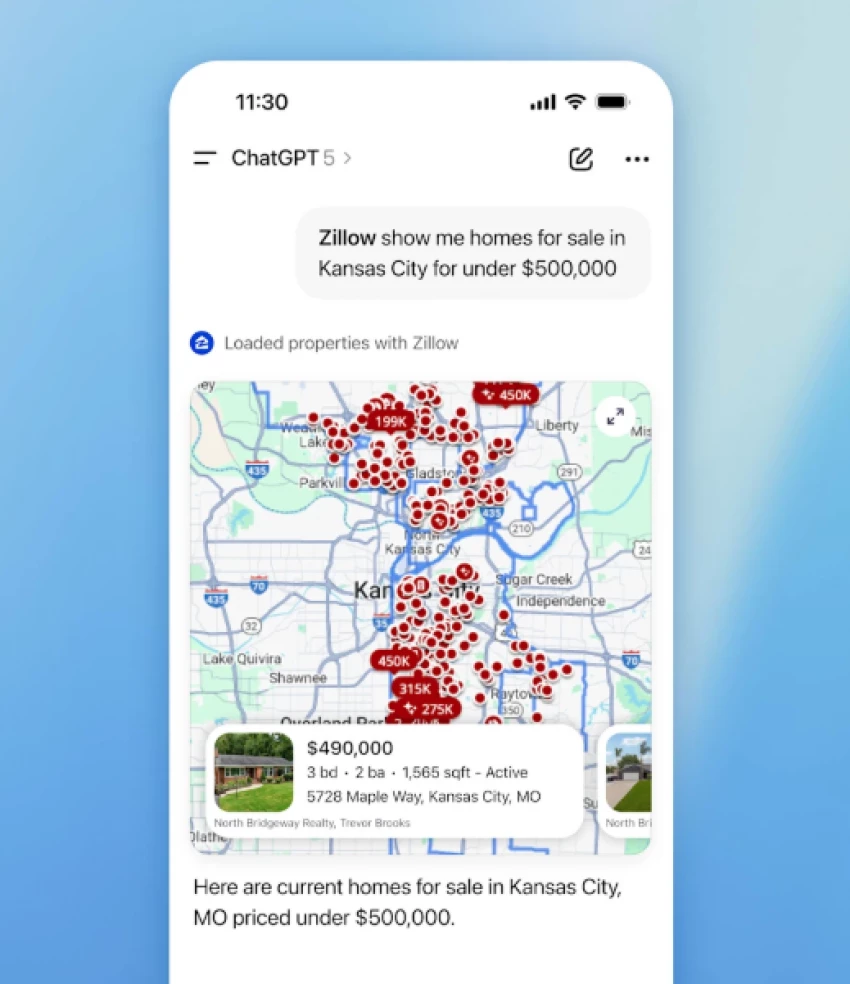
Zillow supports conversational home hunting: describe your ideal home (budget, bedrooms, neighborhoods, features) and browse matching listings on an interactive map directly in ChatGPT.
OpenAI and partners are also lining up integrations with services like Walmart, PayPal, and OpenTable for 2026, further expanding what you can control from a single chat.
Every integration comes with a trade‑off: you gain convenience, but you’re also sharing slices of your personal data (like playlists, shopping history, or ride locations) so the assistant can act intelligently. It’s smart to connect only the apps you genuinely need, review each permission screen, and periodically prune unused integrations in Settings.
As more partners and developer‑built apps arrive through the OpenAI Apps SDK, ChatGPT is evolving into a unified interface where you plan, compare, and trigger actions across entertainment, travel, shopping, education, and even housing from one place. For a practical setup, most users will get the most value by picking a tight stack music (Spotify), rides (Uber), food and groceries (DoorDash or Uber Eats), one travel site, one design tool, and maybe a shopping or housing app and then designing prompts that mirror how they already live and work.

Digital transactions have become the backbone of modern technology ecosystems. F...
John Nyarko1 week ago

Ever wish the workday felt less like a stressful scramble? Over time and a lot o...
John Nyarko3 months ago
Discussion