Graphic design is no longer limited to people who know Photoshop shortcuts and color theory by heart. Modern AI tools can generate layouts, suggest palettes, remove backgrounds, upscale assets, and even create entire campaign visuals from a single prompt.
For businesses, this means faster turnarounds and lower design costs; for designers, it means more time for strategy and creative decisions rather than repetitive edits. In this article, we’ll look at the key features that actually matter in an AI design stack and then walk through 8 of the best AI tools for graphic design right now.
When evaluating AI design tools, it helps to benchmark them on capabilities, control, and collaboration rather than just “cool” effects.
1. Ease of use and learning curve: A clean interface, good templates, and guided workflows matter more than raw power if your team includes non-designers.
2. AI generation quality: Look at how sharp, on-brand, and commercially usable the generated images, layouts, and videos are, especially at social and print resolutions.
3. Brand and asset control: Check for brand kits, custom fonts, logo locking, and reusable components so AI outputs stay consistent with your visual identity.
4. Integration with existing tools: Deep integration with Adobe CC, Figma, or your CMS can save hours of export–import friction.
5. Collaboration and sharing: Real-time comments, team workspaces, and permissions are critical if you’re running multi-person design and marketing teams.
6. Pricing and limits: Most tools follow a freemium model with caps on AI credits or export quality; always map those limits to your monthly workload.
Why it stands out
Canva has become the default AI design workspace for non-designers thanks to its templates, drag-and-drop interface, and Magic Studio AI layer for text, image, and video tasks.
Feature highlight
Magic Design, Magic Media, Magic Edit, Magic Switch, and prompt-to-design features that can auto-generate full on-brand layouts from a short brief.
Unique capability
Prompt-to-design for social posts, presentations, and ads where Canva proposes multiple complete designs (layout + copy + imagery) from a single idea.
Key strength
Perfect blend of usability and breadth: social media, slide decks, print, basic video, and marketing collateral in one browser-based tool.
Where it falls short
Not ideal for pixel-perfect, complex, or print-critical design work where designers need full control over vectors and layer logic.
● Limitation 1: AI image outputs can look generic or overused because so many people rely on similar templates and styles.
● Limitation 2: High-volume AI usage and Teams plans get expensive after recent price hikes, especially for larger organizations.
Pricing snapshot
Freemium model with limited AI usage on Free; Pro from about $12.99/month per user, Teams from around $14.99/month per user with higher AI limits and collaboration features.
Why it stands out
Adobe Firefly is Adobe’s generative AI engine for images, vectors, text effects, and video, deeply embedded into Photoshop, Illustrator, and other Creative Cloud apps.
Feature highlight
Generative Fill, style transfer, text-to-image, text-to-vector, and AI upscaling integrated directly into pro tools designers already use.
Unique capability
Commercially safe outputs trained on Adobe-licensed and public domain data, which is attractive for brands worried about copyright.
Key strength
Tight workflow integration: designers can stay inside Photoshop/Illustrator, using Firefly for generative tasks without jumping to third-party tools.
Where it falls short
Best value appears only when combined with Creative Cloud subscriptions, which can be overkill for casual users.
● Limitation 1: Credit-based usage can feel restrictive for heavy daily generation, especially at higher resolutions.
● Limitation 2: Learning curve is steeper for non-designers compared to template-first tools like Canva.
Pricing snapshot
Freemium model via a free tier, with paid Firefly plans starting around $4.99–$9.99/month for more generative credits; also bundled with Creative Cloud and business plans at higher tiers.
Why it stands out
Midjourney is one of the most popular prompt-based image generators for high-quality, stylized visuals, concept art, and mood boards.
Feature highlight
Advanced prompt controls, style references, and variations that let users explore hundreds of creative directions quickly.
Unique capability
Exceptional stylization and artistic “feel,” making it a go-to for concept artists, illustrators, and branding explorations.
Key strength
Produces visually striking, original-looking imagery that can inspire campaigns, landing pages, and entire brand aesthetics.
Where it falls short
Workflow is less straightforward for traditional marketing teams because it’s not a full layout or branding tool on its own.
● Limitation 1: Requires prompt-crafting skill; results vary widely based on how well you describe what you want.
● Limitation 2: No native layout, brand kit, or multi-page design features; you must import images into other tools for production.
Pricing snapshot
No permanent free tier; subscription plans only, with entry-level plans typically priced competitively for individuals and higher tiers for power users.
Why it stands out
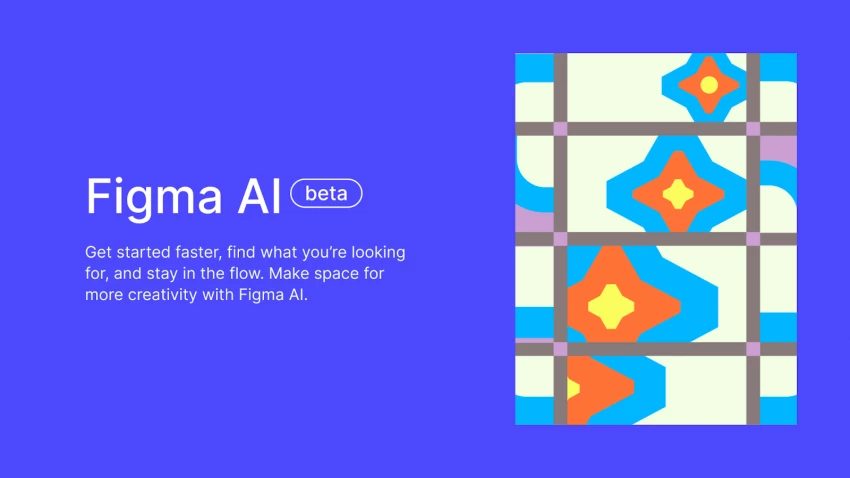
Figma has evolved from a UI design tool into a collaborative design OS, with Figma AI automating layout, content, and component-heavy tasks.
Feature highlight
AI-assisted component generation, responsive layout adjustments, auto-generated copy, and color palette suggestions.
Unique capability
Design systems and product teams can use AI to maintain consistent components and spacing across complex multi-screen projects.
Key strength
Real-time collaboration for product, marketing, and design teams with AI acting as a co-pilot rather than a separate app.
Where it falls short
More suited to digital product and interface work than general marketing collateral or print design.
● Limitation 1: Can feel overwhelming for solo marketers who just need quick social posts or flyers.
● Limitation 2: Advanced features and shared libraries tend to benefit structured teams more than casual users.
Pricing snapshot
Free individual tier with limited features; paid plans for professional teams and organizations scale with seats and collaboration features, with AI enhancements available on higher tiers.
Why it stands out
Runway focuses on AI-powered video and motion graphics, allowing designers to turn static ideas into dynamic content with minimal manual animation.
Feature highlight
Text-to-video, video-to-video, background removal, and AI-powered motion brushes for creative storytelling.
Unique capability
Generative video models (like Runway Gen-3) that can produce cinematic clips and animations from simple prompts.
Key strength
Ideal for social campaigns, explainers, and brand teasers where motion and video performance are increasingly important.
Where it falls short
Not a full graphic design suite; you still need separate tools for print, static layouts, and brand systems.
● Limitation 1: Processing times and output consistency can vary depending on prompt complexity and model.
● Limitation 2: Steeper learning curve if you’re not already comfortable with basic video concepts and timelines.
Pricing snapshot
Freemium approach with limited exports on Free; paid tiers unlock higher resolution, longer clips, and commercial usage rights.

Why it stands out
Visme is an AI-assisted design platform for presentations, infographics, reports, and marketing visuals, tailored to business communication.
Feature highlight
AI-powered templates, infographic builders, chart and data visualization tools, plus drag-and-drop branding elements.
Unique capability
Strong focus on data storytelling—turning spreadsheets and stats into visually rich infographics and slide decks with AI help.
Key strength
Great for teams that produce a lot of reports, pitch decks, and educational content rather than purely artistic graphics.
Where it falls short
Less suitable for complex photo editing, highly stylized art, or advanced illustration work compared to Adobe or Midjourney.
● Limitation 1: Template-first approach can make designs feel similar across different projects if not heavily customized.
● Limitation 2: Interface can feel cluttered when juggling many charts, widgets, and visual elements.
Pricing snapshot
Free plan with limited features and exports; paid plans typically start in the low double-digit dollars per month for individuals, scaling for teams.
Why it stands out
Looka is an AI-powered branding and logo design tool aimed at startups, creators, and small businesses.
Feature highlight
Logo generator, brand kits, typography suggestions, and instant mockups across business cards, social media, and websites.
Unique capability
Fast brand identity exploration: users can test dozens of logo and style directions in minutes rather than weeks.
Key strength
Extremely time-efficient for early-stage businesses that need a usable brand identity quickly and can refine later.
Where it falls short
Logos can lack the originality and nuance that a human brand designer would bring for high-stakes brands.
● Limitation 1: Customization beyond the generated options is limited, especially for complex logo systems.
● Limitation 2: Not intended as a full design suite; you’ll export assets to other tools for ongoing campaigns.
Pricing snapshot
No ongoing subscription required for basic logo packages; branding bundles and extended rights are sold at fixed one-time prices, with optional add-ons.
Why it stands out
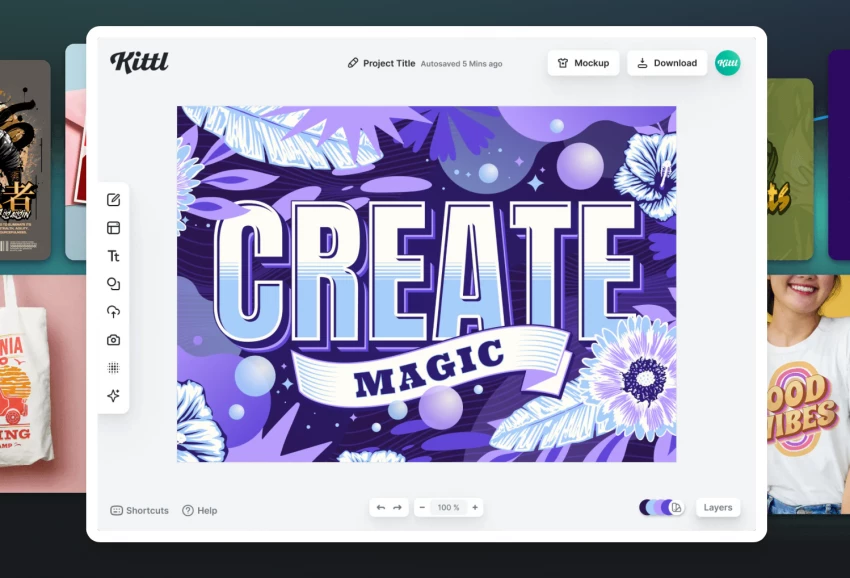
Kittl is a design platform focused on typography, illustrations, and merch-ready graphics, boosted by AI features for text and vector art.
Feature highlight
AI-assisted typography, vintage-style layouts, and illustration tools optimized for posters, T-shirts, and print-on-demand sellers.
Unique capability
A rich template library geared toward merch and print combined with AI suggestions for headlines, layouts, and decorative elements.
Key strength
Excellent for creators running Etsy/Printify shops or brands that rely heavily on typographic artwork and illustrative designs.
Where it falls short
Less emphasis on corporate-style presentations, data visuals, or UI design compared to more generalist platforms.
● Limitation 1: Niche focus means it might not cover all your general marketing design needs.
● Limitation 2: Advanced output customization may still require export to pro tools like Illustrator.
Pricing snapshot
Free tier available, with paid plans starting around $10/month and unlocking higher-resolution exports, commercial usage, and advanced features.
| Tool | Best for use-case | Core strength | Typical pricing entry* |
| Canva | Social, marketing, quick multi-format graphics | Ease of use + Magic Studio AI | Free; paid from ~$12.99/mo |
| Adobe Firefly | Pro creatives inside Adobe CC | Deep integration with Photoshop/AI | Free tier; paid from ~$4.99–9.99/mo |
| Midjourney | Concept art, mood boards, stylized imagery | High-quality artistic generations | Paid-only subscriptions |
| Figma AI | UI, UX, product design systems | Collaborative layout + AI automation | Free tier; team plans paid |
| Runway | AI video, motion for campaigns | Text-to-video and generative motion | Free tier; paid for HD/commercial |
| Visme | Presentations, reports, infographics | Data storytelling with AI assistance | Free; paid from low double digits/mo |
| Looka | Logos and brand kits for startups | Rapid logo and brand exploration | One-time logo/brand packages |
| Kittl | Merch, posters, typographic artwork | AI-powered typography and illustration | Free; paid from ~$10/mo |
*Pricing is indicative and may vary by region, billing cycle, and current promotions.
No single AI tool covers every design need, so the smartest approach is to build a small, complementary stack. For most teams, a practical combo looks like this: Canva or Visme for everyday marketing assets, Adobe Firefly (inside Creative Cloud) for pro-grade editing and art direction, and Midjourney or Kittl for standout visuals, merch, and experimental concepts.
As AI models continue to improve, the competitive edge will belong to creators who know when to use which tool, automating the repetitive parts, but still applying human judgment to brand, story, and strategy.

YouTube Shorts has shifted from a side experiment to one of the fastest ways to...
Samuel Osei1 day ago
Digital advertising has become brutally competitive: users scroll faster, acquis...
Samuel Osei4 days ago
AI image generators have shifted from experimental toys to core creative tools....
Peter Woods5 days ago
AI-powered image editors are now central to modern content creation, marketing,...
Alexander Hughes6 days ago
AI text-to-speech (TTS) has evolved from robotic audio to almost human‑sounding...
Samuel Osei1 week ago
Introduction: Why AI Animation Tools Matter NowThe line between traditional anim...
Sandra Campos1 week ago
Discussion