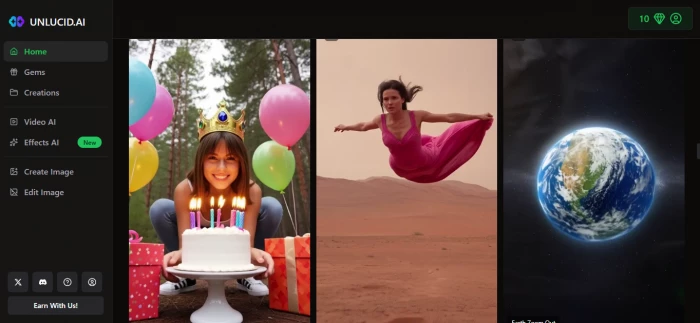
In this review, we’re taking a clear, honest look at one such platform Unlucid AI that’s been getting a lot of buzz, especially among hobbyists, meme creators, and people who want "uncensored" creative freedom online.
We’ll unpack what it really does, where it shines, where it struggles, how users feel about it, and whether it’s worth your time.
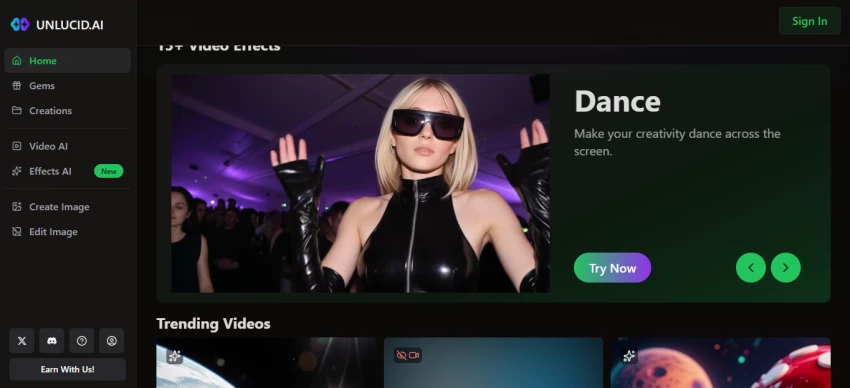
At its core, this platform is a web-based creative suite that uses artificial intelligence to help people:
Unlike many mainstream AI tools, this one markets itself as offering fewer content restrictions, which means it lets users experiment more freely with ideas that might be blocked elsewhere.
The platform uses a freemium model based on virtual credits called Gems:
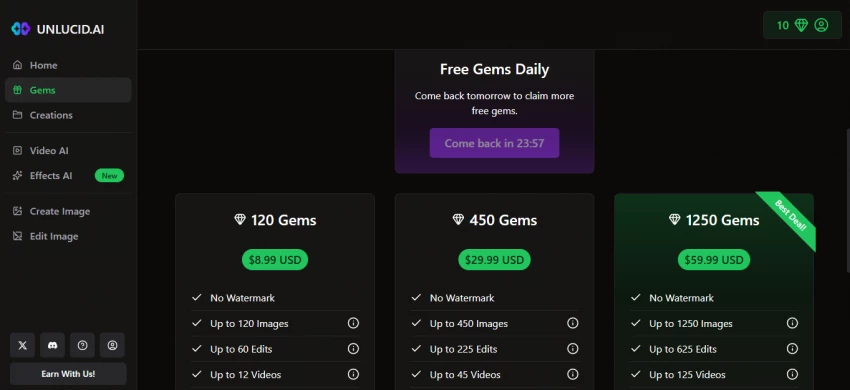
Because you “pay as you go,” frequent use can add up faster than with platforms that offer unlimited monthly plans.
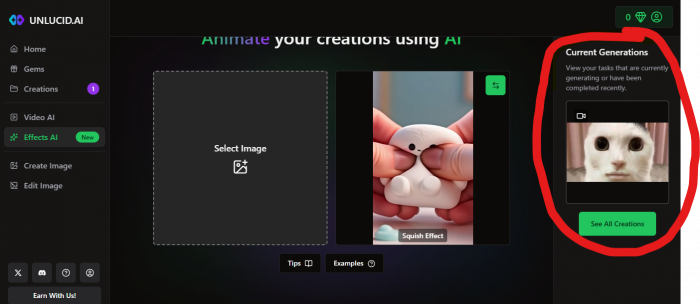
I tried creating an animated video with this tool, and the result is pretty cool, just uploaded a picture of a meme-based cat, and it quickly turned it into an animated video, giving it the “squishing effect” just like shown on the right!
Because Unlucid AI is a relatively new and niche tool, there are very few independent user reviews available online and most are informal impressions rather than in‑depth professional evaluations. The clearest real user feedback comes from a Reddit thread in the r/AIToolTesting community where actual users shared their experiences.
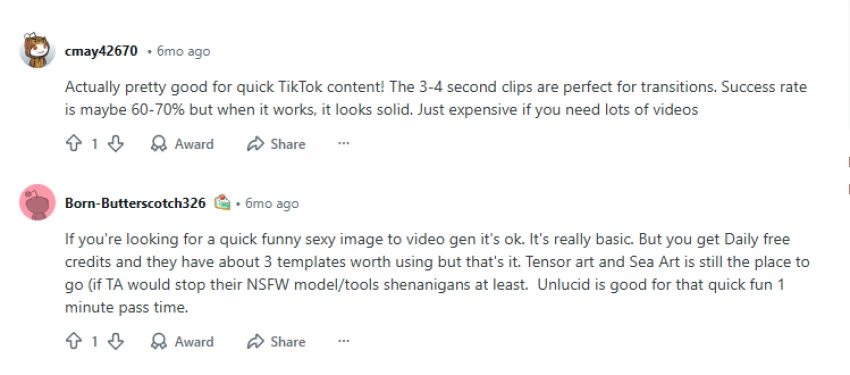
In forums like Reddit, people also mention issues such as trouble buying tokens (called “gems”), and unclear safety guidelines around how user content is used.
Because there simply aren’t many review sources yet, the early feedback we do have suggests:
Some users and independent analysts have raised concerns about trust signals:
None of these proves the platform is unsafe, but they do suggest you should be cautious about uploading sensitive material or relying on it for critical business work.
If you’re exploring AI-based visual creation but want more reliability, clearer policies, or professional-grade output, the following tools are commonly compared by creators. Each one serves a slightly different purpose, so the “best” option depends on how serious your use case is.
| Tool Name | What It Does | Key Features | Pricing (at time of writing) |
|---|---|---|---|
| Runway | AI-powered video creation and editing for creators and professionals | Text-to-video, image-to-video, background removal, motion brush, video inpainting, timeline editor | Free plan available; paid plans start around $12/month |
| Canva | Design and short-form video creation with AI assistance | Text-to-image, Magic Design, AI video templates, brand kits, drag-and-drop editor | Free tier; Pro starts at $12.99/month |
| Pika | AI-generated short videos from prompts and images | Prompt-based animation, camera motion, style presets, fast rendering | Free credits; paid plans from ~$10/month |
| Kaiber | Music- and image-driven AI animations | Audio-reactive visuals, image-to-video, style tuning, creator-focused output | Pay-as-you-go credits; plans start around $5–$10/month |
This AI visual platform succeeds as a fast, playful creative tool, especially for people who want to experiment without learning professional software. It lowers the barrier to entry and encourages exploration.
However, inconsistent results, limited transparency, and a credit-based pricing model mean it’s not ideal for serious or commercial use.

The Legal Industry Didn’t Suddenly “Go AI” — It Was Forced ThereIn 2026, AI in l...
John Nyarko7 hours ago
AI talking head tools have made it possible to create studio‑style presenter vid...
Ina Gupta4 days ago
Leetcode prep is crowded with tools that promise shortcuts, streaks, and “guaran...
Ina Gupta4 days ago

If you searched “Gening AI”, you probably ran into a site/app that promises some...
Ina Gupta4 weeks ago
Apple has officially confirmed that Google’s Gemini models will power the next g...
John Nyarko1 month ago

Automating phone calls has become a game-changer for businesses that want to eli...
John Nyarko1 month ago
Discussion