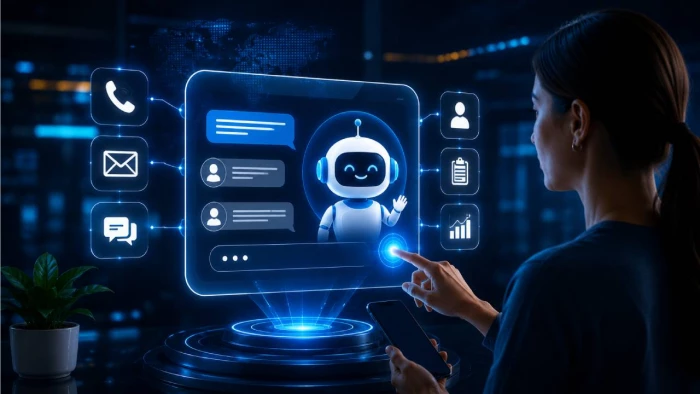
Customer support has changed. People no longer expect to send a ticket, wait a day, and explain the same issue again when a different agent replies. They expect quick answers, context, and a conversation that feels connected from the first message to the final resolution.
That is why AI chatbot platforms are moving beyond simple FAQ widgets. Tools like Lorka AI are part of a wider shift toward smarter customer connection systems: software that can answer common questions, collect useful details, route complex cases, and help human teams work with better context.
For AppCritica readers comparing AI chatbot tools, the important question is not whether automation sounds impressive. It is whether the platform actually makes support easier for customers and more manageable for the people behind it.
A basic chatbot can answer a narrow set of questions. A stronger customer connection platform does more: it understands intent, uses approved knowledge, connects to business systems, and knows when to hand the conversation to a person.

This matters because support work often breaks down in small, frustrating ways. A customer asks about billing through web chat, follows up by email, and later messages on another channel. If those conversations are not connected, the user has to repeat everything and the support team loses time rebuilding the story.
AppCritica already covers this broader direction through its AI chatbot service page, where the focus is on 24/7 responses, lead capture, workflow automation, and productivity. That is the right frame: chatbot value is not just about answering faster, but about reducing avoidable friction.
AI is strongest when the task is repetitive, structured, and low risk. That includes answering common product questions, checking an order status, guiding someone through basic troubleshooting, or collecting details before an agent steps in.
This is also where automation can feel surprisingly human. Not because the bot pretends to be a person, but because it removes the annoying parts of the interaction. A customer should not have to type their device model three times, search a help center manually, or wait for a human agent just to confirm a delivery update.
The best setup is a simple division of labor: let AI handle the repeatable work, and let people handle judgment, empathy, exceptions, and sensitive decisions.
This is also why comparison pages and reviews are useful. Looking at tools such as Chatbase, Tiledesk, or PolyAI can help teams see the difference between a lightweight website bot, a no-code support assistant, and a more enterprise-focused conversational AI platform.
A chatbot does not magically fix messy support content. If the help center is outdated, refund rules are unclear, or internal teams disagree on policy, AI will repeat that confusion back to customers.
Before adding more automation, teams should clean the basics: update help articles, define who owns each policy page, remove duplicate answers, and tag content by customer intent rather than internal department names.
For risk and governance, the NIST AI Risk Management Framework is a useful reference because it encourages organizations to think about AI in terms of mapping, measuring, managing, and governing risk. The OECD AI Principles are another helpful benchmark for trustworthy, human-centered AI.
Privacy deserves the same attention. If the platform stores conversation history, pulls account data, or collects personal information during chat, teams should apply data minimization and transparency principles. The European Commission guidance on GDPR principles is a more authoritative reference than generic privacy explainers.
Feature lists can make every tool look similar. For a real support team, the better test is operational: will this platform reduce repeat contacts, shorten resolution time, and make customers feel less bounced around?
Start with your top customer intents. For example: login problems, billing questions, cancellations, order updates, product setup, technical troubleshooting, and lead qualification. Then decide which ones can be automated safely and which ones need a human path from the start.
If you are comparing options more broadly, AppCritica’s AI automation tools category and guide to the best AI productivity apps can help place chatbot platforms in the wider productivity stack. In many companies, chat automation is not a standalone project; it connects to sales, onboarding, marketing, and internal operations.
The safest way to launch an AI chatbot is not to automate everything at once. Start with a small set of high-volume, low-risk questions. Measure how often the bot resolves the issue, how often users come back with the same problem, and where the conversation breaks down.
Then improve the knowledge base, adjust routing rules, and expand slowly. This keeps the project grounded in customer experience instead of turning it into a flashy AI experiment.
A good chatbot platform should make the next conversation easier than the last one. If it reduces repetition, gives agents better context, and keeps humans available for the moments that need judgment, it is doing the job.
I started exploring Redeepseek.io because the name itself creates curiosity. At...
Grace Howard4 months ago

Nomi AI isn’t just another chatbot; it’s a full‑blown AI companion platform buil...
Alexander Hughes7 months ago

Artificial intelligence was originally built to support human decision-making. E...
Peter Woods7 months ago
Speech-to-text technology has matured significantly over the past few years. Wha...
Grace Howard7 months ago
Anthropic has accused three prominent Chinese AI companies of systematically “mi...
Sandra Campos7 months ago
In what might be the most unexpected AI benchmarking milestone of 2026, Elon Mus...
Peter Woods7 months ago
Discussion