
Cloud storage is no longer just about saving files online. As data privacy concerns grow and subscription costs rise, many users are reassessing where their files actually live. What once felt convenient now often feels restrictive-limited storage, unclear data policies, and increasing dependence on large ecosystems.
This shift has led to a surge in interest around cloud storage alternatives-platforms designed to give users more ownership, transparency, and flexibility over their data. Rather than trying to replace every feature of mainstream services, these alternatives focus on doing fewer things better.
Traditional cloud storage platforms prioritize ecosystem integration and convenience. Alternatives, on the other hand, often prioritize privacy-first architecture, transparent pricing, and long-term control.
The difference becomes noticeable over time, especially for users storing sensitive files or large archives.
Key distinctions commonly found in cloud storage alternatives:
These differences are driving individuals, freelancers, and businesses to explore solutions beyond mainstream cloud providers.
pCloud positions itself as a flexible cloud storage solution that works equally well for everyday users and professionals. Its standout feature is the option for lifetime plans, which reduce ongoing subscription fatigue.
Rather than forcing encryption on all users, pCloud allows optional client-side encryption for those who need it, making it adaptable to different privacy preferences.
Notable characteristics:
Trade-offs:
Sync.com takes a strict privacy-first approach. All stored data is protected with end-to-end encryption by default, meaning file contents remain inaccessible to anyone except the owner.
This design makes Sync.com particularly attractive to users handling confidential or regulated information.
Strengths include:
Limitations include:
MEGA is often associated with its generous free storage tier, but its real value lies in combining that space with encryption. Files are protected end-to-end, making it one of the few platforms offering both scale and privacy.
Performance may vary depending on region, but the feature set remains competitive.
Key points:
Potential drawbacks:
IceDrive focuses on simplicity without sacrificing security. Its virtual drive system allows users to access cloud files as if they were stored locally, without consuming disk space.
The platform appeals to users who prefer a clean interface over extensive collaboration features.
Highlights:
Considerations:
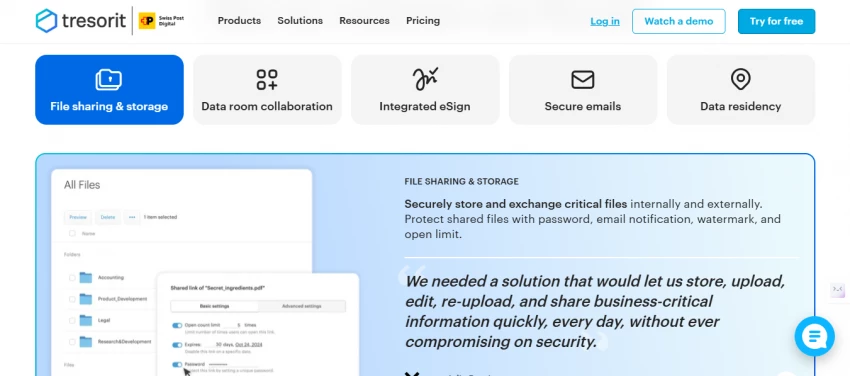
Tresorit is built for organizations where data protection is non-negotiable. Its zero-knowledge encryption model and compliance with strict regulations make it suitable for legal, healthcare, and enterprise use cases.
The focus on security comes at a higher cost, positioning Tresorit firmly in the professional tier.
Core features:
| Platform | Ideal For |
| pCloud | General personal storage |
| Sync.com | Privacy-focused users |
| MEGA | Large free storage needs |
| IceDrive | Minimalist workflows |
| Tresorit | Business & enterprise |
Are cloud storage alternatives safer than mainstream services?
Many alternatives provide stronger encryption and clearer privacy policies.
Cloud storage alternatives are no longer niche tools for privacy enthusiasts. They represent a broader shift toward transparency, ownership, and long-term value. While traditional platforms still dominate by convenience, alternatives often deliver what matters most once file collections grow: trust and control.
For many users, the move begins with curiosity-and ends with a full transition.
If Google is not finding your pages, the problem might not be your contentYou pu...
Funke Ogunleye2 days ago

Digital transactions have become the backbone of modern technology ecosystems. F...
John Nyarko1 month ago

ChatGPT’s app integrations let you turn a simple chat into a control panel for d...
John Nyarko2 months ago

Ever wish the workday felt less like a stressful scramble? Over time and a lot o...
John Nyarko4 months ago
Discussion