The Quick answer There is no single “best” AI image generator in 2026; the right pick depends on the job. Choose Midjourney for the most beautiful artistic and cinematic images, Adobe Firefly for commercially safe work that lives inside Photoshop and Illustrator, Stable Diffusion when you want total control at zero software cost, and Unlucid when you want a free, no-watermark, browser-based tool for quick visuals and simple animation. The rest of this guide shows exactly why, with scores, pricing, and use-case breakdowns. |
Two years ago, choosing an AI image generator was mostly about which one produced fewer mangled hands. In 2026 that question is settled. Every serious tool now renders anatomy, lighting, and complex scenes convincingly. The real decision has shifted to something more practical: which tool fits the job in front of you, how much it costs to run at the volume you need, and whether you can legally publish what it produces.
This guide cuts through the marketing. We looked at four tools that come up constantly in 2026 (Midjourney, Adobe Firefly, Stable Diffusion, and Unlucid) and scored each one across the dimensions that decide real projects: artistic quality, prompt accuracy, text rendering, editing tools, and commercial safety. The four are not equals; three are mature image specialists and one, Unlucid, is a free newcomer that leans toward animation. Pricing in this article was verified in mid-2026; because vendors adjust plans frequently, always confirm the current rate on the official site before you subscribe.
How we evaluated Each tool was judged against practical briefs: realistic hero images, social graphics with text, product mockups, in-image editing, and licensing risk. Scores are on a 10-point scale and reflect the consensus of 2026 review testing rather than a single benchmark. The aim is to help creators, marketers, and small teams choose confidently, not to crown one universal winner. |
Here is the entire comparison in one table. Each tool below earns its place by being clearly the best at something the others cannot match.
| Tool | Best for | Entry price | The one-line verdict |
|---|---|---|---|
| Midjourney V7 | Artistic & cinematic images | $10/mo | The quality benchmark; unmatched aesthetic intelligence, weak at text. |
| Unlucid | Free, fast visuals & animation | Free* | Browser-based, no-watermark generator; basic image quality, leans to animation. |
| Adobe Firefly | Commercially safe design | $9.99/mo | Only major model with commercial indemnification; lives inside Adobe apps. |
| Stable Diffusion | Control & zero cost | Free** | Open-source, fully customisable, runs locally with no per-image fee. |
* Unlucid is free on a daily “gems” allowance with paid top-ups. ** Stable Diffusion software is free to self-host; you supply a capable GPU or pay for cloud compute.
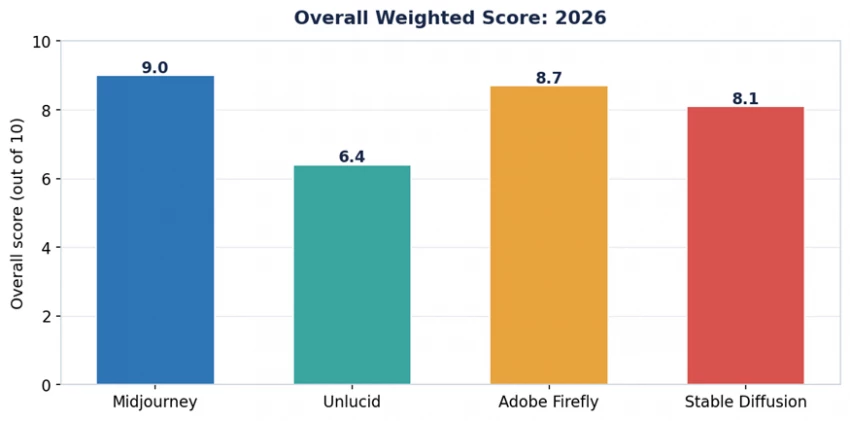
Figure 1. Overall weighted score across all tested dimensions (2026).
Best for: artists, content creators, and marketers who value visual quality above everything else.
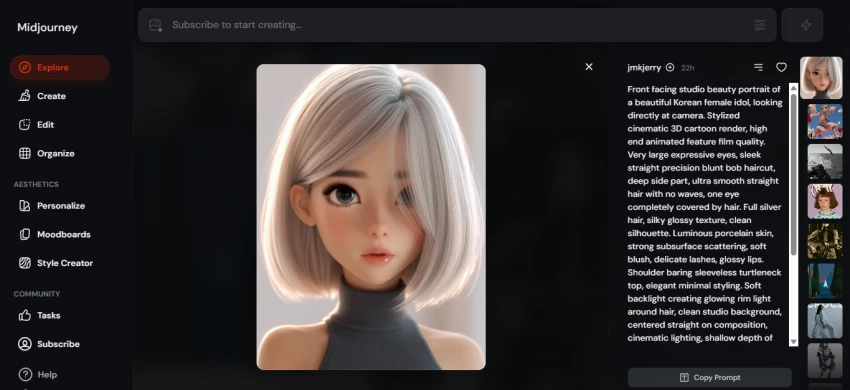
Midjourney remains the tool to beat for sheer image quality. Its strength is what reviewers call aesthetic intelligence, the way it interprets mood, composition, and lighting without being told. Ask for “cinematic portrait, golden hour, shallow depth of field” and it returns something that looks like it came out of a high-end magazine. Version 7 pushed photorealism further and added Omni Reference for keeping a character consistent across a series of images.
• Artistic range: Editorial, fantasy, and concept art that looks professionally directed rather than generated.
• Mood and tone: Cinematic lighting and atmosphere that competitors still approximate rather than match.
• Consistency: Omni Reference keeps faces and characters stable across multiple generations.
• Text rendering: Text inside images is still unreliable, so expect garbled lettering on anything word-heavy.
• No API: No public API, so you cannot build it into your own apps or automated pipelines.
• No free plan: There is no permanent free tier; you pay at least $10/month to generate anything.
Midjourney runs four monthly tiers: Basic at $10, Standard at $30, Pro at $60, and Mega at $120, each with a 20% discount on annual billing. The Standard plan is the community favourite because it adds unlimited “Relax mode” generation once your fast-GPU hours run out, which effectively means unlimited images for batch work. All paid plans include commercial-use rights; private “Stealth” generation is reserved for Pro and above.
Verdict If your priority is the most beautiful single image, Midjourney still wins in 2026. Just pair it with a different tool when you need legible text or programmatic access. |
Best for: hobbyists and social creators who want quick, no-cost visuals and simple animation without installing anything.
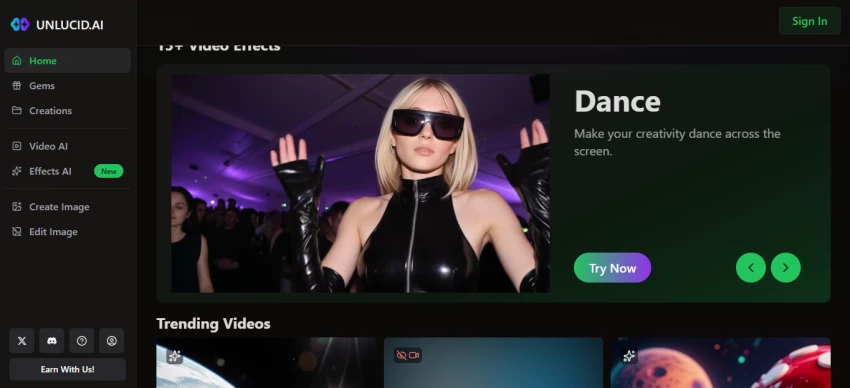
Unlucid is the outlier in this lineup. Where the other three are mature, image-first tools, Unlucid is a young, browser-based creative suite whose centre of gravity is animation rather than still images. As an Unlucid review would quickly show, its appeal is straightforward: it is free to start, runs entirely in the browser, and exports without watermarks, which lowers the barrier for beginners and casual creators. For image generation specifically it offers a small set of style presets rather than the deep control of its rivals, so treat it as a fast idea-sketching tool, not a production-grade image engine.
• Cost: Free to begin through a daily “gems” token allowance, with no upfront subscription.
• Accessibility: Web-based with a simple interface; nothing to install and little to learn.
• Clean output: Exports carry no watermark even on the free tier.
• Animation: Built-in effects can turn a still image into a short animated clip, which the other three do not do natively.
• Limited image depth: A handful of style presets (realistic, pencil, cartoon, anime, 3D) rather than fine-grained prompt control.
• Quality: Still-image fidelity and prompt accuracy trail Midjourney, Firefly, and Stable Diffusion.
• Content positioning: The platform markets itself as uncensored, which raises moderation and brand-safety questions for commercial or workplace use.
• Maturity: As a newer product, it lacks the track record, documentation, and community of the established tools.
Unlucid is free to use through a daily allowance of “gems,” the token system that meters generation and effects. Heavier use is funded by buying additional gems. There is no traditional flat monthly subscription required to get started, which is part of why it draws first-time users.
Verdict Unlucid is the right call when budget is zero and you want something quick, especially if you also want to animate a still image. For polished, high-fidelity, or commercial image work, the other three tools remain stronger choices. Note the uncensored positioning before using it for brand or workplace projects. |
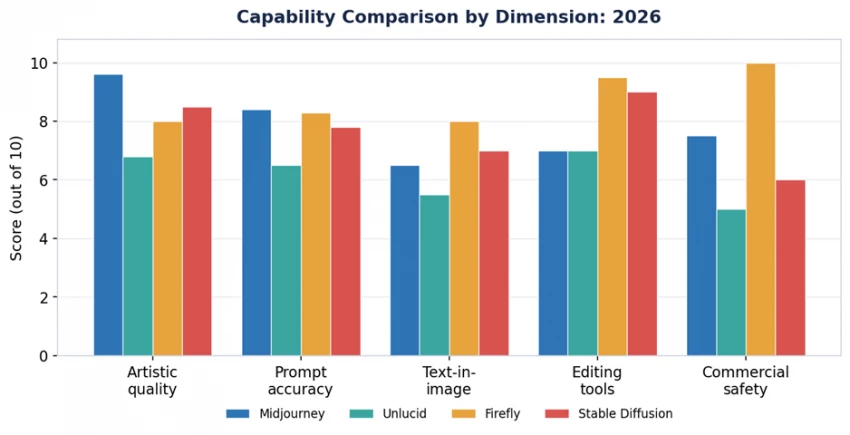
Figure 2. How each tool scores across five decision-making dimensions.
Best for: design teams, brands, and anyone who needs images that are legally clean and editable inside Adobe apps.
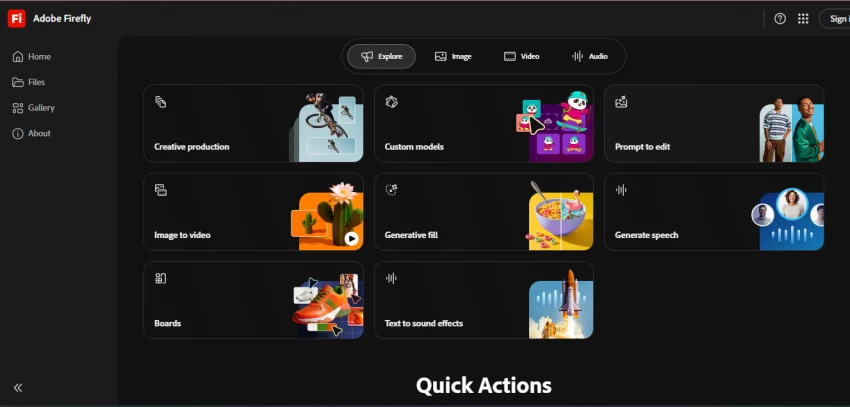
Firefly’s headline advantage is one no rival can claim: it is trained exclusively on licensed and public-domain content, and Adobe offers commercial indemnification on its output. For a brand or agency, that removes the copyright anxiety that hangs over other generators. Firefly also posts the highest editing score in the category because it runs natively inside Photoshop and Illustrator, so Generative Fill, Generative Expand, and Generative Recolour are unlimited on paid plans and feel like part of the tools designers already use.
• Legal safety: Only major model offering commercial indemnification on generated images.
• Editing tools: Best-in-class outpainting and in-app editing through Photoshop and Illustrator.
• Unlimited basics: Standard generation features consume zero credits on paid plans.
• Cautious filters: Strict content guardrails can refuse historical, medical, or mature subject matter.
• No fine-tuning: You cannot train custom models or styles the way Stable Diffusion allows.
Firefly offers a free tier with 25 generative credits per month for testing. Paid standalone plans begin at $9.99/month (Firefly Standard) and scale up through Pro and higher tiers. Crucially, every Creative Cloud subscription already bundles Firefly credits, so if you pay for Photoshop or the full suite (Creative Cloud Standard is around $54.99/month in 2026), you may not need a separate Firefly plan at all. Note that premium features such as video generation consume credits, which do not roll over month to month.
Verdict For commercial and brand work, especially inside an existing Adobe workflow, Firefly is the safest, most integrated option, even if it is not the flashiest. |
Best for: developers, tinkerers, and high-volume creators who want total control and no recurring software cost.
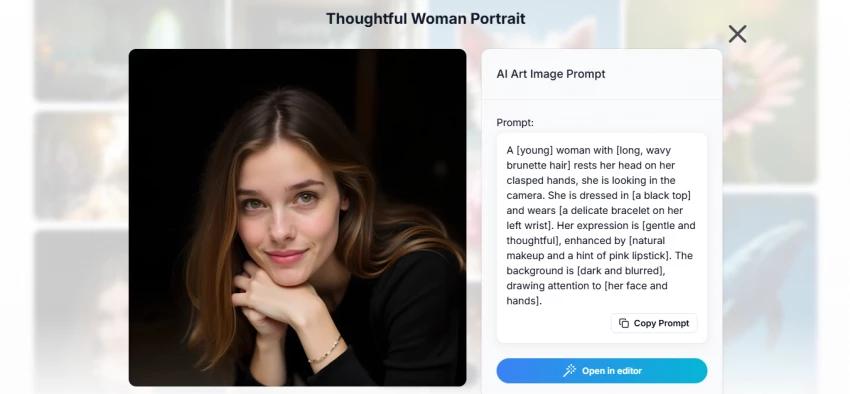
Stable Diffusion is the open-source backbone of much of the AI image world. Run it on your own machine and the software itself is free, and you only pay for the hardware or cloud GPU it runs on. In exchange for that freedom you take on setup: choosing a front-end such as ComfyUI or AUTOMATIC1111, downloading models, and learning the parameters. The payoff is unmatched flexibility: you can fine-tune custom styles, train on your own visual identity, and generate unlimited images with no per-image fee or content filter.
• Zero recurring cost: Once your hardware is set up, generate unlimited images at no marginal software cost.
• Total control: Fine-tune models, train custom styles, and chain advanced workflows.
• Privacy: Local generation means nothing leaves your machine, ideal for confidential work.
• Steep learning curve: Beginners expecting one-click simplicity will stall on setup and model management.
• Hardware dependent: Self-hosting demands a capable GPU; cloud compute reintroduces a cost.
• No legal guarantee: Open output has no built-in commercial indemnification like Firefly’s.
The software is free and open-source. Your real cost is compute, either a one-time investment in a capable GPU or ongoing cloud-GPU fees if you rent power. For high-volume experimentation, this is the cheapest route per image of any tool here.
Verdict If you want maximum control, custom model training, and unlimited volume, and you are comfortable with technical setup, nothing else competes on flexibility or long-run cost. |
Headline prices only tell half the story, because each tool charges differently: a flat subscription, a bundle, a credit system, or pure compute cost. The chart below shows the lowest paid entry point for each, and the table that follows breaks down what that money buys.
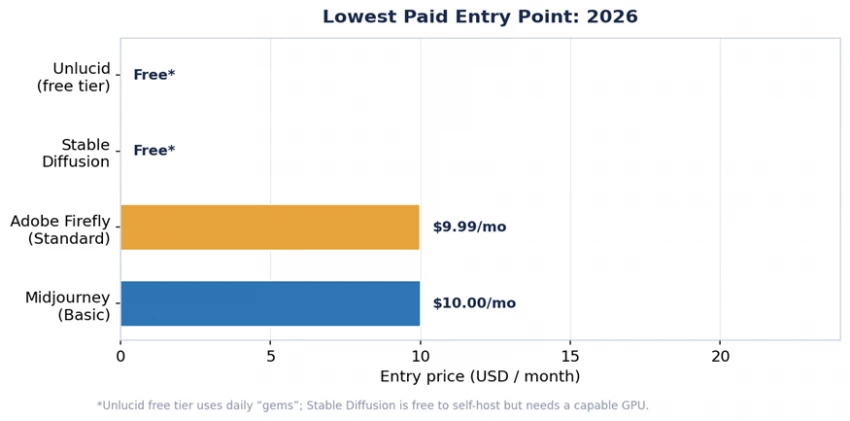
Figure 3. Lowest paid entry point for each tool (2026). Unlucid and Stable Diffusion are free to start; their real costs are gems/usage and hardware respectively.
| Tool | Entry price | Free option | What you get for the money |
|---|---|---|---|
| Midjourney V7 | $10/mo | None | ~200 fast images on Basic; unlimited Relax mode from Standard ($30) up. |
| Unlucid | Free | Daily “gems” allowance | Browser-based generation and animation; buy more gems for heavier use; no watermark. |
| Adobe Firefly | $9.99/mo | 25 credits/mo | Unlimited standard generations; credits for premium features; CC bundles included. |
| Stable Diffusion | Free software | Fully free to self-host | Unlimited local generation; you supply the GPU or cloud compute. |
The fastest way to decide is to start from the job, not the tool. Match your primary use case to the recommendation below.
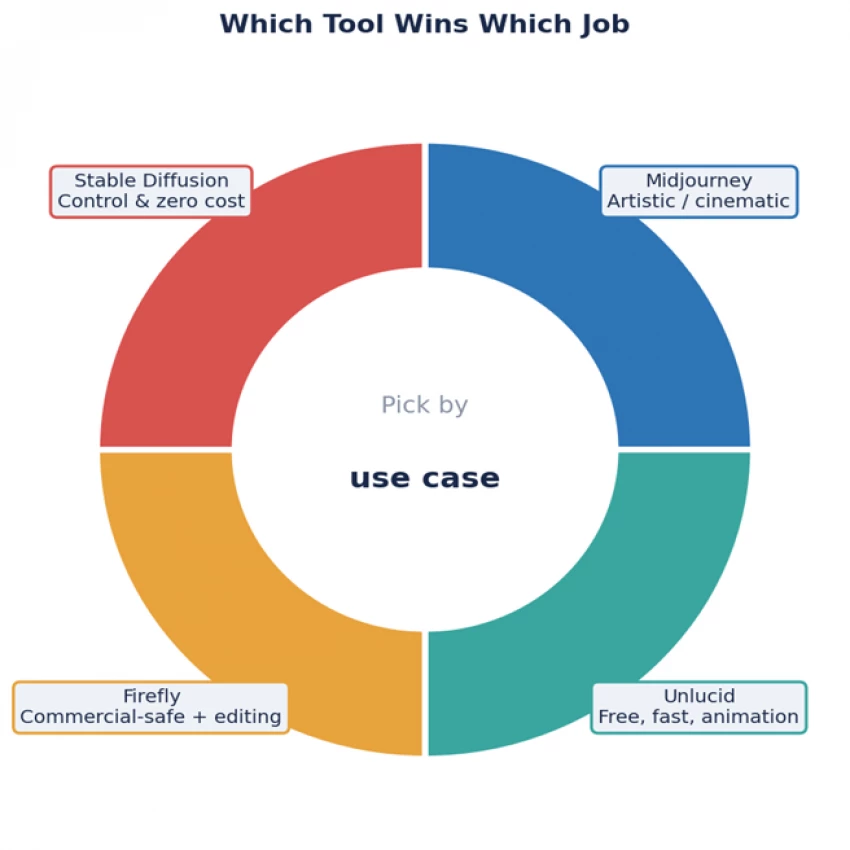
Figure 4. The four tools mapped to the job each one wins.
Your work is judged on visual beauty: concept art, editorial imagery, marketing hero shots, social content where the picture is the point. You accept paying a subscription and you will pair it with another tool for text-heavy designs.
Your budget is zero, you want to generate something quickly in the browser without installing or learning a new tool, or you want to turn a still image into a short animated clip. Accept that image quality and control are below the other three, and check its uncensored positioning before any brand or workplace use.
You produce commercial or brand work and need legal peace of mind, or you already live inside Photoshop and Illustrator and want generation and editing in one place.
You want full control, custom model training, unlimited volume, and the lowest long-run cost, and you are comfortable with technical setup and supplying your own compute.
The smart play for most teams You do not have to pick just one. A common 2026 stack is Midjourney for hero visuals and Firefly for the final commercially safe edit inside Photoshop, with a free tool like Unlucid kept on hand for quick drafts or simple animation. Many creators run a paid specialist plus a free generator at a combined cost lower than a single enterprise design tool. |
In 2026 the AI image generation race has no single finish line. Among these four tools, each suits a different need. Midjourney owns artistic quality. Adobe Firefly owns commercial safety and in-app editing. Stable Diffusion owns control and cost. Unlucid owns the free, no-setup, quick-and-animated corner, with the trade-off of lower image fidelity and an uncensored stance that calls for caution. Choosing the wrong one for your workflow costs you money, quality, or legal exposure, so start from the job you need done, match it to the tool above, and you will land on the right pick the first time.
Prices and model versions move quickly in this space. Treat the figures here as a mid-2026 snapshot and confirm the current plan on each official site before you commit.
Independent comparison, with no vendor sponsored placement in this guide. Pricing verified mid-2026; always confirm current rates with the provider.

New Claude Model Targets Agentic AI WorkflowsAnthropic has launched Claude Sonne...
Samuel Osei3 months ago

Gemini’s Image Tools Get a Wider RolloutGoogle is expanding access to Gemini’s p...
Alexander Hughes3 months ago

Two AI video generators, two very different first days. I ran PixVerse through i...
Alexander Hughes3 months ago

Two of the most talked-about AI chat platforms. I opened both, picked a characte...
Alexander Hughes3 months ago

The two-minute versionIf you only read one thing, read this. The rest of the doc...
Alexander Hughes3 months ago

Why Seedance 2.5 mattersSeedance 2.5 is the latest release in ByteDance’s Seedan...
Alexander Hughes3 months ago
Discussion