Digen AI made one thing easy: upload a photo, add a script, and watch a still image start talking. That simplicity earned it a fast following among creators, marketers, and educators who wanted talking-photo and AI avatar videos without touching a timeline. But popularity is not the same as reliability, and a growing number of users are looking for something steadier, sharper, or simply better suited to their work.
If you have hit a wall with credit limits that swing wildly, billing headaches, short clip lengths, or a quality ceiling that stops at 1080p, you are not alone. The good news is that the AI video space has matured quickly, and several platforms now do talking photos and avatar videos better than Digen AI, often for a similar price. This guide walks through the nine strongest alternatives, what each one is genuinely good at, what it costs, and which type of creator it fits best.
Everything below is organized so you can skim the comparison table, jump to the tool that matches your needs, and read the buying advice at the end to avoid the most common mistakes. No fluff, no filler.
Before comparing alternatives, it helps to be clear about what pushes people to leave in the first place. Digen AI is cheap and fast, and for casual one-off clips it does the job. The friction shows up once you try to use it seriously and repeatedly.
• Unpredictable credits. Users report the same video costing wildly different amounts from one render to the next, and credits do not roll over month to month, which makes budgeting difficult.
• Billing and cancellation friction. Recurring complaints describe a cancellation flow that does not work cleanly and a strict no-refund stance, which is a red flag for anyone paying monthly.
• No real editing. There is no proper timeline, and clips are short, so stitching a longer, polished video means doing the assembly work somewhere else.
• A quality ceiling. Output tops out around 1080p, backgrounds can warp on high-motion prompts, and body movement often reads like a slow camera pan rather than natural motion.
• Platform instability. The interface is English-only, support is thin, and the Android app was pulled from the Google Play Store in mid-2026.
None of this means Digen AI is useless. It means that once your needs grow past a single quick clip, a more capable platform usually pays for itself in saved time and fewer surprises.
The tools in this guide differ more than their marketing suggests, so it helps to judge each against a few practical criteria. Lip-sync accuracy and facial realism decide whether your talking photo looks convincing or uncanny. Language coverage matters enormously if you localize content, since a tool advertising 160 languages will still sound far more natural in major ones. Editing depth, video length limits, and output resolution determine how far you can push a single project. And because nearly every platform now meters premium features in credits, the real number to watch is your cost per finished minute, not the sticker price on the pricing page.
Use this table for a fast overview, then read the detailed sections below for the nuance behind each number. Prices reflect entry-level paid tiers as of 2026 and are worth confirming on each vendor's live pricing page, since credit costs and tiers change often.
| Tool | Paid Entry (USD) | Free Plan | Talking Photo | Languages | Best For |
|---|---|---|---|---|---|
| HeyGen | $29/mo | 3 videos/mo | Yes (Avatar IV) | 175+ | Premium avatar + marketing videos |
| Synthesia | $29/mo | 10 min/mo | Limited | 160+ | Enterprise training, localization |
| Hedra | $10/mo | Monthly credits | Yes (Character-3) | Fewer | Portrait & character animation |
| D-ID | $5.99/mo | 14-day trial | Yes (fast) | 100+ | Photo-to-video + live agents |
| Vidnoz AI | $14.99/mo | 3 min/day | Yes | 140+ | Free / budget all-rounder |
| Akool | $30/mo | 100 credits | Yes | 150+ | Face swap + live avatars |
| Captions | $9.99/mo | Watermark-free | Yes (AI Twin) | 28+ | Mobile short-form creators |
| Pippit AI | ~$24/mo | 150 credits/wk | Yes | Multi | E-commerce & URL-to-video |
| Creatify | $19/mo | 10 credits/mo | Avatar UGC | Multi | UGC ads from product links |
Note: “Paid Entry” shows the lowest standard monthly plan; several tools discount 20–35% on annual billing. Language and avatar counts are vendor-reported and include uneven quality across languages.
HeyGen is the platform most likely to make you forget you are watching AI. The reason comes down to its Avatar IV engine, which does something subtle but important: instead of simply pasting mouth movements onto a static face, it reads the emotional tone of your script and generates matching micro-expressions, head tilts, eyebrow movement, and hand gestures. A line meant to sound excited produces a different performance than a line meant to sound reassuring. That responsiveness is what separates a convincing talking photo from an uncanny one, and it is the main reason many HeyGen tends to top quality comparisons in this category.
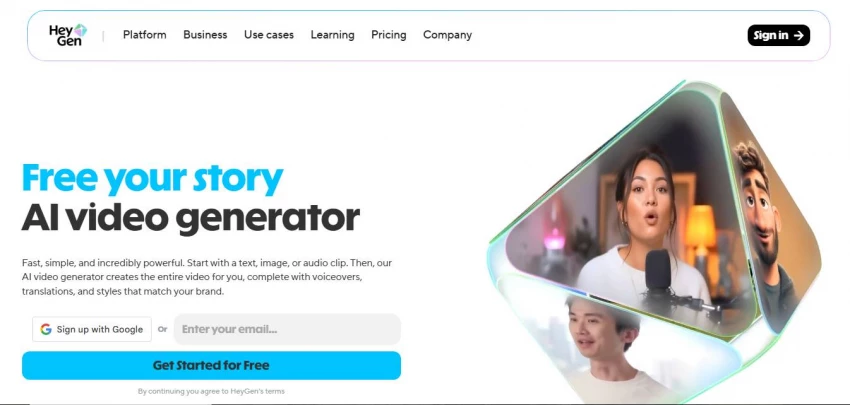
In practice, the talking-photo workflow is refreshingly simple. You upload one image, which can be a real person, a cartoon, an animal, or even a 3D-rendered model, then add either a typed script with text-to-speech or your own uploaded voiceover. HeyGen animates the face, syncs the lips frame by frame, and lets you layer in custom motion prompts to direct how the subject moves. A single photo-to-video clip can run up to roughly three minutes, which is long enough for a full product pitch or explainer rather than just a five-second teaser.
The platform is far more than a talking-photo tool, though, and that breadth is part of why it scales well as your needs grow. It includes a full studio for building longer script-based videos from stock avatars, a Digital Twin feature that creates a custom avatar from a short recording of yourself, a library of more than 500 ready-made avatars, and a voice library covering dozens of languages. The standout capability for global teams is video translation: you can take an existing video and translate it into more than 175 languages while keeping the lip movement matched to the new audio, so a single recording can become an entire localized campaign.
The honest trade-offs are about cost and structure. The most realistic Avatar IV output consumes credits at a meaningful rate, roughly twenty credits per minute, so the credit allowance on lower tiers disappears faster than the dollar price implies. Custom video avatars and 4K export are gated to higher plans, and a large team can find per-seat costs adding up. None of this undermines the quality, but it does mean HeyGen rewards people who plan their tier around real monthly volume rather than the entry price.
Pricing: A free plan offers three videos a month at 720p with a watermark and short Avatar IV clips. Creator runs $29 a month with unlimited standard avatar video and a monthly credit pool, Pro is $99 a month with roughly ten times the credits, and Business starts at $149 a month with 4K output, custom avatars, and single sign-on. A separate API subscription is priced per minute for developers.
Best for: Marketers, creators, and training teams who want top-tier realism and serious multilingual reach, and who produce enough volume to justify paying for a premium engine.
Synthesia is the corporate workhorse of AI video, and it earns that reputation by treating video less like a creative experiment and more like a documented, repeatable business process. The core offering is a library of more than 240 stock avatars covering over 160 languages, presented through a clean editor that feels closer to building a slide deck than editing footage. You write a script, pick a presenter, and Synthesia produces a polished talking-head video with reliably clean lip-sync, which is exactly what training and communications teams want when consistency matters more than flair.
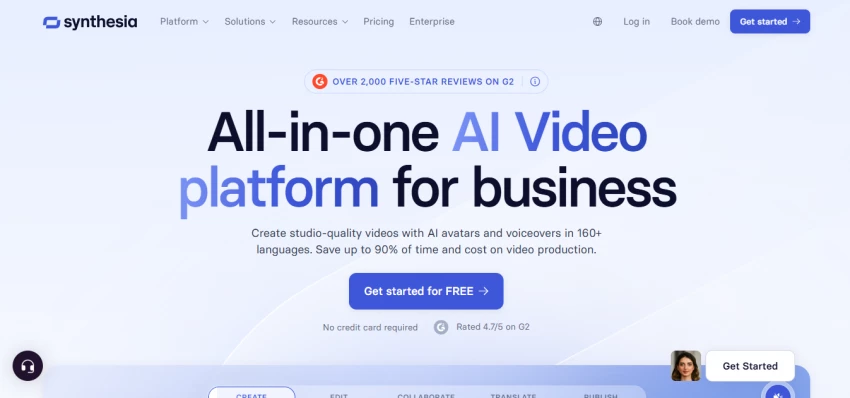
What truly sets it apart is the surrounding toolkit built for organizations rather than individual creators. You can convert an existing PowerPoint deck directly into a narrated video, translate a finished video into dozens of languages with one click, and export in SCORM format so the video drops straight into a corporate learning management system and tracks completion. It also supports interactive and branching video, where a viewer's choice changes what plays next, which is genuinely useful for compliance training and onboarding scenarios. For teams that want their own on-screen presenter, Synthesia can build a personal avatar from a recording of roughly fifteen minutes. The company reports use by more than 65,000 businesses, including a large majority of the Fortune 100, which signals the kind of security and reliability that enterprise buyers screen for.
The trade-offs are real and worth weighing honestly. The output, while professional, has a recognizably corporate polish that does not suit trend-driven social content, and there is no pipeline for faceless or short-form clips. Content moderation is also strict and occasionally blunt, sometimes flagging legitimate medical or regulated material, so anyone working in a sensitive field should test a representative script before committing. Unused monthly minutes do not roll over, which again rewards steady, planned usage over sporadic bursts.
Pricing: A free plan covers 10 minutes a month with a watermark and no downloads. Starter is $29 a month, or roughly $18 a month billed annually, and removes the watermark while adding downloads. Creator is $89 a month and unlocks the API, interactive video, and more avatars. Enterprise pricing is custom and adds unlimited minutes, single sign-on, SCORM, and the full avatar roster. Custom Studio Avatars are an annual add-on.
Best for: Corporate learning and development, onboarding, internal communications, and multilingual content produced and maintained at scale.
If your single most important need is bringing one image to life, Hedra is the specialist worth knowing. Its Character-3 model is an omnimodal engine, meaning it processes the image, the audio, and the intended performance together rather than in separate stages, and the result is the most expressive single-photo animation available right now. It does not just move the mouth. It adds phoneme-accurate lip-sync, natural blinking, gaze shifts that follow the rhythm of speech, and small eyebrow and head movements that make a still portrait feel like it is genuinely speaking. Critically, this works on almost any subject you feed it, whether that is a real photograph, an anime drawing, a hand-drawn illustration, or a completely non-human character, which makes it a favorite among animators and content creators who work outside the realm of corporate presenters.
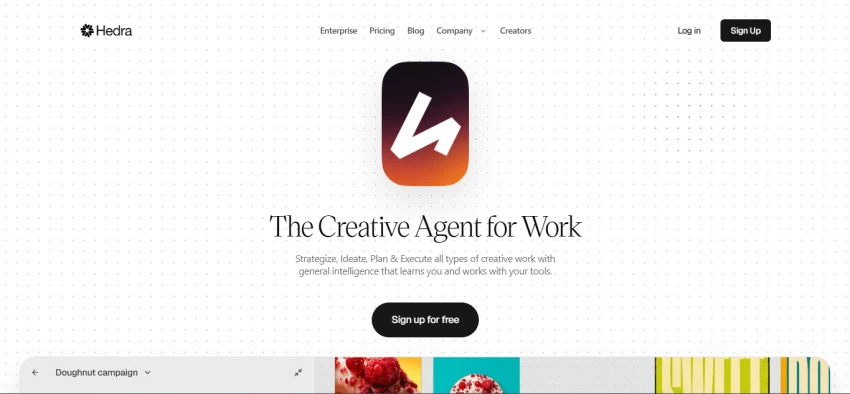
Hedra is also more than a one-trick engine. It functions as a multi-model studio, giving you access to a large roster of generation models through a single shared credit balance, so you can move between image generation, video, and character animation without juggling separate subscriptions. It includes voice cloning from a short audio sample, an AI agent feature, and live avatar capabilities. The company raised a significant Series A round led by a major venture firm in 2025, which has translated into a fast pace of feature releases, so the platform tends to gain new capabilities quickly.
The limitations are mostly about resolution, scope, and billing predictability. Output defaults to 720p, so reaching true 4K means running an upscaling step afterward. Language coverage is narrower than Synthesia's, there is no library of ready-made stock avatars since the entire premise is animating your own image, and most individual generations are capped at short lengths, often around eight seconds per clip, which means longer pieces require stitching. As with several credit-based platforms, some users have raised billing concerns, so it is wise to start monthly and understand how quickly your credits deplete before committing.
Pricing: A free tier provides limited monthly credits with a watermark and slower processing. Basic is $10 a month, Creator is $30 a month and includes voice cloning plus roughly eleven minutes of Character-3 video at 720p, and Professional is $75 a month. Paid plans remove the watermark and include commercial rights, and credit packs purchased separately roll over while subscription credits expire monthly.
Best for: Creators who want to animate a specific portrait or stylized character with maximum expressiveness, and power users who value having many models under one balance.
D-ID helped invent the photo-to-talking-head category, and years later speed and developer flexibility remain its defining strengths. Through its Creative Reality Studio, you can upload a still photo and get back a talking head in well under a minute, which makes it ideal for high-volume personalized video where you might be generating hundreds of variations from different portraits. The animation prioritizes quick, clean delivery over cinematic flourish, and that focus is exactly what its target users want.
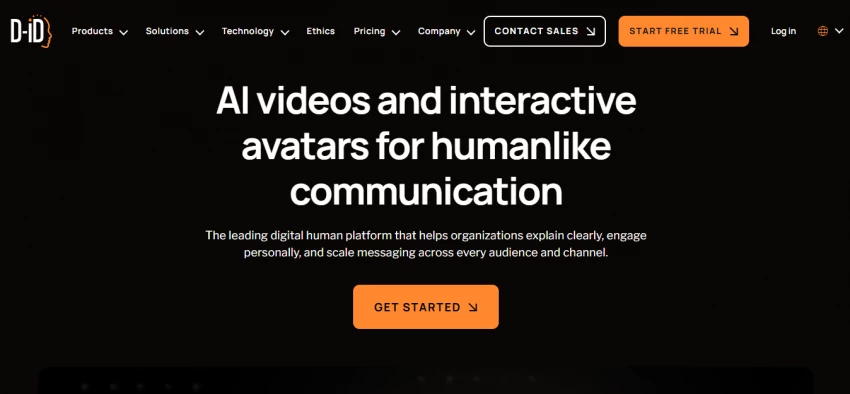
The more forward-looking part of D-ID is its Visual AI Agents, which stream real-time, interactive avatars over an API at high frame rates. Rather than rendering a fixed clip, these avatars can hold a live, responsive conversation, which opens up use cases like virtual receptionists, interactive kiosks, customer-support faces, and embedded website assistants that most competitors simply cannot match. It integrates with familiar tools like Canva and PowerPoint, leans toward enterprise and developer customers, and counts large consulting and technology firms among its users. In late 2025 the company acquired the established explainer-video maker simpleshow, a deal that broadened its reach into structured corporate communication and brought a large base of enterprise customers with it.
The honest weaknesses are realism and watermark-free cost at scale. The facial realism, while fast, trails HeyGen and Synthesia, and voice consistency can drift when you stitch several clips together. Reaching watermark-free output at meaningful volume pushes you toward the higher tiers, which get expensive. But for raw speed, for personalization at scale, and especially for developers building conversational avatar experiences, D-ID remains one of the most capable options available.
Pricing: A 14-day trial includes a few watermarked minutes with tight per-video limits. Lite is around $5.99 a month with watermarked output, mid-tier Pro plans run roughly $16 to $48 a month without a watermark, and the Advanced plan at $299 a month, or about $249 billed annually, adds 65 minutes, full API access, and commercial rights. Enterprise pricing is custom.
Best for: Personalized outreach and onboarding at scale, developers building interactive or live avatar agents, and anyone who needs photo animation produced fast.
Vidnoz earns its place by offering the most generous free experience in this entire roundup, wrapped around a toolkit so broad it can feel like several products stitched together. The headline numbers are striking: more than 1,500 AI avatars, over 2,800 templates, more than 2,000 voices, and support for upward of 140 languages. For a creator who needs variety and volume without a large budget, that combination is hard to find anywhere else, and it means you rarely run out of presenter options or starting points for a video.
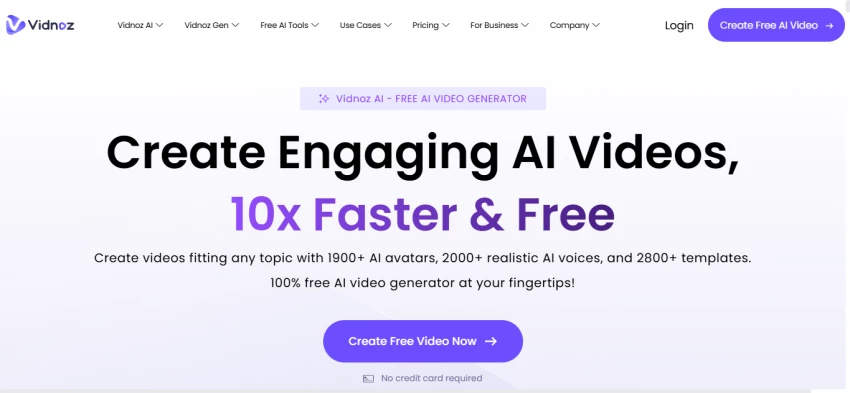
On the talking-photo side, Vidnoz animates any portrait you upload, including artwork, anime, and even pet photos, and syncs the lips to a typed script or uploaded audio. Around that sit a custom digital twin that takes about ten minutes to set up, a dual-avatar conversation mode where two characters can talk to each other in the same scene, a face-swap tool, video translation with matched lip movement, and an AI voice changer. The practical effect is that a single subscription covers most of the talking-head and short-form formats a small marketing team or solo educator would ever need, which is why it tends to be the default recommendation for anyone optimizing for value.
The trade-offs are predictable for a budget-focused tool. Realism sits a clear notch below HeyGen and Hedra, the free tier caps output at 720p and stamps a watermark on it, and the most natural and emotive voices are reserved for paid plans. There can be occasional rendering glitches on more complex scenes. For high-volume, lower-stakes content where speed and quantity matter more than absolute polish, those compromises are easy to live with, and the savings are substantial.
Pricing: The free plan gives three minutes of video per day at 720p with a watermark and access to roughly 890 voices. Starter is $14.99 a month and removes the watermark, unlocks 1080p, and expands the voice library. Business is $37.49 a month with thirty minutes a month and a twenty-minute maximum per video. A custom digital twin add-on is available as an annual upgrade, and Enterprise pricing is custom.
Best for: Budget-conscious creators, educators, and marketers who produce a high volume of social and training content and want maximum range for the money.
Akool positions itself as an all-in-one marketing video platform, and the breadth of what it bundles is its main appeal. Under a single account you get talking photos, talking avatars, video translation across more than 150 languages, streaming live avatars, image-to-video generation, voice cloning, and a face-swap feature polished enough that well-known global brands have used it in real campaigns. Because Akool trains its own underlying models rather than purely reselling others, its quality and render times stay competitive, and the pieces are designed to work together rather than feeling bolted on.
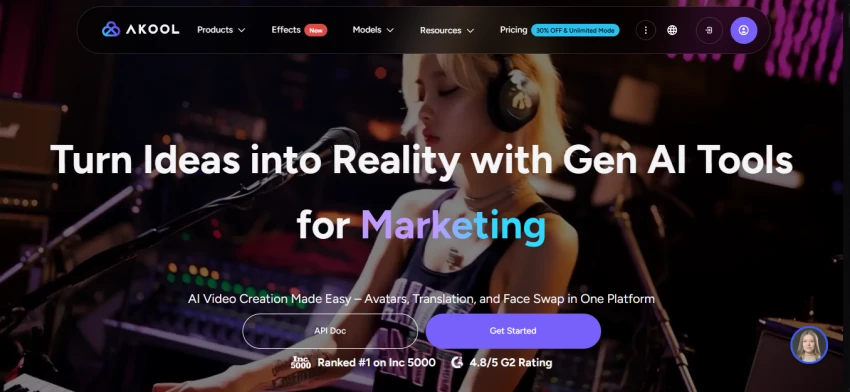
Two capabilities stand out from the crowd. The first is its face swap, which is consistently rated among the best available and is the feature that draws many marketing and agency users in the first place. The second is its real-time, streaming avatar, which lets a digital presenter respond live rather than only in pre-rendered clips, putting it in the same conversational-avatar territory as D-ID. For a performance marketer who wants to localize an ad, swap a spokesperson's face, and deploy a live avatar all from one dashboard, that consolidation saves real time and subscription overhead.
The drawbacks center on its credit system and billing reputation. Credits are consumed quickly once you move into 4K output, face swap, or longer videos, and the relationship between credits and finished minutes is not always intuitive, which can lead to unexpected top-ups. There are also billing and cancellation complaints to be aware of, with a strict no-refund posture, so reading the terms carefully and starting on a monthly plan is the sensible approach before any annual commitment.
Pricing: A free Basic tier offers 100 credits with a watermark, 720p output, and a ten-minute cap. Pro is $30 a month, or about $21 a month annually, with 2,400 credits. Pro Max is $119 a month, and Studio is $500 a month with a very large credit pool. As a rough guide, a 1080p talking avatar costs around 10 credits per ten seconds and 4K roughly four times that. Annual billing saves about 30 percent, and Enterprise pricing is custom.
Best for: Performance marketers, agencies, and brands that need high-quality face swap alongside localized or live, conversational avatars.
Captions, which now operates under the Mirage brand, is built from the ground up for creators who shoot, edit, and publish from their phones. That mobile-first DNA shows in how fast the whole workflow feels. Its studio can generate a full video from a written script using realistic AI avatars, and its AI Twin feature clones your own likeness from nothing more than a selfie, so you can produce talking-head content in your own image without ever filming yourself again. For someone running a personal brand on social media, that is a genuine time saver.
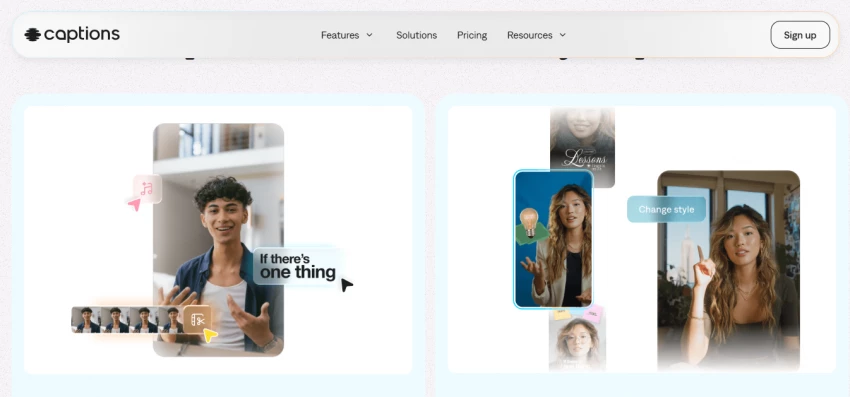
Where Captions is arguably unmatched is the polish it adds around the talking head. Its automatic animated captions are the best in the category, which matters enormously for short-form video where most viewers watch on mute. On top of that it offers dubbing across more than 28 languages, an AI eye-contact correction tool that makes you appear to look directly at the camera even when you were reading a script, and automatic removal of filler words and awkward pauses. These are the small touches that separate amateur-looking clips from content that holds attention, and having them all in one mobile app is rare. The company has raised well over 100 million dollars in venture funding and reports tens of millions of users, which has funded a steady stream of new features.
The limitations are mostly about platform and gating. Captions is iOS-first, so its Android and desktop experiences are less mature, which matters if you do not work on an iPhone. The most powerful generative features, including AI Twin and AI actors, sit behind the higher Max tier, and those generative credits deplete quickly with heavy use. But for the specific job of producing polished short-form talking-head and faceless content on the go, very little else competes.
Pricing: The free plan is unusually generous in one respect: it allows watermark-free exports along with basic editing and a teleprompter, though the AI generative features are locked. Pro is around $9.99 a month, Max is $24.99 a month and unlocks AI Twin, AI actors, and generative video, and Scale is $69.99 a month for heavier output. Enterprise pricing is custom.
Best for: TikTok, Reels, and Shorts creators who edit talking-head and faceless videos primarily on a phone and care about caption quality.
Pippit, created by the team behind the wildly popular CapCut editor, is engineered specifically for marketing and e-commerce rather than general avatar creation, and that focus makes it remarkably efficient for sellers. Its signature trick is URL-to-video: paste a product page link and Pippit pulls the images, details, and selling points to assemble a ready-to-post promotional video, compressing what used to be hours of work into a few minutes. For an online store launching dozens of products, that automation is the whole value proposition.
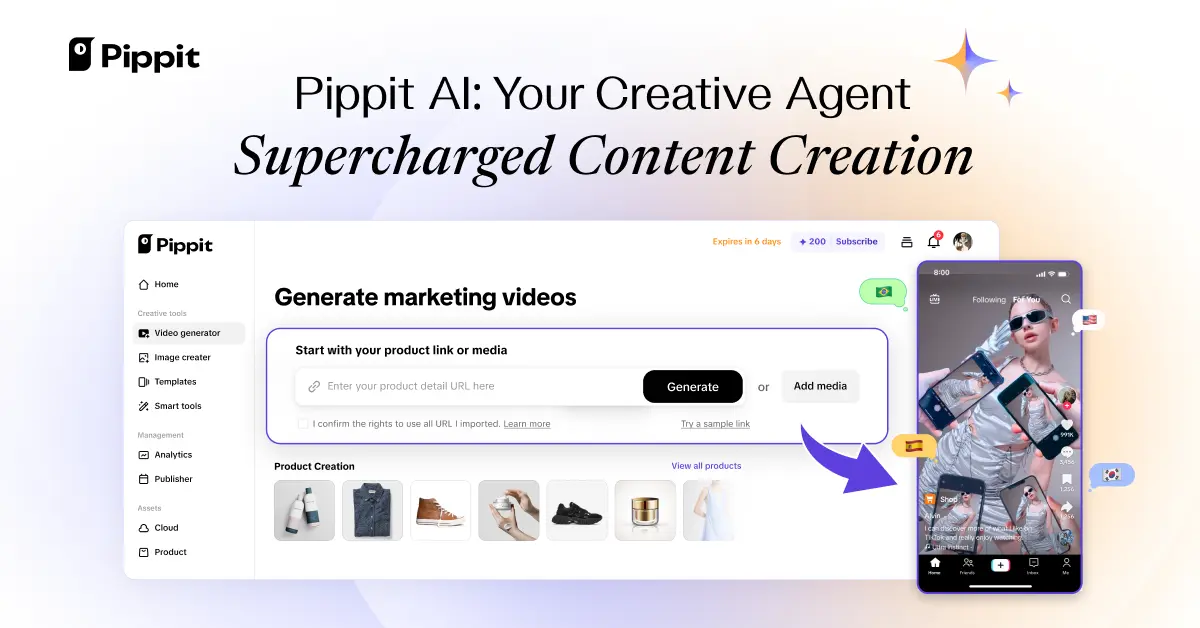
Around that core it layers a full set of marketing tools. There are multilingual AI avatars, a dedicated AI Talking Photo feature that animates a person, an avatar, a cartoon, or even a pet into a speaking presenter, batch generation for producing many variations at once, and direct integration with Shopify and TikTok Shop so finished videos flow straight to where you sell. Because it sits inside the CapCut ecosystem, you also get a genuinely capable editor for refinement, plus auto-publishing and built-in analytics so you can see which videos actually drive engagement. That closed loop from product link to published, measured content is something most pure avatar tools do not attempt.
The considerations are that Pippit is credit-based, so heavy use draws down your allowance, and it is unmistakably a marketing tool rather than a flexible creative studio, which means it is less suited to narrative or training content. Because it belongs to a large parent company, anyone handling sensitive or confidential material may want to review the data-handling terms before uploading proprietary assets.
Pricing: A free plan provides 150 credits a week that refresh weekly, clips up to two minutes, generous storage, and access to avatars and link-to-video with a watermark. The Starter plan runs roughly $24 a month billed annually and includes a large yearly credit pool plus commercial-use assets. Pricing varies somewhat by region and promotional period, so check current rates before subscribing.
Best for: E-commerce sellers, direct-to-consumer brands, and social marketers who want to turn product pages into ads and animate talking photos with minimal effort.
Creatify is unapologetically a specialist, built to do one job exceptionally well: produce user-generated-content-style ads at speed and at scale. The user-generated-content look, where a relatable person appears to casually recommend a product, is currently the dominant format in paid social advertising, and Creatify automates it. You paste a product URL, and the platform generates a complete ad featuring an AI avatar spokesperson delivering a script written for conversion, formatted and sized for Meta and TikTok placements. For a performance advertiser whose results depend on testing many creative variations quickly, that focus is precisely the point.
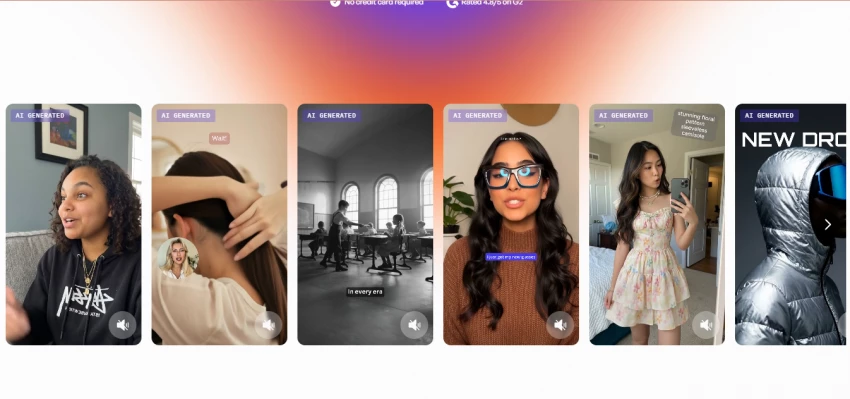
The toolkit reinforces that single purpose. There is a large library of AI actors, several hundred available even on the free plan and well over a thousand on higher tiers, an AI script writer tuned for ad copy, and a batch mode that lets you spin up many versions of an ad at once so you can test angles, hooks, and presenters against each other. Higher tiers add custom avatars and emotion-driven clips. Everything is oriented toward the advertiser's actual workflow, which is generating volume, launching it, and iterating on what performs.
The honest trade-offs are quality consistency and scope. Outputs can carry a recognizable Creatify house style, and avatar quality is not always uniform across the roster, so some generated actors land better than others. Credits deplete faster on the higher-quality renders, and roughly every couple of months unused credits expire. Because it is purpose-built for ads, it is not the tool to reach for if you want narrative, educational, or general talking-photo content.
Pricing: A free plan offers around 10 credits a month, enough for roughly two video ads, with about 300 actors, a watermark, and vertical-only output. Starter is $19 a month, and Pro is $49 a month with more than 700 avatars, custom avatar creation, batch mode, emotion clips, and videos up to ten minutes. Enterprise adds team features and API access.
Best for: E-commerce advertisers and agencies that need to scale user-generated-content video ads and test creative variations rapidly.
Digen AI opened the door to easy talking-photo videos, but it is no longer the most capable or the most reliable way through it. If you want the most realistic results, HeyGen and Hedra lead. If you are localizing training content, Synthesia is built for exactly that. If you are watching every dollar, Vidnoz and D-ID deliver remarkable value, and Captions owns mobile short-form.
The smartest move is to shortlist two tools that match your use case, test them on their free tiers this week, and then run a one-month paid pilot on whichever feels right. Measure the output quality and the true cost per minute, and you will land on the platform that actually fits how you work, not just the one with the loudest marketing.

New Claude Model Targets Agentic AI WorkflowsAnthropic has launched Claude Sonne...
Samuel Osei3 months ago

Gemini’s Image Tools Get a Wider RolloutGoogle is expanding access to Gemini’s p...
Alexander Hughes3 months ago

Two AI video generators, two very different first days. I ran PixVerse through i...
Alexander Hughes3 months ago

Two of the most talked-about AI chat platforms. I opened both, picked a characte...
Alexander Hughes3 months ago

The two-minute versionIf you only read one thing, read this. The rest of the doc...
Alexander Hughes3 months ago

Why Seedance 2.5 mattersSeedance 2.5 is the latest release in ByteDance’s Seedan...
Alexander Hughes3 months ago
Discussion