
Gamma earned its reputation by turning a single prompt into a complete deck in under a minute. With more than 70 million users, roughly 100 million dollars in annual recurring revenue, and a 2.1 billion dollar valuation, it remains the most recognizable name in AI presentation software. Speed, a generous starting experience, and web-native output are still its strongest assets.
The pressure points show up later. Reviewers across 2026 consistently flag the same friction: PowerPoint exports that need cleanup, brand controls that are thin for organizations enforcing a visual identity, collaboration features that lag dedicated team tools, and a free tier whose credits run out faster than newcomers expect. None of these issues make Gamma a poor product, as any detailed Gamma AI review would show. They simply mean a fast first draft is not the same thing as a finished, brand-safe, client-ready deliverable.
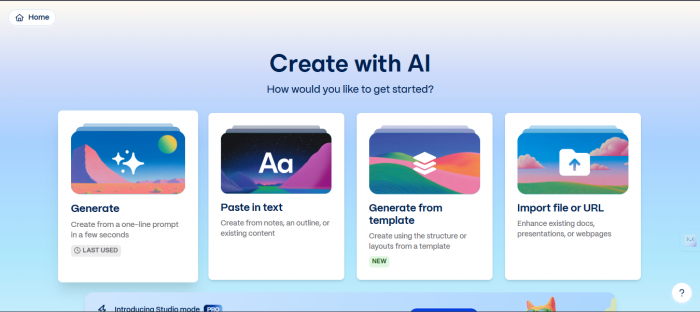
This guide breaks down the strongest Gamma alternatives available right now, organized by what each one does better. It covers slide generation, investor and sales pitch decks, and longer report-style documents, with current pricing, honest trade-offs, and side-by-side tables to speed up the decision.
Short on time? The table below maps common needs to the tool most reviewers point to in 2026. Detailed breakdowns follow further down.
| Primary need | Best-fit tool | Why it wins |
|---|---|---|
| Brand-consistent client and sales decks | Beautiful.ai | Enforced brand kit, clean PPTX export, deck analytics |
| Staying inside PowerPoint or Google Slides | Plus AI | Native add-on; no new platform to learn |
| Design flexibility and asset volume | Canva | Huge template and stock library, Magic Design |
| Team collaboration and approval flow | Pitch | Slide-level ownership, comments, shared workspaces |
| Fact-grounded decks from your own files | NotebookLM | Free, sourced from documents you upload |
| Fast, no-fuss single decks | Decktopus | Guided flow, quick branded output |
Table 1. Need-to-tool quick reference, synthesized from 2026 review sources.
A presentation tool can look impressive in a demo and still create work later. The comparisons below weigh the dimensions that actually determine whether a deck ships without a rebuild:
• Speed to usable output: how long it takes to reach a deck worth presenting, including regenerations and fixes.
• Design quality: whether output looks professionally designed or visibly machine-made.
• Export reliability: whether a .pptx file keeps its layout when opened in Microsoft Office.
• Brand control: logo, color, and font enforcement across every deck a team produces.
• Collaboration: real-time editing, comments, assignments, and shared asset libraries.
• Cost and value: what the free tier allows and where paid tiers start.
One market shift matters before going further. Tome, once a leading name in this category, shut down its presentation product in April 2025. The founding team pivoted to a sales-intelligence company called Lightfield, and the Tome brand was acquired separately by AngelList. Any guide still recommending Tome as a live option is out of date, so it is excluded here.
Entry paid tiers cluster tightly between roughly 8 and 15 dollars per month, but the value behind each price differs sharply. The chart below compares the lowest meaningful paid plan for each tool, using annual billing where a provider offers it.
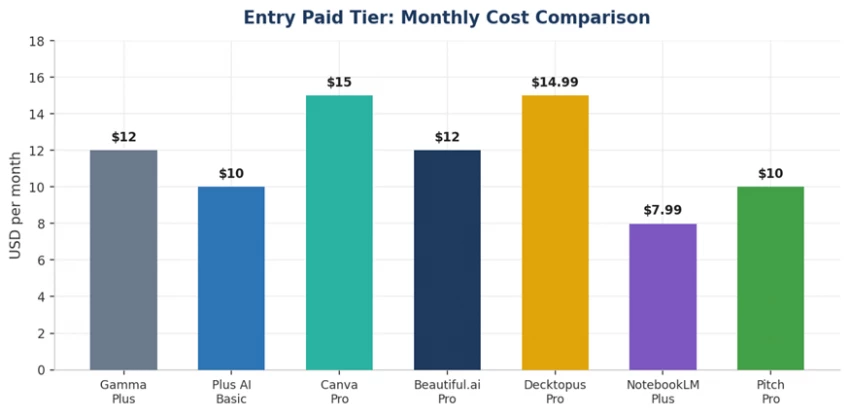
Chart 1. Entry paid tier monthly cost across leading tools (USD, annual billing where offered).
Headline price is only part of the story. Per-seat plans scale fast for teams, several tools meter image generation separately, and a low monthly figure can hide credit caps or weak exports. The detailed pricing table later in this guide adds that context.
The table below sets Gamma beside six strong alternatives across the criteria that decide real projects. Use it as the anchor reference; the sections that follow expand on each tool.
| Tool | Speed | Design | PPTX export | Brand control | Best for |
|---|---|---|---|---|---|
| Gamma | Excellent | Good | Weak | Limited | Fast internal drafts and web links |
| Beautiful.ai | Good | Excellent | Strong | Strong | Brand-safe client and sales decks |
| Plus AI | Good | Good | Good | Good | PowerPoint and Google Slides users |
| Canva | Good | Very good | Good | Very good | Versatile design and asset depth |
| Pitch | Good | Very good | Good | Very good | Collaborative team workflows |
| NotebookLM | Good | Fair | Improving | Limited | Fact-grounded decks from sources |
| Decktopus | Excellent | Good | Variable | Good | Quick single decks, beginners |
Table 2. Capability comparison across seven AI presentation tools, 2026.
To make the trade-offs visual, the chart below scores Gamma against two of the most common business replacements across six dimensions. Scores are relative and synthesized from hands-on 2026 reviews rather than vendor claims.
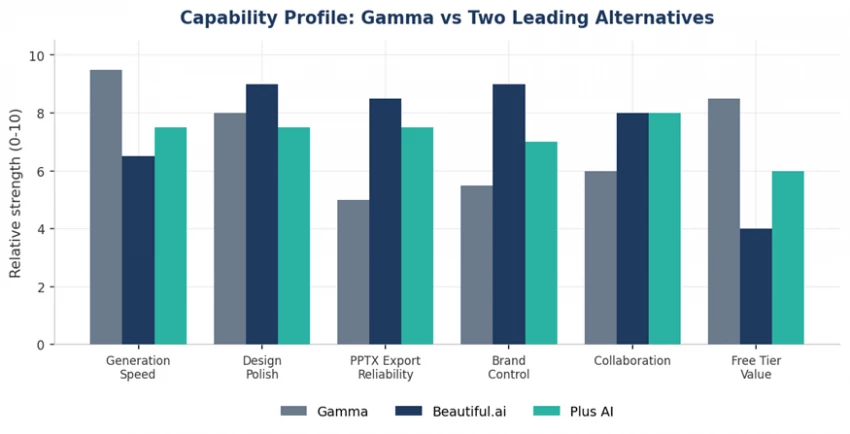
Chart 2. Relative capability profile: Gamma, Beautiful.ai, and Plus AI.
Beautiful.ai treats good design as something that should happen automatically. Add content and the slide reflows to stay balanced, so non-designers still produce polished layouts. For organizations where every deck represents the brand to a client, this consistency is the main draw.
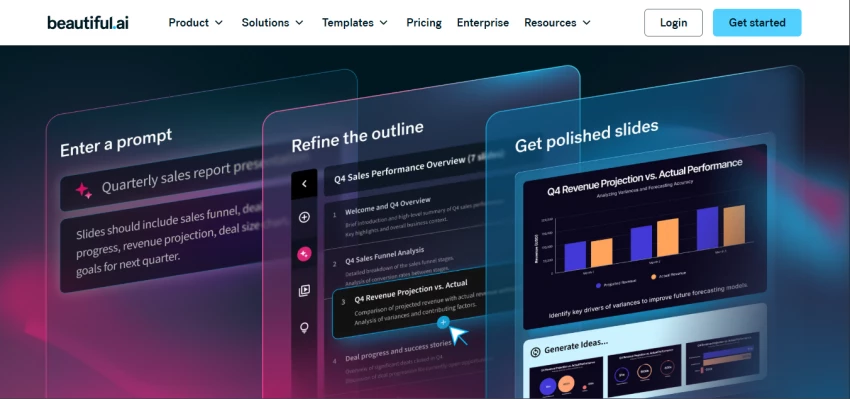
Its enforced brand kit applies logos, color palettes, and fonts across every presentation, and shared slide libraries let new decks start from approved layouts rather than a blank canvas. The PowerPoint export is among the cleanest in this category, and shared decks come with analytics showing who viewed which slide and for how long.
Trade-offs. Generation is slower than Gamma, the design system is opinionated so creative freedom is narrower, and support for non-English decks is genuinely weak. Team pricing at 40 dollars per seat per month adds up quickly, and there is no permanent free plan, only a 14-day trial.
Pricing. Pro around 12 dollars per month; Team around 40 dollars per seat per month; 14-day full-feature trial.
Plus AI takes a different stance from web-native tools. Instead of moving teams to a new platform, it works as an add-on inside Google Slides and PowerPoint, generating full decks from prompts, documents, or PDFs without leaving the editor. More than a million installs make it one of the most widely adopted options, and it has achieved SOC 2 Type II compliance, which matters to security-conscious organizations.
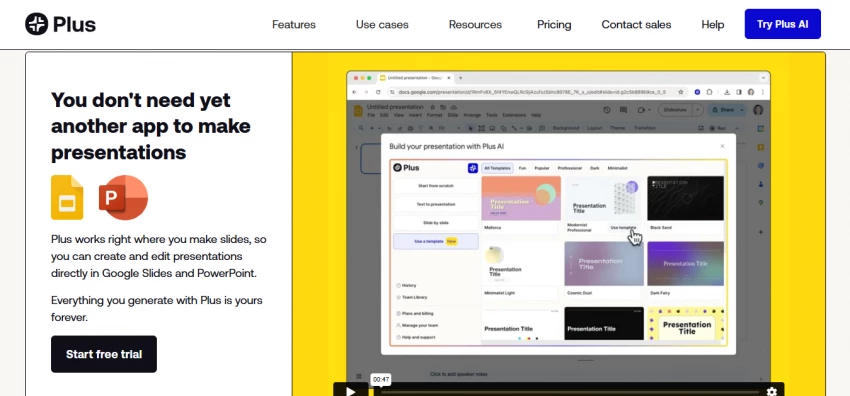
Because the output lives in native files, brand control and file handoff stay in familiar territory. Document-to-slides conversion, AI rewrite and remix tools, and multi-language translation round out the feature set.
Trade-offs. Plus AI was built for Google Slides first, and several reviews note the PowerPoint experience still lags behind it. It also lacks specialized charting such as waterfall or Mekko charts, a real gap for consultants and finance teams that depend on them.
Pricing. Basic 10 dollars per month annual (15 monthly); Pro 20 dollars per month annual (25 monthly); Team 30 dollars per month annual (40 monthly); 7-day free trial with card required.
Canva is the generalist that happens to be excellent at presentations. Its Magic Design feature generates a deck from a text prompt, and the platform backs that with one of the largest template, stock photo, icon, and illustration libraries available. The same workspace also produces social graphics, documents, and web pages, which suits teams that want one tool across many formats.
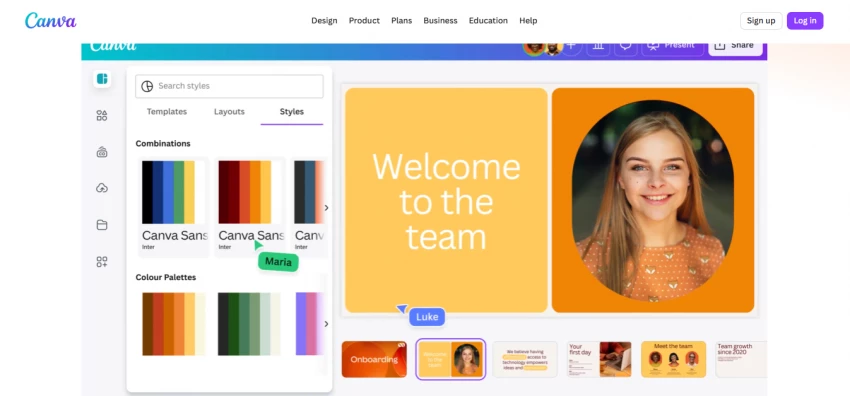
Trade-offs. The breadth that makes Canva versatile also makes its AI generation less specialized than purpose-built deck tools, and the sheer volume of options can slow down a simple task. Canva raised its Pro price to 15 dollars per month in 2026.
Pricing. Generous free tier; Pro around 15 dollars per month; Teams pricing scales per seat.
Pitch is the choice when collaboration, not generation, is the bottleneck. Multiple people edit the same deck in real time, slides carry individual ownership so progress can be tracked, and feedback stays attached to the relevant slide rather than scattered across chat threads. Shared workspaces keep templates and brand assets reusable across the team.
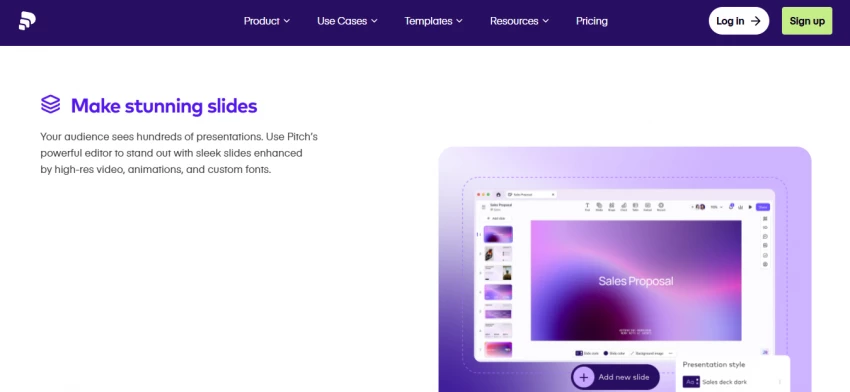
Trade-offs. Pitch is lighter on prompt-to-deck AI than Gamma and stays deliberately focused on creation and sharing rather than deep storytelling or governance. Teams wanting heavy generative automation will find it modest on that axis.
Pricing. Free for individuals; Pro around 10 dollars per user per month; Business around 20 dollars per user per month.
Google added slide generation to NotebookLM in late 2025, and it reshaped the free-tier conversation. Because output is grounded in documents the user uploads, accuracy tends to beat the generic phrasing other tools produce from thin prompts. Powered by Gemini 3, it is a strong fit for research summaries, internal briefings, and report-style decks built from real source material.
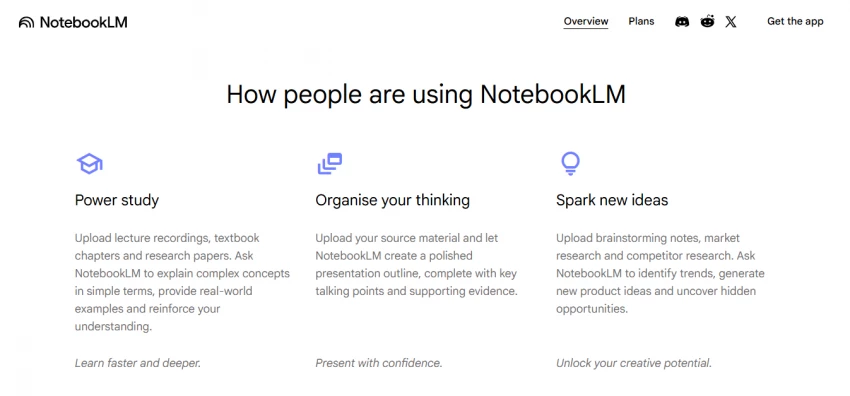
Trade-offs. Editing control is limited compared with dedicated deck tools, and watermark-free slide and infographic export sits behind the higher Google AI Ultra tiers. Design polish is functional rather than striking.
Pricing. Free standard tier; Plus around 7.99 dollars per month; higher Ultra tiers unlock watermark-free media export.
Decktopus strips the process down for users who find richer tools overwhelming. A prompt produces a branded deck in under a minute through a guided flow, with a built-in AI image generator for custom visuals instead of recycled stock. It exports to PDF, PPTX, and live share links.
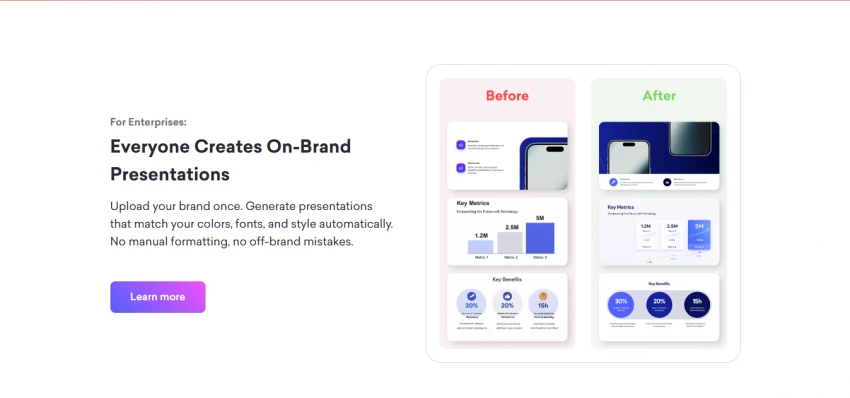
Trade-offs. Pixel-level layout control is restricted, complex data visuals are hard to build, and some users report PowerPoint exports losing formatting. Its credit-based pricing, with credits that expire monthly, creates uncertainty about real capacity.
Pricing. Pro around 14.99 dollars per month; per-presentation purchase options exist for occasional users.
The table below consolidates current pricing, free-tier behavior, and export support so the numbers sit in one place. Always confirm figures on each provider's site before purchasing, since this category changes pricing frequently.
| Tool | Free tier | Entry paid | Team / higher | Native PPTX export |
|---|---|---|---|---|
| Gamma | 400 one-time credits, watermark | Plus ~$12/mo | Team ~$20/seat; Ultra ~$100/mo | Yes, cleanup often needed |
| Beautiful.ai | 14-day trial only | Pro ~$12/mo | Team ~$40/seat/mo | Yes, strong |
| Plus AI | 7-day trial (card) | Basic ~$10/mo | Pro ~$20; Team ~$30/mo | Yes, Slides-first |
| Canva | Generous free plan | Pro ~$15/mo | Teams per seat | Yes |
| Pitch | Free for individuals | Pro ~$10/user/mo | Business ~$20/user/mo | Yes |
| NotebookLM | Free standard tier | Plus ~$7.99/mo | Ultra tiers (watermark-free) | Improving / rolling out |
| Decktopus | Limited deck count | Pro ~$14.99/mo | Per-deck options | Yes, variable fidelity |
Table 3. Pricing and export support, May 2026. Figures are approximate and billing terms vary.
Persuasion decks live or die on polish and a clean handoff. Beautiful.ai is the safer pick when the file must arrive as an on-brand PowerPoint, while Plus AI suits founders and sellers who would rather refine inside PowerPoint or Google Slides directly. Gamma still earns a place for rapid first drafts before the deck moves into a more controlled tool.
For status updates, team readouts, and throwaway decks, speed beats perfection. Gamma's free tier and Decktopus both shine here. If the content is built from existing documents, NotebookLM produces a grounded draft at no cost.
Longer, evidence-based material favors tools that respect source accuracy and structure. NotebookLM leads for sourced reporting, Plus AI converts existing PDFs and Word files into structured slides, and Canva handles mixed-format reports that blend narrative with visuals.
Honesty improves a guide more than a longer list does. Highly regulated or contractual decks, such as legal filings or M and A pitch books, carry too much risk from an AI-introduced error to justify automation. Agency-grade creative work and flagship keynotes still need a human designer for the final stretch. And a one-time deck a single stakeholder will see for five minutes rarely repays the setup cost of a new tool. In those cases, a careful hand in PowerPoint or Google Slides remains the right call.
Gamma remains a capable, fast, and popular tool, and for quick internal drafts it is hard to beat. The reason teams look elsewhere in 2026 is not that Gamma fails, but that a single product rarely wins on speed, brand control, export reliability, collaboration, and cost all at once.
The practical move is to match the tool to the job. Reach for Beautiful.ai when the brand must stay tight and the file must travel cleanly. Choose Plus AI to stay native in PowerPoint or Google Slides. Lean on Canva for design range, Pitch for collaboration, NotebookLM for sourced accuracy at no cost, and Decktopus for a fast single deck. Test two finalists on your own real content before subscribing; thirty minutes of hands-on use reveals more than any feature list.

New Claude Model Targets Agentic AI WorkflowsAnthropic has launched Claude Sonne...
Samuel Osei3 months ago

Gemini’s Image Tools Get a Wider RolloutGoogle is expanding access to Gemini’s p...
Alexander Hughes3 months ago

Two AI video generators, two very different first days. I ran PixVerse through i...
Alexander Hughes3 months ago

Two of the most talked-about AI chat platforms. I opened both, picked a characte...
Alexander Hughes3 months ago

The two-minute versionIf you only read one thing, read this. The rest of the doc...
Alexander Hughes3 months ago
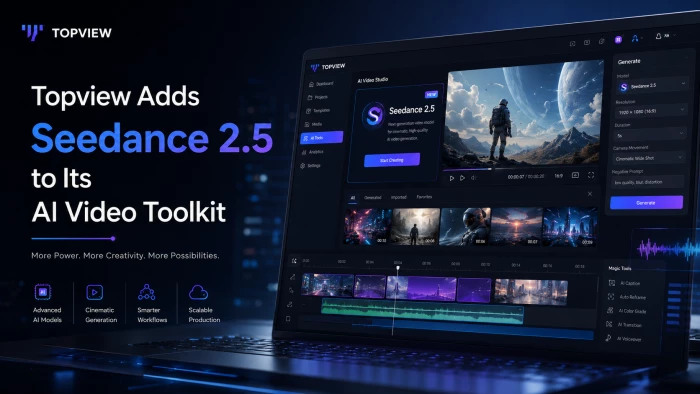
Why Seedance 2.5 mattersSeedance 2.5 is the latest release in ByteDance’s Seedan...
Alexander Hughes3 months ago
Discussion