Gizmo AI and Notion AI sit in different parts of the learning stack. Gizmo lives at the memorization layer: take content in, turn it into flashcards, drill them with spaced repetition. Notion lives at the organization layer: capture, structure, and synthesize knowledge across an entire workspace. Treating them as direct alternatives misses the point. Treating them as parts of the same learning system clarifies it.
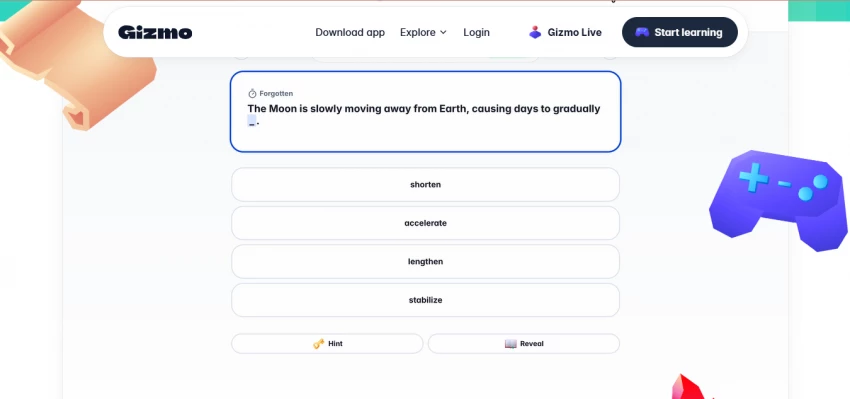
This breakdown runs both tools through six real study tasks, grades the output A through F, then maps the results to five learner profiles. Pricing realities for 2026 follow, including Notion's May 2025 retirement of the standalone AI add-on and Gizmo's April 2026 funding milestone that signals where the platform is headed.
The Headline Verdict
Most serious learners benefit from both: Notion at the front of the workflow, Gizmo at the end. Cost combined: roughly $230 per year. |
Effective study workflows run on four stacked layers: capture content, organize and synthesize it, practice and drill it, then test recall and applied use. Gizmo AI and Notion AI each dominate two of those four layers. The diagram below shows which tool owns which layer.
| LAYER 4 | Recall + Application | Active retrieval under time pressure | ★ GIZMO AI |
| LAYER 3 | Practice + Drilling | Flashcards and quiz repetition | ★ GIZMO AI |
| LAYER 2 | Organization + Synthesis | Structuring notes and connecting ideas | ★ NOTION AI |
| LAYER 1 | Capture + Source Storage | Lectures, PDFs, slides, and references | ★ NOTION AI |
Layers 1 and 2 are where most learning fails. Messy capture and weak organization mean even the best flashcards drill the wrong content. Layers 3 and 4 are where retention happens. Strong spaced repetition without structured source content produces shallow recall. Each tool is optimized for half of the stack. Neither covers all four.
Each task simulates a real study workflow. Both tools ran the same input where possible. Output was scored on accuracy, time saved, flexibility, and usefulness for actual exam preparation. Grades follow standard A through F scale, with brief commentary explaining each score.
TASK 01 PDF to Flashcards What's measured: Convert a 30-page textbook chapter PDF into a flashcard deck ready for daily review | ||
| A | Gizmo AI | Magic Import pulls the PDF, extracts key terms, and generates a deck in under 90 seconds. The cards are formatted for active recall by default. Minor edits often needed for niche terminology. |
| C+ | Notion AI | AI can summarize the PDF inside a Notion page and pull key points, but there's no native flashcard component. Building flashcards requires manually creating a database with question and answer columns. |
Verdict: Gizmo AI wins decisively. Notion is workable for this task but adds 15 to 30 minutes of setup time.
TASK 02 Messy Notes to Structured Study Material What's measured: Convert raw bullet-point lecture notes into a clean, organized study guide with sections and key takeaways | ||
| D | Gizmo AI | Limited capability here. Gizmo will convert notes to flashcards but offers no real document structuring. Bullet points stay bullet points; no headings or hierarchy emerge from raw input. |
| A | Notion AI | This is exactly where Notion AI shines. Paste messy notes, ask the AI to restructure into a study guide, and the output organizes content into headings, subheadings, and bullet hierarchies in seconds. |
Verdict: Notion AI wins by a clear margin. Document structuring is its core competence.
TASK 03 Spaced Repetition for Exam Prep What's measured: Set up a daily review schedule for a deck of 200 flashcards over a 4-week exam runway | ||
| A+ | Gizmo AI | Spaced repetition is built into Gizmo's core engine. Cards surface at optimized intervals based on user performance. Gamification (streaks, lives, leaderboards) sustains daily engagement, which is what spaced repetition needs to work. |
| F | Notion AI | Notion AI has no native spaced repetition system. Workarounds exist (formula databases with review dates), but they require manual setup, manual scheduling, and offer none of the algorithmic adaptation that defines effective spaced repetition. |
Verdict: Gizmo AI wins by default. Notion AI does not compete in this category.
TASK 04 Lecture Summarization What's measured: Summarize a 90-minute lecture transcript into key concepts, takeaways, and an outline | ||
| B | Gizmo AI | Gizmo will convert a transcript into a usable summary plus flashcards in one workflow. Summary quality is solid but skews toward bullet-point extraction rather than narrative synthesis. Better for review than first-time learning. |
| A | Notion AI | Notion AI handles narrative summarization better, producing structured summaries with headings, key takeaways, and follow-up question suggestions. AI Meeting Notes (Business plan) transcribes lectures natively if recorded inside Notion. |
Verdict: Notion AI wins on summary depth. Gizmo wins if the next step is flashcard drilling.
TASK 05 On-Demand Quiz Generation What's measured: Generate a 20-question quiz from uploaded study material with mixed multiple-choice and written-answer formats | ||
| A | Gizmo AI | Quiz generation is a core feature. Multiple-choice questions, written-answer prompts, and difficulty grading all work out of the box. Built-in scoring with the lives and streaks system. |
| B+ | Notion AI | Notion AI generates quiz questions on request from any page content. Quality is good but output lands in plain prose, not a structured quiz interface. Requires manual formatting to use as a scored test. |
Verdict: Gizmo AI wins on workflow polish. Notion produces usable quiz content but needs formatting work.
TASK 06 Cross-Subject Concept Linking What's measured: Connect related concepts across three different course folders (e.g., biology, chemistry, statistics) to surface overlapping themes | ||
| D | Gizmo AI | Gizmo treats decks as siloed. Cross-deck search exists but doesn't synthesize. No concept linking across subjects. Each deck is its own world. |
| A+ | Notion AI | Ask Notion (Business plan) searches across the entire workspace and synthesizes answers grounded in multiple sources. This is the strongest feature in Notion AI's 2026 release and the clearest contrast with Gizmo's narrow scope. |
Verdict: Notion AI wins by a wide margin. Cross-workspace synthesis is a Notion-only capability.
| Task | Gizmo AI | Notion AI | Winner |
|---|---|---|---|
| 01. PDF to Flashcards | A | C+ | Gizmo AI |
| 02. Messy Notes to Study Material | D | A | Notion AI |
| 03. Spaced Repetition Setup | A+ | F | Gizmo AI |
| 04. Lecture Summarization | B | A | Notion AI |
| 05. On-Demand Quiz Generation | A | B+ | Gizmo AI |
| 06. Cross-Subject Linking | D | A+ | Notion AI |
Three wins each. But raw count obscures the pattern. Gizmo wins the practice and retrieval tasks. Notion wins the synthesis and structuring tasks. The right tool depends on which side of the learning workflow is the bottleneck.
Pricing for both tools shifted notably during 2025 and early 2026. Notion's biggest change: the standalone AI add-on was retired in May 2025 for new Free and Plus customers, forcing anyone wanting full Notion AI to upgrade to Business at $15 per month annually. Gizmo's tiers have stayed roughly stable but with frequent promotional pricing, especially for verified students.
| Plan | Monthly | Annual | Key Feature Unlocks |
|---|---|---|---|
| Free | $0 | $0 | 15 quiz lives/day, basic flashcards |
| Premium (monthly) | $8.80 | — | Unlimited lives and quizzes |
| Premium (annual) | — | $52.80 | Same as monthly, 50% cheaper |
| Student annual | — | ~$26.40 | 50% off with verified student email |
| Weekly (cram tier) | $13.99 | — | Use for one-time exam crunches only |
| Plan | Monthly | Annual | AI Included? |
|---|---|---|---|
| Free | $0 | $0 | Limited trial only |
| Plus | $12 | $10 | No (no path to add since May 2025) |
| Business | $24 | $15 ($180/yr) | Yes (full 2026 AI suite) |
| Enterprise | Custom | Custom | Yes plus Enterprise Search |
| Education (.edu) | Free | Free | No (Plus tier free, AI separate) |
Critical 2026 pricing notes Notion retired the standalone $10/month AI add-on for new customers in May 2025. Business tier is now the only path to full Notion AI. Notion launched a credits system on May 4, 2026: $10 per 1,000 credits for Custom Agent runs. Most everyday AI use is included; only complex agent workflows draw credits. Gizmo's pricing varies by promotion. The $52.80/year annual is the most commonly advertised, with student discount bringing it down to ~$26.40/year. Free tier strategy differs sharply: Gizmo gates by usage (lives), Notion gates by features (no AI without Business). |
Reading every line of every pricing table is exhausting. Three numbers do most of the decision-making work.
$52.80 Gizmo AI annual cost Premium plan, billed yearly | $180 Notion AI annual cost Business plan, billed yearly | 13M Gizmo users worldwide as of April 2026 (TechCrunch) |
The cost gap is roughly 3.4x. The user-base scale signals that consumer-grade study habits are forming around Gizmo at speed, while Notion AI remains primarily a productivity-suite play. Neither number alone determines which tool is right. Together, they show the trade-off: Gizmo is cheaper and more focused, Notion is broader and more expensive.
Grades and prices only matter when mapped to actual learning workflows. Five common patterns and the right tool match for each.
Profile 01 The Pre-Med Student Memorization-heavy curriculum (anatomy, pharmacology, biochemistry) with high-stakes exams every few weeks. Daily flashcard volume in the hundreds. Recommended: Gizmo AI Why: Spaced repetition is the bottleneck, and Gizmo's algorithm plus gamification keep daily review consistent across 200-plus card decks. Notion adds organization value but not where the workload concentrates. |
Profile 02 The Language Learner Building vocabulary and grammar mastery for a target language. Needs daily exposure to 50 to 100 vocabulary items and grammar patterns. Recommended: Gizmo AI Why: Vocabulary learning is the canonical use case for spaced repetition. Gizmo's voice mode and image-occlusion support make it a strong fit. Notion AI adds no meaningful value to this workflow. |
Profile 03 The Graduate Researcher Synthesizing literature across multiple subfields, writing thesis chapters, maintaining a knowledge base of sources and notes that grows over years. Recommended: Notion AI Why: Cross-source synthesis, document structuring, and workspace-wide search (Ask Notion) match the research workflow precisely. Flashcard drilling is rarely the bottleneck for thesis work. |
Profile 04 The Certification Candidate Studying for a professional certification (PMP, CFA, AWS, USMLE) with a fixed exam date and a defined knowledge domain. Recommended: Gizmo AI Why: Certification prep is recognition-driven and memorization-heavy. Gizmo's flashcard generation from official study materials plus spaced repetition over a 6 to 12 week runway is the sharpest fit. Some candidates use Notion to organize study schedules but the AI features are not where the value lands. |
Profile 05 The Casual Lifelong Learner Reading books, listening to podcasts, watching YouTube lectures across diverse topics. Wants to retain key ideas without a structured exam goal. Recommended: Both tools Why: Start with free tiers of both. Notion AI for capturing and organizing insights from books and lectures. Gizmo AI for any topic that warrants drilling. Upgrade only when one workflow surfaces consistent friction. Combined annual cost on free tiers: $0. |
Reviews highlight the obvious. A few less-discussed limitations affect real purchase decisions, especially for buyers committing to annual plans.
| 01 | Gizmo's free tier uses lives, not feature gates. Wrong answers consume lives. When lives run out, a 10-minute lockout begins. During exam cramming this becomes a meaningful interruption. Premium removes the gating, but free-tier users report this as the most frustrating part of the experience. |
| 02 | Notion AI now requires the Business plan for new users. The standalone $10/month AI add-on was retired in May 2025. Existing subscribers were grandfathered; new users must upgrade to Business at $15/month annually. The cheapest path to Notion AI is no longer $10 monthly. It is $180 yearly. |
| 03 | Gizmo-generated flashcards sometimes lack clinical or contextual depth. For high-stakes medical or legal content, AI-generated cards may surface surface-level terminology without the case-based reasoning context the exam actually tests. Manual editing is often required, which reduces some of the time-savings advantage. |
| 04 | Notion lacks any native flashcard system. Workarounds using databases with date-based review formulas exist and circulate in templates. None replicate true spaced repetition algorithms. For learners who specifically want flashcard drilling, Notion is the wrong tool regardless of how well it organizes notes. |
| 05 | Cross-workspace AI search is a Business-only feature. Ask Notion, the workspace-wide AI search that surfaces answers from across all pages, is included in Business and Enterprise plans only. Plus subscribers without Business have no equivalent. Buyers expecting full AI on Plus often discover this only after subscribing. |
Most serious learners eventually use both. The workflow that surfaces fastest in 2026 community discussions follows a five-step path. Each step uses the tool best suited for its layer of the learning stack.
Lecture recordings, PDF readings, slide decks, web articles, and personal notes all land inside a single Notion workspace. Notion handles file storage, embedded references, and search across the entire library.
Run summaries, generate outlines, and use Ask Notion to surface concepts across sources. The output is structured study material organized by course, topic, and exam date.
From each Notion page, copy the key terms list, glossary, or summary section. This becomes the input for the next layer.
Paste extracted content into Gizmo. The AI converts terms and concepts into question-and-answer flashcards in seconds. Verify and edit cards that drift from the source material.
Spaced repetition handles the retention work. Five to fifteen minutes daily replaces hours of cram-style review the night before an exam.
Total combined annual cost Gizmo AI Premium (annual): $52.80 Notion AI Business (annual): $180.00 Combined: $232.80 per year, or roughly $19.40 per month for the complete learning stack. |
A short pre-purchase filter saves both money and friction. Three questions cover most decision paths.
01 Is the primary learning bottleneck memorization or organization?
→ Memorization (vocab, terms, formulas) Gizmo AI
→ Organization (long notes, multiple sources) Notion AI
→ Both consistently Both tools, starting with the more pressing one
02 Will the subscription be used at least 4 days per week for 8 weeks?
→ Yes Annual billing on the chosen tool
→ Probably not Monthly billing or stay on the free tier
→ Cram session only Gizmo weekly plan ($13.99) for one-time exam prep
03 Does the existing workflow already include Notion for non-study tasks?
→ Yes (work, projects, life management) Notion Business upgrade is the low-friction path
→ No, study is the only use case Gizmo AI Premium delivers more learning value per dollar
→ Considering Notion for the first time Try the free tier for 2 weeks before paying for AI

New Claude Model Targets Agentic AI WorkflowsAnthropic has launched Claude Sonne...
Samuel Osei3 months ago

Gemini’s Image Tools Get a Wider RolloutGoogle is expanding access to Gemini’s p...
Alexander Hughes3 months ago

Two AI video generators, two very different first days. I ran PixVerse through i...
Alexander Hughes3 months ago

Two of the most talked-about AI chat platforms. I opened both, picked a characte...
Alexander Hughes3 months ago

The two-minute versionIf you only read one thing, read this. The rest of the doc...
Alexander Hughes3 months ago

Why Seedance 2.5 mattersSeedance 2.5 is the latest release in ByteDance’s Seedan...
Alexander Hughes3 months ago
Discussion