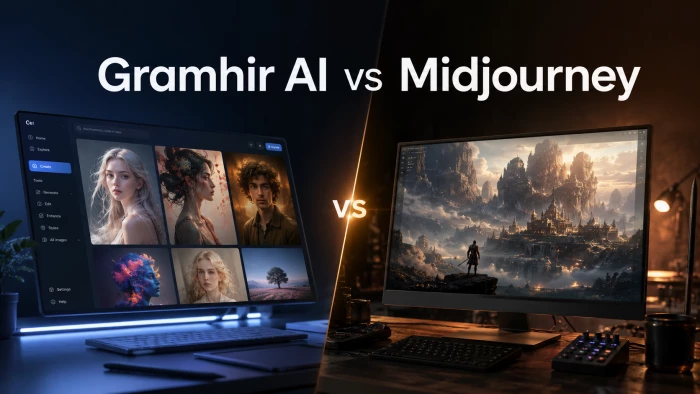
Artificial intelligence has turned image creation into something almost anyone can do from a laptop or a phone. Two names that keep surfacing for creators are Gramhir AI and Midjourney. They are often mentioned in the same breath, yet they sit at very different ends of the market. One is a free to start, browser based generator built for speed and convenience. The other is a subscription only platform with a reputation for some of the most striking visuals in the business.
This guide compares them the way a working creator actually would: quality, ease of use, price, creative control, reliability, and the small extras that tip a decision. You will find a quick verdict, a round by round breakdown, visual scorecards, full pricing, honest caveats, and an FAQ, so you can choose with your eyes open. All figures are current as of June 2026.
Short on time? Here is the bottom line. Midjourney is the stronger tool for raw image quality and creative control, and it is the better pick for professional or polished work, as long as you are happy to pay a subscription. Gramhir AI is the easier and cheaper way to get started and can suit casual social content on a tight budget, though independent reviews of its reliability are mixed, so treat its free tier as a trial before you commit.
| Choose Gramhir AI if | Choose Midjourney if |
You want a free, no install way to make images in your browser Your needs are casual: blog headers, social posts, quick mockups Budget matters more than gallery grade quality You also want simple Instagram analytics in the same place You are brand new to AI images and want zero friction | Image quality and artistic polish are your top priority You create professional, client, or portfolio work You want deep control over style, mood, and consistency You are willing to pay monthly for noticeably better results You may want image to video and a large creative community |
Before the head to head, here is a quick profile of each tool so the comparisons that follow make sense.
| Gramhir AI (gramhir.pro) |
What it is: A browser based, text to image generator. You type a prompt, pick a style, and it returns a picture in seconds. It is also bundled with a set of Instagram analytics tools. How you use it: Entirely in the browser. No download, no Discord, no setup. Sign up and start typing. Pricing: A free tier with watermarks and limits, plus a Pro plan that sits around 15 dollars a month for unlimited HD images and commercial use. Styles: Presets spanning photorealism, anime, watercolor, oil painting, 3D render, cyberpunk, and minimalist illustration. Best for: Beginners, bloggers, social media managers, and small teams who value speed and low cost over top tier output. |
| Midjourney |
What it is: A premium AI image platform launched in 2022 and widely regarded as a quality leader. It turns text prompts into highly polished images and can also animate them into short video clips. How you use it: Through a full web app at midjourney.com, with the original Discord bot still available and sharing the same account. The current default model is V8.1, rolled out in mid 2026. Pricing: Subscription only, from 10 dollars a month for Basic up to 120 dollars a month for Mega, with roughly 20 percent off for annual billing. There is no free trial. Styles: Exceptional range and control, with style references, a personalization system that learns your taste, and a Raw mode for stricter prompt following. Best for: Professionals, designers, marketers, and serious hobbyists who want the best looking results and are comfortable paying for them. |
Now the fun part. Here are eight rounds, each focused on something creators actually care about. We call a winner for each, then total it all up in a visual scorecard.
ROUND 1 - Image Quality and Realism
This is Midjourney's home turf. It is consistently praised for cinematic lighting, rich texture, and a level of aesthetic polish that few rivals match, and its latest models have improved hands, bodies, and fine detail. Gramhir produces clean, usable images that are fine for everyday social content, but reviewers generally place its output in the mid tier rather than the professional class. If the picture has to look stunning, Midjourney pulls clearly ahead.
Round winner: Midjourney
ROUND 2 - Getting Started and Ease of Use
Gramhir wins on pure simplicity. It runs in any browser with no install and no real learning curve, so you can be generating within a minute of signing up. Midjourney has closed much of this gap with its web app, which is far friendlier than the old Discord only days, but it still rewards a little practice with prompts and settings before results click. For an absolute beginner who wants the shortest path to a first image, Gramhir is the gentler on ramp.
Round winner: Gramhir AI
ROUND 3 - Price and Value
On raw affordability, Gramhir is hard to beat: there is a free tier, and the paid plan lands near 15 dollars a month. Midjourney has no free option and starts at 10 dollars a month, with serious use often pushing creators to the 30 dollar Standard tier or higher, and its GPU hour billing can add surprise costs. That said, value is not the same as price, and many creators feel Midjourney's quality justifies the spend. For the smallest budgets, though, Gramhir takes this round.
Round winner: Gramhir AI
ROUND 4 - Creative Control and Styles
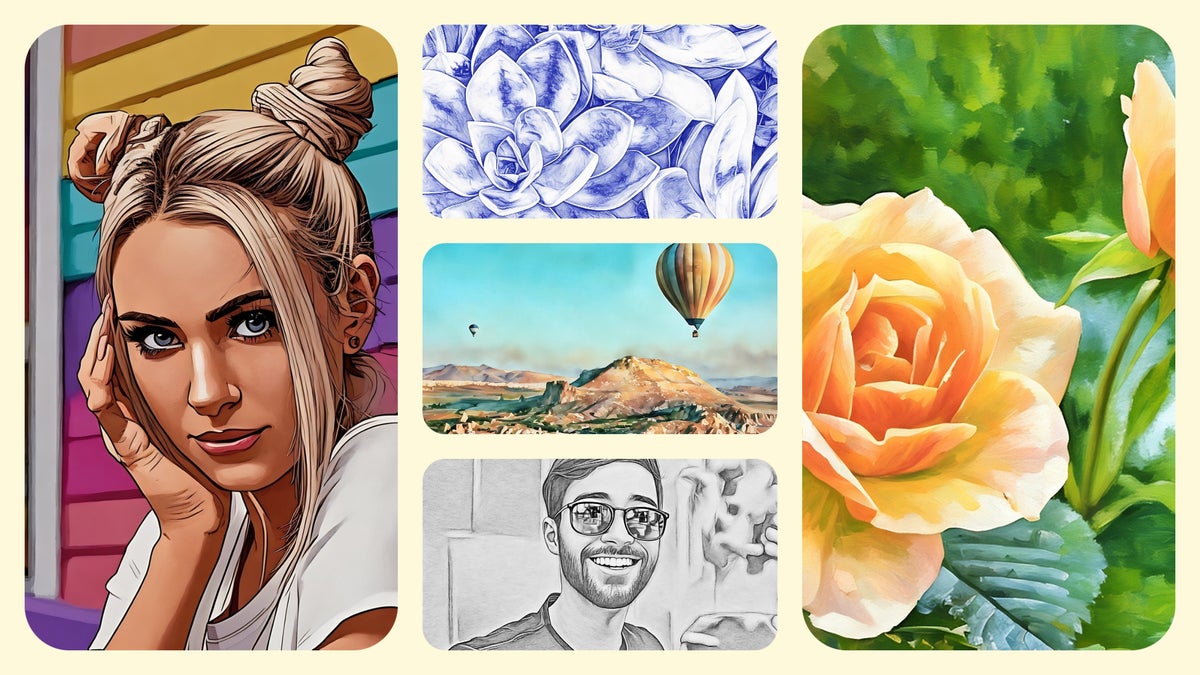
Gramhir offers a respectable menu of style presets, which is plenty for quick jobs. Midjourney goes much deeper, with fine grained parameters, style and character references for consistency across a series, a personalization feature that adapts to your taste, and modes that trade styling for precision. For anyone who wants a specific look held steady across many images, Midjourney is in another league.
Round winner: Midjourney
ROUND 5 - Speed and Workflow
Gramhir leans on browser based speed and returns images in seconds when it is working as intended. Midjourney is quick too, especially with its fast generation mode and a Draft mode that renders much faster at lower cost, although its unlimited Relax mode is slower and the entry tier has no Relax option at all. Both can move fast in the right setup, so this one is genuinely close.
Round winner: Draw
ROUND 6 - Commercial Use and Licensing
Both tools advertise commercial usage on their paid plans, so in principle you can sell or publish what you make. The edge goes to Midjourney because its rights are clearer and better documented on the Pro and Mega tiers, where private generation is also available. Gramhir claims commercial rights on its Pro plan, but its terms are less transparent. With either tool, read the current terms before billing a client.
Round winner: Midjourney (narrow)
ROUND 7 - Reliability and Reputation
This is the round that matters most for trust. Midjourney is an established platform with millions of users, a vast public gallery, and a long track record, even if it has its critics. Gramhir is harder to pin down. While plenty of upbeat write ups exist, several independent reviews report inconsistent output, heavy watermarking, missing features, or pages that push ads instead of images, and a few question whether the generator reliably works at all. That uncertainty hands the round to Midjourney.
Round winner: Midjourney
ROUND 8 - Bonus Features
Each tool brings something the other lacks. Midjourney adds image to video generation, a built in editor and canvas, and an active community to learn from. Gramhir folds in Instagram analytics, which is genuinely handy for social media managers who want creation and metrics in one tab. Different creators will value these differently, so we call it a split.
Round winner: Split
Tallied up, Midjourney takes the rounds that hinge on quality, control, and trust, while Gramhir wins the ones about cost and convenience. Here is the complete side by side picture.
| Comparison point | Gramhir AI | Midjourney |
|---|---|---|
| Best for | Quick, casual social and blog visuals on a budget | Professional grade art, concept work, and marketing |
| Overall image quality | Good, mid tier | Excellent, industry leading |
| Photorealism | Decent | Very strong |
| Artistic styles | Good preset range | Exceptional, with deep control |
| Style consistency | Limited | Strong (references and personalization) |
| Ease of use | Very easy, browser based | Easier now via web app, slight learning curve |
| How you access it | Browser only, no install | Web app plus Discord, paid only |
| Free option | Yes (watermarked, limited) | No free trial |
| Starting price | Free, or about 15 dollars a month Pro | 10 dollars a month Basic |
| Top tier price | About 15 dollars a month | 120 dollars a month Mega |
| Commercial rights | Claimed on Pro (check terms) | Yes, clearest on Pro and Mega |
| Generation speed | Fast, in seconds, when working | Fast with Draft mode; Relax slower on entry tier |
| Video generation | No | Yes, image to video clips |
| Text inside images | Weak | Improved, still imperfect |
| API access | No native API | No public API (closed beta only) |
| Standout extras | Instagram analytics bundle | Editor, canvas, personalization, large community |
| Current model | Proprietary, details unclear | V8.1 default (mid 2026) |
| Reliability | Mixed reviewer reports | Established and widely trusted |
Pricing is where the two tools diverge the most. Gramhir keeps it simple with a free tier and one low cost upgrade. Midjourney uses a four tier subscription based on fast GPU time rather than a fixed number of images, which is powerful but takes a moment to understand.
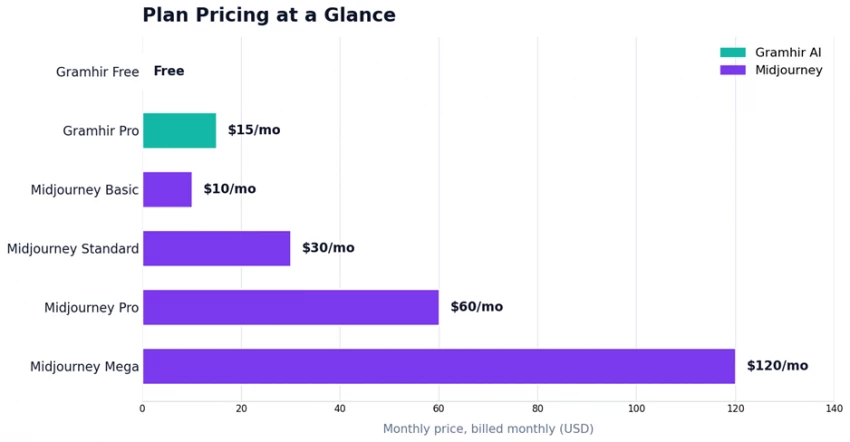
| Plan | Monthly | Annual / mo | What you get |
|---|---|---|---|
| Gramhir Free | Free | n/a | Limited generations, watermarked output, standard resolution |
| Gramhir Pro | ~ $15 | varies | Unlimited HD images, no watermark, commercial use, faster rendering |
| Midjourney Basic | $10 | ~ $8 | About 3.3 fast GPU hours, roughly 200 images, no Relax mode |
| Midjourney Standard | $30 | ~ $24 | 15 fast GPU hours plus unlimited slower Relax mode |
| Midjourney Pro | $60 | ~ $48 | 30 fast hours, Relax mode, and private Stealth generation |
| Midjourney Mega | $120 | ~ $96 | 60 fast hours, Relax mode, and private Stealth generation |
A few things to know about Midjourney billing: you are buying fast GPU hours, not a set number of images, and unused fast hours do not roll over. Extra fast hours cost about 4 dollars each, private Stealth generation is limited to the Pro and Mega tiers, and there has been no free trial since 2023. Gramhir's main paid plan removes watermarks and unlocks unlimited HD output.
| Gramhir AI |
Strengths • Free to start, with no download or signup friction • Extremely beginner friendly and fast to use • Low cost Pro plan, around 15 dollars a month • A decent variety of built in style presets • Instagram analytics bundled in the same tool Watch outs • Reliability reports are mixed, and some testers say it underdelivers • Image quality sits in the mid tier, not professional grade • Weak with text and fine anatomy such as hands • No tools for holding a style consistent across images • No API, and its model and terms are not clearly documented |
| Midjourney |
Strengths • Best in class image quality and artistic polish • Deep creative control and strong style consistency • Friendly web app, with Discord still available • Image to video generation built in • A personalization system that learns your taste • Frequent model upgrades and a huge learning community Watch outs • No free option, and premium pricing overall • GPU hour billing can lead to surprise costs • Some learning curve to get consistent results • Commercial terms vary by tier and change between versions • No public API, so it is poor for bulk automation • Private images need the Pro tier or higher |
The honest answer depends on who you are and what you are making. Find yourself in the table below.
| If you are | Best pick | Why |
|---|---|---|
| A curious beginner or hobbyist | Gramhir, free tier | Zero cost and zero setup make it a low risk way to learn |
| A blogger or small business owner | Gramhir Pro, after testing | Cheap, fast, and social ready, with analytics as a bonus |
| A social media manager | Gramhir Pro | Creation plus Instagram metrics in one place |
| A professional designer or artist | Midjourney Standard or Pro | Top tier quality and control are worth the subscription |
| An agency doing client work | Midjourney Pro or Mega | Best output, private generation, and clearer commercial rights |
| An anime or illustration creator | Midjourney, Niji model | A dedicated model tuned for anime and illustration |
| Anyone needing bulk automation | Neither is ideal | Both lack a solid public API, so look at API first tools |
Notice that the right answer depends on the job, not on which tool is objectively best. Plenty of creators keep both within reach: Gramhir or a free mainstream image generator for fast, throwaway visuals, and Midjourney when the result needs to shine.
| An honest heads up |
On Gramhir. Coverage online is mixed, and many of the glowing reviews read like affiliate content. Independent testers report inconsistent results, watermarks, and in some cases ad redirects or features that did not work as promised. Use the free tier as a genuine trial, and check its privacy and commercial terms, before you pay or rely on it for anything important. On Midjourney. There is still no public API, only a limited closed beta, so it is a poor fit for large automated batch jobs. Commercial rights are clearest on the Pro and Mega tiers and have shifted between versions, so read the current Terms of Service before client work. On lower tiers your images are visible in the public gallery unless you have Stealth Mode. |
| Final verdict |
If you want the best image quality and the deepest creative control, Midjourney is the clear winner and remains the benchmark for serious creators in 2026. If you want a free, friendly, no commitment way to make images, and your needs are casual, Gramhir AI is worth a try, provided you confirm it performs well for you. Really, these are not the same class of tool. Think of Midjourney as a premium studio and Gramhir as a quick browser sketchpad. Match the tool to the task, start free or cheap to learn, and step up to Midjourney when your work needs to stand out. |

New Claude Model Targets Agentic AI WorkflowsAnthropic has launched Claude Sonne...
Samuel Osei3 months ago

Gemini’s Image Tools Get a Wider RolloutGoogle is expanding access to Gemini’s p...
Alexander Hughes3 months ago

Two AI video generators, two very different first days. I ran PixVerse through i...
Alexander Hughes3 months ago

Two of the most talked-about AI chat platforms. I opened both, picked a characte...
Alexander Hughes3 months ago

The two-minute versionIf you only read one thing, read this. The rest of the doc...
Alexander Hughes3 months ago

Why Seedance 2.5 mattersSeedance 2.5 is the latest release in ByteDance’s Seedan...
Alexander Hughes3 months ago
Discussion