There is a moment in every creator's workflow when they realise the AI video tool they chose was not quite built for what they actually needed. For some, that moment comes when the lighting in their generated scene looks flat and lifeless. For others, it arrives when a supposedly photorealistic clip produces textures that feel clearly synthetic under any scrutiny. Picking the right tool upfront saves you that frustration.
Magic Light AI and Luma AI are two of the most searched names in AI video generation right now, and they keep showing up in the same sentence. But underneath the surface-level similarity, they are pursuing very different visions of what great AI video looks like. Magic Light AI is built for storytellers who need animated, character-consistent narratives with creative production control. Luma AI, through its Dream Machine model, is chasing something closer to photographic truth, with physics-based light rendering that is genuinely hard to beat.
This comparison digs into both tools specifically through the lens of lighting realism, because that is where the quality gap between these two platforms becomes most visible and most meaningful. We will cover their core approaches, break down where each one leads, look at the specific lighting scenarios where each excels, and give you a clear picture of which tool belongs in your workflow.
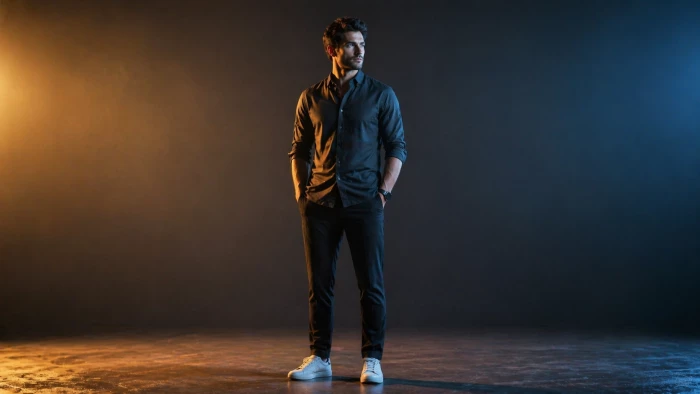
Left: A Magic Light AI animated scene with stylized cinematic lighting. Right: A Luma AI Dream Machine clip demonstrating physics-based HDR light rendering. The visual philosophy of each tool is apparent immediately.
Before scoring either tool on lighting realism, it helps to understand their design philosophy, because both are genuinely excellent tools, just pointed in different directions.
Magic Light AI launched in 2024 and quickly carved out a specific niche in the AI video space. It is not trying to generate the most photorealistic five-second clip on earth. Instead, it is solving a different and arguably harder problem for narrative creators: how do you produce a thirty-minute story video where your main character's face, clothing, and visual style stay consistent across hundreds of scenes generated by an AI?
This is where Magic Light earned its reputation. Reviewers in communities like r/aitubers describe it as a game-changer specifically because of its face-lock feature, which keeps a single character visually consistent across up to fifty scenes or more. Combine that with an integrated toolkit covering script writing, image generation, video animation, lip-sync, voice cloning, subtitle generation, and cinematic style presets, and you have a genuine end-to-end production platform for solo creators.
The lighting in Magic Light AI is handled through cinematic style presets and scene-specific mood settings. You can select from styles ranging from Ghibli and Pixar to Disney, Clay, and JOJO. Each carries its own lighting logic, and within that framework, the tool handles shadows, highlights, and atmospheric effects in a way that feels internally consistent with its chosen aesthetic. It is built for beauty within a style, not for replicating the physics of a real camera.
The platform also gives you access to some of the most powerful underlying video models currently available, including Sora 2, VEO 3, Kling 2.1 Master, Wan 2, and Hailuo 2.3. That model aggregation means you are not locked into a single engine, which is a significant practical advantage for creators who want to experiment across different visual outputs.
The Magic Light AI generation dashboard, showing style selection, character settings, and scene-level control options available to creators.
Luma AI's path to video generation is different from most competitors, and that difference explains a lot about why its lighting quality is so consistently impressive. Before building Dream Machine, Luma Labs built their reputation on NeRF technology, which is a neural radiance fields approach to capturing real-world spaces and objects in three-dimensional detail. That foundational understanding of how light behaves in physical space underpins everything Dream Machine generates.
The Ray model architecture, particularly Ray 3 introduced in 2025, is the clearest expression of this. Ray 3 introduced 16-bit HDR colour rendering and what reviewers describe as reasoning-based generation, where the AI does not just pattern-match to training data but actually considers how light would physically behave in the scene described. One reviewer tested the prompt asking for glass shattering in slow motion and described the light refraction as studio-quality. That kind of result comes from a fundamentally different approach to rendering than most AI video tools apply.
Dream Machine currently serves over 25 million registered users, a number that reflects genuine adoption across creator communities and not just casual trial. It is positioned between Pika's more experimental approach and Runway's professional-grade controls, which gives it a practical sweet spot for creators who need serious visual quality without Runway's complexity and cost.
Luma AI Dream Machine's interface, where a text prompt is entered and the Ray model generates a cinematic video clip with physics-accurate lighting and motion.
Here is the complete side-by-side specification overview before we dig deeper into the lighting comparison that matters most.
| Comparison Point | Magic Light AI | Luma AI (Dream Machine) |
| Primary Purpose | Story-driven video & animation generation | Cinematic photo-realistic video from text/image |
| Lighting Approach | Cinematic presets, mood-based lighting styles | Physics-based ray rendering, HDR light simulation |
| Best Output Type | Animated storytelling, character-led scenes | Realistic live-action style footage |
| Light Realism Level | Strong for stylized and animated content | Industry-leading for photo-real environments |
| HDR Support | Not prominently featured | Yes, 16-bit HDR via Ray 3 model |
| Character Consistency | High, face-lock across 50+ scenes | Improved with Photon model, still prompt-sensitive |
| Max Video Length | Up to 50 minutes per project | Up to 60 seconds (Ray 2+); shorter default clips |
| Generation Speed | Scene-by-scene; slower for long projects | 5-second clips in under 90 seconds (Ray 2) |
| Camera Controls | Lighting angle, transition pacing adjustable | Pan, zoom, dolly; cinematic camera presets |
| Models Available | Sora 2, VEO 3, Kling 2.1, Wan 2, Hailuo 2.3 | Ray 2, Ray 3, Photon image model |
| Free Plan | Yes, limited credits / scenes | Yes, ~30 generations/month with watermark |
| Paid Plans Start At | Around $8/month (annual) or $11.40/month | Around $23.99/month (Standard, most popular) |
| Resolution | Up to 1080p; 4K not prominently listed | Default 1080p, 4K upscaling on paid plans |
| Best For | YouTubers, storytellers, educators, marketers | Creatives, product demos, social media clips |
| Notable Weakness | Not for raw photo-realism; generic AI look at times | Short clip length; prompt inconsistency at times |
What jumps out immediately is the trade-off at the heart of this comparison. Magic Light AI wins on project length, character consistency, and creative style range. Luma AI leads on raw light rendering quality, HDR support, and generation speed for short clips. These are not minor differences in execution. They reflect entirely different goals.
Lighting is the single most important technical factor in visual realism. A perfectly composed scene with flat, unconvincing lighting looks fake. An imperfect composition with convincing light and shadow reads as genuine. This is where the two tools diverge most dramatically, and where your choice between them has the biggest practical consequence.
Magic Light AI approaches lighting through the lens of storytelling mood rather than physical accuracy. When you choose a style like Neo Film or Retro Gold, you are not just selecting a colour grade. You are selecting a lighting framework that adjusts shadows, mid-tones, and implied light direction to match the emotional register of that style. Reviewers who tested the tool on portrait photos noted that at medium intensity, the lighting effects produced a filmic softness that would be genuinely difficult to replicate manually.
The Golden Hour preset is a good example of this approach working well. Applied to an outdoor scene, it adds warm atmospheric depth and cinematic contrast in a way that looks intentional and polished. The sky gains dimension. Shadows get richer. The overall image reads as lit by a real sun in late afternoon. But this is achieved through a learned aesthetic rather than through physical light simulation, which means the results are dependent on which style preset fits your scene.

Where Magic Light AI's lighting starts to feel like a limitation is in scenes demanding true photorealism. The animated look that makes it perfect for a Pixar-style kids story becomes a liability if you are trying to generate footage that looks genuinely filmed. Reviewers consistently describe the output as carrying an unmistakable AI visual signature, which is fine and often desirable for its target use cases, but it is a ceiling on realism that the tool does not attempt to break through.
Luma AI does not ask you to choose a lighting preset. Instead, it reasons about the physical light conditions implied by your prompt and renders them accordingly. This distinction is fundamental. When you describe a rain-slicked city street at night with neon reflections in the puddles, Dream Machine is computing where each light source would sit, how its wavelength would interact with wet asphalt, what the reflective angle of the water surface would be, and how much scatter would occur in the atmospheric moisture. The result looks like footage rather than art.
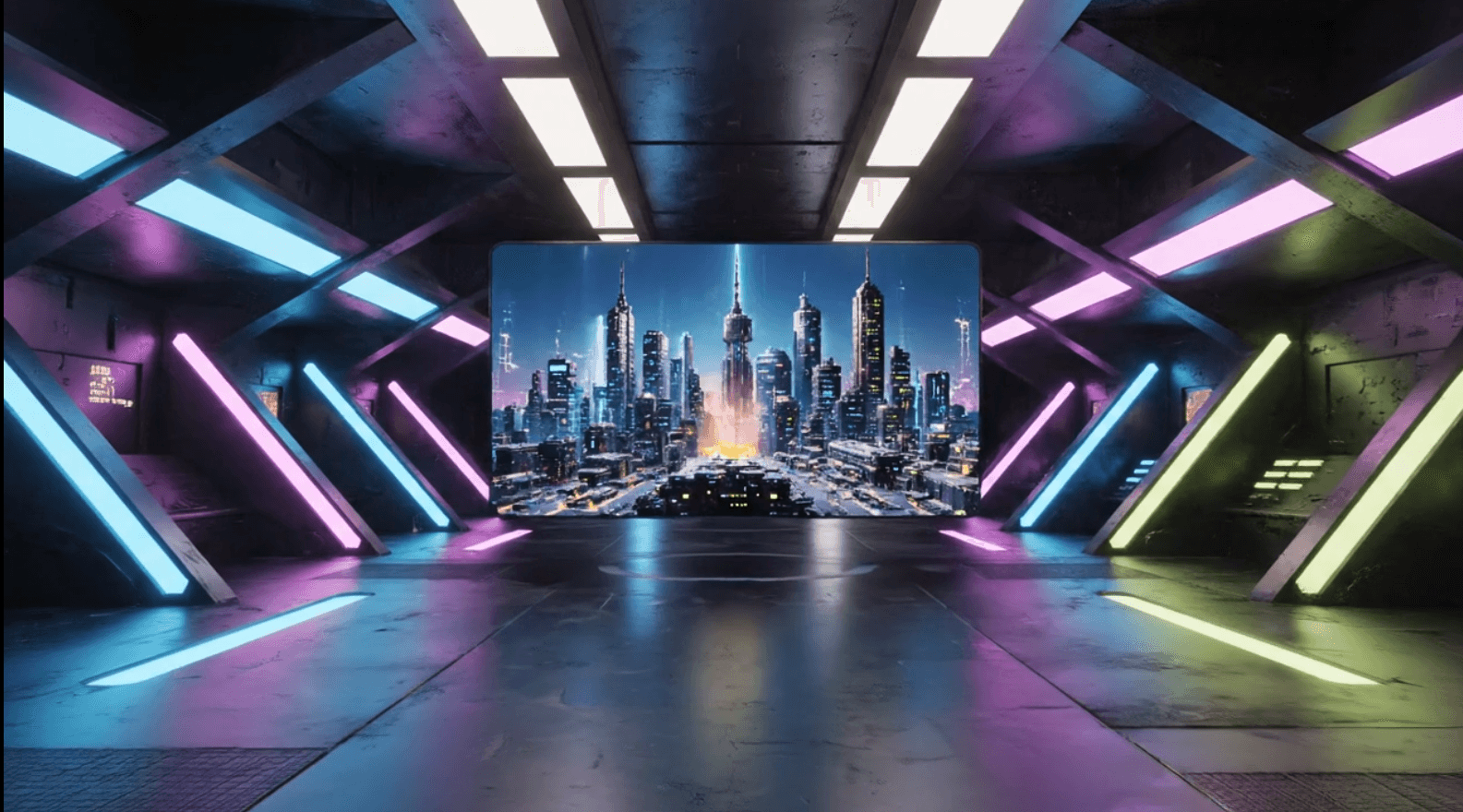
Ray 3 takes this further with 16-bit HDR rendering, meaning the tonal range in a generated clip preserves the full spectrum from deep shadows to blown highlights in a way that 8-bit output cannot match. For product demonstrations, architectural visualisations, or any output that will be shown on HDR displays, this is a significant practical advantage that very few AI video tools currently offer.
Independent reviewers have tested Luma AI against prompts specifically designed to challenge its lighting. Nature scenes with dappled sunlight filtering through leaves. Glass objects catching and refracting direct light. Human skin illuminated by a window. In each of these scenarios, reviewers describe the output as approaching real camera quality, with the caveat that prompts can be inconsistent and the same description sometimes produces different lighting outputs on successive runs.
The table below goes through ten specific lighting scenarios and assesses how each tool performs. This is the most practical way to understand which tool wins for your particular type of content.
| Lighting Aspect | Magic Light AI | Luma AI |
| Shadow accuracy | Good in stylized/animated scenes; less precise in realism | Strong, physics-informed shadows across surfaces |
| Specular highlights | Effective for cartoon/Pixar/Ghibli-style reflections | Near-photographic highlights on glass, water, skin |
| Volumetric / atmospheric light | Fog and mist available via scene presets | Ray 3 delivers studio-grade volumetric scattering |
| Golden hour / sunset look | Preset-driven Golden Hour style, warm and pleasing | Prompted directly, physics rendered, highly believable |
| Low-light / neon scenes | Good for stylized dark environments | Exceptional; neon reflections in puddles, wet streets |
| Indoor studio lighting | Scene lighting moods selectable | Product-demo quality; consistent across surfaces |
| Outdoor daylight | Natural for animation styles, less so for realism | Convincingly photorealistic in most prompts tested |
| HDR / colour depth | Standard dynamic range output | 16-bit HDR export in Ray 3; full tonal range preserved |
| Light movement in motion | Cinematic transitions with lighting shifts | Smooth, temporally consistent light motion frame-to-frame |
| Caustics / reflections | Handled stylistically | Ray-traced caustics in glass shattering noted by reviewers |
Reading across this table, Luma AI leads in every scenario where physical accuracy matters. Magic Light AI holds its own in scenarios where stylized, animation-friendly lighting is appropriate. The question is which column describes your actual creative needs.
Sitting behind a specification sheet is useful. Hearing what creators say after months of actual use is more useful. Here is the honest picture from user reports, review communities, and independent testing across both platforms.
The most consistent praise for Magic Light AI comes from faceless YouTube creators and educational content producers who describe the character consistency feature as transformative for their workflow. Multiple users in creator communities report producing professional-looking five-minute narrative videos in a fraction of the time it previously took. The ability to select Sora 2 or VEO 3 as the underlying model for a specific scene adds creative flexibility that single-model platforms cannot match.
The frustrations that emerge with extended use are mostly about expectation management. Users who came to Magic Light expecting something close to filmed footage found the animated quality disappointing. The credit system, while not unusual for this category, draws complaints from heavy users who find that complex multi-scene projects burn through credits faster than their plan supports. Customer support has received mixed feedback, with some users reporting slow response times for billing or technical issues.
The lighting, specifically, earns praise when used for its intended purpose. A Ghibli-style pastoral scene with late afternoon golden light looks beautiful. A Disney-style animated street with warm lamp glow and stylized shadows looks exactly as intended. The tool knows what it is, and when users approach it on those terms, the lighting output genuinely impresses. When users push it toward photorealism, it struggles.
Luma AI attracts a different kind of user feedback. Creators and professional designers describe using it for product mockups, concept visualisations, and social media content where the bar for realism is high. Multiple reviewers note that certain single-focus scenes, think a close-up of liquid being poured, a product being rotated, a natural landscape at golden hour, produce outputs that are genuinely difficult to distinguish from real footage at a glance.
The practical frustration for most users is the clip length limitation. A 60-second maximum per generation (on Ray 2 and beyond) means that narrative projects require careful planning and stitching. Running the same prompt multiple times and getting noticeably different results is also a recurring complaint, which creates inconsistency for any project requiring multiple clips to match visually. One reviewer noted that running the same prompt produced noticeably different results more than half the time, which is a genuine workflow challenge for client-facing work.
The lighting quality, however, earns consistent and often enthusiastic praise. Users who specifically tested neon street scenes, glass refraction, wet surface reflections, and indoor studio lighting all describe results that exceed what any other free-or-affordable AI video tool currently delivers. Ray 3's HDR support gets particular mention from creators working on content for modern HDR displays, where the wider tonal range makes a visible quality difference.
The honest summary: If your content lives in the animated storytelling world, Magic Light AI produces results that look polished, consistent, and creatively rich. If your content needs to look like it was filmed by a camera with a skilled gaffer lighting the scene, Luma AI is the better tool. Both are genuinely impressive within their intended use case. The mistake is using either one outside of it.
The table below provides a scored breakdown across every major metric relevant to lighting, video quality, and practical usability. Scores reflect aggregated findings from independent reviews and creator community reports.
| Metric | Magic Light | Bar | Luma AI | Bar | Edge Goes To |
| Lighting Realism | 6/10 | ■■■■■■□□□□ | 9/10 | ■■■■■■■■■□ | Luma AI |
| Stylized / Animated Look | 9/10 | ■■■■■■■■■□ | 5/10 | ■■■■■□□□□□ | Magic Light AI |
| Character Consistency | 9/10 | ■■■■■■■■■□ | 7/10 | ■■■■■■■□□□ | Magic Light AI |
| Generation Speed | 6/10 | ■■■■■■□□□□ | 9/10 | ■■■■■■■■■□ | Luma AI |
| Ease of Use | 7/10 | ■■■■■■■□□□ | 8/10 | ■■■■■■■■□□ | Luma AI |
| Long-form Video Support | 10/10 | ■■■■■■■■■■ | 3/10 | ■■■□□□□□□□ | Magic Light AI |
| Physics Accuracy | 5/10 | ■■■■■□□□□□ | 9/10 | ■■■■■■■■■□ | Luma AI |
| Prompt Adherence | 7/10 | ■■■■■■■□□□ | 7/10 | ■■■■■■■□□□ | Tie |
| Pricing Value (Free Tier) | 7/10 | ■■■■■■■□□□ | 6/10 | ■■■■■■□□□□ | Magic Light AI |
| Professional Output Quality | 6/10 | ■■■■■■□□□□ | 8/10 | ■■■■■■■■□□ | Luma AI |
| Creative Style Range | 9/10 | ■■■■■■■■■□ | 6/10 | ■■■■■■□□□□ | Magic Light AI |
| Overall Realism Score | 6/10 | ■■■■■■□□□□ | 9/10 | ■■■■■■■■■□ | Luma AI |
This chart visualises the full score comparison. Magic Light AI's bars are shown in indigo, Luma AI in teal. The divergence on lighting realism and long-form support captures the essential difference between the two tools.
The scores reinforce what the qualitative research shows. Luma AI holds a clear advantage on the metrics most directly tied to realism: lighting, physics, resolution depth, and short-clip quality. Magic Light AI dominates on the metrics tied to narrative production: character consistency, long-form length, and creative style range. Neither tool is weak overall. They just excel in opposite directions.
| Magic Light AI | Luma AI (Dream Machine) |
| Pros | Pros |
| + Unmatched character consistency across 50+ scenes | + Industry-leading physics-based light rendering |
| + Long-form storytelling up to 50 minutes | + 4K HDR export with 16-bit colour depth (Ray 3) |
| + Multiple top-tier model options in one dashboard | + Lightning-fast generation, clips ready in under 90 sec |
| + Rich animation style range, Disney to Ghibli | + Realistic camera motion, pan, zoom, dolly built in |
| + Integrated lip-sync, subtitles, and voice cloning | + Photon model solves character face consistency |
| + Affordable entry pricing around $8/month | + Simple, clean interface with low learning curve |
| Cons | Cons |
| - Not designed for raw photorealism | - Clip length capped at 60 seconds per generation |
| - Outputs carry a noticeable animated/AI look | - Same prompt can yield different results each run |
| - Complex to set up for first-time users | - No audio generation, sound must be added separately |
| - Advanced features consume credits quickly | - Pricey for high-volume creators at upper tiers |
| - Voice and animation can feel robotic on lower tiers | - Luma keeps broad licence to use your content |
| - Customer support can be slow on bug resolution | - Peak hour queue times can slow generation noticeably |
Both tools offer free tiers, but the practical value of those tiers is quite different.
Magic Light AI's entry point is among the most accessible in the category. Annual plans start at around $8 per month, with monthly billing bringing that to approximately $11.40. The free tier gives users a limited number of video generations, enough to properly evaluate the tool without committing financially. Importantly, one reviewer noted that free exports come without watermarks even on the basic tier, which is unusual and genuinely useful.
Longer videos and premium model access consume credits more quickly, which is where the cost equation shifts. Multi-scene projects using Sora 2 or VEO 3 as the underlying model can drain credits noticeably faster than basic generations. For heavy users building faceless YouTube content at volume, the Pro plan is likely necessary rather than optional.
Luma AI's free plan provides approximately 30 generations per month, with watermarks applied and commercial use not permitted. The Standard plan at $23.99 per month is described by Luma as their most popular tier, providing around 120 monthly generations, commercial use rights, 4K upscaling, and HDR export. Higher Pro tiers exist at pricing above $75 per month for significantly higher generation volumes and priority processing.
The credit model means that heavy experimenters, particularly those who need to run the same prompt multiple times to get consistent results, will burn through their monthly allocation faster than occasional users. The $23.99 entry to genuine commercial-quality output represents reasonable value for professional creators, but it is notably higher than Magic Light AI's entry tier.
Value summary: Magic Light AI offers more affordable entry pricing with no-watermark free exports, making it easier to evaluate before committing. Luma AI's Standard plan at $23.99 per month unlocks 4K HDR output and commercial rights, which represents strong value for creators whose work demands photorealistic quality.
Here is the practical answer to the question this article set out to address, mapped against specific use cases.
| Your Goal | Best Pick | Why |
| Maximum lighting realism for short clips | Luma AI | Ray 3 HDR physics rendering produces studio-grade light. |
| Long animated storytelling projects | Magic Light AI | Only tool here supporting 50-minute consistent-character video. |
| Faceless YouTube or TikTok narrative channels | Magic Light AI | Character face-lock across 20+ scenes is a game-changer for this niche. |
| Product demo or ad with photorealistic look | Luma AI | Motion physics and textures in product shots are exceptionally realistic. |
| Quick social media clip in under 2 minutes | Luma AI | Ray 2 produces 5-second clips faster than almost any competitor. |
| Animated kids story or bedtime story content | Magic Light AI | Dedicated kids-mode with storybook-style art generation included. |
| Cinematic concept video or film prototype | Luma AI | Cinematic camera moves and HDR make it feel closest to real footage. |
| Explainer video with voiceover and subtitles | Magic Light AI | Built-in lip-sync, voice cloning, and subtitle generation saves workflow steps. |
| Creator on a tight budget | Magic Light AI | Starts around $8/month; free plan allows no-watermark exports. |
| Professional visual AI for client deliverables | Luma AI | Output quality and speed make it the most client-ready free option. |
What this table reveals is that the choice between these tools almost never comes down to one being generally better. It comes down to what kind of output your specific project needs.
If the question is strictly about lighting realism, Luma AI wins clearly and it is not particularly close. The Ray 3 architecture with 16-bit HDR rendering produces light behaviour that other AI video tools at this price point cannot match. When creators describe Luma AI output as difficult to distinguish from real camera footage, they are specifically talking about how light behaves in those scenes: the way specular highlights sit on wet surfaces, how volumetric light scatters through atmospheric haze, how shadows fall with the weight and softness of a real light source. Magic Light AI simply does not compete in this dimension because competing there is not its goal.
But framing this comparison purely as a realism contest is slightly unfair to Magic Light AI and potentially misleading to readers making a practical decision. If you are building a narrative YouTube channel, an educational explainer series, or a kids story library, Magic Light AI produces results that are visually rich, stylistically polished, and practically impossible to replicate at that level of character consistency with any competing tool. The lighting in a Magic Light AI Ghibli scene is not photorealistic, but it is beautiful in the way Ghibli films are beautiful, and for that audience, beautiful beats realistic.
The two tools are genuinely excellent at what they do. The mistake most creators make is choosing based on which one looks more impressive in a headline demo, rather than which one is built for their actual workflow.
Choose Luma AI if your primary goal is lighting realism, physics accuracy, and short-clip cinematic quality for product demos, concept videos, or social content that needs to look filmed. Choose Magic Light AI if you are building long-form animated storytelling content, need consistent characters across many scenes, want an integrated production suite, or are working within a tighter budget.

New Claude Model Targets Agentic AI WorkflowsAnthropic has launched Claude Sonne...
Samuel Osei3 months ago

Gemini’s Image Tools Get a Wider RolloutGoogle is expanding access to Gemini’s p...
Alexander Hughes3 months ago

Two AI video generators, two very different first days. I ran PixVerse through i...
Alexander Hughes3 months ago

Two of the most talked-about AI chat platforms. I opened both, picked a characte...
Alexander Hughes3 months ago

The two-minute versionIf you only read one thing, read this. The rest of the doc...
Alexander Hughes3 months ago

Why Seedance 2.5 mattersSeedance 2.5 is the latest release in ByteDance’s Seedan...
Alexander Hughes3 months ago
Discussion