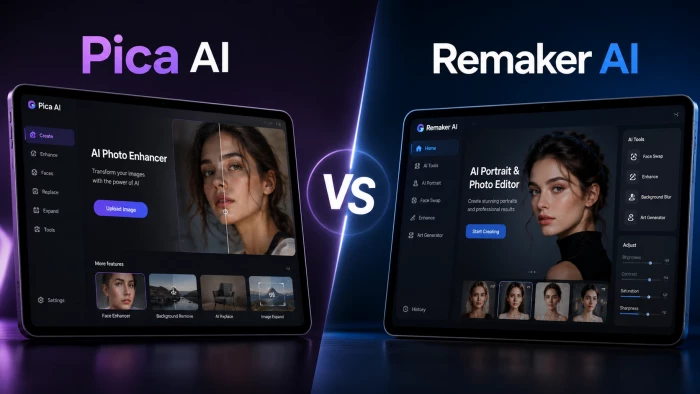
If you have spent any time hunting for an AI face-swap or photo tool lately, you have probably bumped into both Pica AI and Remaker AI. They get lumped together constantly, and on the surface they do overlap: upload a photo, swap a face, get a polished result in seconds. But once you use them for real work, they pull in different directions. One is built like a friendly mobile app you would hand to your cousin. The other is more of an all-in-one web workbench with a developer API bolted on.
This guide walks through what each tool actually is, how they price, where the quality holds up and where it does not, and the consent and legal side that most “best face swap” listicles quietly skip. No hype, no made-up numbers. Where something changes often, especially pricing, I will say so and point you to the source.
A quick note on accuracy Pricing, credit costs, and feature lists for tools like these change frequently. Treat the numbers here as a mid-2026 snapshot and confirm the current details on each company’s official pricing page before you buy. Links are at the end. |
• Choose Pica AI if you want a quick, app-based experience on your phone for fun swaps, avatars, and AI headshots. It is the easier on-ramp.
• Choose Remaker AI if you want a broader web toolkit (face swap plus background removal, upscaling, video, and image generation) and especially if you need an API to build on.
• Either way, set expectations. Neither is a magic “perfect realism” button. Both shine on clean, well-lit, front-facing photos, and both struggle with awkward angles, busy group shots, and difficult lighting.
Pica AI (at pica-ai.com, made by the app studio MWM) is a consumer photo app first and foremost. Its core is face swapping in photos and videos, plus a handful of related tools: multi-face swaps, “magic” avatars, AI headshots from selfies, photo enhancement, and stylized portrait and art generation. It lives where casual users already are, as a native iOS and Android app, with a web version too.
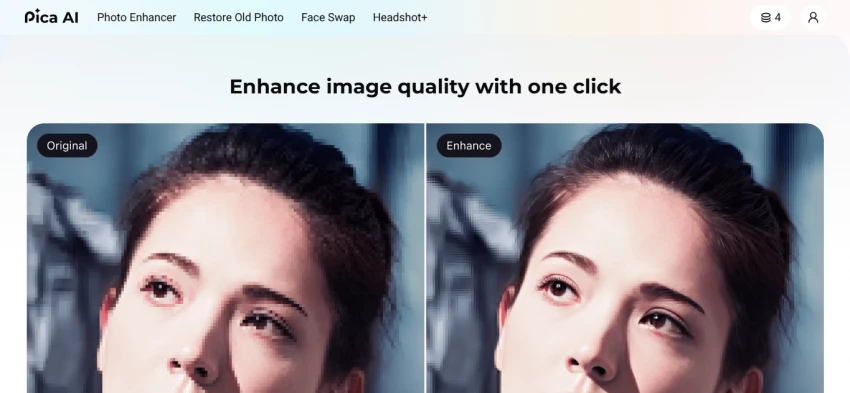
The pitch is simplicity. You do not think about credits-per-operation or detection coordinates; you tap, wait, and share. That makes it a comfortable choice for someone who wants a fun meme, a stylized profile picture, or a quick professional-looking headshot without learning anything new.
Best for: phone-first casual creators who want quick face swaps, avatars, and easy headshots.
Remaker AI (remaker.ai) is broader. Face swapping is still the headline (single, multiple, head swap, GIF, and video), but it sits inside a wider creative suite: an AI image editor, background remover, image upscaler, watermark remover, AI portrait and tattoo generators, photo effects, video enhancement, and text-to-image generation that even plugs into Google’s image model. It is primarily a browser tool, and it offers a developer API for teams that want to build these features into their own products.
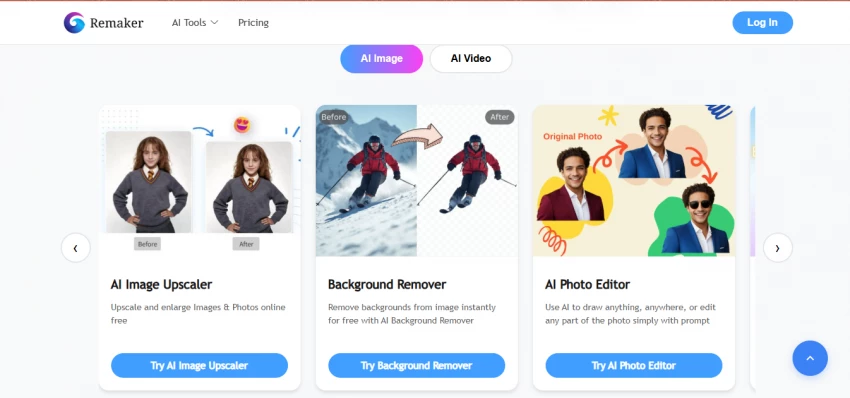
Think of Remaker less as a single-purpose app and more as a workbench. That breadth is its biggest advantage and, as we will see, the source of its biggest quirk: cost is harder to predict.
Best for: people who want a broad web toolkit, plus developers who need an API to build on.
Here is how the two line up on the capabilities most people care about.
| Capability | Pica AI | Remaker AI |
|---|---|---|
| Photo face swap | Yes | Yes |
| Multi-face swap | Yes | Yes |
| Video face swap | Yes | Yes |
| Head swap / GIF swap | Limited | Yes (head + GIF) |
| AI headshots | Yes (core feature) | Yes |
| Avatars / stylized portraits | Yes | Yes (portrait, anime, tattoo) |
| Background removal | Limited | Yes |
| Image upscaling | Limited | Yes |
| Text-to-image generation | Some art styles | Yes (incl. third-party models) |
| Video enhancement / generation | Limited | Yes |
| Native mobile app | Yes (iOS + Android) | No official app (web-based) |
| Public developer API | Not offered publicly | Yes (developer.remaker.ai) |
| Free tier | Yes, watermarked + capped | Starter + daily credits (a trial) |
Based on each tool’s public materials as of mid-2026. Items marked “Limited” may exist in a narrower form or vary by plan.
This is where they diverge most, and it matters more than people expect.
Pica AI leans on the familiar app-store subscription model. There is a free tier, but free swaps are capped and outputs carry a watermark; to remove limits you subscribe. Reported entry prices have floated around the few-dollars-a-month range, but app-store pricing varies by region, promotion, and platform, and several users have flagged surprise charges and confusing upgrade prompts. If you go this route, read the renewal terms before tapping “subscribe.”
Remaker AI uses a credit system instead. You buy a bundle of credits once (packages have ranged from roughly $5.99 for 200 credits up to $299 for 20,000) and they do not expire. New accounts get a small starter allotment plus a few free credits daily, which works more like a trial than a true free plan. The appeal is no recurring subscription; the catch is that different actions burn very different amounts. A single photo swap might cost a couple of credits, while enhancing a short video can cost dozens, and generating video clips costs more still. That makes monthly spend genuinely hard to forecast if your usage is varied.
| Pica AI | Remaker AI | |
|---|---|---|
| Model | Subscription (app store) | Credit packs (one-time, no expiry) |
| Free option | Free tier with watermark + limits | Starter credits + small daily free credits |
| Where paid starts | A few USD/month (varies by region/promo) | About $5.99 for 200 credits |
| Cost predictability | Predictable monthly fee | Varies a lot by action (video is pricey) |
| Main watch-outs | Renewal prompts; surprise charges reported | Credit burn on video; payment options vary |
Snapshot, mid-2026. Verify current pricing on the official sites linked at the end.
Both tools produce convincing results under the right conditions and disappointing ones outside them. That is not a knock on either; it is how face-swap models generally behave today.
Where both do well: a clear, sharp, front-facing source photo with even lighting and a head angle close to the target. For memes, profile pictures, and simple social posts, either can look great.
Where both struggle: extreme angles, heavy or colored lighting, partial occlusion (hair, hands, glasses), and crowded group photos where edge detection gets confused. Reviewers of Remaker specifically note that complex group edges and tough lighting can break realism, and some Pica users felt a 2026 app update made certain swaps look more obviously synthetic than before. Treat “flawless every time” claims from any face-swap tool with skepticism.
Practical tip: feed the cleanest possible source image. If a tool offers an enhance or retouch step before swapping (Remaker does), run it on the source first. Fixing lighting and sharpness up front does more for the final result than any post-fix.
Pica AI’s strength is being a genuine mobile app. If you mostly work from your phone and want something in the app store with a tap-to-share flow, that is a real advantage.
Remaker AI is primarily a website, and there is an important caveat: Remaker has stated it does not offer an official mobile app, and users have reported third-party apps falsely branded as “Remaker”, some of which charged money and then hit usage limits. If you want Remaker, use the official website rather than chasing an app listing. That is a good habit in general; unofficial clones of popular AI tools are common, and they are where a lot of billing and privacy complaints come from.
A few things that will save you pain in production:
• Build it async. Do not block a request thread waiting on a swap; queue the job and poll (or use a webhook if one is available).
• Respect the rate limit. Regular accounts have been capped around 20 face-swap jobs per minute; past that you get throttled. Add exponential backoff on 429 responses.
• Save outputs immediately. Generated files are auto-deleted after about 24 hours, so download and store anything you need to keep.
• For multi-face work, detect first. The multi-face flow runs a detection step to get face coordinates, then performs the swap. Handle that two-step sequence rather than assuming one call does everything.
• Bake in consent and policy. If users upload other people’s faces, you are responsible for what your app enables. Add clear terms, block obvious abuse, and keep an audit trail.
A few concrete situations make the choice obvious.
• The phone-first casual creator. You want fun swaps, a stylized avatar, or a quick headshot, and you live in your phone. Pica AI is the better fit; the app convenience is worth it and the subscription is predictable.
• The solo marketer or small e-commerce shop. You need product photos cleaned up, backgrounds removed, images upscaled, and the occasional swap or generated visual, all from a laptop. Remaker AI wins on breadth, and pay-as-you-go credits fit irregular workloads.
• The content team posting daily. Either can work, but watch the math. Remaker’s credits suit bursty, mixed work; Pica’s subscription suits steady, swap-heavy output.
• The developer building a feature. Remaker AI, for the API. Pica is not built for this.
• Anyone leaning hard on video. Budget carefully on Remaker (video eats credits), and test Pica’s video output quality first, since video is harder than stills for both.
Face-swap tech is genuinely fun and useful, and most uses are harmless: putting your own face in a movie scene, making a birthday meme with willing friends, generating your own headshot. But the same tools can be misused, and the legal landscape has tightened fast. A few realities are worth internalizing.
• Consent is not optional. Swapping or generating someone’s face without permission, especially into anything sexual, defamatory, or deceptive, can cause real harm and real liability.
• The law has caught up. In the United States, the TAKE IT DOWN Act (2025) makes publishing non-consensual intimate imagery, including AI-generated deepfakes, a federal crime and requires platforms to remove it quickly. The UK and EU have introduced comparable rules, the EU’s AI Act adds transparency and labeling obligations for manipulated media, and many US states have their own deepfake and likeness laws. Specifics vary by where you and your subject are, so check local rules.
• Platforms have their own rules. Social networks increasingly require AI-generated content to be labeled and prohibit deceptive or non-consensual edits regardless of what the law says.
• Auto-deletion is not a shield. Tools that delete generated files (Remaker’s API removes outputs after about 24 hours, for example) help with storage and some privacy concerns, but that does not make a harmful or non-consensual creation acceptable.
Practical, low-drama guidance: get explicit permission before using a real person’s face, never apply these tools to minors or to explicit content, label AI edits when you post them, and keep your own records of consent for anything client-facing. This is not legal advice; if you are doing this commercially, talk to a lawyer about your jurisdiction.
No tool is all upside. Here is the honest ledger.
Pica AI trade-offs: free outputs are watermarked and capped; pricing and renewal prompts have frustrated some users; quality has been inconsistent across app updates; there is no API for builders; and like all app-store products, your experience depends on the current version.
Remaker AI trade-offs: credit costs are hard to predict, especially for video; realism can falter on group shots and difficult lighting; there is no official mobile app and clones muddy the water; payment methods and exact pricing have been inconsistent across pages and regions; and the free tier is really a trial.
Shared limitations: both depend heavily on input quality, both can produce uncanny results outside ideal conditions, and both carry the consent and legal responsibilities above.
Ask yourself three questions.
1. Phone app or web workbench? Phone-first points to Pica AI. A laptop plus many tools points to Remaker AI.
2. Just face swaps, or a broader toolkit? Mostly swaps, avatars, and headshots favors Pica AI. Swaps plus editing, upscaling, generation, and video favors Remaker AI.
3. Are you building software? If yes, Remaker AI, because it has the API. If no, either tool works based on the first two answers.
If you are still unsure, both have free entry points. Run the same source photo through each, compare the output honestly, and check what the current pricing actually costs for your real workload before you commit.
Pica AI and Remaker AI are not really competing for the exact same person. Pica AI is the friendlier, mobile-native choice for casual swaps, avatars, and headshots, with the predictability of a subscription. Remaker AI is the broader, web-based toolkit, with more capabilities, pay-as-you-go credits, and a real API, at the cost of less predictable spending and no official app. Pick based on where you work, how wide your needs are, and whether you are building or just creating. And whichever you choose, use it on people who have said yes.

New Claude Model Targets Agentic AI WorkflowsAnthropic has launched Claude Sonne...
Samuel Osei3 months ago

Gemini’s Image Tools Get a Wider RolloutGoogle is expanding access to Gemini’s p...
Alexander Hughes3 months ago

Two AI video generators, two very different first days. I ran PixVerse through i...
Alexander Hughes3 months ago

Two of the most talked-about AI chat platforms. I opened both, picked a characte...
Alexander Hughes3 months ago

The two-minute versionIf you only read one thing, read this. The rest of the doc...
Alexander Hughes3 months ago

Why Seedance 2.5 mattersSeedance 2.5 is the latest release in ByteDance’s Seedan...
Alexander Hughes3 months ago
Discussion