
SeaArt AI first popped up as yet another “all‑in‑one AI art generator” promising text‑to‑image, video, LoRA training, face swap, AI chat characters, and more in a single browser tab. The usual expectation with claims like that is a bloated interface that does many things on paper but very few things well in practice.
Once inside SeaArt, that assumption started to crack. The dashboard felt more like a full creative studio than a single feature app, with tools for images, video, editing, Swift utilities, ComfyUI workflows, and Cyberpub characters all sitting one click away. The big question quickly became not “Can this generate cool images?” but “Is this actually good enough to replace a whole stack of separate tools?”
Over several days of testing SeaArt for images, style exploration, LoRA training, face swaps, and short video experiments, a clear pattern emerged: this platform is built as a creative operating system rather than a one‑off novelty. The rest of this review breaks down what worked, what didn’t, and whether it genuinely deserves a place at the center of a 2026 AI art workflow.
After hands‑on testing across image generation, LoRA training, video, face swap, and character chat, SeaArt AI feels less like a simple AI image generator and more like a full creative operating system. It genuinely can replace multiple tools for most day‑to‑day visual tasks, especially if the focus is on anime, stylised art, and social content.
Where it falls short is at the extremes: raw artistic quality still trails Midjourney on hero images, and video generation is clearly behind dedicated video engines. For creators who care about breadth and value, it’s a major win. For purists chasing the absolute best single‑frame quality, it’s a strong “plus one”, not the only tool on the desk.
Overall Rating (2026): 4.1 / 5
| Category | Score |
| Image quality | 4.2 / 5 |
| Ease of use | 4.4 / 5 |
| Feature range | 4.7 / 5 |
| Pricing & value | 4.3 / 5 |
| Community & models | 4.5 / 5 |
| Customer support | 3.2 / 5 |
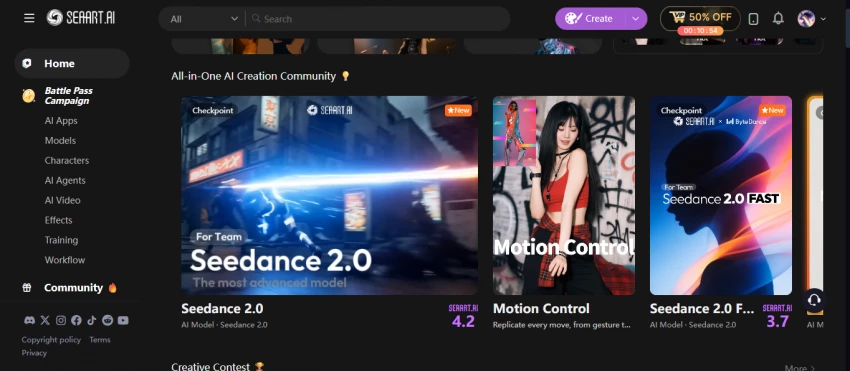
Landing on SeaArt.ai for the first time feels more like walking into a busy studio than opening a single AI toy. The dashboard pushes everything at once -text‑to‑image, image‑to‑video, Swift tools, ComfyUI, Cyberpub characters, and a huge stream of community creations.
Everything runs in the browser with no installation required, and the same ecosystem is mirrored on iOS and Android, which makes switching between desktop and phone surprisingly painless. It’s clear from the first session that the product is designed as a cross‑device, cloud‑first creative hub rather than a niche AI gimmick.
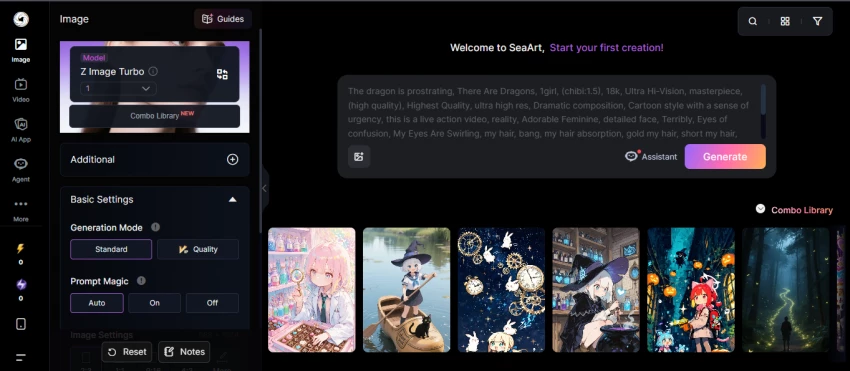
SeaArt’s text‑to‑image module is where the platform spends most of its time proving itself. Short prompts for stylised portraits, anime characters, and fantasy scenes tend to yield strong results quickly, especially when the right community model is selected.
The real power emerges from the massive model library. Having access to a huge range of community and official checkpoints means styles can be swapped almost like filters -anime girl, cyberpunk city, painterly landscape, fashion editorial, all only a model switch away. Easy Mode keeps everything beginner‑friendly, while Advanced Mode exposes resolution, sampling, prompt weighting, and negative prompts for more control.
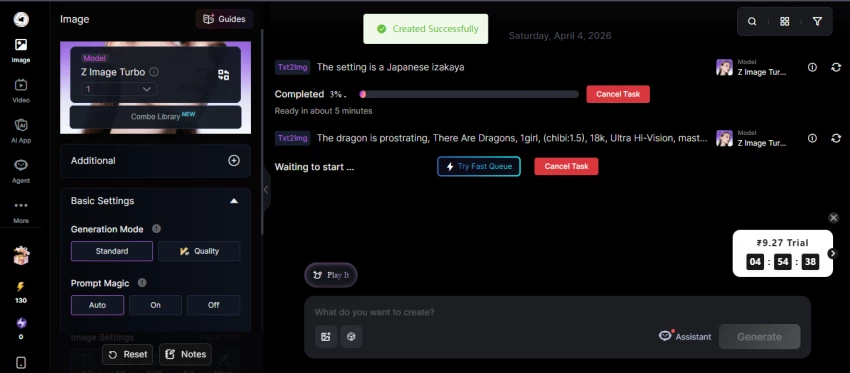
Uploading a photo or existing artwork and using it as a base is one of SeaArt’s most satisfying workflows. The auto‑generated prompt from the uploaded image is often surprisingly accurate, and tweaking it becomes a fast way to push the style in new directions without losing structure.
For edits, inpainting and background replacement are the main workhorses. Background swaps, outfit tweaks, or small character fixes work reasonably well, though highly surgical edits (fingers, tiny objects, micro‑details) can still get inconsistent. The one‑click enhancement tools -upscaling, HD restore, AI makeup, sketch‑to‑image -help turn “decent” outputs into “publishable” without leaving the platform.
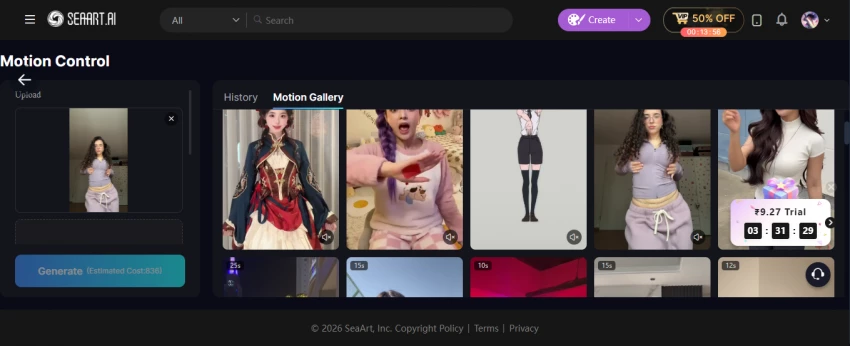
SeaArt’s video tab looks exciting on paper: text‑to‑video and image‑to‑video inside the same environment used for still art. Short, looping clips for Reels, Shorts, or TikTok feel like the sweet spot, especially when animating stylised or anime‑like characters.
The limitations appear when pushing for complex motion, long durations, or cinematic sequences. Motion can wobble, hands and faces occasionally melt, and overall consistency still trails dedicated video engines. As an add‑on to an art workflow, it’s a powerful extra; as a main video workstation, it’s not there yet.
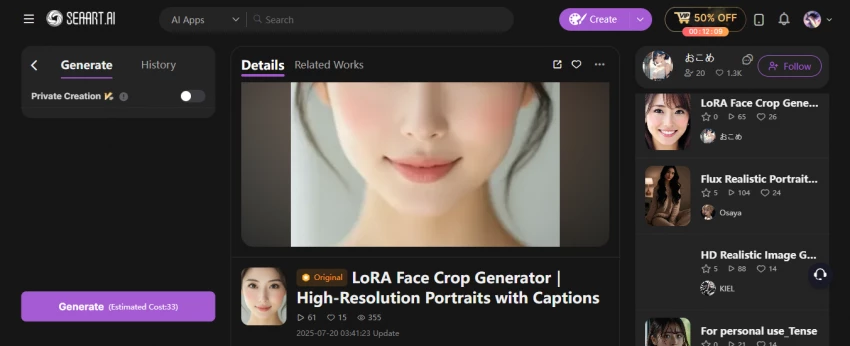
LoRA training is one of the most surprisingly “pro” features to live inside a beginner‑friendly UI. Feeding a small set of reference images into the LoRA trainer and getting back a reusable mini‑model changes how character and brand work happens.
Once a LoRA is baked, prompts can summon the same character or style across multiple scenes -different outfits, poses, backgrounds, and moods -with a level of consistency that’s hard to achieve using prompts alone. The fact that this runs in the cloud, without touching local GPUs or arcane install guides, makes it accessible to artists who normally never touch training scripts.
ComfyUI integration is where SeaArt stops pretending to be “just for beginners”. Under the friendly UI, node‑based workflows let advanced users design custom pipelines: load models, mix LoRAs, add control nets, set custom samplers, chain inpainting and upscaling, and more.
For many, this is the first time a node graph is available inside a mainstream AI art platform rather than as a separate open‑source install. Beginners can run pre‑built workflows like recipes; advanced users can tear them apart and rebuild full pipelines for very specific production needs.
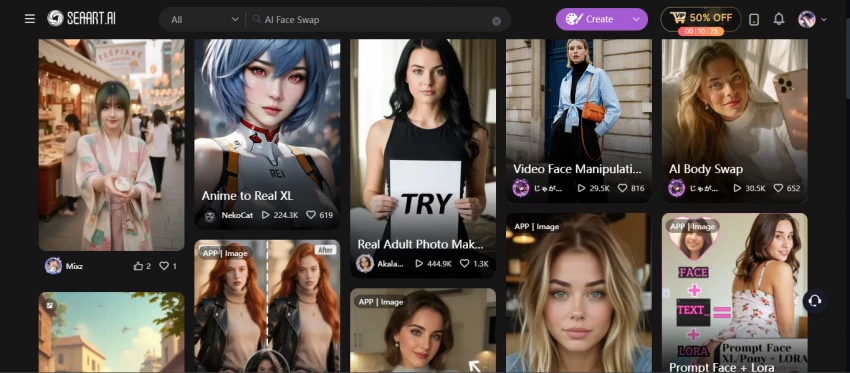
The face swap tool can be strangely addictive. Taking a clean, well‑lit face photo and dropping it onto portraits, product shots, or even short clips is quick and visually impressive when done with good source material.
At the same time, this is the feature that demands the most caution. Using real‑person likenesses, especially celebrities or private individuals, raises obvious consent and ethics issues. For fictional characters, cosplay concepts, or clearly staged work, it’s a powerful trick -for anything else, it needs careful thought.
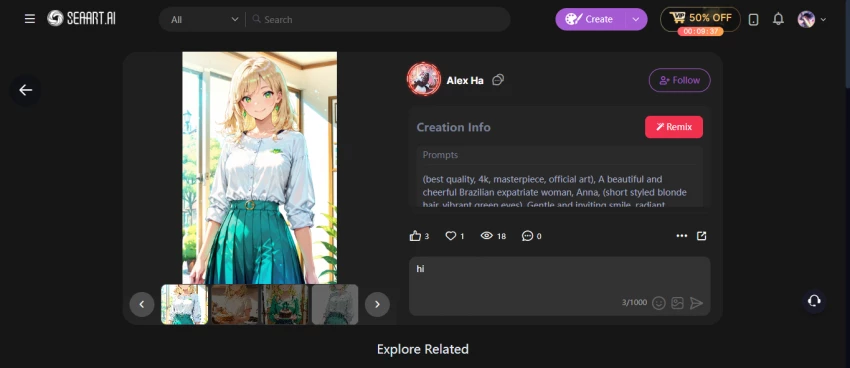
Cyberpub feels like an AI character bar where visual and textual creativity intersect. Characters can be given backstories, personality traits, and communication styles, then used for roleplay, story brainstorming, or interactive worldbuilding.
Pairing visual character generations with persistent chat personas opens up interesting storytelling lanes -manga concepts, visual novels, character‑driven campaigns -all living inside the same SeaArt sandbox. It’s less about productivity and more about creative immersion.
Swift tools are the quick‑fix layer: background removal, HD restoration, AI makeup, filters, upscaling, and image variations, all exposed as simple buttons. Instead of jumping into heavy menus or external editors, the most common small tasks live one click away.
This is the layer that makes the platform feel like a daily driver, not a weekend toy. Need a transparent PNG for a thumbnail? Clean product shot? Fast upscale for a social post? It can be done in seconds without breaking flow.
One of the most confusing things for new users is SeaArt’s Stamina + Credits system. Once understood, it actually makes sense -but reading the fine print is essential.
| Plan | Approx. Price / Month | Daily Stamina (Est.) | Approx. Images / Day | Designed For |
| Free | $0 | ~150 | ~25 | Curious users, hobbyists, light exploration |
| Beginner SVIP | ~$5.99 | ~300 | ~50 | Regular social content and casual projects |
| Standard SVIP | ~$29.99 | ~700–1,800+ | ~100–120 | Serious creators, small teams |
| Professional | ~$59.99 | ~2,100–4,000 | ~300–350 | Heavy daily production |
| Master SVIP | ~$149.99 | ~3,500–12,000 | ~500–600+ | Agencies, power users, and high‑volume shops |
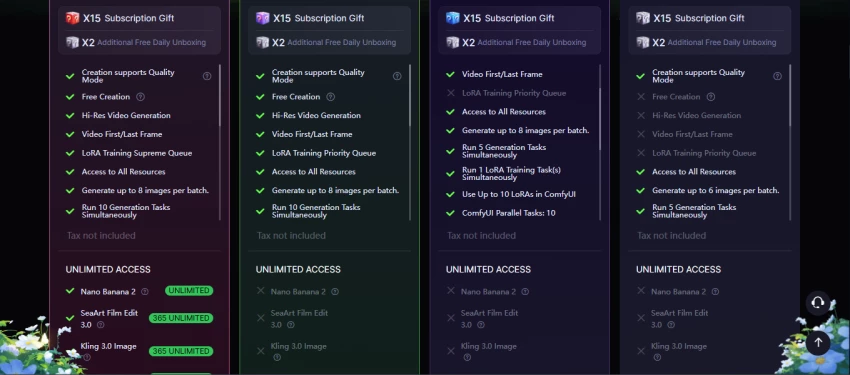
Key mechanics that matter in practice:
For many solo creators, the Beginner or Standard SVIP tiers hit the sweet spot between cost and daily creative headroom.
The question that never goes away: if SeaArt is so “all‑in‑one”, does it actually beat Midjourney? The honest answer is: it depends what “beat” means.
| Aspect | SeaArt AI | Midjourney |
| Free tier | Yes, with daily stamina and watermarks | No free tier, paid only |
| Starting price | Lower entry point (Beginner SVIP) | Higher base price |
| Interface | Web UI + mobile apps | Discord‑based command interface |
| Text‑to‑image | Strong, especially anime and stylised | Often best‑in‑class artistic quality |
| Video generation | Built‑in, short clips | No native video |
| LoRA training | Built‑in, in‑browser | Not built into the product |
| Face swap | Native feature | Not built‑in |
| Community models | Huge community model library | Less direct control over models |
| Ease of use | Beginner‑friendly UI, clear controls | Requires Discord familiarity |
In real workflows, SeaArt tends to win on versatility and total ROI, especially if video, LoRA, and face swap are used regularly. Midjourney still has a noticeable edge on “wow factor” when pushing highly artistic, painterly images designed to be the centerpiece of a project.
For many creators, the best setup isn’t “SeaArt or Midjourney”, it’s “SeaArt for pipeline + Midjourney for hero stills”.
Across review platforms, a few themes repeat over and over.
Generous free usage for a modern AI art platform, especially compared to pay‑only rivals.
Moderation that sometimes feels heavy‑handed or inconsistent, with safe images occasionally flagged.
These are the exact user reviews and summary lines from the information you originally provided, ready to paste into your article.
Users on Trustpilot share mixed but generally positive experiences. Many praise the platform's creative tools and interface generosity, while others have noted increasing moderation strictness.
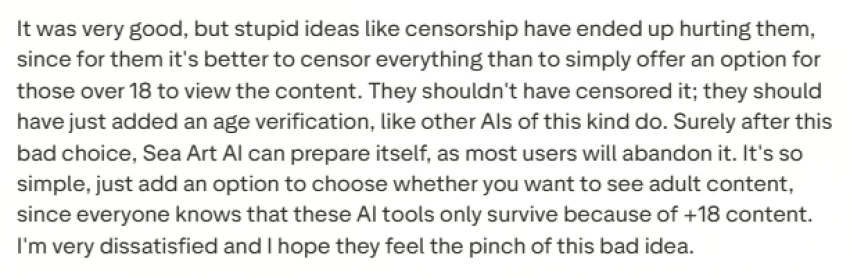
“The app/website has so many options and ways to use AI to create, modify and edit clips, pictures, and chatbots. With a free account they give you a pretty generous amount of free tokens daily.”
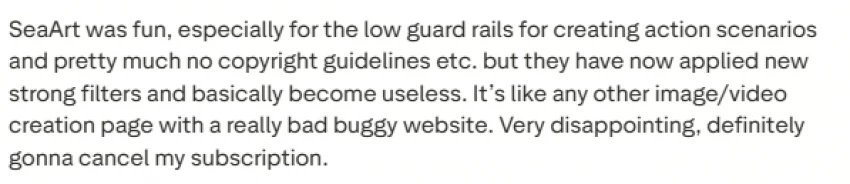
“I like the Events, the interface, and how generous they are with the daily credits. However, lately, SeaArt becomes more and more strict with their moderation even for generated content.”.
"Image generation: great. Accuracy to prompt: great. The experience was ruined by the decision to use the media picker without the option to 'Browse…' so I could use the file manager to pick images instead." -Verified Google Play reviewer

If you want a versatile, cloud-based image creation suite with strong anime and photoreal styles, built-in face swap, LoRA training, and even video generation, SeaArt.AI is worth a serious look. Its workflow feels accessible, the tool coverage is broad... The biggest watch-outs are licensing clarity and plan transparency."
SeaArt’s FAQ and public statements generally frame user‑generated outputs as belonging to the creator, including for commercial use. That’s the headline most people want to see.
The nuance lives in three areas:
On the ethics front, NSFW and deepfake‑adjacent capabilities mean best practices are non‑negotiable: respect consent, local law, and platform rules -and assume anything borderline could be moderated, flagged, or removed.
For creators hunting an all‑in‑one AI art generator, SeaArt AI is one of the strongest, most versatile contenders available right now. It’s particularly compelling for:
It’s less ideal as a sole solution for:
As an all‑rounder, SeaArt AI earns its place at the centre of a modern creative stack. As the one and only tool that will ever be needed? Not yet. But for most creators in 2026, it comes close enough that the rest of the stack can shrink dramatically.

Joyland AI sits in that strange corner of the internet where anime fantasy, NSFW...
Noura Belkacem3 days ago

For a while, Chub AI (and the Venus front end) felt like the secret backroom of...
Grace Howard3 days ago
Nastia AI built its brand around one clear promise: unfiltered, emotionally awar...
Noura Belkacem4 days ago
Jasper and Writesonic started in a similar place: AI writing tools that could sp...
Alexander Hughes1 week ago

The no-code website builder market in 2026 is better than ever, but that also ma...
Noura Belkacem1 week ago
Sudowrite and NovelAI both help fiction writers, but they solve the problem in v...
Alexander Hughes1 week ago
Discussion