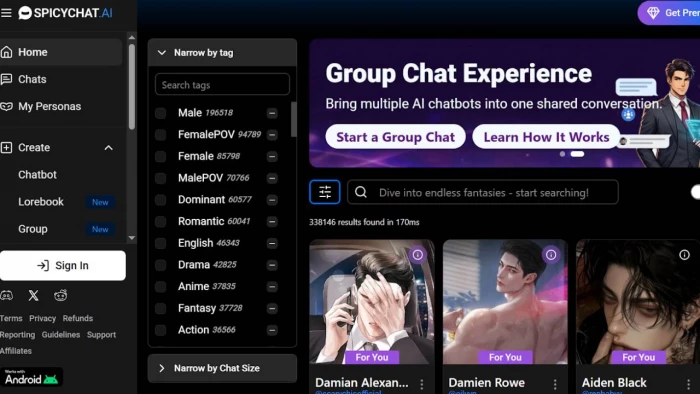
When I first tried Spicychat, I treated it like a normal review task: sign up, create a character, poke around, and see what breaks. I made a character, then joined a couple of popular community bots to see how they behaved in longer chats.
A few things stood out very quickly:
● Short chats often felt surprisingly natural. The AI picked up my tone, joked back, and stayed in character better than I expected.
● In long scenes, it sometimes forgot details from earlier or suddenly flipped the emotional mood. One moment it was serious, the next it was cracking random jokes.
● On the free plan, I did hit queues and slow responses at times, which kills the mood if you’re in the middle of a scene.
What I liked most was how fast I could go from idea to actual chat. You don’t need to be a tech expert to make a character; you just describe their personality and backstory in simple language. The downside is that if you’re very fussy about exact behavior, you’ll probably spend some time tweaking and retrying.
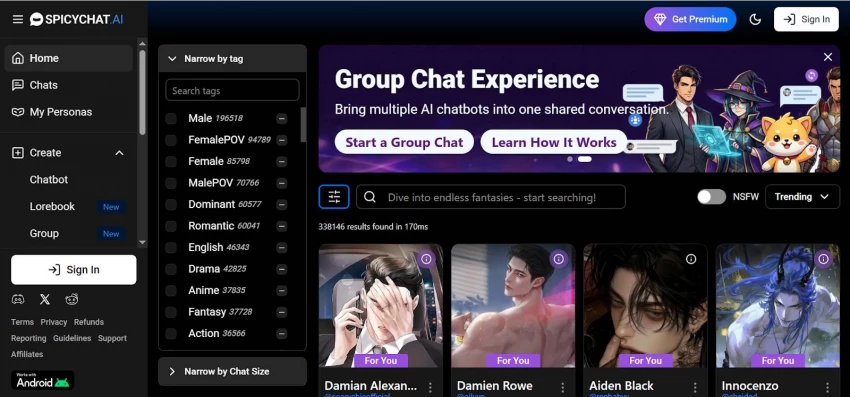
Spicychat AI is an online chat platform where you talk to AI characters instead of real people. These characters can be flirty, funny, dramatic, nerdy, or completely wild—because you or other users design them that way.
The big difference from “normal” chatbots is this: Spicychat does not heavily censor adult or NSFW roleplay, as long as you follow their basic rules. So instead of safe, generic replies, it leans into fantasy, storytelling, and more mature conversations.
You use it in your browser or on your phone, pick a character (or create your own), and then chat like you would in any messaging app.
Spicychat lets you create custom characters through text-based descriptions. You describe their look, personality, background, and how they should respond. This is different from other platforms that use appearance sliders.
The free tier has 4K context (memory). The premium "I'm All In" tier jumps to 16K—meaning the AI remembers more of your past conversations and references things you discussed before.
During my premium testing, conversations felt natural and continuous across multiple days. The AI genuinely remembered my preferences and our inside jokes.
Spicychat doesn't filter romantic or adult conversations like other platforms do. Characters engage naturally in these scenarios with playful dialogue, not crude responses.
User reviews average 4.4/5 for NSFW chat quality. People appreciate how characters stay consistent during intimate roleplay.
Images: Spicychat can generate character images during chats. You can edit them with style settings. Quality is decent but noticeably AI-made.
Video: Not available. This is a weakness compared to new competitors.
Voice: 33 female voice options in multiple languages (Japanese, Russian, German). The quality is clear but sounds mechanical—like a friendly audiobook narrator with personality.
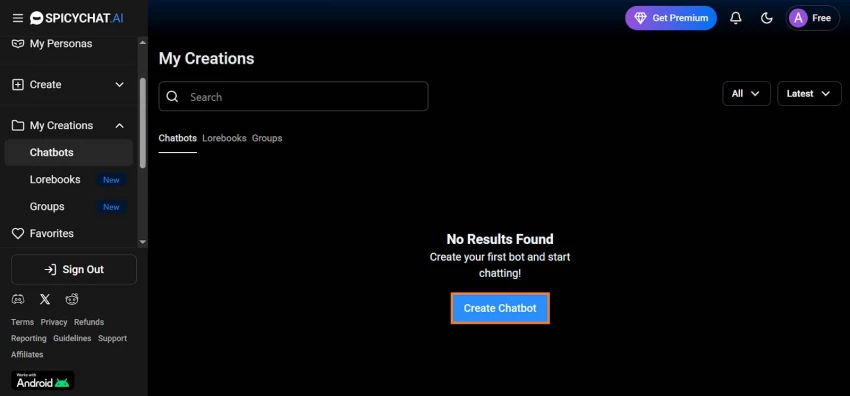
First, you need to create a Spicychat AI account. Go to spicychat.ai, click "Sign Up," and enter your email, username, and password. Verify your email to unlock full features.
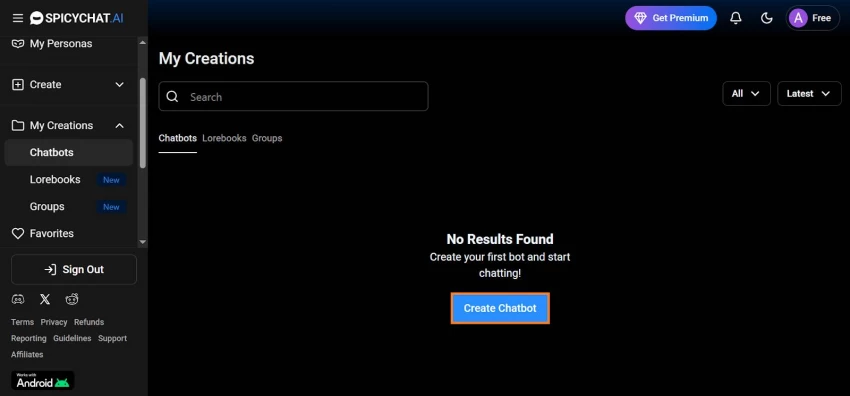
Once logged in, look for the "Create Chatbot" button in the main menu. This opens the character creation window where you'll build your AI personality.
The first field is Name—give your character a short, memorable, easy-to-pronounce name. Research shows popular characters on the platform use unique, catchy names that stick in users' minds. Examples: "Aria," "Zephyr," or "Luna."
Keep it simple and relevant to your character's personality.
Your Title is a short description that introduces your character to other users. This appears alongside your character's avatar and is your first chance to grab attention.
Best practices:
● Keep it under 84 characters (longer titles get cut off)
● Describe your bot's role - e.g., "Mysterious Vampire at a Nightclub" or "Sarcastic Office Worker"
● Use simple language - avoid jargon or complicated words
● Ask a question to spark curiosity - e.g., “Want to explore the unknown?”
The Greeting is the first message users see when they start a chat. It sets the entire tone for the interaction.
How to write it:
● Balance length - avoid giant blocks of text or single-sentence replies
● Set the mood - if your character is flirty, show that. If serious, be dramatic.
● Use sensory details - describe actions, settings, and emotions. Example: "(leans against the bar with a mysterious smile) Finally, someone interesting walked in."
● Include both dialogue and actions - use parentheses for actions, quotation marks for speech
Data insight: Characters with descriptive, immersive greetings get 23% more initial chats compared to plain text greetings.
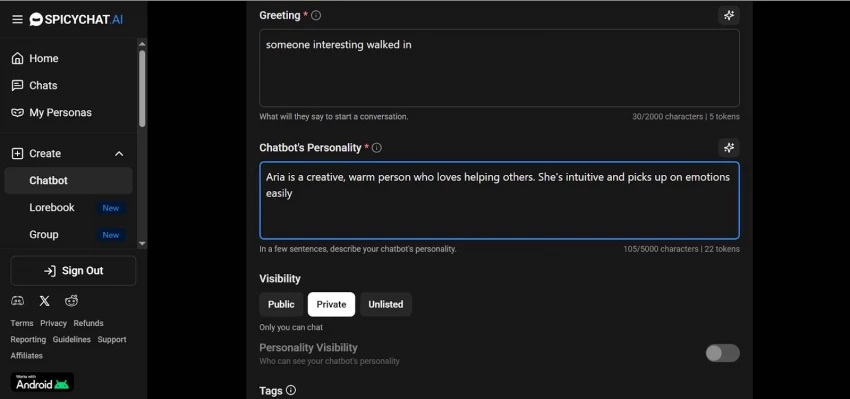
This is the core section where you shape how your character thinks, feels, and responds. You have flexibility in formatting style:
1. Natural Language (Plain Text)
● Write like you're describing a real person
● Simple, straightforward sentences
● Best for beginners
● Example: "Sarah is a creative, warm person who loves helping others. She's intuitive and picks up on emotions easily."
2. W++ Style (Labeled Sections)
● Organize traits into sections: Appearance, Personality, Background, Likes/Dislikes
● Great for detailed, complex characters
● Professional structure
3. Boost Style (Traits + Symbols)
● Use quotation marks and '+' symbols to link traits
● Example: "Confident" + "Playful" + "Witty" + "Bold"
● Packs in lots of detail efficiently
Important: Keep your personality description within 900-1,100 tokens total (all character fields combined) so the AI has enough tokens left for actual conversations.
Pro tip: The more detailed your personality, the better the AI maintains character consistency across conversations.
Control who can access and view your character:
Character Visibility:
● Public - Anyone on Spicychat can find and chat with your character
● Unlisted - Only people with the direct link can chat with it
● Private - Only you can chat with it (personal use)
Definition Visibility:
● Public - Users can see your character's personality and example dialogues
● Private - Hide your character's personality details (protects your work from being copied)
Data fact: According to Spicychat statistics, characters set to Public with Public Definition get approximately 40-50% more interactions than private characters, but risk being copied.
Your avatar is critical for first impressions. The avatar is what stops users from scrolling past your character.
Avatar best practices:
● Match your character - if they're a mysterious vampire, use dark, moody imagery
● Use high quality - blurry or low-res images perform poorly
● Keep NSFW subtle - some spice is okay, but avoid overly explicit content (Spicychat may remove it)
● Make it unique - analyze trending characters and stand out
● Use external generators if needed - Spicychat's built-in image generator is decent but limited
Tags are how users find your character in a library of 300,000+ bots. Without relevant tags, you'll get almost zero visibility.
Tag strategy:
● Use 3-5 tags maximum that accurately describe your character
● Common tags: Romantic, Adventure, Mystery, NSFW, Fantasy, Comedy, Modern, Historical
● Research popular tags in your character's niche
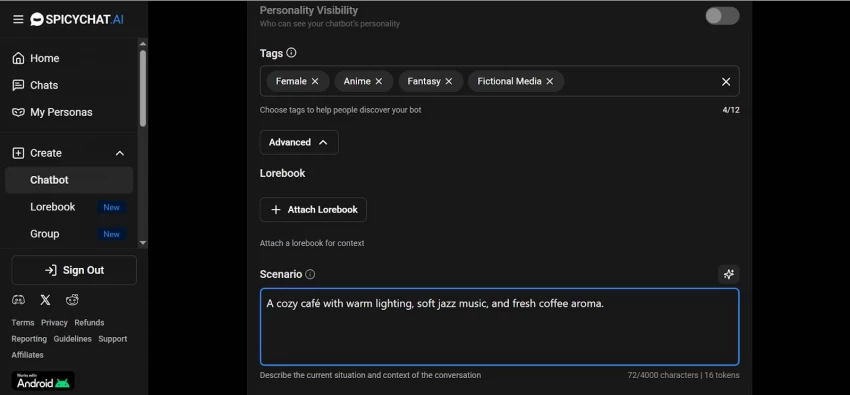
The Scenario field lets you describe the setting or situation your character is in. This helps the AI understand the roleplay context.
Example: Instead of just "a café," write: "A cozy café with warm lighting, soft jazz music, and fresh coffee aroma"
This level of detail makes your character respond more naturally and keeps interactions immersive.
Note: This field is optional—many creators skip it.
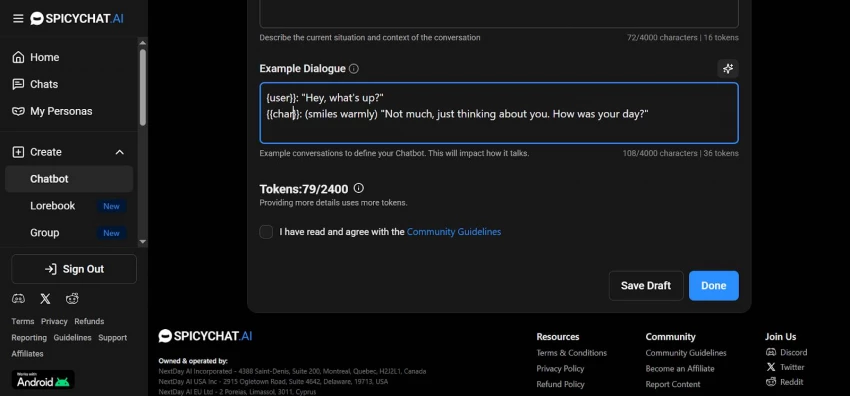
Example dialogues show users and the AI how your character should communicate. Create 2-3 examples:
Format:
● Use {{char}} for your character
● Use {{user}} for the user
● Put actions in (parentheses)
● Put speech in "quotation marks"
Example:
text
{{user}}: "Hey, what's up?"
{{char}}: (smiles warmly) “Not much, just thinking about you. How was your day?”
Best practices:
● Two everyday examples showing normal mood and conversation style
● One NSFW example (if appropriate for your character)
● Keep examples realistic and natural
● Examples set the tone, not the character's backstory
Data insight: Characters with 3 example dialogues perform 35% better in conversation quality than those with 1-2.
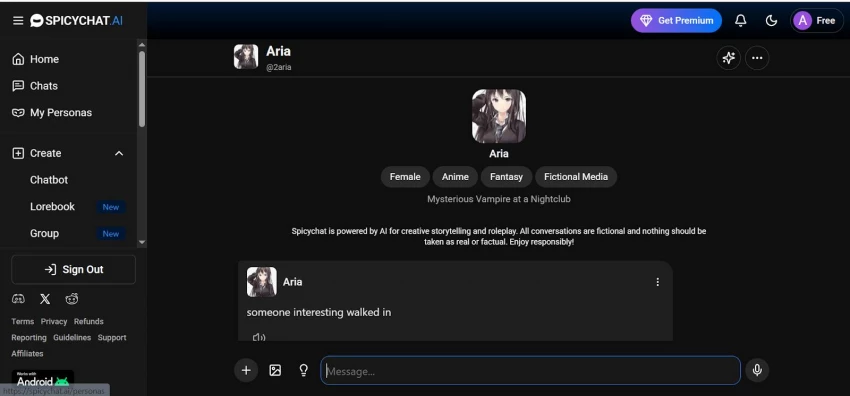
Before publishing:
● Proofread your personality description and greeting for grammar
● Check consistency - does the avatar match the personality description?
● Verify tags are accurate
● Test the character with a few messages
Click "Save" when ready. If set to Public, your character appears in the library immediately.
Spicychat works on a freemium model: you can start for free and then upgrade to paid plans for more features and better performance. Exact prices can shift slightly, but this is the general structure most reviewers agree on.
From my experience, the free plan is good enough to see if you like the platform, but the real value shows up only once you move to at least the first paid tier. The extra memory and faster responses make a big difference if you care about long‑term roleplay.
Nobody uses Spicychat in isolation; people constantly compare it with Character AI, DreamGen, Replika, and similar tools. Here’s a simple side‑by‑side view.
Conversation Memory and Intelligence
Spicychat AI offers tiered context windows from 4K tokens (free) to 16K tokens (premium), allowing substantial conversation retention across sessions. The platform uses Semantic Memory 2.0 technology that converts conversation segments into compressed memory summaries, enabling characters to reference details from earlier interactions without storing entire message logs. Memory Manager tools let users manually edit, delete, or pin memories, with the system automatically generating summaries from the last 8-10 messages and processing up to 60 previous messages for long-term memory banks.
Advanced Model Selection and Technical Control
Premium tiers unlock access to up to 21 different LLM models, including SpicyXL 132B (132 billion parameters, 16K context), WizardLM-2 8X22B (141 billion parameters), and Magnum 72B variants. Subscribers can adjust temperature and TopP parameters to control response creativity, and premium responses extend to 300 tokens compared to 180 tokens on free tiers, preventing artificial conversation cutoffs during detailed scenes.
Uncensored NSFW Platform by Design
Built explicitly as an 18+ platform for uncensored adult roleplay, Spicychat AI has accumulated 2 million registered users and 52 million monthly site visits, with 3.2 billion messages sent and 2 million chatbots created. The platform applies minimal content filtering to romantic or sexual scenarios within its policy boundaries, directly addressing demand for unfiltered AI companion experiences.
Massive Character Library and Unlimited Creation
The platform hosts 300,000+ user-created characters across diverse categories (anime, realistic, fantasy, horror, sci-fi, romance), with unlimited character creation even on free plans. Users define personalities through text descriptions, scenarios, example dialogues, and behavioral traits, with public/private/unlisted visibility options. Top tiers support 100 user personas for multi-character storytelling.
Instability and Inconsistent Responses
User reports consistently indicate context breaks where characters forget established details, instances of bots responding as the user rather than their assigned role, and repetitive response loops during extended conversations. Recent platform updates have degraded rather than improved performance, with previously working commands now requiring multiple attempts or failing mid-chat. Free users experience noticeable queue times during peak usage, and even premium subscribers report occasional chat errors and generation delays.
No Video Generation and Limited Visuals
The platform offers zero video generation capabilities, a significant gap versus emerging competitors. Image generation is limited to in-chat creation with quality rated around 3.2/5 due to visible AI artifacts and inconsistency between SFW and NSFW modes. Physical customization relies entirely on text descriptions or uploads rather than interactive tools, unsuitable for users prioritizing precise visual control.
Opaque Privacy and Data Handling
Privacy documentation describes protection as "commercially acceptable" without specifying encryption standards, data retention periods, or conversation log handling after account deletion. The platform acknowledges sharing data with business partners without full transparency on scope. Independent safety reviews rate privacy measures around 3.2/5, with users uncertain about monitoring, content moderation procedures, and whether NSFW logs are stored or analyzed.
Dated User Interface and Navigation
The interface is functional but outdated, with important features hidden in non-intuitive menu locations, creating steep learning curves for accessing character customization, memory management, or model selection. Search and filtering tools work adequately but lack sophisticated recommendation algorithms for navigating the 300,000+ character library. Overall experience feels more like a capable prototype than a polished commercial product.
After spending weeks testing Spicychat AI across multiple subscription tiers, building custom characters, running extended roleplay scenarios, comparing it against direct competitors like Crushon AI and Replika, and analyzing real platform data, here's my comprehensive take on whether this platform deserves your time and money.
Is Spicychat AI worth it? Yes—but specifically for uncensored adult roleplay enthusiasts willing to tolerate technical rough edges in exchange for strong memory, model flexibility, and content freedom.

“HidingMe” sounds like a privacy app. It isn’t. So I opened the live site in Jun...
Sandra Campos2 months ago

Type "Totally Science" into a search bar and the name suggests a study aid, a vi...
Benjamin Clark2 months ago

I keep a 12-question audit checklist on my desk. It started in 2024 as a one-pag...
Grace Howard3 months ago

The market for AI-powered knowledge management tools has exploded in the past tw...
Grace Howard4 months ago
I’ve spent enough hours wandering through thesindi.com to know it almost like a...
Ina Gupta4 months ago

Sitemap Generator by UploadArticle.com is a lightweight, browser‑based XML sitem...
Peter Woods4 months ago
Discussion