AI & ML
14 min read
7 Best Knowbase AI Alternatives for AI Knowledge Management in 2026

Knowbase.ai sits in a busy lane, which is why any serious Knowbase AI review has to look beyond the product itself. The platform pairs file storage with a ChatGPT-style retrieval layer, accepts PDFs, Word documents, PowerPoints, audio, video, and YouTube links, and delivers source-cited answers across an entire library. Its free plan includes 100 MB of storage and 25 queries per month, which is useful for testing but rarely enough for a daily research workflow.
Since 2024, the document-chat category has expanded sharply. Google’s NotebookLM now offers Cinematic Video Overviews and a one-million-token context window. ChatPDF keeps Plus access at five dollars per month. Humata AI focuses on per-section citations and team workspaces. Mem turns notes into a self-organizing knowledge base, while Notion has folded AI directly into its Business tier. Each tool now competes with Knowbase on at least one buyer-critical area, from pricing and context size to collaboration, citations, and long-term knowledge management.
That makes the right alternative less about finding a direct clone and more about matching the workflow. The key questions are simple: how much sustained query volume is needed, whether the setup is for one person or a team, and how strict the citation, privacy, and security requirements are. The seven tools below cover those tradeoffs and are ranked by overall fit for the typical Knowbase use case.
Five criteria shaped the ranking, mirroring the jobs Knowbase performs today:
• Native ingestion of common document types including PDFs, Word, and PowerPoint, with audio and video support where applicable
• Source-cited answers that link back to specific pages, sections, or sentences
• Transparent pricing with a usable free tier or trial
• A documented user base or coverage across multiple independent reviews
• Active development with feature releases in the last twelve months
Tools that are heavily dependent on a broader productivity ecosystem (for example, Microsoft 365 Copilot, which requires an existing Microsoft 365 subscription) are noted but ranked below standalone products. All pricing reflects rates verified between January and May 2026.
The table summarizes how each pick stacks up on the four data points users ask about most often: best-fit use case, free tier, lowest paid plan, and the strength of citations.
| Tool | Best for | Free tier | Lowest paid | Citation type |
| NotebookLM | Source-grounded research | 100 notebooks, 50 sources each, 50 queries/day | $7.99/mo (AI Plus) | Per-sentence anchors |
| ChatPDF | Fast single-document Q&A | 2 PDFs/day, 120 pages each | $5/mo (Plus) | Page-level |
| Humata AI | Team document analysis | 60 pages/month | $1.99/mo (Student) | Per-section, page-linked |
| Mem | AI-organized personal notes | 25 notes, 25 chats/month | $12/mo (Pro) | Internal note links |
| Notion AI | Workspace-integrated KM | Workspace free, AI gated | $20/user/mo (Business) | Workspace page links |
| Guru | Enterprise knowledge brain | Free trial available | $15/user/mo (All-in-One) | Source-attached cards |
| AskYourPDF | Browser-first PDF chat | 3 chats free | $9.99/mo (Premium) | Page-level |
| 1 | NotebookLM Google's free, source-grounded notebook with podcast and video output |
| PRICING | FREE QUERIES | SOURCE CAP | CITATIONS | BEST FEATURE |
| Free + $7.99 Plus | 50 per day | 50 per notebook | Per-sentence | Audio Overviews |
NotebookLM stands as the strongest free alternative to Knowbase.ai in 2026. The Standard tier requires nothing more than a Google account and includes 100 notebooks, 50 sources per notebook, 50 chat queries per day, three Audio Overviews per day, three Video Overviews per day, and ten Deep Research sessions per month. The platform now runs on Gemini 3 with a one-million-token context window.
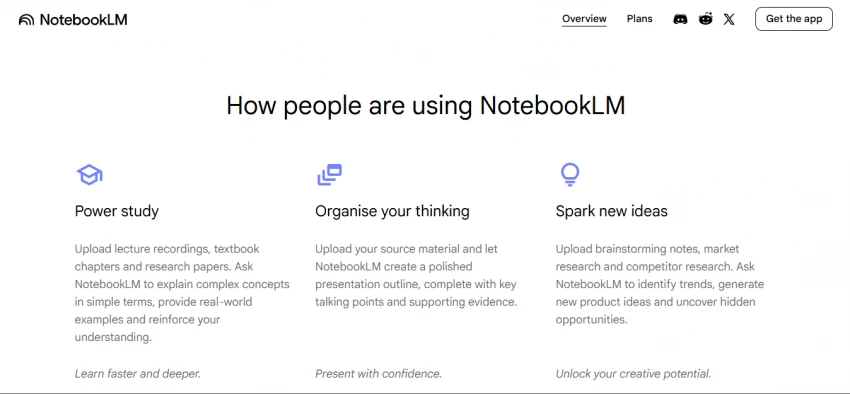
What separates NotebookLM from straightforward PDF chat tools is its output range. Audio Overviews generate podcast-style discussions between two AI hosts. Cinematic Video Overviews, launched in March 2026 on the Ultra tier, produce narrated visual summaries through Veo 3. The Studio panel also generates mind maps, flashcards, quizzes, and data tables that compare documents side by side.
Citations are the strictest in the category. Every answer ties back to a specific sentence in the source, displayed as a numbered footnote that scrolls directly to the passage when clicked. For research, study, and high-stakes summarization, this verifiability matters more than any volume metric.
STRENGTHS + Free tier covers the workflow of most individual users + Per-sentence citations remove ambiguity in answers + Generates podcasts, videos, mind maps, flashcards, and quizzes + Privacy policy confirms uploaded content is not used for training + One-million-token context window through Gemini 3 | LIMITATIONS - No native mobile app for general note creation - Manual upload only; no batch ingestion or API - Not designed for freeform daily note-taking - Cinematic Video Overviews require Ultra at $249.99 per month - Limited workspace collaboration on the Standard tier |
| 2 | ChatPDF The lowest-friction single-document chat experience on the market |
| PRICING | FREE LIMIT | PAGE CAP (FREE) | CITATIONS | SETUP TIME |
| Free + $5 Plus | 2 PDFs/day | 120 pages | Page-level | Under 10s |
ChatPDF earns the second slot because of how little friction it adds. No signup is required for casual use, and a document can be dragged onto the homepage and queried within seconds. The free tier covers two PDFs per day with a 120-page cap per file and a 10 MB size limit, which handles most everyday lookups.
The Plus plan at five dollars per month removes those caps and adds multi-document folders, larger files, and faster routing between GPT-4o and GPT-4o-mini for cost-efficient answers. ChatPDF also supports Word, PowerPoint, Markdown, and Text files, which extends its reach beyond pure PDF work.
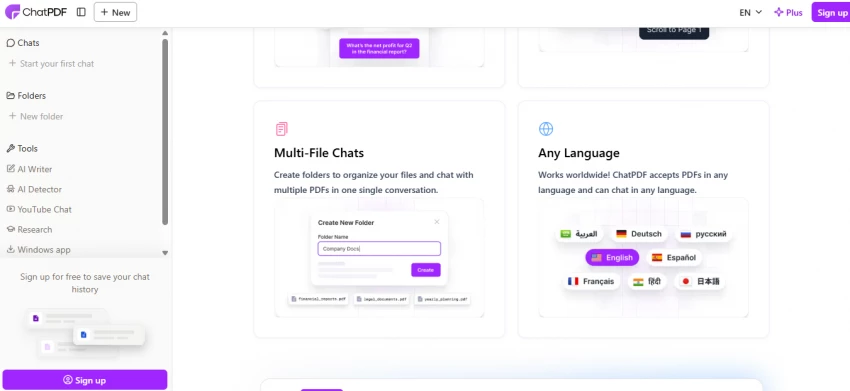
Citations appear inline with clickable links that scroll the source pane to the exact passage. For users who simply need to interrogate a single research paper, contract, or manual on demand, ChatPDF remains the cleanest experience available.
STRENGTHS + No signup required for casual use + Plus plan is among the cheapest in the category at $5 per month + Multi-format support across PDF, DOCX, PPTX, MD, TXT + Side-by-side document and chat layout for easy verification + Multilingual responses verified across Hindi, Chinese, and Japanese in independent tests | LIMITATIONS - Free tier capped at 2 documents per day - 120-page limit on the free tier excludes longer reports and books - No native team workspace or shared annotations - Limited beyond basic chat (no audio overviews or video output) - Citation granularity sits at the page level rather than sentence level |
| 3 | Humata AI Team-ready document chat with the strongest enterprise security in the budget tier |
| FREE TIER | STUDENT | EXPERT | TEAM | SECURITY |
| 60 pages/month | $1.99/mo | $9.99/mo | $99/mo | 256-bit AES |
Humata AI positions itself as a research-grade alternative built around team workflows. Where ChatPDF prioritizes single-user speed, Humata layers role-based access, shared workspaces, and audit-friendly citations on top of the same core experience.
The pricing structure rewards specific user types. The Student plan at $1.99 per month, available with a verified .edu email, is the lowest paid entry point of any tool in this roundup. Expert at $9.99 per month is the standard individual tier. Team at $99 per month covers shared document workspaces, role-based permissions, and SSO via Okta, Google, or Microsoft.
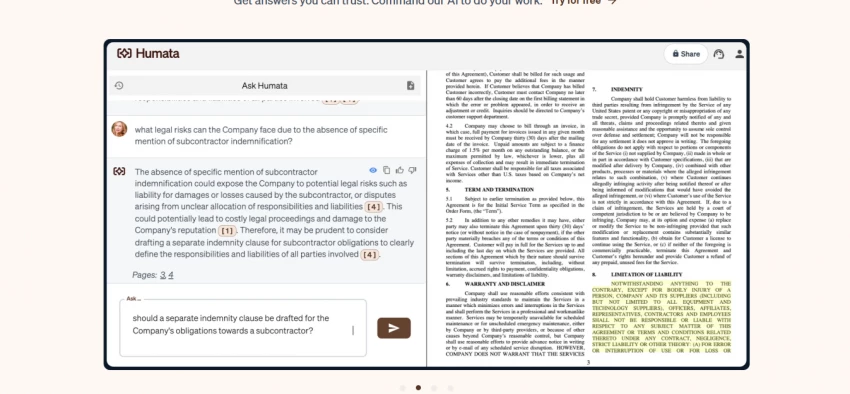
Citations link back to specific document sections rather than general page numbers, which independent reviewers have flagged as a quality upgrade over ChatPDF. Humata also supports audio playback of answers and can extract numbers from charts and visuals inside PDFs.
STRENGTHS + Strongest enterprise security in this tier: AES-256 at rest, TLS in transit, SAML SSO + Student pricing of $1.99 per month is unbeatable for verified users + Section-level citations more precise than ChatPDF's page-level model + Embeddable chatbot widget for external websites + Audio output for accessibility and multitasking | LIMITATIONS - Free tier caps at 60 pages per month, depleting quickly on long PDFs - Processing speed lags behind ChatPDF on initial upload - Less polished interface than Knowbase or NotebookLM - Lacks the podcast and video generation features of NotebookLM - Team plan jump from Expert is steep at $99 per month |
| 4 | Mem Self-organizing personal knowledge base for users who hate filing notes |
| FREE TIER | PRO PLAN | ORGANIZATION | AI CHAT | BEST FOR |
| 25 notes/month | $12/mo | AI-driven | Mem Chat | Solo workers |
Mem occupies a slightly different lane from the rest of this list. Rather than acting as a vault of uploaded documents, Mem is a note-taking environment where AI handles organization automatically. Notes drop into Mem without folders or manual tags, and the AI groups them into collections, surfaces relevant entries when needed, and answers questions through Mem Chat.
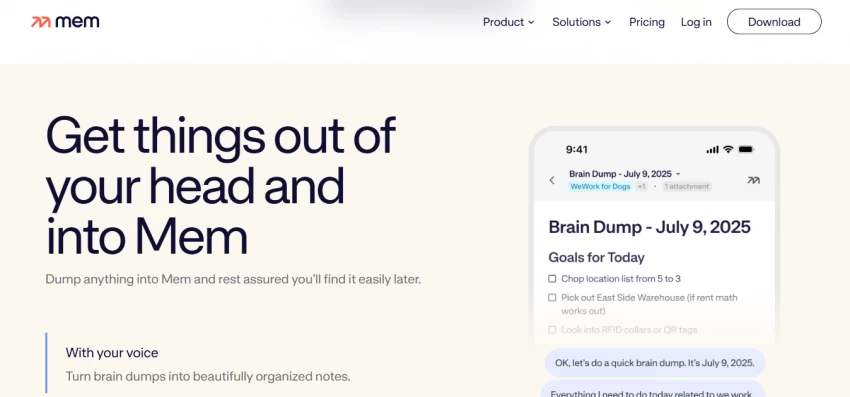
The product fits users who have tried Notion, Obsidian, or Roam and abandoned them after the maintenance overhead caused the system to collapse. Mem's premise: zero organizational effort. The AI does the filing. Mem Chat then queries the entire note base conversationally, which is the closest equivalent to Knowbase's chat-with-everything experience.
The free tier covers 25 notes and 25 chat messages per month, mirroring Knowbase's query allowance closely. Mem Pro at $12 per month unlocks unlimited notes, unlimited chat, and the full feature set. As of 2026, Mem remains one of the few tools where AI organization is the foundation rather than a bolted-on feature.
STRENGTHS + Zero-organization philosophy works for users who hate folder systems + AI automatically clusters related content into collections + Daily notes and smart search reduce capture friction + Mem Chat enables conversational queries across the entire note base + Native web clipper for adding articles and pages | LIMITATIONS - No team collaboration or shared workspace features - API access is restricted - Limited formatting compared to Notion or Obsidian - Free tier is too small for sustained workflow - Less suited to uploaded PDFs and external documents than Knowbase or ChatPDF |
| 5 | Notion AI Workspace-integrated AI for teams already invested in Notion |
| FREE | PLUS | BUSINESS (AI) | ANNUAL RATE | CUSTOM AGENTS |
| Workspace only | $10/user/mo | $20/user/mo | $15/user/mo | Credit-billed |
Notion's AI access reshaped in 2026. The standalone $10 per user add-on retired in May 2025, and full Notion AI is now bundled into the Business plan at $20 per user per month, or $15 per user per month on annual billing. The shift means the practical floor for serious Notion AI use sits at $180 per user per year.
The capability set is broader than a pure document-chat tool. Ask Notion searches across an entire workspace including connected tools, drafts content, summarizes long pages, and answers questions across the team's combined knowledge. Notion Agent goes further, building pages and updating databases from natural-language prompts. Custom Agents, introduced earlier in 2026, run scheduled workflows on a credit-based model at $10 per 1,000 monthly credits.
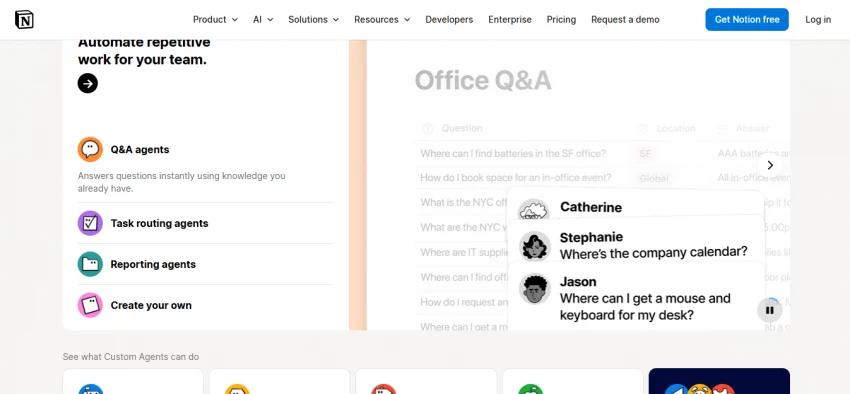
For teams already running on Notion, the AI layer is the obvious upgrade. For users seeking a standalone document-chat tool, however, the cost-to-feature ratio is significantly worse than NotebookLM, ChatPDF, or Humata at their entry tiers.
STRENGTHS + AI search across the full workspace including connected tools + Notion Agent builds and updates pages from natural language prompts + Workspace-wide context makes answers more relevant for established teams + Free Notion Plus tier available to verified university students + Multi-model AI under the hood, switching between providers automatically | LIMITATIONS - Business plan at $20 per user per month is steep for solo or small users - Custom Agents now consume credits at $10 per 1,000 credits monthly - Free and Plus tiers no longer include any AI access - Less optimized for one-off PDF chat than dedicated tools - Requires Notion adoption across the team to deliver full value |
| 6 | Guru Enterprise-grade AI source of truth with permission-aware answers |
| FREE TRIAL | ALL-IN-ONE | ENTERPRISE | INTEGRATIONS | AUTH |
| Available | $15/user/mo | Custom | Slack, Drive, CRM | SSO, MCP, API |
Guru is the enterprise pick on this list. The platform connects a company's scattered sources, including Google Drive, Slack threads, CRMs, and project tools, into one governed intelligence layer. Its Knowledge Agent answers questions in plain language with citations, lineage, and lifecycle controls. Updates made by an expert propagate across every workflow automatically.
What makes Guru distinct from a personal-use Knowbase alternative is the governance layer. Answers are permission-aware: each user sees only what their role grants access to. The Chrome extension, Slack integration, and embedded answers across Microsoft Teams mean knowledge surfaces wherever work happens, not only inside a separate app.
Guru is overkill for individual researchers, but for support teams, sales enablement, and HR documentation at scale, the ROI shifts in its favor quickly. The All-in-One plan is the standard team tier, and Enterprise pricing is negotiated based on seat count and integration depth.
STRENGTHS + Permission-aware answers respect existing access controls + Updates propagate across every connected surface automatically + Built-in integrations with Slack, Drive, CRMs, and Microsoft Teams + Audit trails and source lineage suitable for compliance-sensitive teams + MCP and API access let other AI tools query Guru's knowledge layer | LIMITATIONS - Significant overkill for individual users or small projects - Initial implementation requires connector setup and content review - Pricing scales fast with seat count compared to standalone tools - Less focused on single-document chat than ChatPDF or Humata - Onboarding takes longer than a self-serve product like NotebookLM |
| 7 | AskYourPDF Chrome-extension-first PDF chat with podcast-format output |
| FREE TIER | PREMIUM | EXTENSION | CITATIONS | OUTPUT |
| 3 chats | $9.99/mo | Chrome native | Page-level | Podcast format |
AskYourPDF rounds out the roundup as the friendliest browser-extension entry point. The Chrome extension reads any PDF open in the browser and surfaces a chat panel for instant Q&A, which removes the need to upload documents into a separate web app. For users who live inside their browser, this matters more than headline feature counts.
Beyond the extension, AskYourPDF offers a generous free tier and pricing that lands below ChatGPT Plus or Claude Pro for users who only want PDF chat. A standout differentiator is the podcast conversion feature: any uploaded document can be converted into a two-host audio discussion, similar in style to NotebookLM's Audio Overviews but built around the AskYourPDF document set.
Multi-document support is included in paid tiers, which expands the use case to literature reviews and cross-document comparisons. Citations sit at the page level, which is sufficient for most research workflows although less precise than NotebookLM's per-sentence anchors.
STRENGTHS + Chrome extension reads PDFs without manual upload + Podcast conversion provides audio output similar to NotebookLM + Multi-document chat available on paid plans + Page-level citations with click-to-scroll source navigation + Lowest-friction upgrade path from ChatPDF for browser-heavy workflows | LIMITATIONS - Less polished citation experience than Humata or NotebookLM - No team workspace or role-based permissions - Premium plan price ($9.99) is roughly twice ChatPDF Plus for comparable single-user value - Output options narrower than NotebookLM's Studio suite - Smaller user base and review footprint than the top picks |
The matrix below maps eight core features across all seven alternatives. A check sign indicates native support. A tilde indicates partial or workaround support. A dash indicates the feature is missing.
| Feature | NotebookLM | ChatPDF | Humata | Mem | Notion AI | Guru | AskYourPDF |
| PDF and document chat | ✓ | ✓ | ✓ | ∼ | ✓ | ✓ | ✓ |
| Audio/video transcription | ✓ | — | — | — | — | — | ∼ |
| Per-sentence citations | ✓ | — | ∼ | — | — | ✓ | — |
| Page-level citations | ✓ | ✓ | ✓ | — | ✓ | ✓ | ✓ |
| Embeddable chatbot widget | — | — | ✓ | — | — | ✓ | — |
| Audio/podcast generation | ✓ | — | ✓ | — | — | — | ✓ |
| Team workspace + roles | ∼ | — | ✓ | — | ✓ | ✓ | — |
| Enterprise SSO + audit | ∼ | — | ✓ | — | ✓ | ✓ | — |
The chart shows the lowest paid monthly plan for each alternative, converted to US dollars at typical 2026 rates. Free tiers are excluded from the bars but noted in the spec strips above. The width of each bar reflects monthly cost; longer bars represent more expensive entry points.
| TOOL | PRICE |
| Humata AI Student | $1.99 |
| ChatPDF Plus | $5.00 |
| NotebookLM AI Plus | $7.99 |
| AskYourPDF Premium | $9.99 |
| Mem Pro | $12.00 |
| Guru All-in-One | $15.00 |
| Notion AI Business | $20.00 |
Knowbase serves a wide enough mix of users that the right alternative shifts depending on context. The table maps common scenarios to the top pick from this roundup, with a one-line reason.
| Use case | Top pick | Why |
| Free, source-grounded research | NotebookLM | 50 daily queries free, per-sentence citations, audio output |
| Single PDF questions, fastest setup | ChatPDF | No signup required, drag-and-drop, $5 Plus tier |
| Legal, contract, or compliance review | Humata AI | Section-level citations, SSO, AES-256 encryption |
| Verified students on tight budgets | Humata AI Student | $1.99 per month is the lowest paid plan in this lineup |
| Personal note management without folders | Mem | AI handles organization automatically, Mem Chat for queries |
| Teams already running on Notion | Notion AI | Workspace-wide search, Notion Agent, integrated workflow |
| Customer support and sales enablement | Guru | Permission-aware answers, Slack and CRM integrations |
| Casual browser-based PDF lookups | AskYourPDF | Chrome extension reads PDFs without manual upload |
| Podcast-style summaries of source material | NotebookLM | Audio Overviews and Cinematic Video Overviews are unique to NotebookLM |
| Embedding a chatbot on an external website | Humata or Guru | Both ship widget embeds, Humata for budget, Guru for enterprise |
No single tool replaces Knowbase AI for every workflow. The seven alternatives in this roundup outperform Knowbase in specific dimensions, and the right choice depends on which dimension matters most.
NotebookLM is the strongest free option and the best research tool, period. ChatPDF removes friction for everyday single-document lookups. Humata AI fits teams that need citations and security on a budget. Mem rethinks the entire organizational model for personal notes. Notion AI is the natural extension for existing Notion teams. Guru is the enterprise standard for permission-aware knowledge. AskYourPDF earns its slot through the Chrome extension and podcast output.
| Editorial pick: NotebookLM wins as the highest-value Knowbase AI alternative in 2026 for individual users. The free tier is genuinely usable, the citation quality is the strictest in the category, and the output range (chat, audio, video, mind maps, flashcards) outpaces every competitor on this list. For teams with budget and governance needs, Humata AI and Guru cover the spectrum from small teams to enterprise scale. |

New Claude Model Targets Agentic AI WorkflowsAnthropic has launched Claude Sonne...
Samuel Osei3 months ago

Gemini’s Image Tools Get a Wider RolloutGoogle is expanding access to Gemini’s p...
Alexander Hughes3 months ago

Two AI video generators, two very different first days. I ran PixVerse through i...
Alexander Hughes3 months ago

Two of the most talked-about AI chat platforms. I opened both, picked a characte...
Alexander Hughes3 months ago

The two-minute versionIf you only read one thing, read this. The rest of the doc...
Alexander Hughes3 months ago

Why Seedance 2.5 mattersSeedance 2.5 is the latest release in ByteDance’s Seedan...
Alexander Hughes3 months ago
Discussion