AI & ML
13 min read
Fireflies AI Alternatives: 4 Meeting Notetakers Worth Switching To
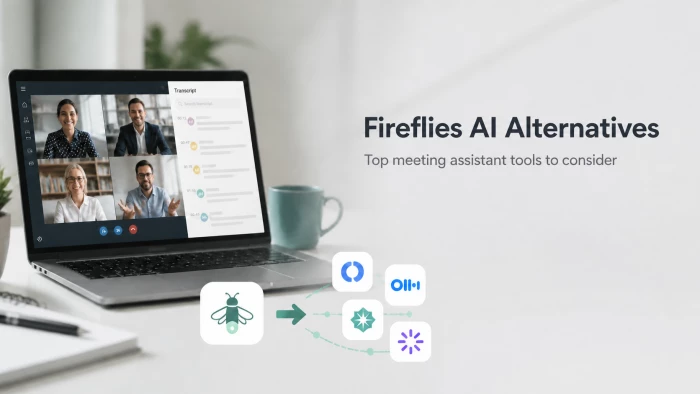
Fireflies AI has earned its place as the default meeting bot for sales-driven teams, but it is not the only option, and for several common workflows it is not the best one. The four tools profiled below (Otter.ai, Fathom, Granola, and tl;dv) each take a different angle on the same problem. The difference between them is not really pricing. It is philosophy: who they assume is in the room, and what they assume that person will do with the transcript afterwards.
What follows is a structured walkthrough of each, based on the published pricing pages, the G2 and Trustpilot review patterns, and side-by-side analyses from Revenue.io, Granola, Lindy.ai, Read.ai, Convo, Alfred AI, Toolsforhumans, and Claap. Sources are named inline. Pricing snapshots are accurate at the time of publication; checking each platform’s current pricing page before committing remains the safer default.
Any serious Fireflies AI Review has to begin with the product’s core niche. Fireflies is not just a general meeting notes app. A meeting bot joins Zoom, Google Meet, or Microsoft Teams as a visible participant, transcribes the conversation, generates a summary, and pushes the result into Salesforce, HubSpot, or another CRM. For a sales team that lives inside its pipeline software and treats every call as data, that pipeline-to-transcript loop is the entire value proposition. The Revenue.io comparison of Fireflies describes the strength as “automated transcription and conversation-aligned workflows” for sales organisations that already use CRM-centric processes.
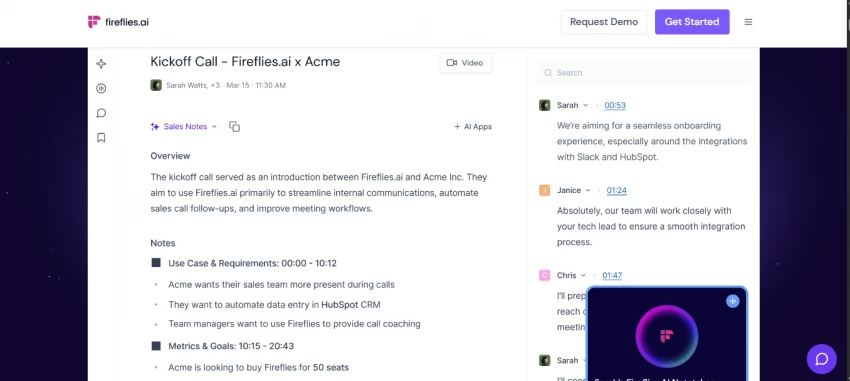
The product is also priced for teams. Fireflies starts free with an 800-minute total-storage allotment, then steps up to Pro at $10 per user per month and Business at $19 per user per month per the published pricing page. For a 10-person sales team, that math is modest, and the CRM integrations alone often justify the cost.
Three frictions drive most searches for Fireflies alternatives. The first is the visible bot. Fireflies joins meetings as a named participant, and several reviewers (including the Granola team and the Convo head-to-head) flag that this changes the social dynamic of client calls. A bot called “Fireflies” sitting in a confidential investor pitch is not invisible.
The second is the workflow assumption. Fireflies is optimised for sales-style follow-up. It is not optimised for journalism interviews, internal team retros, 1:1 coaching, or content production. The Lindy.ai overview of the field puts it plainly: “transcription accuracy can vary, especially with diverse accents, jargon, and overlapping dialogue,” and the post-call experience expects a CRM-shaped workflow that not every team has.
The third is the free tier ceiling. The Granola pricing breakdown flags that Fireflies caps free users at 800 minutes of total storage, a hard ceiling that arrives much faster than the per-month caps offered by Fathom and tl;dv. The four alternatives below address those three frictions in different ways.
The right way to choose is not “which of these is best” but “which workflow does the day-to-day actually look like.”
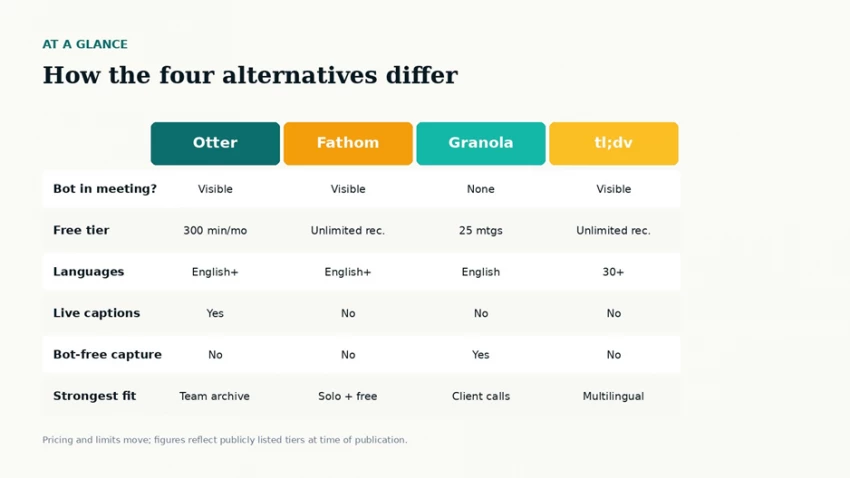
The four alternatives mapped against the six dimensions that typically drive a switching decision.
Before the deep dives, a one-screen view sets the shape of the choice.
| Dimension | Otter.ai | Fathom | Granola | tl;dv |
|---|---|---|---|---|
| Capture model | Visible bot | Visible bot | No bot (desktop) | Visible bot |
| Free tier limit | 300 min / month | Unlimited recording | 25 meetings | Unlimited recording |
| Languages | English + a few | English + a few | English-primary | 30+ with translation |
| Live captions | Yes (in-call) | Post-call only | Post-call only | Post-call only |
| Strongest fit | Team archive search | Solo + free tier | Client / sensitive calls | Multilingual teams |
| Paid entry tier | $16.99 / mo | $19 / mo | ~$14-18 / user / mo | $18-29 / user / mo |
Comparison table, accessible version of the chart above.
The pattern reads horizontally. Otter wins on live captions during the meeting; Fathom wins on free unlimited recording; Granola wins on bot-free capture; tl;dv wins on multilingual coverage. None of the four attempts to be all four at once, which is what makes the choice tractable. Picking the wrong category, per the Alfred AI evaluation of seven notetakers, “means paying for capabilities the team will never use.”
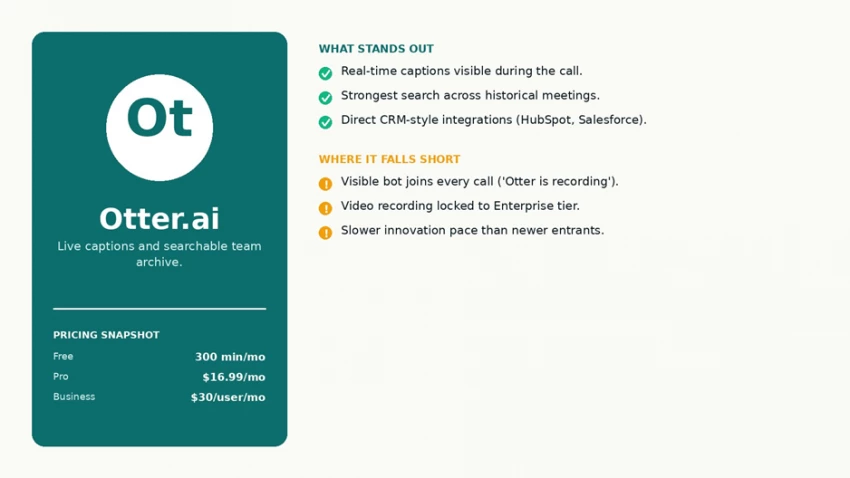
Otter.ai at a glance: strengths, trade-offs, and the publicly listed plan tiers.
Otter has been the closest direct alternative to Fireflies since the meeting-bot category existed. The OtterPilot bot joins meetings on Zoom, Google Meet, and Microsoft Teams, captures audio, and produces real-time captions that scroll on screen during the call. The live captions feature is what Otter does better than any of the other three: a presenter can glance at the transcript mid-meeting and confirm a number that was just stated, which is useful in financial discussions, technical reviews, and meetings with non-native English speakers.
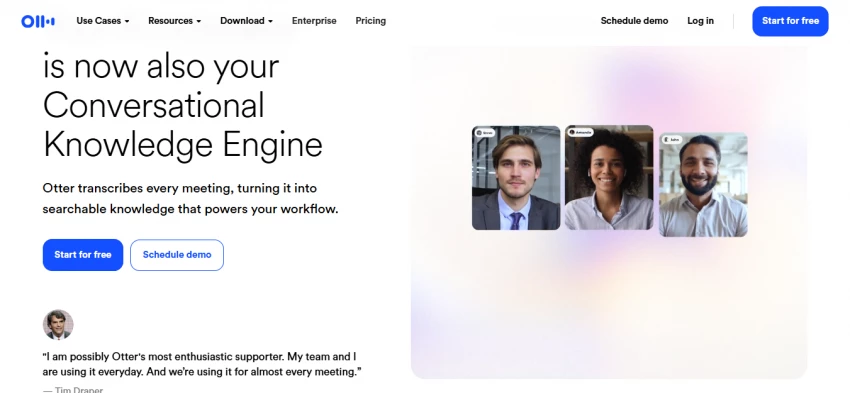
The second Otter strength is search across the historical archive. The Read.ai field review describes Otter as “enhanced capture with sophisticated retrieval,” and the Convo head-to-head calls it “the king of searchable meeting archives.” For a team that has accumulated hundreds of past calls and needs to find the one where a specific client asked a specific question, Otter’s search holds up better than the newer entrants in this list.
Two limitations matter. First, the bot is visible. Every external participant sees “Otter is recording” land in their meeting interface. For internal team meetings that is a non-issue. For client calls and sensitive HR conversations it changes the tone. The Zackproser tooling roundup spells out the trade-off: Otter is the right pick “for internal team meetings where everyone is fine being recorded,” and the wrong pick when “the bot lands in every external call.”
Second, the innovation pace has slowed. The TLDV field review of free notetakers comments that Otter “doesn’t seem to be adapting to the curve very much” and that the free plan increasingly feels like an entry-level experience. Video recording remains gated to the Enterprise tier in 2026, which several reviewers flag as surprising for a category where video has become standard.
Otter offers a free Basic tier (300 transcription minutes per month per user), Pro at $16.99 per user per month, Business at $30 per user per month per the published pricing snapshot, and an Enterprise tier with custom pricing. The best-fit user profile is teams that have already built workflows around the searchable meeting archive, run primarily internal meetings, and value live captions during the call rather than only after it ends.
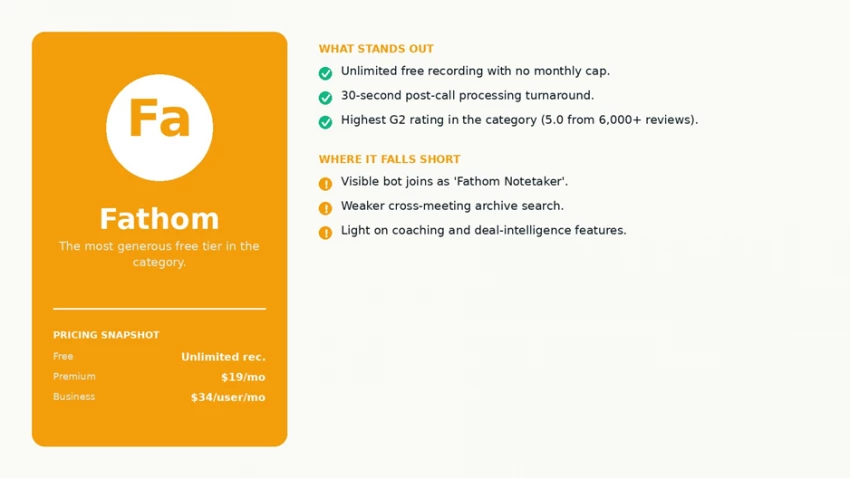
Fathom at a glance: strengths, trade-offs, and the publicly listed plan tiers.
Fathom built its market position on a single bet: make the free tier so generous that price stops being the deciding question. The free plan offers unlimited recording, unlimited storage, and AI summaries with a soft cap. The Granola pricing comparison cites five AI summaries per month on the free tier, while the Alfred AI review describes the same plan as “unlimited recording with no minute cap.” The G2 rating sits at 5.0 from over 6,000 reviews per the Alfred AI summary, which is genuinely unusual at that review volume.
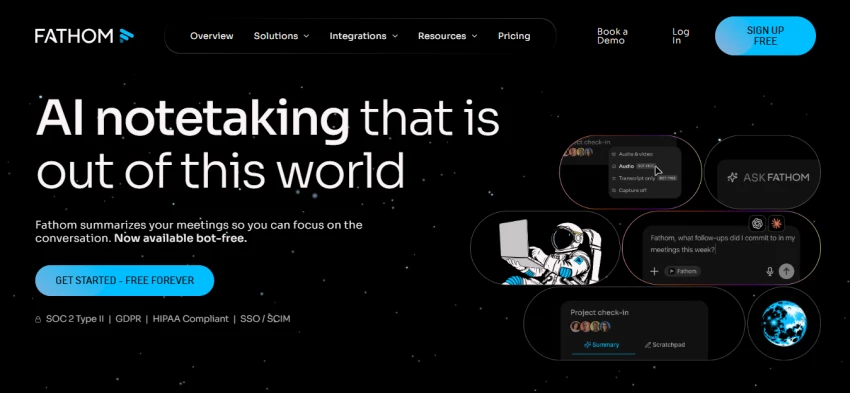
Post-call processing is fast. Fathom advertises a 30-second turnaround between meeting end and processed transcript, and the Convo head-to-head confirms it in practice. Claimed transcription accuracy sits at 95 percent. For an individual professional running ten to twenty meetings a week, Fathom on the free tier handles the entire workflow without ever hitting a paywall.
The free-tier emphasis comes with a structural cost. Fathom’s product roadmap focuses on capture and summary, not on conversation intelligence or sales coaching. Managers looking for the kind of deal-intelligence dashboards that Fireflies or Gong provide will find Fathom underbuilt for that purpose.
The Convo direct comparison also flags weaker archive search relative to Otter. For a team that needs to retrieve a specific moment from a meeting recorded six months ago, Fathom’s archive “feels thin next to Otter’s,” per their testing. The bot is also visible: Fathom Notetaker joins meetings as a participant, with the same social friction as Otter and Fireflies in client contexts.
Fathom’s free plan is the most generous in the category. Paid tiers per the Convo pricing breakdown and Fathom’s own listing include Premium at $19 per month, Team Edition at $29 per month, and Business at $34 per user per month. The best-fit profile is the individual professional or small team that runs high meeting volume, wants high-quality summaries without monthly minute caps, and does not depend on CRM-linked sales coaching workflows.
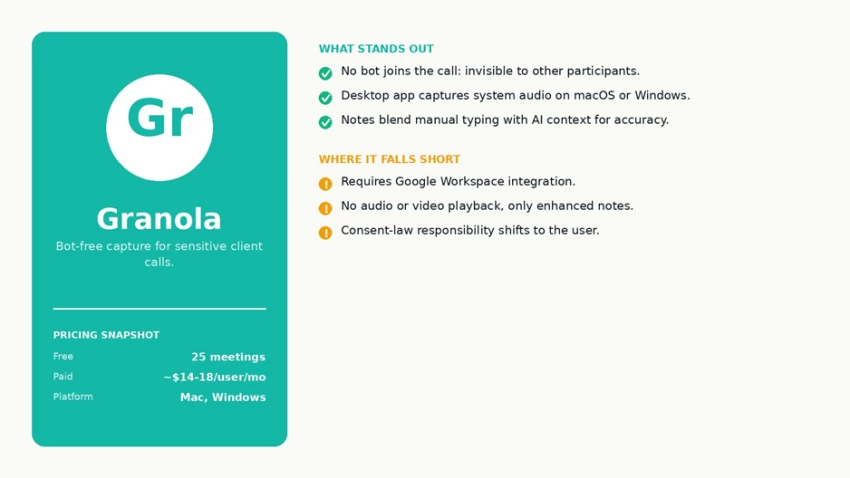
Granola at a glance: strengths, trade-offs, and the publicly listed plan tiers.
Granola changed the category in 2024 and 2025 by deciding the meeting bot itself was the problem. Instead of joining the call as a visible participant, the Granola desktop application runs on the user’s computer and captures system audio directly. The Granola product documentation describes the model as “no meeting bot. Participants don’t see a ‘Notetaker’ joining the call.” The capture is invisible to other attendees by default.
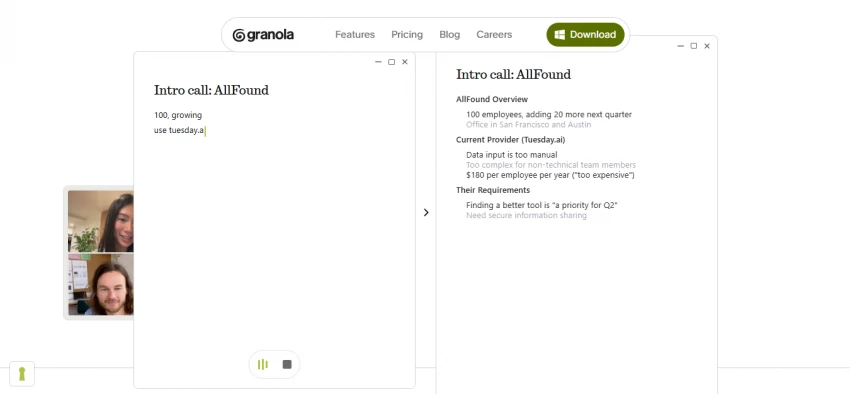
That architecture has a downstream effect on note quality. The product nudges the operator to take their own brief notes during the meeting; the AI then fills in the surrounding context from the captured transcript. The result, per the Alfred AI head-to-head against Otter, is “more accurate and personalised than a pure AI transcript,” because the human note-taker has already flagged what matters before the AI fills in the gaps.
Granola has become the default tool for venture capitalists, consultants, executives running confidential client calls, and product managers running customer-research interviews. The Granola pricing post argues that bot-free capture protects “candid frustrations and off-the-record observations” that disappear the moment a Notetaker bot lands in the meeting.
Granola comes with structural constraints. The Read.ai analysis lists three. The app currently requires Google Workspace integration. There is no audio or video playback (only the enhanced notes). And the free plan limits history to 14 days. Granola also assumes the operator is on macOS or Windows desktop. Mobile capture and browser-only capture are not supported.
A non-technical caveat is worth flagging. Recording a conversation without notifying other participants is illegal in several U.S. states under one-party or two-party consent laws, and the Read.ai review explicitly raises this point. Granola’s documentation places the consent responsibility on the operator, not the platform. For sensitive cross-border or HR calls, that legal layer is the user’s burden.
Granola’s Basic plan is free forever but limits meeting history and excludes integrations. Paid plans start around $14 to $18 per user per month for unlimited meetings, per the Alfred AI comparison and the Granola blog’s own pricing post. The best-fit profile is the consultant, VC, executive, or independent professional running mostly external one-on-one calls where the presence of a visible bot would change what the other party is willing to say.
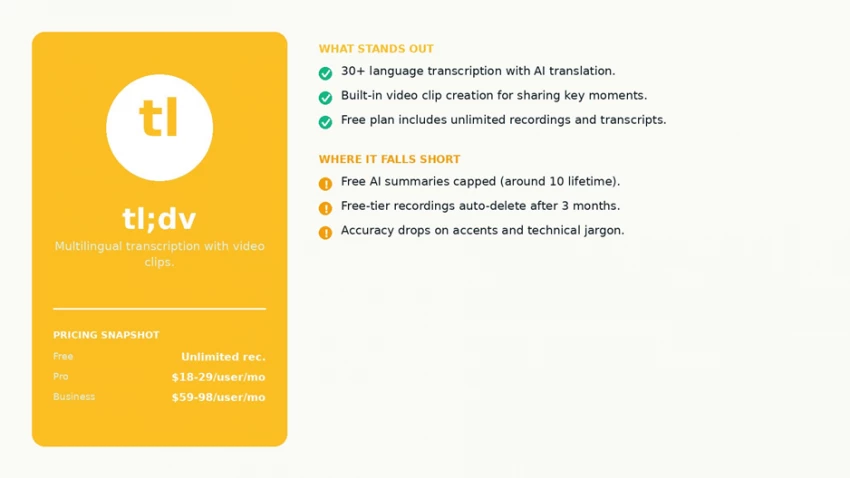
tl;dv at a glance: strengths, trade-offs, and the publicly listed plan tiers.
tl;dv (short for “too long; didn’t view”) stakes out a different niche again. Transcription and summaries in 30+ languages, with automatic translation between them. The tl;dv product page advertises support for Spanish, German, Japanese, French, Hindi, Portuguese, and dozens of others, with AI translation of both transcripts and summaries. For a globally distributed team running meetings in mixed languages, that single feature is the differentiator.
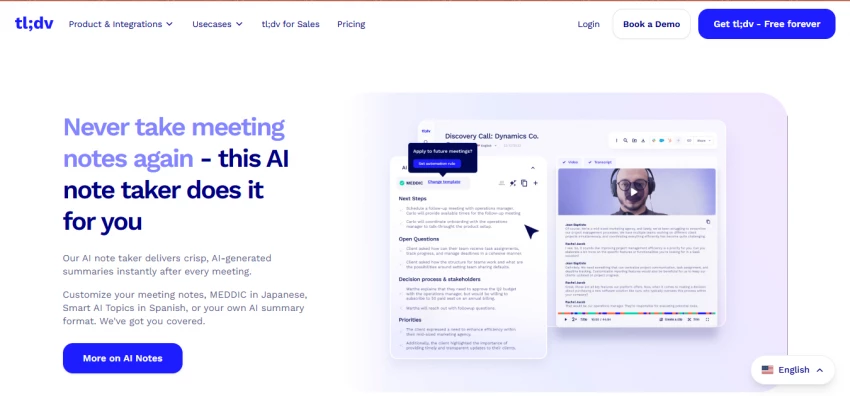
The second tl;dv strength is the video clip. The product is built around extracting short, shareable moments from longer recordings. A founder can mark a 30-second segment of a customer interview, label it, and drop the clip into Slack without exporting the whole meeting. The Toolsforhumans review describes the clip workflow as “bite-size videos containing meeting insights” and notes that the feature is genuinely useful for product, sales, and content teams that need to circulate evidence rather than full transcripts.
tl;dv’s free plan looks generous on the surface and has caveats once a user starts running real volume. The Claap and Alfred AI reviews both surface the same constraints. AI summaries are capped (sources cite either 10 lifetime or 10 per month, depending on the snapshot). Recordings auto-delete after three months on the free tier. Integrations are locked behind paid plans. The Prospeo review summarises it as “unlimited recording with very limited intelligence” at the free level.
The bot is also visible. tl;dv joins meetings as a named participant on Zoom, Google Meet, and Microsoft Teams. The Toolsforhumans verdict calls the bot-join model “a visible intrusion in some client contexts.” Transcription accuracy is solid for clear audio but drops for accents and technical jargon per the Fellow comparison. Native English speakers in a quiet room get reliable transcripts; multilingual meetings with cross-talk and industry terminology will need light proofreading.
Pricing data on tl;dv has moved through several revisions in 2025 and 2026. The Pro tier is widely cited between $18 and $29 per user per month depending on annual versus monthly billing. The Business tier sits between $59 and $98 per user per month per the Alfred AI and Toolsforhumans price snapshots. The free plan remains genuinely useful for occasional users despite its caps.
Best-fit profile: the multilingual team, the content or product team that lives on video clips, or the individual professional who wants a working free plan to run light meetings without monthly storage anxiety.
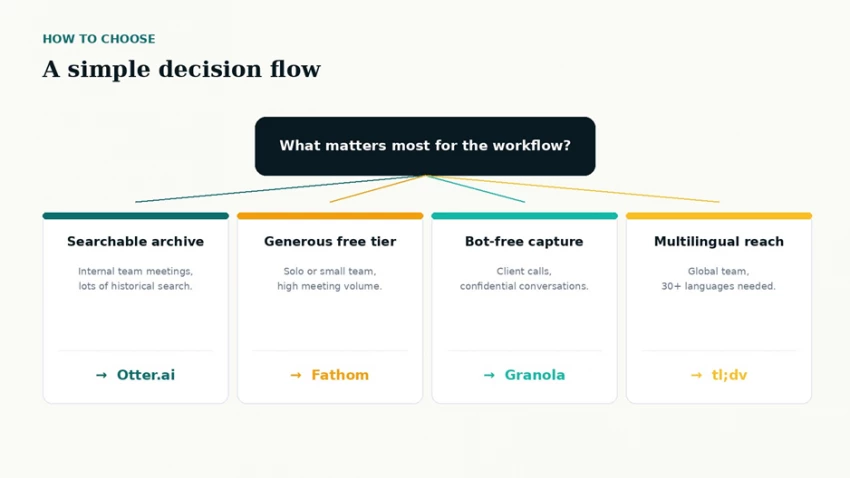
A simplified decision flow that collapses the choice into a single question about workflow priority.
The decision tree above collapses the choice into one question and four answers. A team that values bot-free capture and runs primarily client calls should look at Granola first. A team that runs mostly internal calls and depends on cross-meeting search should look at Otter. An individual professional with high meeting volume and no CRM dependency should look at Fathom. A globally distributed team with multilingual meetings should look at tl;dv.
Two practical notes apply across all four. The first is that pricing in this category changes frequently. The source-cited numbers above are accurate at the time of publication; checking each platform’s current pricing page before committing is the safer default. The second is that several of these tools offer extended free trials of the paid tiers, which is the most honest way to test whether the AI summary quality holds up on real meetings rather than vendor demo recordings.
Fireflies AI remains the right answer for one specific use case: sales-driven teams that already run their pipeline inside Salesforce or HubSpot and want a meeting bot that closes the loop into the CRM. For most other use cases, one of the four alternatives above will fit better.
Otter handles the searchable archive use case. Fathom owns the free-tier use case. Granola owns the bot-free use case. tl;dv owns the multilingual and video-clip use cases. None of the four is universally “the best.” Each one wins a different fight, which is exactly why the meeting-notetaker category has split into specialised tools rather than consolidating around a single product.

New Claude Model Targets Agentic AI WorkflowsAnthropic has launched Claude Sonne...
Samuel Osei3 months ago

Gemini’s Image Tools Get a Wider RolloutGoogle is expanding access to Gemini’s p...
Alexander Hughes3 months ago
Two AI video generators, two very different first days. I ran PixVerse through i...
Alexander Hughes3 months ago
Two of the most talked-about AI chat platforms. I opened both, picked a characte...
Alexander Hughes3 months ago
The two-minute versionIf you only read one thing, read this. The rest of the doc...
Alexander Hughes3 months ago
Why Seedance 2.5 mattersSeedance 2.5 is the latest release in ByteDance’s Seedan...
Alexander Hughes3 months ago
Discussion