When I first heard about Flashka, it sounded like every other “AI flashcard” tool promising faster learning and better focus. I only took it seriously when I had a real test coming up, a dense, three‑week module packed with PDFs, slide decks, and more diagrams than I wanted to admit. I decided to do something simple: use Flashka as my primary study tool for that exam and see whether it actually changed anything about how I revise.
What follows is not theory. It’s exactly what happened when I put Flashka into my real workflow, where the stakes were actual marks, not just “trying another app for a blog review.”
Like most serious learners, I already knew flashcards and spaced repetition work. My problem was never “Does SRS help?” It was the hours it takes to turn slides and PDFs into good cards. For a typical unit, I’d spend as much time creating the deck in Anki as I did actually reviewing it.
That trade‑off is what pushed me towards Flashka. The promise was very clear everywhere I looked: upload your materials, highlight what matters, let the AI build cards, and then rely on an integrated spaced‑repetition system and quizzes to drill the content.
I also noticed that external reviewers weren’t just repeating marketing language. One in‑depth analysis rated Flashka around 8.6/10, calling it a “fast, reliable, student‑first AI flashcard generator with minor limitations in credit clarity and app maturity.” That was enough to convince me to test it on something that mattered.
Getting started was painless. I signed up on the web, then installed the mobile app so I could review on my phone. The interface is exactly what you’d expect from a modern consumer app: clean, minimal, and clearly built for students rather than hobbyist tinkerers.
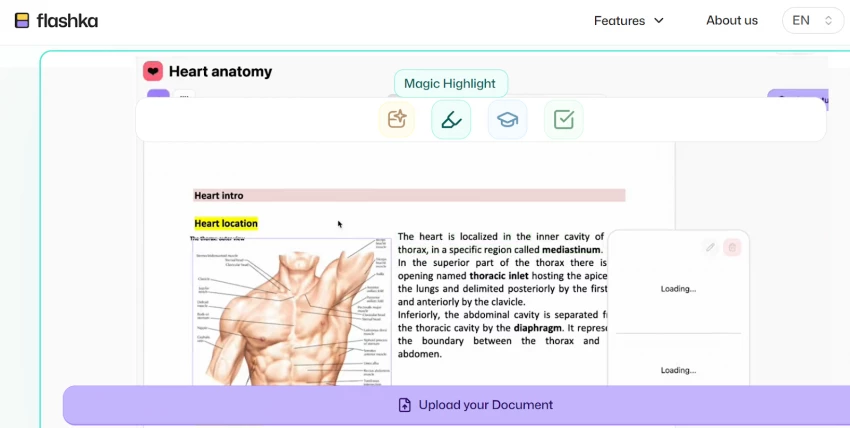
The real test came when I dragged in my first PDF about 30 slides of lecture content. Flashka processed it and gave me a clean view right inside the app. No broken formatting, no weird line breaks. It simply presented my slides with a highlighter, waiting for me to mark what seemed important.
I read through like I normally would, highlighting definitions, key mechanisms, and “this is 100% on the exam” bullet points. Then I hit the generate button. In less than a minute, Flashka turned those highlights into a deck of question‑and‑answer cards.
Were they perfect? No. Some were too wordy, and a few answers needed tightening. But the difference was dramatic: editing a card from “80% good” to “exam ready” took seconds. Building that same card from scratch would have been a 1–2 minute task, repeated dozens of times. That was the first moment I realised why users keep calling it a “massive time‑saver” in reviews and blogs.
I used Flashka daily for that exam week, and a very clear pattern emerged in how it changed my study routine.
Every time I uploaded a new PDF, the workflow was the same: read once, highlight aggressively, generate cards, clean them up.
The clean‑up phase was surprisingly valuable. Because Flashka handled the first draft of each card, my mental energy went into deciding “Is this what my professor expects?” instead of typing. That constant micro‑editing turned into active learning—almost like a structured second read where I was forced to check whether each question really matched the concept.
Once I had decks, I let Flashka’s SRS take over. It behaves the way any serious SRS should: cards I found easy disappeared for a while; cards I struggled with came back again quickly.
I never had to touch an interval graph or think about specific algorithms. Compared with Anki, that felt restrictive but also incredibly freeing. Flashka assumes that most students don’t want to be system designers, they just want to see the right questions at the right time. In practice, that’s exactly what happened: my daily sessions stayed focused on what I was bad at, not what I happened to feel like reviewing.
My module included a lot of diagrams: pathways, labelled structures, and flow charts. In most tools, those become screenshots I promise to “look at later.” With Flashka, I actually drilled them.
I imported the diagrams, masked key labels, and turned each mask into a card. Reviewing them felt like a digital version of sticking Post‑its over textbook labels and forcing myself to recall what was underneath.
This is where I understood why so many reviewers highlight Flashka as especially good for med and STEM students. Image occlusion isn’t an add‑on or hack; it’s a core feature with full SRS support.
I hit one concept that simply didn’t click. Instead of leaving the card vague or Googling around, I opened the built‑in tutor (Flashka calls it Ka) and asked it to re‑explain the idea in simpler language, with an example.
Because it used my slide content as context, the explanation came back in the same vocabulary and structure as my course, not some random generic definition. I still cross‑checked it against the official slides (and I’d recommend everyone do that), but it was enough to unblock me and move on.
I also used Ka to generate a few extra practice questions around that weak area, which dropped straight into my deck. This blended nicely into the rest of my Flashka sessions, no need to switch apps or copy‑paste prompts into a separate chatbot.
A few days before the test, I switched from normal card review to quiz mode. Flashka assembled mixed quizzes from across my decks, mimicking exam‑style questioning.
The quizzes weren’t perfect, but they were good enough that I started seeing patterns: which topics I always missed, which distractors tripped me up, and where my mental model was still fuzzy. Afterwards, those weak spots automatically surfaced more in regular card review, reinforcing them before exam day.
For this test, I had three major PDFs, about 90 slides in total. Over one week, I turned them into a few hundred cards, used image occlusion for the core diagrams, and ran several quiz sessions. Flashka handled the card creation, scheduling, and testing; I provided the judgment and corrections.
In the exam itself, I noticed something simple but important: I recognised not just the content, but the shape of the questions. Many items mirrored the structure of my Flashka cards and quizzes definitions, “which of the following,” diagram‑label questions, and process‑step prompts.
The biggest difference was how “ready” I felt on topics I’d rated as “hard” inside Flashka. Those concepts had been cycling repeatedly in the days leading up to the exam, so even though they were technically my weak areas, they didn’t feel like blind spots. That’s the real value of the SRS plus quizzes: it forced me to spend time exactly where it hurt.
Can I say Flashka alone raised my grade? That’s impossible to prove. But I can say this: for the same amount of calendar time, I saw more good questions, from more of my materials, with better spacing and less setup pain than I would have managed manually. That is not a small difference.
During that week, I started on the free plan. Flashka gives you a fixed number of daily AI credits on free, enough to generate a modest number of cards, quizzes, and tutor interactions per day.
When I tried to convert all three PDFs and run multiple quizzes in one evening, I hit the limit. I could still review the cards I already had (SRS keeps working), but new AI actions had to wait until the next day unless I upgraded.
At that point, I checked the paid tiers. Entry‑level pricing starts around 4 USD per month, with unlimited or much higher daily AI credits, and the core features (SRS, quizzes, image occlusion, tutor) fully available. I paid not because I love subscriptions, but because by then the time savings were obvious. For the cost of one takeaway meal, I was buying back multiple hours of manual card creation and quiz writing across a month.
| Plan | Price (approx) | Daily AI Credits | Image Occlusion |
| Free | $0 / month | ~50 credits / day | Included (uses credits) |
| Paid – Entry / Student | from ≈ $4 / month | Effectively unlimited | Included (no hard cap) |
| Wizard Monthly (mobile) | ≈ $3.99–4.99 / month | Higher / unlimited tier | Included |
| Wizard Yearly (mobile) | ≈ $59.99–69.99 / year | Higher / unlimited tier | Included |
If you’re the kind of student who never pays for apps, you’ll feel this friction. The free plan is good for testing and light use, but serious, multi‑subject, AI‑heavy studying will push you toward a paid tier.
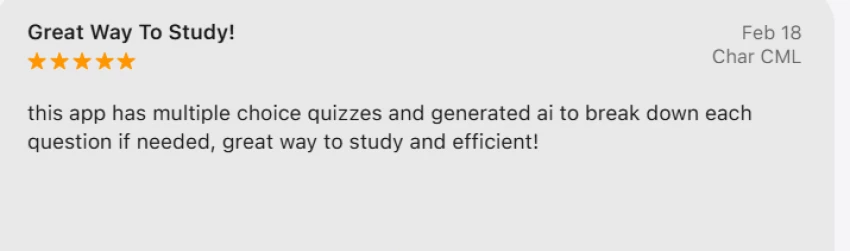
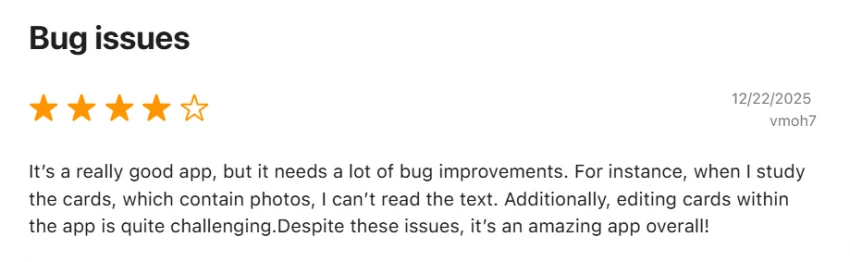
My experience lined up closely with broader user feedback. App‑store ratings for Flashka are high (around the mid‑4s out of 5 at the time I checked), and reviews often call it “a great way to study,” “efficient,” and “hard to find an app like this.” Independent reviews pull in Trustpilot and Reddit data and arrive at similar conclusions: fans rave about time saved and how it finally made flashcards feel doable, while critics mostly complain about bugs, occasional AI errors, and frustrations with credit rules.
One deep‑dive review synthesis I read summed it up with a score of 8.6/10 and the phrase “fast, reliable, student‑first AI flashcard generator with minor limitations in credit clarity and app maturity.” From my own use, that description feels fair.

Because I’ve used Anki for years and also rely on general AI tools for writing and note support, I can say this confidently: Flashka is not trying to replace either of them; it’s trying to live in the middle.
Anki still wins if you care about absolute control. You can script behaviours, tune SRS parameters, design complex templates, and run massive multi‑year decks. But unless you use add‑ons or external scripts, AI card generation is not native, and the learning curve is steep for new users.
General AI tools like Notion AI, ChatGPT, or other assistants are brilliant at summarizing chapters, explaining concepts, and helping with writing. However, they don’t give you a built‑in SRS engine, structured flashcards, or image occlusion designed for exam prep. You can ask them questions, but they don’t sit on your shoulder every day and say, “Here are 80 cards you’re about to forget.”
| Dimension | Flashka AI | Anki | Notion AI / general AI workspaces |
| Core idea | AI‑generated flashcards & quizzes from your content | Manual, ultra‑configurable SRS decks | Notes, docs, and writing with AI assistance |
| AI card generation | Native from highlights | None by default (manual or plugins) | Text generation, not structured cards |
| Spaced repetition (SRS) | Built‑in, student‑friendly defaults | Core, highly customizable | Not native |
| Image occlusion | Core feature | Yes via add‑on | Not targeted |
| AI tutor & quizzes | Integrated “Ka” tutor and exam‑style quizzes | Not built‑in | Can answer questions, no structured quizzes |
| Beginner friendliness | Very high | Low (steep learning curve) | Moderate |
| General productivity | Study‑focused only | Memorization‑focused only | Full productivity suite |
| Setup time to first deck | Minutes (upload → highlight → generate) | High (manual templates & cards) | Varies, no SRS by default |
Because Flashka sits between you and your exam, safety and accuracy matter. I checked basic legitimacy signals: domain checks, public reviews, app‑store profiles. Everything pointed to a normal, actively maintained product, not some throwaway scam.
That said, I treat every AI study tool the same way:
● I only upload academic materials (slides, textbooks, notes), never sensitive personal documents.
● I read AI‑generated cards and explanations critically, not as unquestionable truth.
● For high‑stakes topics, I cross‑check Flashka’s content against textbooks or official lecture notes.
Used like this, Flashka feels like a very efficient assistant, not a risk. Most of the “danger” comes from the temptation to stop thinking and blindly trust whatever the AI generates. If you stay mentally engaged, the tool genuinely accelerates your learning instead of diluting it.
Even though I liked it enough to keep using it, Flashka isn’t perfect.
The daily credit system is the biggest friction point. When you’re in a deep exam sprint, hitting that limit mid‑session is annoying, especially on the free plan. Power users also have a point when they say the SRS is a bit of a black box, you can’t fine‑tune it the way you can in Anki.
I also had a few AI misfires: occasionally a card that was too verbose, a slightly off distractor in a quiz, or an explanation that needed checking. But those were manageable and, honestly, expected in any LLM‑driven workflow. Each fix doubled as an extra learning moment.
If you’re the kind of person who loves building your own decks from scratch and tuning every parameter, Flashka will feel opinionated and somewhat closed. If you’re determined to never pay for software, the free tier will feel cramped once you start relying on it for multiple subjects.
After using Flashka intensively to prepare for a real exam, I’d rate it 8.7/10 overall.
● Learning effectiveness: 9/10 – SRS, quizzes, and image occlusion genuinely helped me remember more from the same materials.
● Speed and workflow: 9/10 – Upload → highlight → generate cut my deck‑building time dramatically.
● Accuracy of AI output: 8/10 – Mostly solid, but cards still need a quick human pass.
● Ease of use and design: 9/10 – Clean, student‑friendly interface with almost no setup friction.
● Pricing and limits: 8/10 – Fair for heavy users, but daily credits on the free plan can feel tight during exam weeks.
Flashka works well when dealing with dense PDFs or slide decks and needing a structured study system quickly. It removes much of the effort required to manually build flashcard decks and brings spaced repetition, quizzes, and image-based recall together in one place with minimal setup.
However, other tools still have their place depending on the task. For example, Anki is better when deep control over custom SRS rules is important, while general AI workspaces are more useful for brainstorming, outlining essays, or doing broader research.
For students or professionals with heavy reading loads who like the idea of flashcards but dislike manual setup, Flashka can significantly reduce friction. Instead of constantly thinking “I should make cards,” the system already provides them, allowing you to focus on answering and reviewing.

“HidingMe” sounds like a privacy app. It isn’t. So I opened the live site in Jun...
Sandra Campos2 months ago
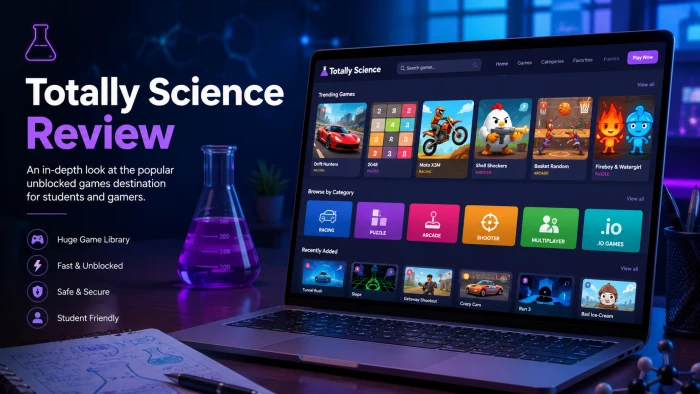
Type "Totally Science" into a search bar and the name suggests a study aid, a vi...
Benjamin Clark2 months ago

I keep a 12-question audit checklist on my desk. It started in 2024 as a one-pag...
Grace Howard3 months ago

The market for AI-powered knowledge management tools has exploded in the past tw...
Grace Howard4 months ago
I’ve spent enough hours wandering through thesindi.com to know it almost like a...
Ina Gupta4 months ago
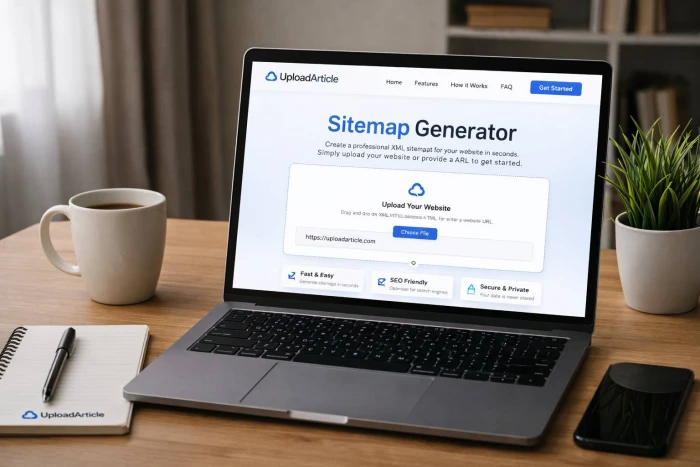
Sitemap Generator by UploadArticle.com is a lightweight, browser‑based XML sitem...
Peter Woods4 months ago
Discussion