Imagine this: it’s 11:47 p.m., and Riya, a second‑year medical student is staring at a 120‑page PDF called “Gastrointestinal Pathology – Final Revision.” Her plan is noble and completely unrealistic, “I’ll turn this into 300 flashcards tonight.” Twenty minutes later, she has three cards, a headache, and a quiet suspicion that her system is the real problem.
This is the precise pain point Gizmo AI is built for: not “studying” in the abstract, but the brutal logistics of turning raw material into something your brain can actually remember.
Most of us don’t quit on exams because the content is impossible. We quit on the process: manually carving flashcards out of slides, notes, videos, and half‑read PDFs. Gizmo AI enters here, not as yet another pretty flashcard app, but as an assembly line.
You throw in your messy inputs of lecture slides, long PDFs, scribbled notes, YouTube lectures and out comes a structured learning stack: flashcards, quizzes, and a schedule that tells you what to review when. It’s less “here’s a blank deck, good luck” and more “hand over the syllabus, I’ll handle the grunt work.”
Riya doesn’t start with a blank deck. She drags the GI pathology PDF into Gizmo, taps generate, and watches the machine spin.
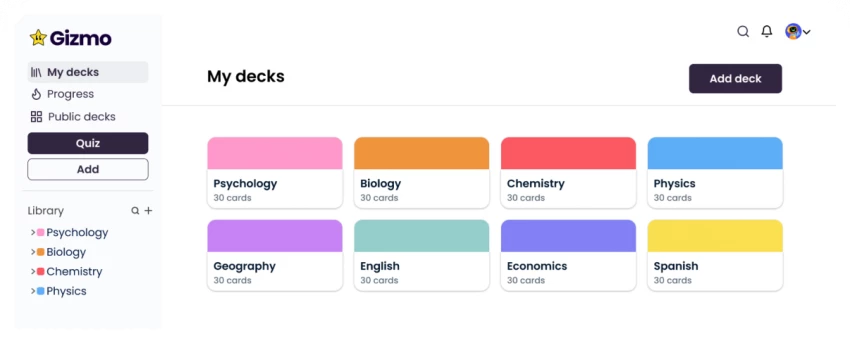
Strip away the buzzwords and you get a fairly concrete definition. Gizmo AI is a cross-platform study app available on web, iOS, and Android that converts your learning materials into flashcards and interactive quizzes to make studying more effective. It functions as a “Duolingo-for-anything” learning engine, using proven techniques like spaced repetition and active recall to help exam-focused students and professionals retain information efficiently. On top of this system, an AI tutor provides additional support by explaining concepts and answering “why?” whenever a learner gets something wrong, turning mistakes into deeper learning opportunities.
So yes, it’s a flashcard app. But it’s a flashcard app whose main feature is that you rarely have to make the flashcards yourself.
Riya signs up on her laptop; the interface doesn’t ask her to understand “note types” or “intervals.” It asks a simpler question: “What are you studying today?”
Her options feel human rather than technical:
● Upload a PDF or PowerPoint.
● Paste in lecture notes.
● Drop a YouTube link.
● Import from Quizlet or Anki.
She chooses the GI pathology PDF. Gizmo chews through it and returns a deck: key concepts, definitions, pathologies, symptoms, “classic question” patterns. She tweaks a few, deletes some, keeps most. The raw work—scanning the text for what might be exam material is done for her.
On mobile, that deck looks suspiciously like a casual game. Cards flip with a tap. Streaks climb. Lives drop when she misses questions. It’s not pretending to be a serious, grey enterprise dashboard. It looks like something you’d use on the metro.
Gizmo uses two big ideas, neither new, both powerful:
● Spaced repetition: don’t re‑read everything; resurface items right before you forget them.
● Active recall: force the brain to pull answers out, rather than just re‑seeing them.
In most apps, you have to trust that this is happening. In Gizmo, you feel it in the pattern: a mix of new cards, vaguely familiar cards, and “how did I forget this?!” cards scheduled at oddly perfect moments. The system doesn’t ask Riya to configure intervals or tweak algorithms; it simply asks whether she got the answer right, then adjusts timing behind the scenes.
Is it as tweakable as Anki’s labyrinthine settings? No and that’s intentional. Gizmo chooses “good enough science with no configuration” over “perfect control with a steep learning curve.”
What happens when Riya chooses the wrong answer to a tricky Crohn’s vs ulcerative colitis question? A typical app just marks it red. Gizmo does more.
The AI tutor can:
● Explain why the right option is correct.
● Clarify what’s wrong with her chosen option.
● Sometimes spin a quick analogy or extra example to cement the idea.
It’s not a full “do my homework” chatbot; it lives inside the narrow space of your decks, your questions, your mistakes. That boundary is important. It prevents the slippery slope of chatting with an LLM for an hour and forgetting to actually memorize anything.
The result is an odd hybrid: a machine that both quizzes and teaches, one card at a time.
Open Gizmo on your phone and, at first glance, it doesn’t scream “high‑stakes exam prep.” It looks suspiciously like a casual game:
● Lives/energy that melt away with wrong answers.
● Daily goals, streaks, and progress bars.
● Different quiz modes that feel bite‑sized rather than “sit down for a test.”
This isn’t an accident. Gizmo tries to hijack the same psychological loops that make you play “just one more round” of a mobile game and redirect them into “just one more set” of questions. That’s powerful, especially on bad days when sheer willpower is low.
The catch? Those lives and limits aren’t just about motivation. For heavy users on the free tier, they’re also friction points, gentle pressure to upgrade once you realize you’re bumping into constraints every evening.
Gizmo also borrows some of Quizlet’s greatest hits:
● Public decks you can search and clone.
● Shared decks for classes and study groups.
● Leaderboards and group challenges to make revision slightly competitive.
Riya’s seniors upload their “Pharm Last‑Minute Deck”; her group spins up a shared patho deck. Suddenly, studying stops being purely solitary. Add basic analytics—weak topics, time spent, streaks and you get a sense of progress that’s more tangible than “I read some pages today.”
It’s still not a full social network, but it’s more communal than the lonely, brutalist interface many Anki users quietly endure.
Now the uncomfortable part.
Gizmo follows the modern playbook:
● A free tier to test the waters.
● Paid plans (Standard/Pro, student discounts, and team/enterprise options) that unlock more generations, more decks, full AI tutor access, and fewer limits.
Recent snapshots from reviews put Standard plans around the low‑teens USD per month (or weekly equivalents), with student pricing somewhat lower and yearly plans discounted. Over a five‑ or six‑month exam cycle, that’s not pocket change, especially if you’re comparing it to:
● Anki: mostly free or one‑time payments on some platforms.
● Quizlet: generous free tier plus cheaper premium in many regions.
| Plan / Option | Approx. price | Billing model |
| Free | $0 | Free tier |
| Unlimited – Weekly | About $13.99 per week | Auto‑renew weekly |
| Unlimited – Annual | About $155.22 per year | Billed yearly upfront |
| In‑app “Gizmo Unlimited” IAPs (iOS) | $5.99–$119.99 range | One‑time or subscription options in App Store |
| Pro (web pricing snapshots) | Around $12/month | Monthly subscription |
| Team / School | Around $39/user/month | Per‑seat subscription |
| Enterprise | Custom quote | Negotiated |
Reviewers are honest about this: “Amazing tool, but pricey if you’re not using it heavily,” is a recurring sentiment. The real question isn’t “Is it cheap?” but “Do I get enough time and mental energy back to justify this weekly or monthly charge?”
For Riya, who is feeding multiple giant PDFs per week into the system, the ROI feels obvious. For someone with one small language course and infinite patience, maybe not.
On app stores, Gizmo lives in the rarified air of high‑4‑star ratings. Users repeatedly mention:
● Time saved creating cards from PDFs and videos.
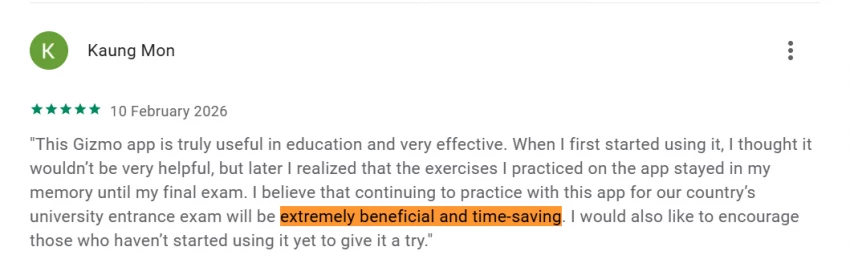
● The feeling of actually sticking to a revision routine because the app “doesn’t feel like work.”
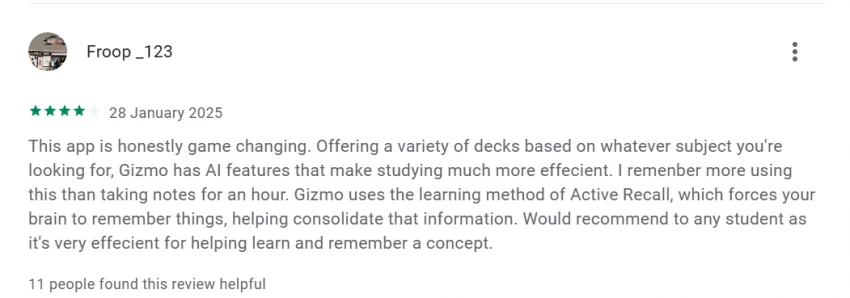
● The AI tutor bailing them out when they get stuck on a tricky concept.
But the praise sits right next to consistent complaints:
● Price is steep for students, especially with weekly subscriptions.
● Large files sometimes cause lag or crashes in real‑world use.

● Limits in the free tier plus the lives/energy mechanics can feel more like a monetization tactic than a pure learning design choice.

Interestingly, in some corners of the internet, Gizmo isn’t compared only to flashcard tools but also to chat‑based “study buddies” like FriendoChat, which offer conversational coaching without structured cards. That reveals a deeper split: some learners want a deck; others want a dialogue.
If these tools were people in a library, they’d be easy to spot:
● Gizmo is the efficient friend with a tablet, scanning everything, auto‑summarizing, and quizzing you in a game‑like way.
● Anki is the serious grad student with a stack of index cards, color‑coded labels, and a personal algorithm spreadsheet.
● Quizlet is the social butterfly with a shared Google Drive folder, a huge bank of public decks, and casual vocab games.
Feature‑wise, it breaks down like this:
● Gizmo: high automation, strong gamification, subscription pricing, moderate control.
● Anki: low automation, minimal gamification, free/one‑time pricing, extreme control.
● Quizlet: medium automation (thanks to public decks), decent games, freemium pricing, medium control.
Slashdot‑style comparisons and Reddit threads capture the vibe well: people don’t abandon Anki for Gizmo because Anki is “bad”; they move when they realize they’d rather outsource card creation and stop babysitting intervals.
By definition, Gizmo needs your stuff: class notes, PDF handouts, textbook snippets, sometimes internal corporate material. That means:
● Your study content is processed and stored on their infrastructure.
● Your usage data (what you study, how often, where you struggle) becomes analytics.
Public information places Gizmo as a US‑based company using cloud hosting and plugging into familiar ecosystems (Chrome, YouTube, mobile app stores). There’s nothing in mainstream coverage screaming “red flag,” but in a 2026 context, that’s not enough. Sensible users should:
● Read the privacy policy and terms on the website and app stores with at least one eye open.
● Check what export options exist for decks in case they choose to leave.
● For schools and companies, treat this like any cloud vendor—ask about compliance, data residency, and processing agreements.
Gizmo’s promise is to remember everything you feed it; make sure you’re comfortable with how it remembers you.
Back to Riya.
She feeds each new lecture PDF into Gizmo, lets the AI build the first draft of cards, prunes some, and then lives inside those quizzes for weeks. Her revision hours shift from “build the system” to “use the system,” and that’s the real product: reclaimed time and a more consistent study rhythm.
If you recognize yourself in her story, you’re in Gizmo’s core demographic:
● You’re drowning in content, not starving for it.
● You care more about getting through the syllabus than perfecting card metadata.
● You’re okay paying a subscription if it genuinely compresses your workload.
If, on the other hand, your joy lies in hand‑crafting cards, tinkering with intervals, and building the perfect deck architecture, Gizmo may feel like a closed box compared with the surgical precision of Anki. And if your budget is close to zero, recurring weekly or monthly pricing will sting far more than a one‑time purchase or a free alternative.
Gizmo AI doesn’t reinvent learning science; it productizes it. The app’s real innovation isn’t some magical new algorithm, but the ruthless removal of friction: no blank decks, no cryptic settings, no 3‑hour card‑creation marathons before you ever see the first question.
You pay, literally, for that removal of friction. Over months, that subscription adds up but so do the hours you’re not spending stuck inside a PDF with a highlighter. In that sense, Gizmo is less a “study app” and more a trade: your money in exchange for time, energy, and a higher probability that you’ll still be revising when the exam is three weeks away.
For a lot of modern learners, that’s a trade worth making. For others, there will always be Anki, Quizlet, or a chatty AI on another tab. The real question isn’t whether Gizmo is “good”, the evidence suggests it is but whether its particular mix of automation, gamification, and pricing matches the way you actually learn.
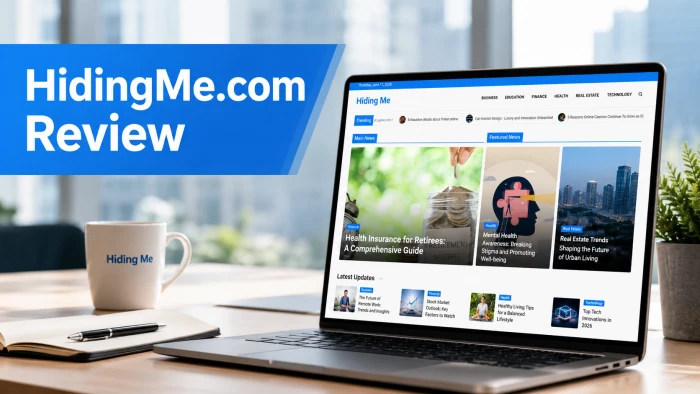
“HidingMe” sounds like a privacy app. It isn’t. So I opened the live site in Jun...
Sandra Campos2 months ago
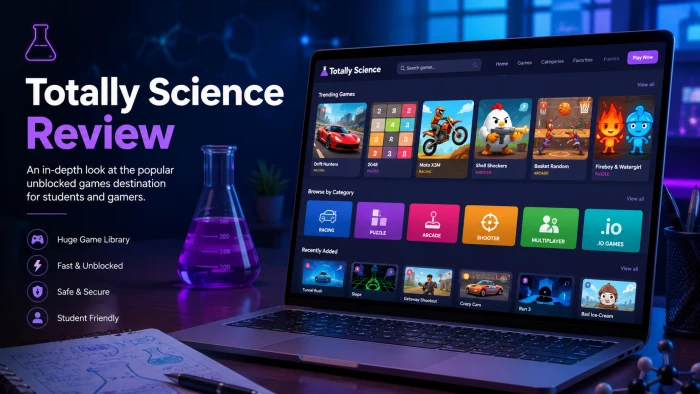
Type "Totally Science" into a search bar and the name suggests a study aid, a vi...
Benjamin Clark2 months ago

I keep a 12-question audit checklist on my desk. It started in 2024 as a one-pag...
Grace Howard3 months ago
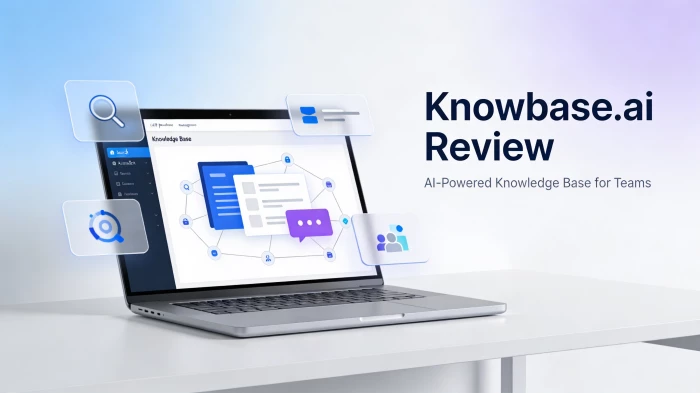
The market for AI-powered knowledge management tools has exploded in the past tw...
Grace Howard4 months ago
I’ve spent enough hours wandering through thesindi.com to know it almost like a...
Ina Gupta4 months ago
Sitemap Generator by UploadArticle.com is a lightweight, browser‑based XML sitem...
Peter Woods4 months ago
Discussion