Leonardo AI has the kind of personality you usually don’t expect from an AI platform: it’s ambitious like a game engine, opinionated like a design tool, and yet quietly trying to behave like responsible infrastructure rather than a toy. It wants to be where your thumbnails, campaign visuals, game assets and product shots are born and also where questions about copyright, safety, reliability, and long‑term trust have to be answered.
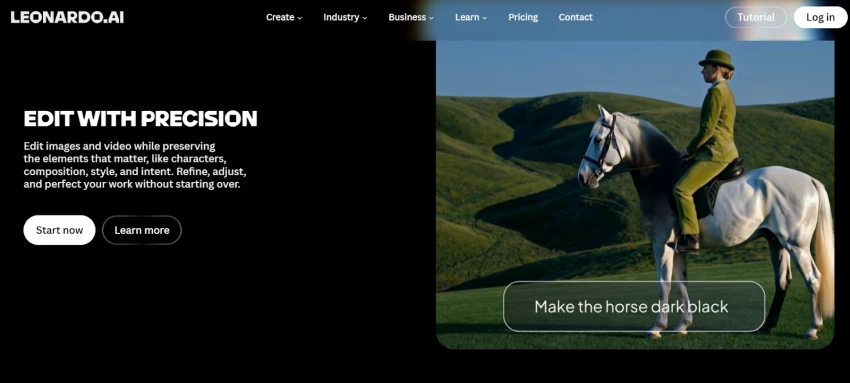
You don’t “enter” Leonardo AI the way you join a Discord server or a forum. You open a tab, log in, and suddenly the interface looks suspiciously like it belongs next to Figma and Canva rather than next to chatbots.
On one side, you see:
● A prompt box that doesn’t scream “developer only.”
● A model picker with names that sound like aesthetics, not codenames.
● A history of your recent images, laid out like a moodboard that you’ve been steadily building.
On the other side, there’s the door that matters most: the Canvas. That’s where Leonardo reveals its intent. It doesn’t just want to spit out pretty pictures; it wants to be the place where you correct, extend, and approve them.
From the first session, you get the sense that Leonardo is less interested in one‑off “wow moments” and more interested in routines: the Tuesday thumbnail, the Friday client deck, the monthly game sprint. It’s built more like a studio that expects you back tomorrow.
Under the hood, Leonardo is doing the same generative sorcery as its rivals, but it wraps that complexity in a more familiar metaphor: “choose your brush first, then paint.”
Instead of dropping you into a single monolithic AI brain, you’re asked to pick a model tuned for a style:
● Photoreal portrait engines that try to mimic camera behavior.
● Stylized illustration engines that care more about shape language and color blocking.
● Anime, comic, and game‑asset models that know how to exaggerate without collapsing.
● Graphic and logo‑like models that emphasize flat design, clean lines, and strong contrast.
If you never tweak anything deeper than model + prompt, you can already cover a surprising spectrum: YouTube commentary thumbnails, fantasy character sheets, minimalist blog headers, product hero shots.
But Leonardo has a second ambition: it wants you to eventually encode your own style. That’s why, on paid tiers, you’re allowed to train custom models on your own references, your brand visuals, your recurring characters, your “this is what my art looks like when it’s done right.”
Once you’ve done that, you’re no longer just prompting “an astronaut in a neon city.” You’re prompting “my brand’s astronaut, in my usual palette, in a new pose, in a different city.” Leonardo becomes less about novelty and more about continuity.
Most AI images are like first drafts of a screenplay: promising, but not something you’d show to an audience yet. Fingers are strange. Backgrounds are busy. That one object in the corner is just… wrong.
Leonardo’s answer is not “prompt harder,” but “step into Canvas.”
Inside Canvas, images become negotiable. You can:
● Paint over a hand and ask the system to redraw just that part.
● Extend the canvas horizontally to turn a square idea into a 16:9 banner.
● Layer variations: three different jackets on the same character, five versions of the same background.
● Send outputs through upscalers and background removers without exporting to another tool.
It’s here that Leonardo feels most unlike a “prompt, screenshot, post” toy. The workflow is closer to: generate → open in Canvas → patch, stretch, polish → export. You stay in conversation with the image, instead of treating it as a final verdict.
This is where a lot of reliability is quietly built: not in the model’s mystical ability to be perfect on the first try, but in the system’s willingness to give you enough control to fix what matters.
Leonardo doesn’t charge you in images; it charges you in attempts.
Every time you ask it to think—generate, upscale, animate, you’re spending tokens. The math is invisible at first, but you start to feel it:
● Bigger images cost more.
● Motion clips cost more.
● Batch experiments cost more.
On the free plan, you live inside a daily allowance. It’s surprisingly generous for curiosity: enough to experiment with styles, draft a few visuals, even complete a small personal project. But it also has that “hotel minibar” effect: you’re constantly aware of the meter. That awareness changes how brave you are with experimentation.
The paid tiers reframe the question from “Can I afford one more click?” to “What does this pool need to cover this month?” Entry tiers are targeting serious individuals; mid‑tiers and top tiers are aimed at studios, agencies, and teams that burn through visuals for campaigns and clients.
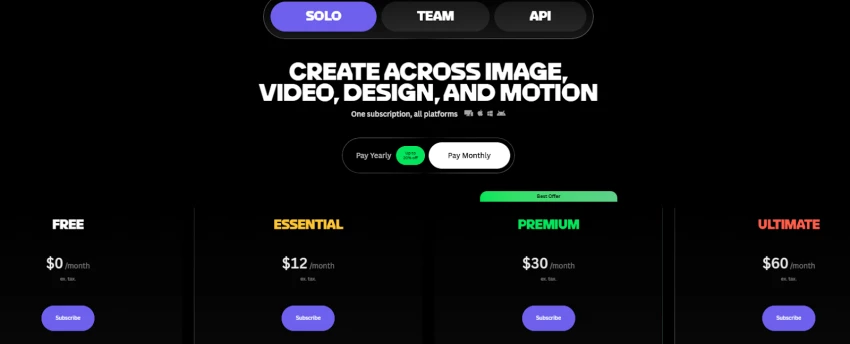
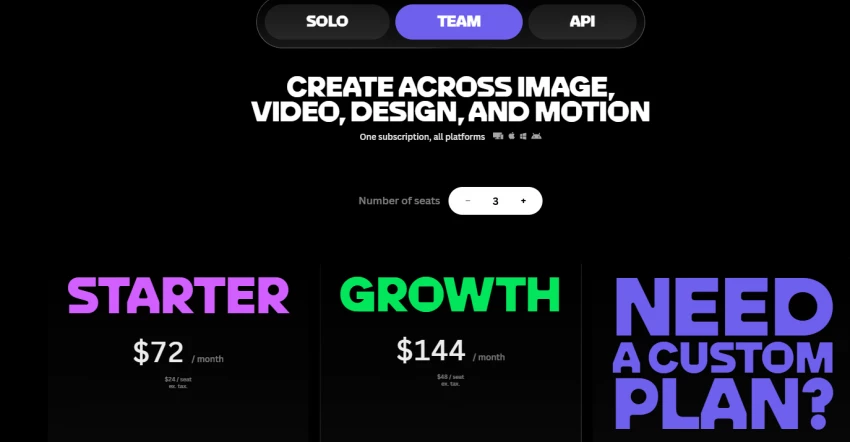
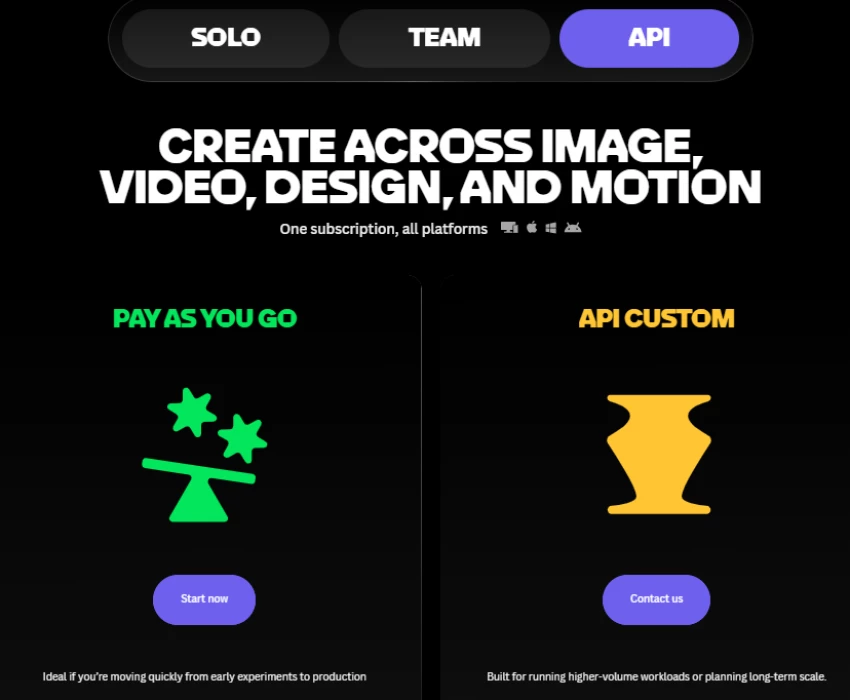
Is this pricing model fair? That depends who you are:
● If you’re a casual user, the free tier is more than enough, and you’ll probably never hit the limits unless you binge.
● If you’re a working creator, the subscription looks less like a software bill and more like a fixed line item in your production budget.
● If you’re a small team or agency, token pools and relaxed modes start to resemble “render farm time” in 3D production: something you plan around, monitor, and charge for.
The uncomfortable part is that creativity and caution don’t mix well. Counting tokens makes you conservative. Leonardo’s best‑suited customers are the ones who can justify higher tiers precisely so they can stop counting and start exploring.
This is the chapter most glossy tool overviews skip—and the chapter professionals care about most.
Leonardo, like other modern generators, positions itself as a platform that enables commercial use of outputs. That’s the selling point: you’re meant to use these images in campaigns, products, videos, client work.
But there are important nuances any responsible user should acknowledge:
● Training data: Generative models are trained on large image corpora. That raises questions about whether certain styles or outputs might too closely resemble specific copyrighted works.
● Look‑alikes: Even without names or logos in prompts, it is technically possible to generate images that feel suspiciously close to existing IP if you push the model in that direction.
The practical safety habit here is boring but essential: treat Leonardo as a powerful assistant, not as a blanket legal shield. Avoid prompts that directly target active IP (exact movie frames, specific brand characters, living celebrities as endorsements), and build brand styles that distance your outputs from obvious existing franchises.
As with most mainstream creative AI platforms, Leonardo is not designed to be a playground for explicit NSFW or abusive content. Filters, blocked terms, and usage policies act as guardrails, even though they’re not perfect.
What matters for trust:
● A platform that enforces some boundaries is signaling it intends to operate in the daylight: app stores, payment processors, brands.
● Tools that lean into “anything goes” quickly become hard to integrate into legitimate workflows without risk.
For a brand, that sort of moderation is not an inconvenience; it’s part of the reliability story. You need confidence that the same platform used for your product visuals isn’t simultaneously optimized to pump out content that would crater your reputation.
Leonardo lets you upload photos and assets—particularly when you train custom models or inpaint existing work. That raises a different trust question: “What happens to what I upload?”
While the exact policy details are written in the platform’s documentation, any cautious user should think in layers:
● Layer 1: Assume anything sensitive (confidential documents, unreleased product shots, unapproved campaigns) must be handled as if it could one day be seen beyond your immediate control.
● Layer 2: Use separate accounts or organizational setups for experimental vs. production work if you’re dealing with high‑stakes material.
● Layer 3: Treat Leonardo as part of your stack, not above it align its use with your existing NDAs, internal security policies, and client agreements.
Leonardo’s reputation is helped by the fact that it is targeting businesses and teams, not just anonymous hobbyists. That pressure tends to push platforms toward clearer data practices over time. But no serious operation should skip the due diligence.
Reliability in a creative tool is not about constant magic; it’s about how often you don’t have to think about it.
With Leonardo, reliability shows up in small, repeated ways:
● The interface behaves the same on Tuesday as it did on Monday.
● A particular model, once you’ve learned its quirks, keeps behaving in that lane.
● The Canvas tools don’t randomly change behavior mid‑project.
● Your assets are where you saved them; your history doesn’t vanish in a redesign.
Of course, the system is still doing something inherently chaotic under the hood. Any generative engine will occasionally throw you an image that feels off‑topic or visually broken. But what makes Leonardo feel more dependable over time is that you can route around that chaos. If a generation comes out slightly off, you adjust or nudge the prompt rather than reinventing it completely. When a specific detail is broken, you fix that part directly in Canvas instead of starting over from scratch. And if a model doesn’t perform well for a particular style, you simply switch to a different model rather than abandoning the task altogether.
Reliability here isn’t the absence of weirdness; it’s the presence of enough control that weirdness is survivable.
Strip away the marketing, and what’s left is what users say when no one from the company is watching.
Across Trustpilot, G2, and other review platforms, users consistently praise several aspects:
● Ease of use: Many users say Leonardo is easy to pick up and experiment with, especially compared to Discord‑centric tools.
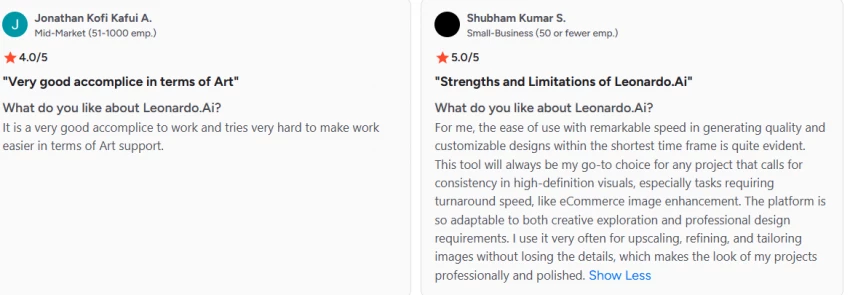
● Image quality and style variety: People like the range of creative styles and the ability to switch between models without leaving the interface.

● Support responsiveness: A notable number of reviews mention responsive support and helpful staff when issues arise, which is not guaranteed in this space.
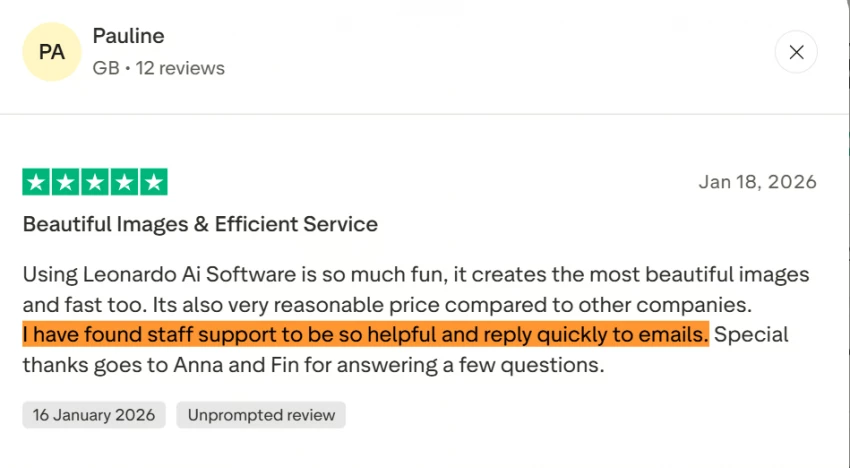
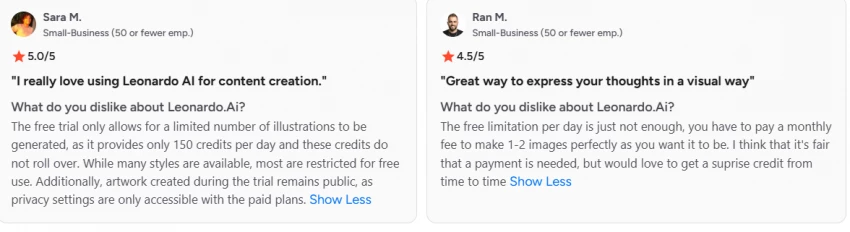
On the flip side, a few themes show up repeatedly in lower‑star reviews:
● Token and pricing frustrations: Users in lower‑income regions or high‑volume power users sometimes feel that tokens vanish too quickly or that upgrading becomes necessary sooner than expected.
● Technical and account issues: Some reviews mention login, billing, or subscription management hiccups, though they are not universal.
● Inconsistency and artifacts: Creators expecting pixel‑perfect hands, text, or character continuity can be disappointed when outputs still require manual correction.
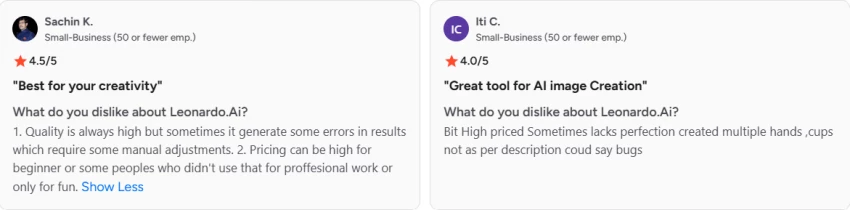
This mixture is healthy; a tool with no complaints usually has no real users. Leonardo’s footprint in real workflows like designers, game devs, YouTubers, small agencies speaks more loudly than any feature list: people stick around because it’s imperfect but reliable enough to be worth the learning curve.
If you map out a real creative workflow today say, for a mid‑sized brand or a serious solo creator—Leonardo doesn’t sit at the center of the universe. It lives in the production chain, beside other tools, quietly gluing gaps together.
● Pre‑production: concept art, moodboards, direction boards for campaigns and videos.
● Production: hero images, thumbnails, backgrounds, props, secondary visuals.
● Post‑production: quick alternates, social reskins, animated variants.
● Pixel‑perfect typography tools for brand systems.
● Heavy‑duty video editors for film or longform content.
● Specialist 3D software for detailed models and complex scenes.
Instead, it absorbs the part of the process that used to be “ask a designer for five options and wait three days,” and turns that into “craft prompts for thirty minutes, then refine the three best ones.”
That shift time pulled forward, iteration made cheap changes how teams think. Campaigns that used to get one hero image now get six. Products that lived with generic stock photos suddenly get tailored visuals. Game worlds that were previously constrained by art bandwidth become more exploratory.
| Tool | Interface | Strengths | Trade‑offs |
| Leonardo AI | Web + mobile app with Canvas and asset library. | Versatile models, integrated editor, custom models, freemium, team options. | Token management, AI typical artifacts, some learning curve around models and prompts. |
| Midjourney | Primarily Discord‑based prompting and image feeds. | Highly regarded artistic quality and stylization, strong community. | Discord requirement, different workflow, separate editors needed for detailed fixes. |
| DALL·E and similar | Often integrated with broader AI ecosystems and apps | Tight integration, straightforward prompts, good for general users. | Less specialized in Canvas‑style editing or custom models compared with Leonardo. |
Trust, in this context, has three intertwined questions:
1. Can it do what you need visually?
For most use‑cases—thumbnails, concept art, stylized assets, product scenes—the answer is yes, once you invest in learning its models and Canvas.
2. Can you rely on it over time?
The platform behaves like a product, not a demo: consistent interface, regular improvements, a pricing model that treats you as a returning customer rather than a one‑off experiment.
3. Does it align with your safety and ethics bar?
Leonardo lives in a space that is actively trying to be compatible with app stores, payment providers, and businesses: moderated content, commercial‑use positioning, and an increasingly formal approach to data and policies. It’s not “anything goes,” and that’s a feature, not a bug, for most professionals.
If you want a chaotic playground that lets you push every boundary, you’ll find Leonardo’s guardrails annoying. If you want a tool you can show to a client without spinning up a half‑hour disclaimer, those same guardrails become part of why you can trust it.
The easiest way to misunderstand Leonardo is to treat it like a lottery machine: you drop in a prompt, hope for a miracle, and complain when the result turns out strange. A more accurate way to think about it is as a studio you return to again and again. The models are your house artists, Canvas is your editing bay, tokens represent your studio hours, and the safety policies act like a legal department tapping the brakes when needed.
If you walk in expecting a one-time miracle, you’ll miss the real value. But if you approach it ready to iterate, train your own styles, learn its quirks, and align it with your standards for safety and reliability, Leonardo gradually adapts to your workflow. That’s why, in a market full of loud and flashy AI generators, this particular browser tab has a strong chance of earning a permanent spot on the taskbar for people who create professionally.

“HidingMe” sounds like a privacy app. It isn’t. So I opened the live site in Jun...
Sandra Campos2 months ago

Type "Totally Science" into a search bar and the name suggests a study aid, a vi...
Benjamin Clark2 months ago

I keep a 12-question audit checklist on my desk. It started in 2024 as a one-pag...
Grace Howard3 months ago

The market for AI-powered knowledge management tools has exploded in the past tw...
Grace Howard4 months ago
I’ve spent enough hours wandering through thesindi.com to know it almost like a...
Ina Gupta4 months ago

Sitemap Generator by UploadArticle.com is a lightweight, browser‑based XML sitem...
Peter Woods4 months ago
Discussion