PixVerse AI is no longer just another “text‑to‑video” toy; it’s evolving into a mobile‑first, real‑time video engine that sits right at the intersection of TikTok culture, generative AI, and serious startup economics. In this in‑depth review, we’ll look at the product, the tech, the business model, and real user sentiment to see if PixVerse genuinely deserves a spot in a creator’s daily workflow.
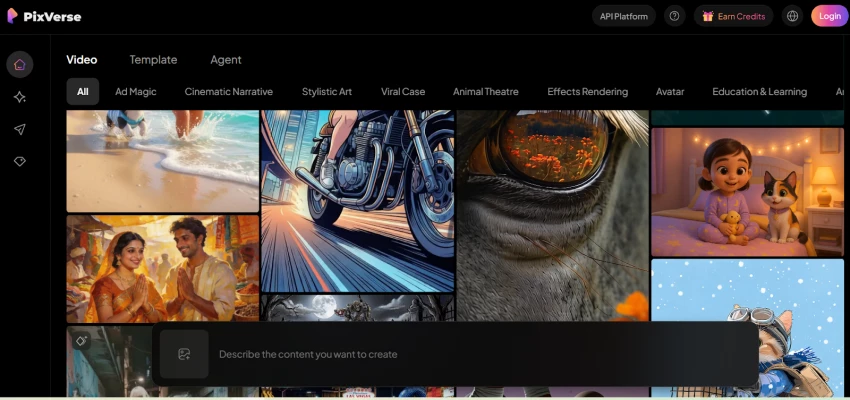
PixVerse AI is an AI‑powered video generation platform that lets anyone turn text prompts and images into short, animated, social‑ready videos. It combines multiple generation modes—text‑to‑video, image‑to‑video, talking avatars, lip sync, and template‑based effects—inside a web app and mobile apps for Android and iOS.
The platform is built for short‑form attention: think TikTok, Instagram Reels, and YouTube Shorts, not 30‑minute documentaries. Its strongest pull comes from easy viral effects, a freemium credit system, and, more recently, real‑time “director” controls that let you guide scenes as the video is created.
Instead of dumping you into a blank timeline, PixVerse wraps its models in everyday workflows. Each mode is essentially a different door into the same AI engine.
Text‑to‑video is the most intuitive entry point: you describe a scene in natural language, select model and style options, and PixVerse generates a short clip with camera motion and animated elements. Prompts like “cinematic shot of a cyberpunk city in the rain with neon reflections” can yield 3–5 second clips suitable for intros, transitions, or Reels‑style loops.
The platform supports different model variants (e.g., Turbo or high‑fidelity modes) that trade off speed vs. detail, and credit consumption depends on choices like duration, resolution, and motion complexity. For creators, this means there is a practical cost to experimenting with many prompt variations, something that directly ties into the pricing and user complaints we’ll discuss later.
Image‑to‑video is where PixVerse really leans into its social‑media DNA. You upload a selfie, portrait, group photo, or illustration and convert it into a dynamic clip using pre‑built motion templates like dances, poses, zoom effects, and transformation filters.
This workflow is especially popular on mobile, where users can pick a trending template, drop in a selfie, and get a viral‑style reel in seconds without touching a timeline editor. The app’s marketing emphasizes “create viral videos with fun AI effects,” which is exactly how the majority of casual users interact with the platform.
PixVerse supports lip‑sync and talking‑avatar style generation, allowing you to sync facial movements to input text or audio. Creators can turn static faces into talking characters for explainer clips, memes, or commentary videos without filming themselves every time.
While not always as polished as dedicated avatar platforms, these tools add a useful layer when you want quick talking‑head content for social posts or ads.
One of PixVerse’s biggest advantages is its focus on pre‑built, trend‑matching templates, body transformations (e.g., “AI Muscle”), glow‑ups, romance and hug animations, nostalgic film looks, and more. These templates encapsulate complex motion prompts into one‑tap presets, so users don’t have to engineer prompts or understand model parameters.
This shift from “prompt engineering” to “template selection” is a major part of why PixVerse has scaled so quickly among non‑technical users. Instead of asking you to describe everything in words, it gives you a menu of viral formats that already work on platforms like TikTok.
A newer and highly marketed capability is real‑time, interactive video generation. In this mode, users can influence scenes as they generate—changing character emotions, poses, and actions on the fly rather than waiting for a full render to finish.
This design pushes AI video closer to an interactive directing experience: instead of a static prompt followed by a passive wait, you can iteratively push characters to “smile,” “look surprised,” or “start dancing” during the generation process. For live content creators, marketers, or even game streamers, this opens up the possibility of dynamic AI‑driven segments that respond to audience input in near real‑time.
From a product perspective, this is where PixVerse clearly differentiates itself from some slower, research‑oriented text‑to‑video models that focus purely on cinematic fidelity. It’s prioritizing speed, interactivity, and social use cases over long‑form, frame‑perfect storytelling.
PixVerse is available as a web app and as native apps on both Android and iOS, with the mobile experience being central to its adoption. On mobile, the UX is organized around templates and simple controls: choose an effect, upload or capture a photo, adjust a few sliders (duration, intensity, style), and hit generate.
Users frequently praise how easy it is to create “little clips just by typing in the text to create a video,” and many highlight that the AI quality is surprisingly strong for an app‑based workflow. At the same time, user reviews on Google Play mention recurring issues: crashes, freezes, and performance problems, especially on certain Android devices.
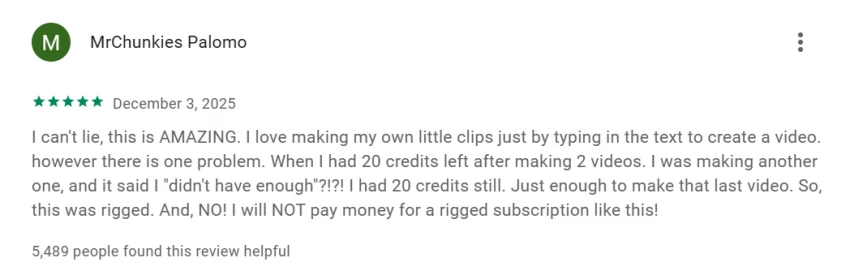
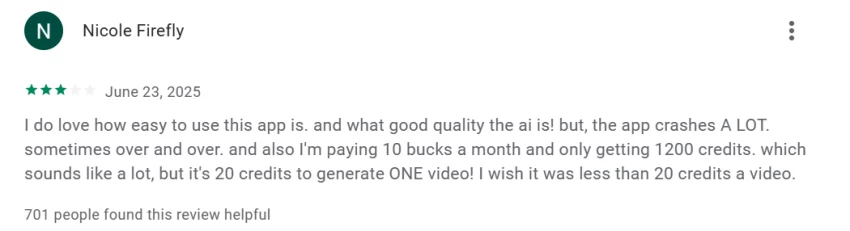
Another common pain point is the perceived opacity of the credit system when combined with UX. Some users report scenarios where they appear to have sufficient credits, only to be blocked from generating another video, which they interpret as the app being “rigged” or misleading.
On the web platform and more professional tiers, the interface adds advanced options like model selection, batch generation, and higher‑resolution outputs, but the general design philosophy remains: minimal friction, no traditional timeline, and a focus on fast iteration.
PixVerse uses a freemium model with a mix of subscription plans and à‑la‑carte credit packs. This design is powerful for monetization but also the source of some of the strongest user criticism.
On the free plan, users receive a limited pool of credits each month, plus daily refill credits that allow for a small number of AI video generations. For example, one breakdown notes that users get 90 base credits plus around 60 daily credits, which is enough to test the system but not to run high‑volume workflows.
Paid plans increase the monthly credit allowance, unlock higher resolutions, and remove watermarks on exports. Data aggregated from multiple sources paints a picture like this:
Every generated video consumes credits based on model (e.g., Turbo vs Pro), motion mode, resolution, and duration. For instance, some documentation lists 100 credits per standard text‑to‑video clip at 540p for 5 seconds on a V3.5 Turbo baseline, with higher consumption for more advanced models or longer videos.
For heavy users and enterprises, PixVerse sells credit packs ranging from around $10 for 1,000 credits (roughly 22 videos at a baseline setting) to packs in the thousands of dollars that provide hundreds of thousands of credits and thousands of potential generations. This makes it possible to integrate PixVerse into larger production pipelines without micromanaging monthly limits.
The value question is where user opinions start to diverge.
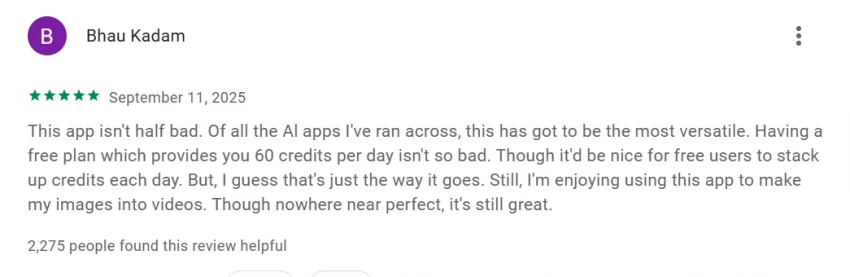
On the positive side, many users feel the app gives “good quality AI” and that $10–$30 per month is reasonable given the cost of traditional production or outsourcing. On the negative side, multiple Play Store and Trustpilot reviewers complain that credits disappear faster than expected, that they are charged subscription fees without clear benefits, or that promised features like watermark removal don’t always behave as advertised.
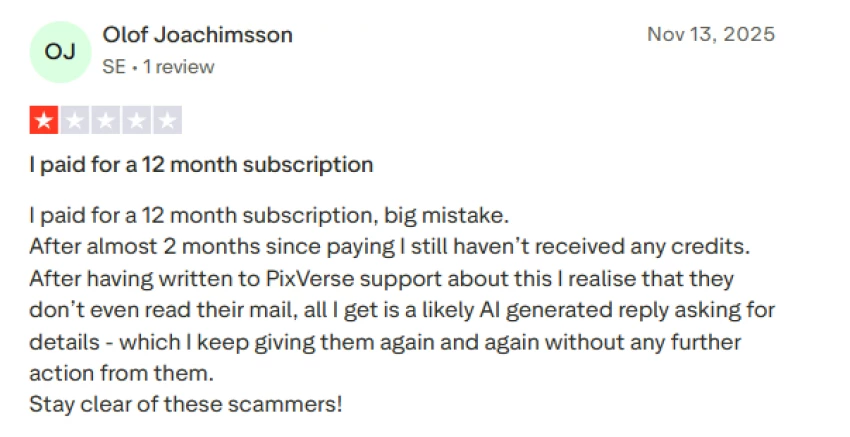
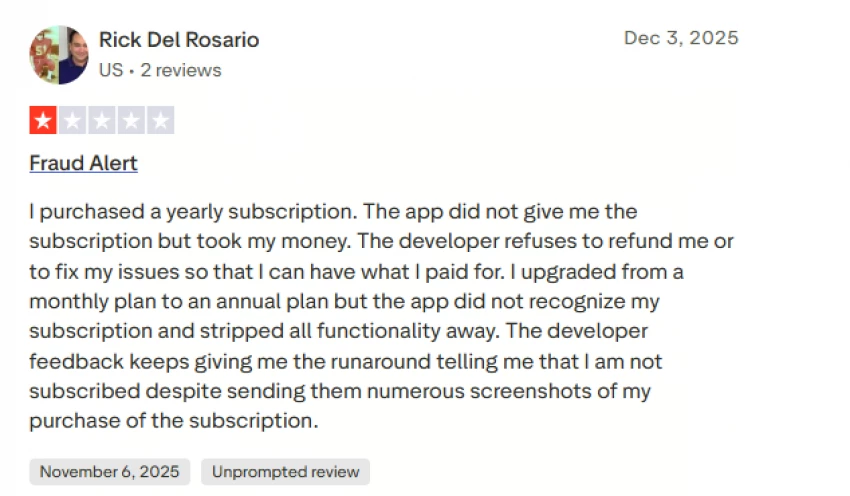
Some Trustpilot reviews flag serious issues: unexpected charges, double billing, difficulty canceling subscriptions, and confusion about whether deleting an account actually stops billing. Others report paying for a subscription but still seeing watermarks on every video and not receiving advertised credits, leading them to call the service misleading or even fraudulent.
For a professional audience, this means PixVerse’s pricing is competitive on paper but demands careful monitoring of credits, billing, and plan terms in practice.
When used with recommended settings and within short durations, PixVerse can generate surprisingly sharp, visually engaging clips. Users praise the clarity of faces, the smoothness of camera movements, and the cinematic feel of certain templates for intros or social posts.
Template‑driven animations, especially for body transformations and character‑centric sequences, tend to perform best; the model has been tuned heavily around these mainstream use cases. For example, “AI Muscle” and similar glow‑up presets often deliver convincing before‑and‑after transitions that align with current social trends.
Speed is a core selling point. The platform’s Turbo and real‑time modes can produce results in seconds, making it viable to generate content while you are ideating or even during live sessions. This is a significant advantage over some research‑grade tools that may take minutes to render a single clip.
From a workflow standpoint, fast iteration means creators can test multiple ideas quickly, but it also increases credit burn, which loops back to the perceived cost of experimentation.
Despite strong results in best‑case scenarios, users frequently describe PixVerse as “hit or miss” when you move beyond templates or attempt complex multi‑object scenes and longer durations. Common issues include artifacts, odd distortions, or the model adding elements that were never requested, especially when prompts are under‑specified.
Sound design and audio integration can also lag behind visual quality. Some reviewers mention “weird” or low‑impact sound effects that reduce immersion, pushing professionals to replace audio in a separate editor.
For now, PixVerse is best viewed as a powerful generator of short, visually striking clips rather than a one‑stop shop for high‑end, narrative‑driven productions.
Content moderation is stricter on PixVerse than on many Western consumer apps, aligning with its Chinese backing and regional regulatory context. Users on app stores report that certain images—especially women in swimwear or with visible cleavage—are rejected or flagged, which can be frustrating for fashion, fitness, or art creators.
These filters can be interpreted in two ways: as an attempt to maintain a safer, more brand‑friendly environment, and as a limitation for creators whose legitimate work falls near the platform’s boundaries. For brands targeting conservative audiences and family‑friendly channels, the stricter policy may actually be a plus.
At the same time, some users complain about lack of transparency in what is allowed and about the absence of clear, accessible documentation for all moderation rules, which can lead to trial‑and‑error and wasted credits.
Given its strengths and constraints, several practical patterns emerge.
Influencers on TikTok, Instagram, and YouTube Shorts can use PixVerse as a daily content engine: quick story hooks, stylized transitions, AI‑driven reactions, and photo‑to‑video glow‑ups that ride current trends. Templates make it easy to maintain a consistent style and output volume without needing complex editing skills.
For agencies, PixVerse works well as a prototyping and production tool for UGC‑style ads, quick campaign tests, and concept reels. Teams can generate dozens of variants of a product teaser, iterate fast, and then polish the best outputs in traditional software like Premiere Pro or CapCut.
Glossy 30‑second brand films still demand manual editing and higher‑end control, but PixVerse can significantly cut the time and cost of getting from idea to testable visual assets.
Hobbyists use PixVerse for fun: animating family photos, generating fan edits, creating short anime‑style sequences, or spicing up personal posts. For this segment, the free tier and occasional small credit packs can be enough, provided they aren’t generating dozens of videos per day.
However, these users are also the most vocal about feeling “cheated” when credit math or billing logic isn’t transparent, so clear communication and better in‑app explanations would go a long way here.
● Ease of use: Many users say PixVerse makes it “amazing” and “easy” to create clips just by entering text, without needing editing skills.
● Visual quality: When it works, output is described as high‑quality and impressive for a mobile app, especially on simple prompts and templates.
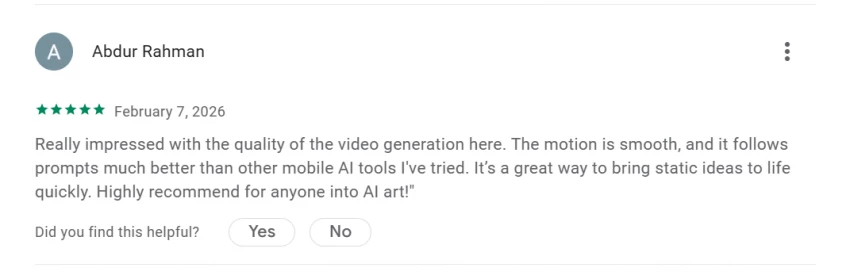
● Creative potential: Users enjoy experimenting with different styles, turning still images into motion, and seeing “little AI movies” come to life.
● Crashes and stability: Google Play reviews highlight frequent crashes and freezes, sometimes repeatedly, which can be infuriating mid‑workflow.
● Credit system: Many users feel that 20 or more credits per basic video is too expensive and that credits disappear unexpectedly or are miscounted.
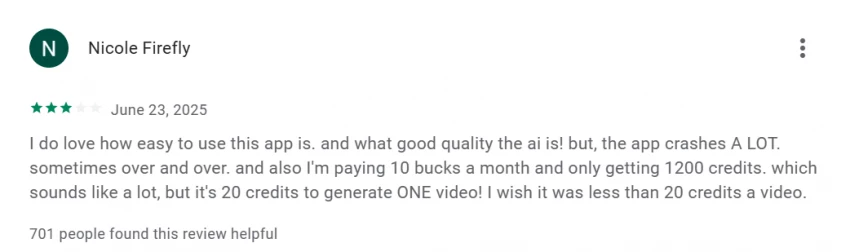
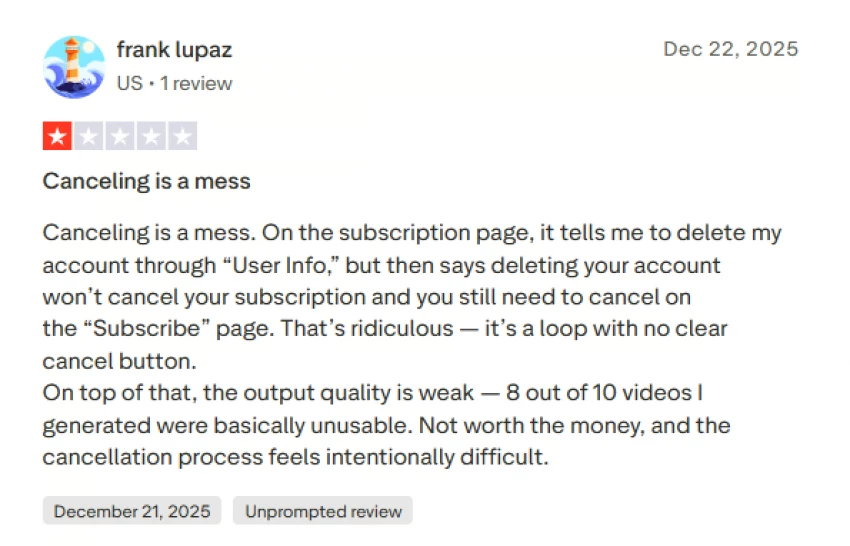
● Billing and cancellations: Trustpilot reviews mention unexpected charges, double billing, and confusing cancellation flows where deleting an account does not clearly stop subscriptions.
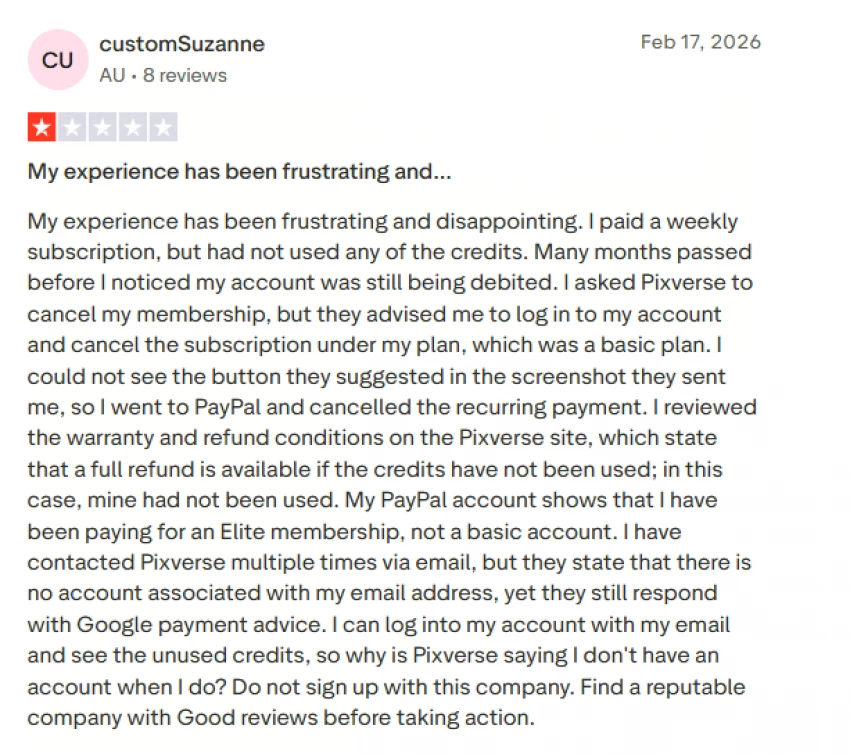
● Unmet promises: Some paid users report still seeing watermarks, not receiving credits, or outputs that are “unusable” in 8 out of 10 attempts, leading to charges of misleading marketing.
For any serious creator or agency, these reports underscore the need to test the service thoroughly on the free or lowest paid tier before making it central to your workflow.
| Aspect | Strengths | Weaknesses / Risks |
| Speed | Real‑time and Turbo modes, very fast generation for short clips. | Fast iteration can quickly burn credits and amplify frustration when outputs fail. |
| Quality | Strong on short, template‑friendly clips; good face clarity. | Artifacts and inconsistencies on complex or long prompts; weak audio. |
| UX | Mobile‑first, template‑driven, low learning curve | Crashes, freezes, and confusing credit/billing UX reported by users. |
| Pricing | Freemium entry, flexible plans and credit packs for scale. | Complaints about credit value, unexpected charges, and cancellation difficulty. |
| Safety/Policy | Stricter moderation can create a safer environment. | Over‑blocking of some legitimate creative content, unclear rules. |
| Business Scale | 100M+ users, 16M MAU, $40M+ ARR indicate strong product–market fit. | Rapid growth adds pressure to stabilize UX, billing, and support. |



PixVerse AI has earned its place as one of the most important AI video platforms not because it wins academic benchmarks, but because it deeply understands social‑media behavior and builds around speed, templates, and mobile workflows. Its combination of text‑to‑video, image‑to‑video, and real‑time directing makes it uniquely suited for short‑form creators who value output volume and trend‑compatibility over frame‑perfect cinematic control.
For TikTok and Instagram creators, PixVerse is genuinely compelling: you can produce catchy, on‑trend clips in minutes, iterate at high speed, and scale content production as long as you manage credits wisely. Agencies and brands can treat it as a rapid ideation and production engine, but should be prepared to handle billing carefully, keep a close eye on quality for paid campaigns, and still rely on traditional tools for final polish.
For hobbyists, the platform is fun and often impressive, but the credit system and moderation limits can quickly become frustrating if you generate a lot of videos or work near the platform’s content boundaries. As it stands today, PixVerse is a powerful, fast‑moving AI video ecosystem with real scale and revenue but also real UX and trust issues that it will need to address if it wants to be more than a viral tool and become a long‑term creative partner.
1. Is PixVerse AI free to use?
Yes. PixVerse offers a free plan with limited monthly and daily credits. Paid plans provide more credits, remove watermarks, and unlock higher resolution exports.
2. How many credits does a PixVerse video cost?
A typical five-second video usually costs around 80–120 credits, depending on resolution, model, and motion complexity.
3. How long does PixVerse take to generate a video?
Most clips generate in 8–20 seconds, depending on scene complexity and generation settings.
4. Does PixVerse add watermarks to videos?
Yes. Videos created on the free plan include a watermark. Paid plans remove it.
5. Is PixVerse good for TikTok or YouTube Shorts?
Yes. PixVerse is designed for short-form content and works well for TikTok, Instagram Reels, and YouTube Shorts.
6. Can PixVerse animate photos?
Yes. PixVerse can turn photos or selfies into short animated videos using motion templates.
7. Can PixVerse create long videos?
PixVerse mainly generates short clips (3–8 seconds). Longer videos usually require combining multiple clips.

“HidingMe” sounds like a privacy app. It isn’t. So I opened the live site in Jun...
Sandra Campos2 months ago

Type "Totally Science" into a search bar and the name suggests a study aid, a vi...
Benjamin Clark2 months ago

I keep a 12-question audit checklist on my desk. It started in 2024 as a one-pag...
Grace Howard3 months ago

The market for AI-powered knowledge management tools has exploded in the past tw...
Grace Howard4 months ago
I’ve spent enough hours wandering through thesindi.com to know it almost like a...
Ina Gupta4 months ago

Sitemap Generator by UploadArticle.com is a lightweight, browser‑based XML sitem...
Peter Woods4 months ago
Discussion