AI sound effects tools have quietly turned into a cheat code for creators. Instead of spending hours trawling libraries, you can now type “neon sci‑fi door hiss” or “storm building over a city” and get usable, royalty‑free sounds in seconds. This shift is reshaping workflows for filmmakers, YouTubers, podcasters, game devs, and even streamers who want more immersive audio without hiring a dedicated sound designer.
Below are the 6 best AI tools for sound effects creation right now, with clear strengths, weaknesses, pricing tables, and best‑fit use cases.
ElevenLabs started as a flagship AI voice platform and has now expanded into text‑to‑sound effects, letting you generate custom, royalty‑free SFX from prompts. It’s particularly strong if you already live in its ecosystem for voiceovers and want to add sound design without changing tools.
Key Features
● Text‑to‑sound effects: Type a description and generate custom SFX and ambiences.
● Deep AI stack: Built on the same infrastructure that powers its realistic voice models, with high‑quality audio output up to 192 kbps and beyond on higher tiers.
● Unified studio: Use voices, dubbing and sound effects from the same web interface and API.
Main Strengths
ElevenLabs offers very polished output that tends to drop straight into a timeline with minimal cleanup. Because it’s already popular in the creator community, there’s good documentation, active updates, and the ability to scale from solo creator plans to business and enterprise tiers. If you’re using it for dubbing or narration, SFX becomes a natural extension in the same project environment.
Major Disadvantages
Its core DNA is still speech, so if you only care about ultra‑experimental SFX and not voices, there are more specialized tools. Credit‑based pricing can feel confusing at first, especially if you’re trying to forecast heavy usage across long‑form projects. Enterprise‑grade features like low‑latency APIs and fully managed dubbing are overkill for hobbyists.
Best Use Case
ElevenLabs is ideal for video creators, filmmakers and game devs who already rely on AI voices and want to keep SFX, dubbing, and narration in one studio. It’s also a strong fit for agencies that need scalable, commercial‑safe audio for clients.
Soundraw is better known as an AI music generator, but it also excels at generating atmospheres, textures, and light sound effects that function as the “glue” of a mix. It’s targeted at creators who want quick, royalty‑free audio beds with simple controls rather than deep sound design tools.
Key Features
● AI‑generated music plus ambient sound beds tailored to mood, length, and genre.
● Royalty‑free licensing for commercial projects, including monetized social and client work.
● Web‑based interface that lets you tweak intensity, structure, and variations without a DAW.
Main Strengths
Soundraw is fast: choose mood and length, and you’re seconds away from usable background audio. Licensing is simplified, making it reassuring for YouTubers, agencies and brands that worry about copyright strikes. For simple ambiences—office, city, nature, sci‑fi beds—it’s more than enough.
Major Disadvantages
It is not a precision SFX engine for one‑shot, hyper‑specific effects like weapon reloads or intricate Foley. Sound micro‑editing is limited compared with a full DAW, and you may still need another tool for complex sound design or game audio.
Best Use Case
Soundraw is best for YouTubers, podcasters, marketers and course creators who want safe, royalty‑free ambiences and subtle effects layered under dialogue or visuals. Think corporate explainers, product videos, tutorials and social campaigns.
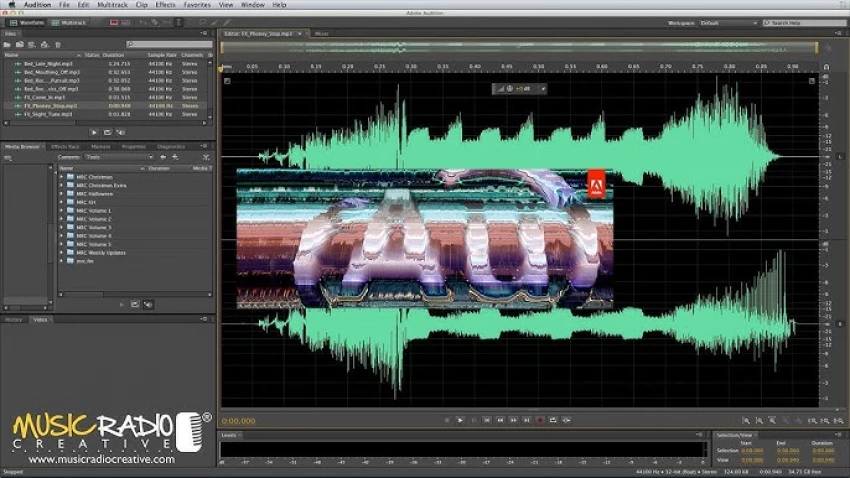
Adobe Audition is a full digital audio workstation with AI features for cleanup, enhancement and sound design, tightly integrated with Premiere Pro and the wider Creative Cloud. While it’s not an “AI SFX generator” in the strict sense, its AI‑assisted tools dramatically speed up professional SFX workflows.
Key Features
● AI‑based noise reduction, dialogue isolation, and repair tools for cleaner bases.
● Large effect rack for reverb, delay, distortion, pitch shifting and more, plus presets.
● Seamless round‑trip with Premiere Pro for film and video projects.
Main Strengths
Audition shines in end‑to‑end control: you can design, place, and mix SFX within a professional environment. AI tools help salvage noisy recordings, allowing your custom or library SFX to sit naturally in the mix. For post‑production houses already paying for Creative Cloud, it fits into existing budgets and workflows.
Major Disadvantages
There’s a steeper learning curve than pure “prompt‑and‑go” SFX generators, so beginners may feel overwhelmed. Pricing is subscription‑based, and if Audition is your only Adobe app, it can feel expensive compared with lighter tools.
Best Use Case
Adobe Audition is ideal for film, TV, documentary and podcast teams that need a full DAW plus AI acceleration, not just one‑click sound generation. It’s particularly strong when paired with libraries and other AI SFX tools for a hybrid workflow.
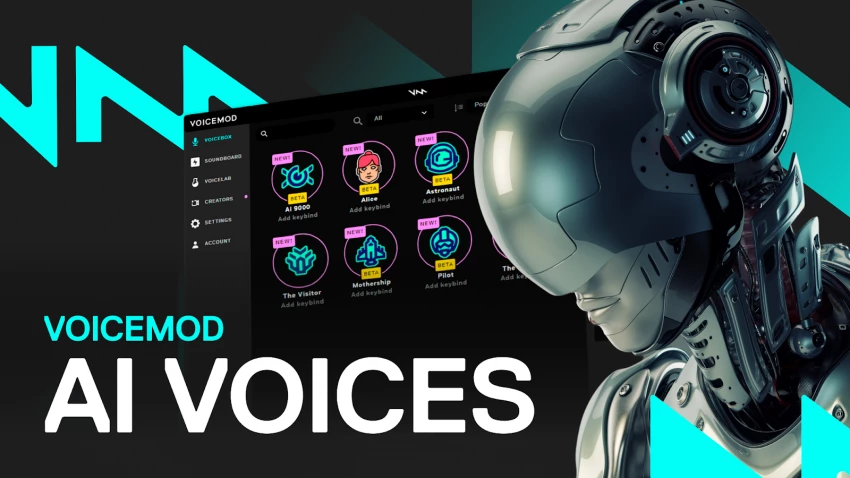
Voicemod is a real‑time voice changer and soundboard popular with gamers and streamers, and its AI Sounds and SFX capabilities make it a go‑to for live content. Instead of post‑production, it focuses on instant reactions—alerts, memes, jokes, and character sounds during gameplay or streams.
Key Features
● Real‑time voice changing with dozens of filters and AI‑powered voices.
● Soundboard with triggerable SFX mapped to keys or controllers.
● Integrations with OBS and major streaming platforms, plus a dedicated virtual audio device.
Main Strengths
Voicemod is incredibly easy to plug into a live setup and start using in minutes. The freemium model lets you try core functionality before upgrading, and the Pro tier unlocks a larger library of voices and effects. For streamers, it adds instant personality and audience engagement without needing audio engineering skills.
Major Disadvantages
It’s built around live use, not deep offline sound design or cinematic Foley. Audio quality and control are more “fun and reactive” than studio‑grade; if you’re doing film or high‑end trailer work, you’ll still need a dedicated SFX pipeline.
Best Use Case
Voicemod is best for Twitch/YouTube streamers, VTubers and gamers who want interactive, meme‑driven sound effects and character voices in real time. It’s also useful for casual content creators who record live gameplay with minimal editing.
AudioCraft from Meta is an open‑source framework for AI‑generated audio, including text‑to‑sound and music. Instead of being a SaaS with a polished UI, it’s a toolkit for researchers, developers and technical creators who want to build custom SFX workflows.
Key Features
● Open‑source models capable of generating sound effects and music from text prompts.
● Extensible codebase for training, fine‑tuning, and integrating with other systems.
● Research‑oriented design that supports experimentation with novel sound generation methods.
Main Strengths
AudioCraft gives maximum flexibility: you can tailor models to specific genres (e.g., horror SFX, sci‑fi interfaces) or integrate them into proprietary tools and engines. Being open‑source also means strong appeal for academic labs and indie tool builders who prefer transparent models.
Major Disadvantages
It requires coding skills and GPU‑capable hardware; there’s no “click and generate” web app for non‑technical users. Support is community‑driven, and usability depends heavily on your ability to manage dependencies and updates.
Best Use Case
AudioCraft is ideal for developers, AI researchers, and studios that want to embed AI SFX directly into their engines, internal tools, or bespoke pipelines. Think game engines, interactive installations, or experimental audio art platforms.
SoundVerse appears frequently in “best AI audio tools” lists as a collaborative environment for AI‑generated music and sound. While not as widely known as some rivals, its focus is on multi‑platform access and team‑friendly workflows.
Key Features
● AI‑assisted generation of music and, in some cases, soundscapes and effects.
● Cloud‑based projects that teams can access, comment on, and iterate together.
● Integration paths with standard editing environments for export and further mixing.
Main Strengths
SoundVerse is attractive for agencies and in‑house media teams because it centralizes AI audio assets in one place. Its collaborative model supports versioning and feedback without constantly sending files back and forth, which speeds up campaign work.
Major Disadvantages
It’s less specialized in pure SFX than tools like ElevenLabs or custom frameworks like AudioCraft. The platform is still evolving, so documentation and third‑party ecosystem are not as mature as long‑standing DAWs.
Best Use Case
SoundVerse is best for marketing teams, creative agencies and small studios that want AI audio (music plus ambiences/effects) managed in a shared, cloud‑based environment. It works well when you care as much about collaboration and consistency as raw sound design power.
| Tool | Stand‑out strength | Biggest limitation |
| ElevenLabs | High‑quality text‑to‑SFX plus voices. | Credit model and speech‑first focus. |
| Soundraw | Fast, royalty‑free atmospheres. | Weak for precise one‑shot effects. |
| Adobe Audition | Pro‑grade DAW with AI cleanup. | Steep learning curve, subscription cost. |
| Voicemod | Real‑time SFX for streams. | Not a cinematic SFX engine. |
| AudioCraft | Open‑source, fully customizable. | Requires coding + compute. |
| SoundVerse | Collaboration‑friendly AI audio. | Less specialized in pure SFX. |
AI sound effects tools have become must‑have accelerators rather than optional extras. ElevenLabs is the strongest all‑rounder for prompt‑based, high‑quality SFX, while Soundraw, Voicemod, Adobe Audition, AudioCraft, and SoundVerse each shine in specific niches from ambiences and live streaming to pro post‑production, custom development, and team collaboration. The smartest move isn’t picking just one “best” tool, but combining 2–3 that match your workflow, skill level, and production scale.
When I sat down to seriously compare InVideo and Pictory, I wasn’t just testing...
Grace Howard5 months ago

AI background removal has quietly become the “first edit” step for almost every...
Benjamin Clark5 months ago
AI photo enhancement has quietly become the “secret sauce” behind sharp Instagra...
Funke Ogunleye5 months ago

Looking Beyond Canva: What Are You Really Missing?Canva is brilliant for getting...
Grace Howard5 months ago

A few years ago, “chatbot” meant a rigid decision tree that collapsed as soon as...
Benjamin Clark5 months ago
ElevenLabs has set a high bar for lifelike AI voice generation, but it’s no long...
Grace Howard6 months ago
Discussion