
A few years ago, “chatbot” meant a rigid decision tree that collapsed as soon as someone typed outside the script. In 2026, the best AI chatbot tools feel more like synthetic agents: they understand messy language, remember context, plug into your stack, and execute tasks across apps. The catch is that we now have too many options, from no‑code builders to deeply programmable frameworks.
Instead of tossing random tools into a list, let’s look at three layers of the modern chatbot stack and then spotlight eight platforms that shine at each layer: reasoning engines, experience builders, and automation orchestrators.
These are tools that don’t give you a full “chatbot product” out of the box. Instead, they give you a powerful brain you plug into your own flows, UI, and data. Ideal when you want control over experience but don’t want to build your own LLM stack.
Claude has become a go‑to model for teams working with long documents, nuanced reasoning, and stricter safety expectations. It handles long context windows, detailed policy/compliance checks, and thoughtful explanations better than many “generic” models.
What it does best
Claude slots in as the core reasoning engine behind your chatbot. You connect to it via API, define a system persona, wire up retrieval from your own knowledge base, and then expose the experience through your preferred builder or frontend. For knowledge-heavy bots legal, financial, medical content (with the right guardrails) having a model that’s conservative and transparent about uncertainty is a real advantage.
Where it falls short
Claude itself is not a complete chatbot platform: there is no visual builder, no built-in analytics, and no direct omnichannel deployment. You’ll still need either a dev team or a separate platform to handle flows, hand-offs, logging, and monitoring.
Ideal scenario
You have a serious domain (policy, compliance, education, research) and want your own custom interface or internal tool, with Claude acting purely as the intelligent layer underneath.

Mistral’s open and hosted models appeal to teams that care about cost, speed, and deployment flexibility, especially in the EU. They’re compact enough to be efficient, yet powerful enough for everyday chat, FAQ, and task assistance.
What it does best
Mistral shines when you want to run models on your own infrastructure or need predictable, often lower, inference costs. For chatbot builders, this means you can sustain higher message volumes (e.g., ecommerce or SaaS support) without your bill exploding. The ecosystem around Mistral makes it relatively easy to plug into existing frameworks or RAG pipelines.
Where it falls short
Out of the box, you don’t get a fancy interface or conversation designer. And for very complex reasoning or multimedia interactions, larger proprietary models may still outperform smaller Mistral variants. You’ll need to decide where performance vs. control vs. cost matters most.
Ideal scenario
You’re building a high-volume chatbot (support, transactional flows, B2C product Q&A) and want a model you can host or tune with tight cost control.
This middle layer is where most of the "chatbot product" magic happens. These tools give you flows, UI components, integrations, and analytics. They often connect to multiple AI engines including the ones above. For businesses whose workflows, compliance requirements, or data structures don't fit neatly into any existing builder, custom AI chatbot development becomes the practical path, giving teams full control over the conversation logic, integrations, and deployment environment rather than working around a vendor's limitations.

Voiceflow started in the voice space but has evolved into a powerful conversation design platform for any channel web chat, in‑app assistants, support widgets, and more. Think of it as Figma for conversational journeys.
How it changes your workflow
Instead of burying logic in code, product managers, designers, and writers map out conversational paths visually: intents, conditions, fallbacks, and data calls. Under the hood, Voiceflow can call your preferred LLMs, query APIs, and even run retrieval on your knowledge base. This lets teams iterate quickly on copy, tone, and flows before engineering locks things down.
Limitations to watch
Voiceflow is not a full replacement for backend engineering in complex products. You still need a robust API layer, good data sources, and developers to ship production experiences. Also, if you want heavy on-prem control or pure open source, it’s not the right fit.
Ideal scenario
You want a design-first process where non‑developers can shape and test chatbot journeys, but you still plan to integrate deeply into your existing stack.
Landbot focuses on turning website traffic into conversations that feel guided, visual, and fast. Instead of pure “chat bubbles” in a corner, you build conversational landing pages, product quizzes, and lead funnels.
Why marketers like it
Landbot combines a visual flow builder with rich UI elements: buttons, carousels, forms, and conditional logic. You can sprinkle AI responses into these flows to handle free-text questions, but the backbone is still a structured path that nudges users toward booking, subscribing, or purchasing. It’s very handy for “guided selling” chatbots and micro-surveys.
Where it’s less impressive
If you need a deeply cognitive, open-ended AI agent that navigates complex internal systems, Landbot will feel too shallow. It’s built for top-of-funnel and mid-funnel interactions, not as a universal enterprise assistant.
Ideal scenario
You want to turn your homepage or landing pages into interactive experiences where visitors answer a few questions and end up with tailored recommendations, and you don’t want to write code to do it.
Tidio is a support and sales assistant platform that blends live chat with AI bots targeted primarily at ecommerce merchants. Many small brands adopt it because it plugs directly into Shopify and other store platforms.
What makes it practical
Tidio’s AI helpers can answer product questions, track order status, and handle common support requests 24/7, while agents jump in when conversations get tricky. Its templates for cart recovery, FAQs, and pre‑sale prompts mean store owners can get to “something working” quickly without studying conversational design theory.
Gaps and constraints
It’s not meant to be a general-purpose AI development environment, and outside ecommerce/small business support use cases, you may find it limiting. Highly customized flows, deep system integrations, or unusual domains will likely push you toward more flexible tools.
Ideal scenario
You run an online store or small SaaS business and need a simple way to deflect repetitive questions, capture leads, and keep live chat volume under control.
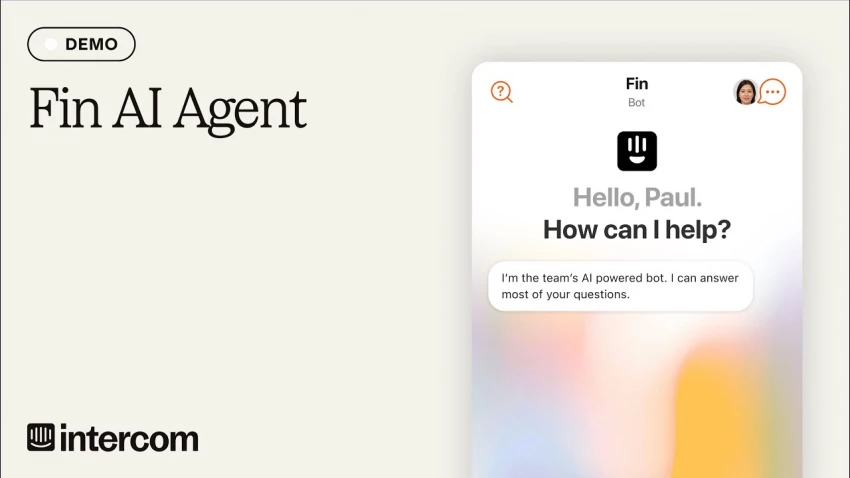
Intercom is a heavyweight in customer messaging, and its AI assistant, Fin, sits on top of the same infrastructure businesses already use for in‑app chat, email, and help centers. That makes it a pragmatic choice for companies that already live inside Intercom.
How it fits into your stack
Instead of spinning up a separate chatbot product, Fin consumes the articles, macros, and historical conversations you already maintain in Intercom. It automatically answers support questions, surfaces relevant docs, and escalates to human agents when needed. You also get analytics, SLAs, and routing all tied into one system.
Where it’s not ideal
If you’re not an Intercom customer, adopting the whole platform just to get Fin can be overkill and expensive. And while Fin is strong for support use cases, it’s less focused on marketing funnels, internal knowledge assistants, or complex multi-channel orchestration outside Intercom’s universe.
Ideal scenario
You already use Intercom (or plan to) and want an AI sidekick that reduces ticket volume and response times without adding yet another tool to your tech stack.
The third layer goes beyond “chat and answer.” These tools wire your chatbot into CRMs, databases, calendars, and workflows so that conversations can do things create tickets, move deals, update records, launch campaigns.
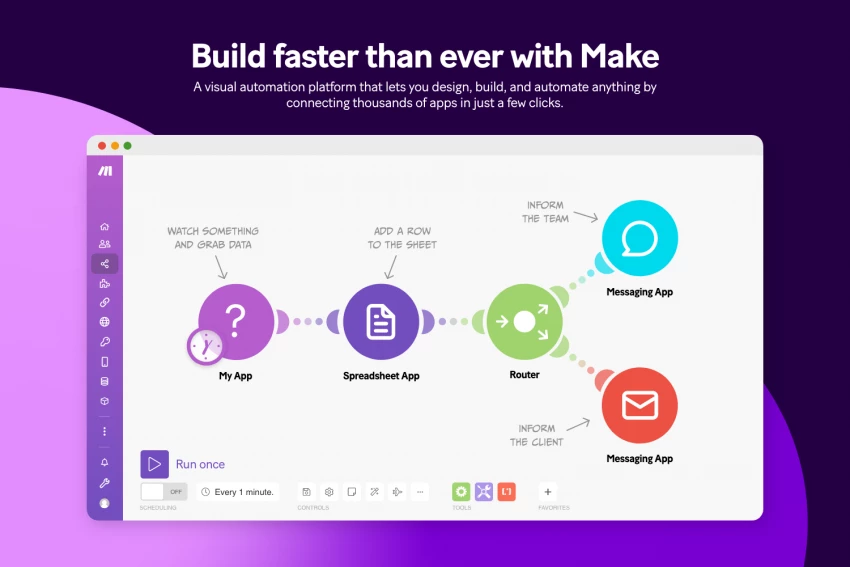
Make is known for its highly visual, node-based interface for automating complex workflows across many apps. In a chatbot context, it becomes the action layer: your bot can trigger scenarios in Make and receive structured responses back.
How it works with chatbots
You can have your AI assistant collect information from the user, then pass it to Make to create deals in your CRM, spin up tasks in project tools, update spreadsheets, or trigger email sequences. Because Make supports branching logic, loops, and data transformations, you can build intricate backstage workflows without writing backend code.
Limitations
Make itself doesn’t handle the conversation UI or AI modeling, you still need a front-end/chat layer and an LLM provider. It’s also possible to overcomplicate flows, leading to maintenance headaches if you don’t document carefully.
Ideal scenario
You want your chatbot to be a front door into a labyrinth of processes (sales, onboarding, operations), and you prefer a visual automation environment instead of building an internal middleware service from scratch.
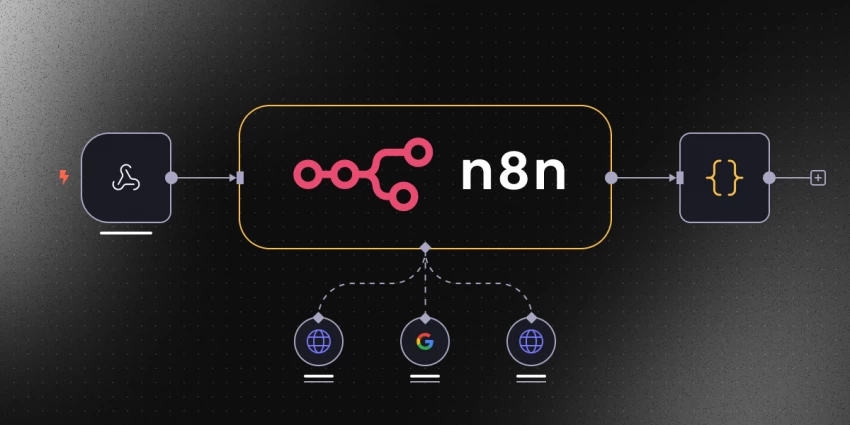
n8n is an open and self‑hostable workflow automation tool. It plays a similar role to Make or Zapier but can run entirely on your own infrastructure important if you’re handling sensitive data.
Why teams pick n8n
With n8n, you design flows that respond to webhook calls from your chatbot. The flow can call LLMs, interact with databases, hit internal APIs, and return structured output. Because it’s open and extensible, you can build custom nodes for proprietary systems. For some teams, this is a sweet spot: low-code automation and self-hosting.
Trade‑offs
You take on the responsibility of hosting, scaling, and securing the instance. Compared to SaaS automation tools, there’s more DevOps involved. And while the UI is approachable, non‑technical teams may still need a technical partner to keep things healthy.
Ideal scenario
You’re building a chatbot that needs to touch sensitive internal systems, you can’t ship data to a SaaS automation layer, and you need a programmable, self-hosted “action engine” instead.
The real question is not “Which single tool is best?” but “Which combination of engine + builder + orchestrator matches my reality?”
● If you’re a solo creator or small online store, a builder like Tidio or Landbot gives you quick wins without a complex stack. You can bolt on Make later if you want more automation.
● If you’re a product team shipping a serious in‑app assistant, pairing a model like Claude or Mistral with a design layer like Voiceflow and an automation layer like n8n gives you a powerful, flexible architecture.
● If you’re a support-heavy SaaS or B2B company already using Intercom, starting with Fin may be the fastest, lowest-friction upgrade and you can still experiment with external engines behind the scenes as you mature.
The tools mentioned above prove that “best” is not about raw intelligence but about fit, focus, and flow. Engines like Claude and Mistral give you a thinking core, builders such as Voiceflow, Landbot, Tidio, and Intercom Fin shape how that intelligence shows up for users, and orchestrators like Make and n8n quietly connect everything to your real business processes. Choose the trio that matches your channels, compliance needs, and team skills, and your chatbot stops being a novelty widget and starts acting like a dependable teammate.

When I sat down to seriously compare InVideo and Pictory, I wasn’t just testing...
Grace Howard5 months ago

AI background removal has quietly become the “first edit” step for almost every...
Benjamin Clark5 months ago

AI photo enhancement has quietly become the “secret sauce” behind sharp Instagra...
Funke Ogunleye5 months ago

Looking Beyond Canva: What Are You Really Missing?Canva is brilliant for getting...
Grace Howard5 months ago
ElevenLabs has set a high bar for lifelike AI voice generation, but it’s no long...
Grace Howard6 months ago
AI is no longer a “nice-to-have” for YouTube creators, it’s the engine that lets...
Alexander Hughes6 months ago
Discussion