AI is no longer a “nice-to-have” for YouTube creators, it’s the engine that lets solo creators operate like full production teams. In 2026, the best tools combine script-writing, b‑roll, editing, shorts repurposing, and optimization into predictable, repeatable workflows.
Below is a focused stack of the 8 best AI tools for YouTube video creation, covering everything from idea, script, video and shorts.
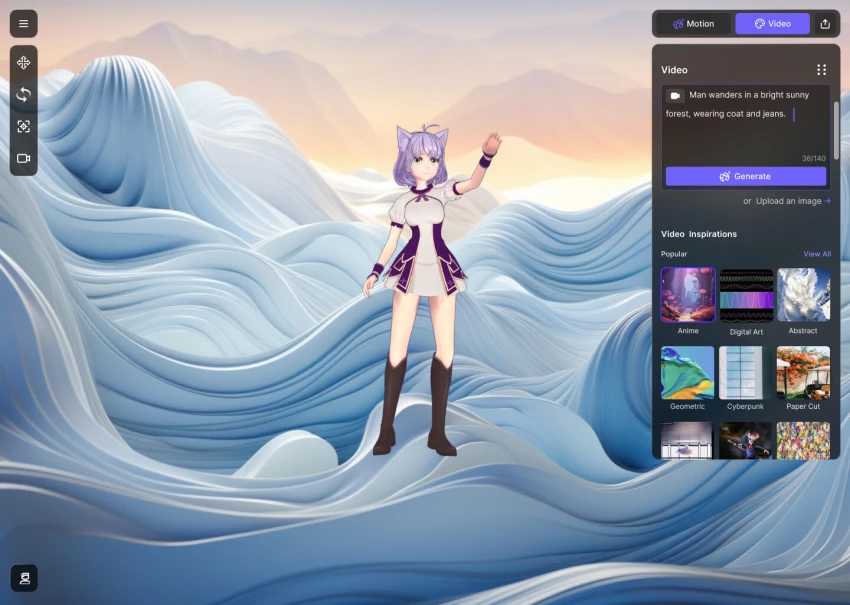
Mootion is an AI‑driven platform that turns simple prompts, scripts, images, or audio into complete YouTube‑ready video stories with minimal manual editing. It handles planning, voiceover, animation, and composition, making it ideal for faceless automation channels and fast experimentation.
Key capabilities and strengths
Mootion’s core strength is speed: benchmarks show it can generate a polished 3‑minute video in under 2 minutes, roughly 65% faster than comparable platforms. It also stitches together scenes, transitions, and audio in a cohesive narrative, which is where many “clip-based” tools still struggle. For creators who want to test many video ideas per week (listicles, explainers, tutorials), this throughput advantage compounds quickly.
Limitations to keep in mind
You trade fine‑grained editorial control for speed, so cinematic creators may find the output “template‑like” without manual tweaks. As with all full‑automation tools, branding consistency (colors, fonts, pacing) takes some setup and may still require extra adjustments inside a dedicated editor.
Pricing and plans – Mootion
| Plan | Indicative price (USD/month) | Best for | Notes |
| Free / Trial | Typically limited | Testing output quality | Short videos, watermarks, restricted exports. |
| Creator | Roughly 20–30+ | Solo YouTubers | More minutes, HD exports, basic brand settings. |
| Pro / Studio | 50–80+ | Agencies, automation channels | Higher quotas, priority rendering, collaboration. |
Best use case
Automated list channels, educational explainers, and faceless cash‑cow channels where you want to go from topic to full video in a single tool.
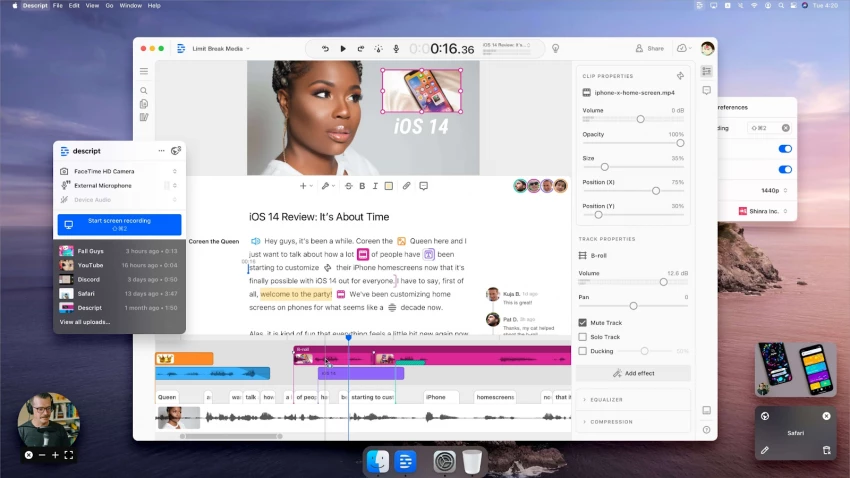
Descript is an all‑in‑one audio/video editor where you cut your video by editing text, powered by its AI “Underlord” co‑editor. For talking‑head YouTubers, podcasts, tutorials, and interviews, it radically shortens the rough‑cut phase.
What Descript does particularly well
Descript automatically transcribes your footage, lets you delete filler words and bad takes from the transcript, and instantly reflects those changes in the timeline. The Underlord assistant can suggest edits, rewrite segments, and even generate b‑roll placements to speed up the polish stage. Its overdub voice cloning is useful for patching script mistakes without re‑recording.
Where it falls short
Heavy motion graphics, color grading, and complex effect work will still require a pro NLE like Premiere Pro or DaVinci Resolve. Descript also has a learning curve if you’re used to traditional timelines; the text‑first paradigm feels odd for some editors at first.
Pricing and plans – Descript
| Plan | Price (USD/month) | Best for | Notes |
| Free | 0 | New users | Limited transcription & export minutes. |
| Creator | ~15–20 | Solo creators | Decent monthly hours, HD exports, core AI tools. |
| Pro | ~24+ | Agencies, teams | More hours, advanced collaboration and AI features. |
Best use case
Talking‑head YouTubers, podcasters, educators, and interview‑driven channels that want text‑first editing and AI help without leaving a single app.
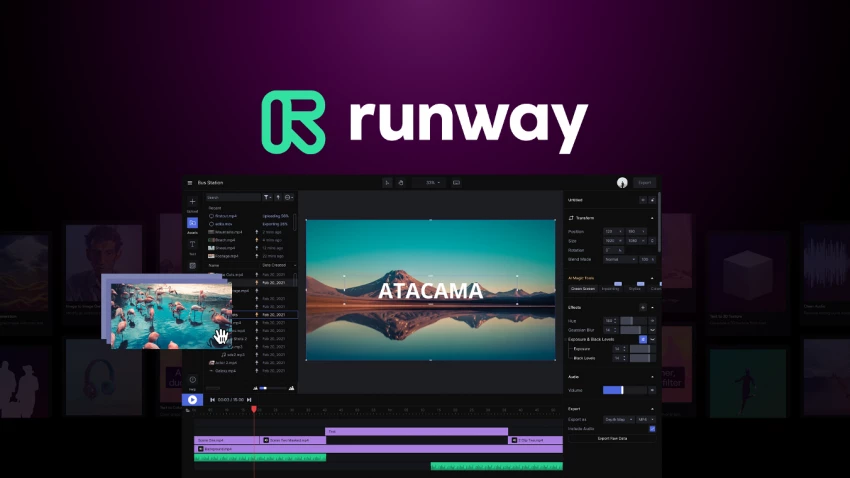
Runway has become one of the leading AI video platforms for generative clips, VFX, and high‑end editing, including Runway Gen‑4 for filmmaking‑style AI outputs. For YouTubers, it shines when you need visuals you can’t easily shoot yourself – abstract b‑roll, stylized scenes, or concept visuals.
Standout strengths for YouTube
Runway lets you generate clips from text prompts, images, or existing footage, then refine them with tools like inpainting, motion tracking, and object removal. CyberLink’s 2026 comparison notes Runway as especially strong for online editing and video‑to‑video AI generation, making it viable even on mid‑range machines.
Trade‑offs and drawbacks
The platform can get expensive if you rely heavily on generation credits, especially at higher resolutions. Output consistency across long sequences still requires iteration; it’s excellent for short bursts of visual flair rather than full‑length, entirely AI‑generated episodes.
Pricing and plans – Runway
| Plan | Price (USD/month) | Best for | Notes |
| Free | 0 | Testing models | Limited exports, watermarks, low credit allocation. |
| Standard | From ~12 | Regular YouTubers | More credits, HD exports, core Gen‑4 access. |
| Pro | ~28+ | Heavy AI users | Higher limits, faster queues, team features. |
| Unlimited / Enterprise | 70+ | Studios & agencies | Negotiated usage, priority infrastructure. |
Best use case
Channel intros, cinematic b‑roll, stylized cutaways, and experimental storytelling that needs visuals you cannot practically film.
Pictory converts scripts, blog posts, or long‑form content into short videos, adding stock b‑roll, captions, and voiceovers automatically. It’s a good bridge for bloggers, newsletter writers, or brands with existing articles who want to “port” content to YouTube and Shorts.
Why Pictory works for busy creators
You paste your script or article, and Pictory breaks it into scenes, selects relevant stock footage, and overlays text and narration. This makes it much faster to repurpose content into explainer‑style videos, listicles, and social clips without manual timeline editing.
Limitations in practice
Because it leans heavily on stock media and automation, videos can feel generic unless you manually adjust scenes and brand elements. It’s not the best fit for creators who need heavy custom motion graphics or highly personalized footage.
Pricing and plans – Pictory
| Plan | Price (USD/month) | Best for | Notes |
| Starter | 19 | Beginners | Limited projects, lower monthly minutes. |
| Professional | 39 | Active YouTubers | More minutes, higher quality exports. |
| Teams | 99 | Agencies & teams | Multi‑user workflows, higher limits. |
Best use case
Educational, business, and niche channels that want to convert blogs, newsletters, or scripts into consistent YouTube videos and short clips at scale.
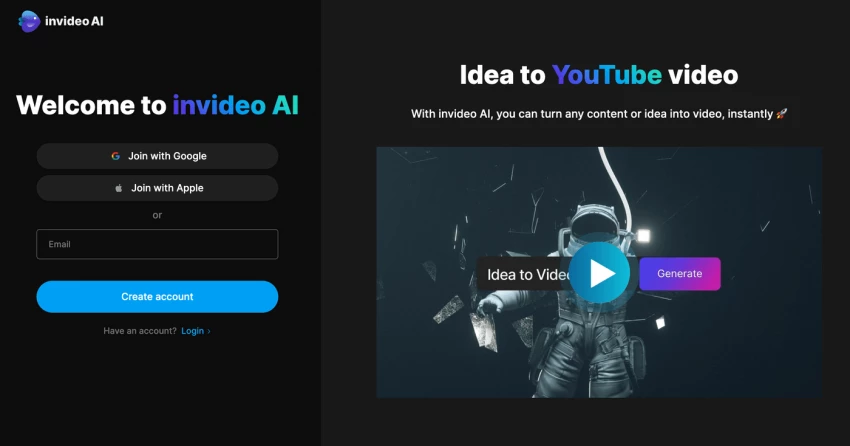
invideo AI is positioned as a “describe it, get a finished video” tool – especially recommended for full video automation workflows in 2026. It handles scriptwriting, footage selection, music, and voiceover in one pass.
What makes invideo AI compelling
You provide a topic or detailed prompt, and invideo AI generates a structured script, matches it with stock footage and AI voiceover, and outputs a complete video ready for upload or light editing. Guides on 2026 AI tools call it one of the best options for creators looking for hands‑off video production.
Where it’s weaker
Like other fully automated tools, it can produce formulaic pacing and visuals if you don’t intervene. Highly branded channels or creators with strong on‑camera personalities will still want a hybrid workflow using invideo for drafts and then editing further in Premiere, Resolve, or Final Cut.
Pricing and plans – invideo AI
| Plan | Price (USD/month) | Best for | Notes |
| Free | 0 | Testing | Watermarks, limited exports and durations. |
| Core / Standard | Around 20–25 | Growing channels | Enough monthly videos for regular uploads. |
| Business / Unlimited | 40–60+ | Agencies, automation channels | Higher limits, priority support. |
Best use case
Faceless channels, news recap formats, and quick explainer videos where speed and volume matter more than obsessive hand‑crafting of every frame.
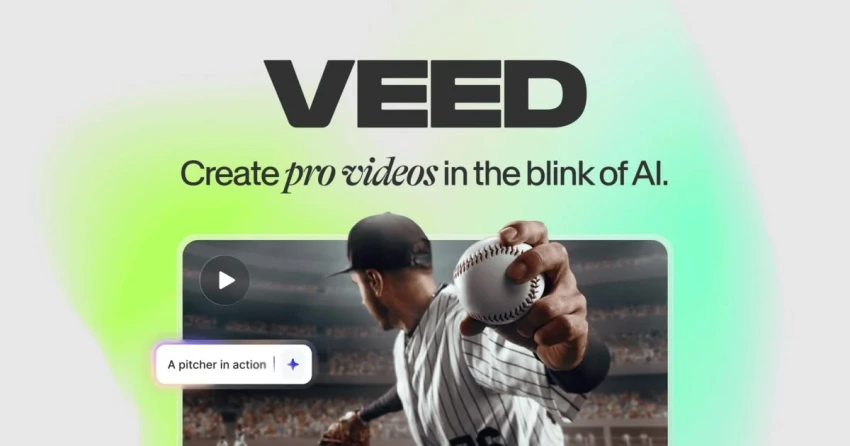
VEED is an online video editor that bundles AI clip generation, subtitles, dubbing, and basic editing into a browser‑based interface. It’s especially strong for YouTubers who also produce a lot of Shorts, Reels, and TikToks.
Highlights and strengths
VEED’s AI Clip Generator automatically finds key moments in long videos and turns them into short, shareable clips, which is perfect for repurposing podcasts, webinars, or long‑form episodes. It can also auto‑generate subtitles, translate and dub into multiple languages, and add captions and overlays directly online.
Constraints you should know
Because it’s browser‑based, heavier projects and long timelines can feel sluggish on weaker machines. You also don’t get the deep color, audio, and effect controls of desktop‑grade editors like DaVinci Resolve.
Pricing and plans – VEED
| Plan | Price (USD/month) | Best for | Notes |
| Free | 0 | New users | Watermark, lower resolution exports. |
| Lite | ~9 | Beginners | More exports, basic AI tools. |
| Pro | Higher tier | Serious creators | Advanced AI tools, better quality, more storage. |
| Business | Custom | Teams | Collaboration, team workspaces, higher quotas. |
Best use case
YouTubers who record long‑form content and need a quick, cloud‑based way to cut it into Shorts and translated versions with captions.

Opus Clip focuses on one job: turning long‑form content into viral‑style short clips. It’s widely used by YouTubers and podcasters who want to syndicate their long episodes into Shorts without an editor touching every cut.
Why Opus Clip is so widely adopted
You upload a long video or paste a YouTube URL, and Opus Clip’s AI identifies high‑retention segments, reframes the video for vertical formats, adds dynamic captions and emojis, and outputs multiple candidate clips. This dramatically reduces the time from a 30–60 minute episode to 10+ ready‑to‑post shorts.
Weak points and constraints
The AI’s sense of “what’s a good moment” is good but not perfect; you will still need to cherry‑pick the best clips for your channel’s style. It is also not a full editor, so any complex compositing or heavy branding still needs another tool.
Pricing and plans – Opus Clip
| Plan | Price (USD/month) | Best for | Notes |
| Free | 0 | Testing | Limited exports, watermarks, basic features. |
| Starter | Around 9–19 | Small creators | Enough monthly shorts for consistent posting. |
| Pro | 29–49+ | Agencies & high‑volume channels | More minutes, priority queues, brand settings. |
Best use case
Long‑form YouTubers, podcasters, and educators repurposing one flagship video into a batch of Shorts, Reels, and TikToks.
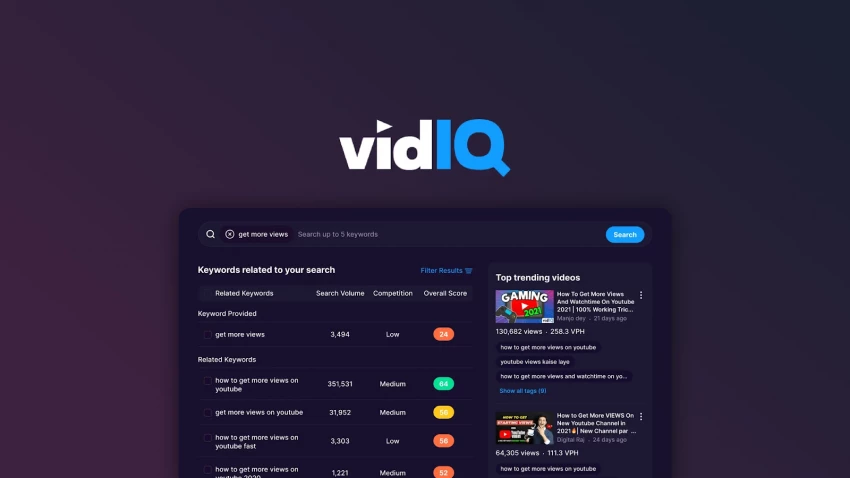
While vidIQ doesn’t edit your video, it is one of the most impactful AI tools for what you publish: topic selection, keyword research, titles, and thumbnails. Many creators see bigger growth from smarter ideas and packaging than from marginally better editing.
How vidIQ boosts a YouTube workflow
vidIQ’s AI features can generate video ideas based on your niche, suggest high‑potential keywords, and help you craft titles optimized for click‑through rate. It also benchmarks your videos against competitors, making it easier to spot content gaps and trends before they’re saturated.
Limitations in the stack
It won’t fix bad storytelling, weak hooks, or poor retention – it only amplifies content that’s already engaging. Some of the deeper keyword metrics and AI suggestions sit behind paid tiers, so free users will see a limited version.
Pricing and plans – vidIQ
| Plan | Price (USD/month) | Best for | Notes |
| Basic | 0 | New YouTubers | Limited keyword data, basic analytics. |
| Pro | ~10 | Growing creators | Better keyword insights, some AI tools. |
| Boost | From ~49 | Serious channels | Advanced AI, coaching, more tracked keywords. |
| Max / Coaching | Higher tier | Scaling brands | 1:1 coaching, custom strategy support. |
Best use case
Any creator serious about growth who wants AI‑assisted ideas, titles, and optimization layered on top of their existing editing workflow.
| Tool | Core role in workflow | Core strength | Main limitation | Best for |
| Mootion | Idea → full video | Very fast full‑video generation | Less granular creative control | Faceless & automation channels. |
| Descript | Editing & audio polish | Text‑based editing, AI co‑editor | Not a full VFX / color suite | Talking‑head & podcast channels. |
| Runway | Generative clips & VFX | High‑end AI visuals | Credit costs, iteration needed | Cinematic b‑roll, creative visuals. |
| Pictory | Script/blog → video | Repurposing written content | Stock‑heavy, can feel generic | Bloggers and educators. |
| invideo AI | Full automation | Prompt‑to‑video workflow | Can look “templated” | Fast explainer/news channels. |
| VEED | Browser editing & shorts | AI clipper, subtitles, dubbing | Browser performance, fewer pro tools | Social‑first creators. |
| Opus Clip | Long‑form → shorts | Auto highlights and vertical crops | Not a full editor | Repurposing podcasts & long videos. |
| vidIQ | Ideas & SEO | Topics, titles, keyword insights | No editing, depends on good content | Any channel focused on growth. |
The most effective YouTube creators in 2026 don’t rely on a single “magic” AI tool – they assemble a lean stack where each tool has a clear job. For a balanced workflow, a strong setup would be:
● Planning & SEO: vidIQ for ideas and titles.
● Scripting to rough video: Mootion or invideo AI if you want automation, or Pictory if you’re repurposing blogs.
● Editing & polish: Descript as your main editor, with Runway for special AI visuals.
● Repurposing: Opus Clip and VEED for Shorts, captions, and multilingual versions.
Used this way, AI doesn’t replace your creative judgment, it removes 60–80% of the repetitive work so you can focus on ideas, storytelling, and audience connection.
AI tools for YouTube work best as collaborators, not replacements. Instead of searching for one perfect platform, combine a few that cover ideation, production, editing, and repurposing, then layer your own storytelling, pacing, and personality on top. When you let automation handle scripting, cuts, captions, and formats, you free up your time and energy for what actually makes viewers subscribe: clear value, consistent uploads, and a recognizable creative voice.
When I sat down to seriously compare InVideo and Pictory, I wasn’t just testing...
Grace Howard5 months ago

AI background removal has quietly become the “first edit” step for almost every...
Benjamin Clark5 months ago
AI photo enhancement has quietly become the “secret sauce” behind sharp Instagra...
Funke Ogunleye5 months ago

Looking Beyond Canva: What Are You Really Missing?Canva is brilliant for getting...
Grace Howard5 months ago

A few years ago, “chatbot” meant a rigid decision tree that collapsed as soon as...
Benjamin Clark5 months ago
ElevenLabs has set a high bar for lifelike AI voice generation, but it’s no long...
Grace Howard6 months ago
Discussion