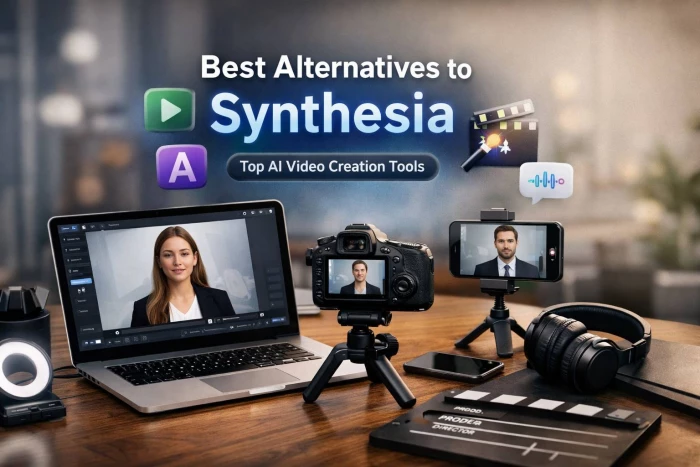
Synthesia is still one of the most recognizable AI avatar video tools, but it’s no longer the automatic first choice for every use case. A new wave of AI video platforms now surpasses it in realism, flexibility, collaboration and pricing, depending on what you actually produce week after week.
Synthesia does a solid job for training, explainers and internal communications, yet many teams quickly hit limits: constrained editing, rigid templates and a “corporate” avatar feel that doesn’t always fit marketing or social content. At the same time, alternative platforms have evolved into more complete video ecosystems, combining stronger editors, richer brand controls, better localization and more natural‑looking presenters.
Below are six carefully chosen alternatives that don’t just copy Synthesia, each one outperforms it in a specific, practical dimension.
HeyGen has become the go‑to switch for teams that find Synthesia a bit stiff and “training only”. It specializes in marketing‑ready, conversational videos with avatars that often feel more expressive and less robotic, making it ideal for landing pages, cold outreach and social ads.
You get script‑to‑video generation, avatar and voice cloning, multilingual output and a web‑based editor that is approachable for non‑technical teams. Sales and marketing teams particularly like its options for personalized videos at scale, where each viewer can receive a slightly different message without manual recording. Collaboration features and a modern UX make it easy to test multiple variants of a video quickly.
How HeyGen outshines Synthesia
HeyGen tends to be more campaign‑friendly, with flows and templates that feel tailored to customer‑facing content rather than purely internal training. Its interface is typically regarded as more intuitive and forgiving, so marketers can iterate faster without involving a dedicated video specialist. If your priority is persuasive, outward‑facing content and personalization, HeyGen often becomes the more natural home than Synthesia.
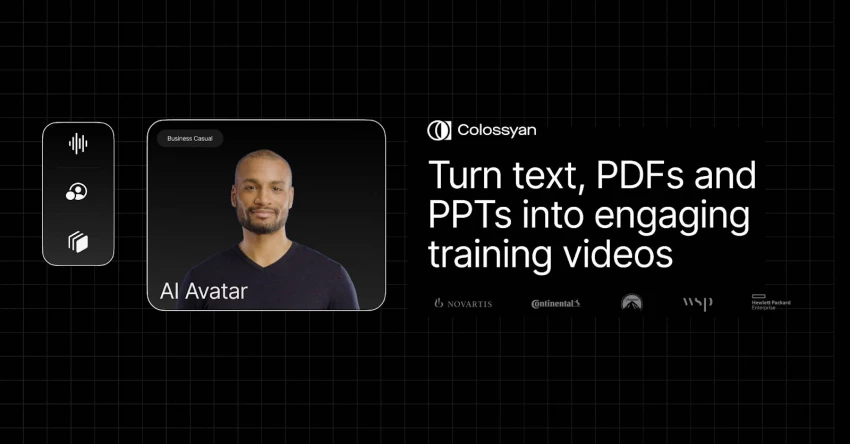
Colossyan takes a very different approach: it feels like a tool designed hand‑in‑hand with instructional designers. Instead of focusing on one‑off avatar clips, it excels at turning scripts, slide decks and written knowledge into structured learning videos and entire courses.
The platform leans heavily into scene‑by‑scene control, with flexible timelines that make updates and revisions straightforward and crucial when compliance rules or product details change regularly. Learning teams can collaborate, review, and localize content in a way that mirrors an actual course production pipeline. Avatars and voices are generally tuned for clarity and consistency, which matters more than dramatic “personality” in formal training contexts.
Where Colossyan clearly steps ahead of Synthesia
Colossyan’s real strength lies in managing and updating big libraries of training content, something Synthesia can make more manual and repetitive. When policies change or new modules are added, Colossyan makes it easier to tweak existing content without starting over. For organizations running onboarding programs, certifications or internal academies, this course‑centric workflow gives Colossyan a decisive edge over Synthesia’s more generic video creation process.
D‑ID is best known for taking a single photo and turning it into a talking, moving presenter and that “photo‑to‑video” magic has become its calling card. More importantly, it leans into interactive, real‑time experiences: think AI receptionists, embedded website hosts or support bots with a face.
You can generate traditional text‑to‑video clips, but D‑ID really comes alive through its APIs and real‑time talking avatar capabilities. Developers can plug it into chatbots, SaaS products and customer portals, giving users an on‑screen guide that speaks and animates in sync with the conversation. There’s also an accessible entry level, making experimentation feasible for startups and smaller teams.
How D‑ID takes the lead over Synthesia
D‑ID stands apart when you want avatars that don’t just “play back” pre‑rendered scripts, but respond live inside your product or website. Synthesia is primarily built around one‑directional, pre‑generated videos, which limits its usefulness for conversational interfaces. If your roadmap includes AI‑powered agents, visual FAQ hosts or interactive demos, D‑ID’s live, API‑first design pushes it clearly beyond what Synthesia is set up to deliver.
_1775652235.webp)
DeepBrain AI operates closer to the world of broadcasters, banks and large enterprises, with a focus on near‑photorealistic avatars. Its technology has been used for AI news anchors and financial explainers where reputation, trust and “this looks like a real human” are paramount.
The platform supports high‑end presenter and anchor‑style avatars, multilingual output and custom avatar builds for brands that want their CEO or spokesperson replicated digitally. Engagements are often more bespoke and enterprise‑oriented, with pricing to match, but that also means more hands‑on support and deployment options for complex projects.
Where DeepBrain AI pulls ahead of Synthesia
DeepBrain AI’s biggest advantage comes from the ceiling on realism in some setups, its avatars can look closer to broadcast‑grade footage than the clearly synthetic look many users associate with Synthesia. For organizations aiming at TV screens, investor communications or large‑format displays, this extra realism and the availability of tailored virtual anchors can be a decisive factor. In these high‑stakes scenarios, DeepBrain AI often feels like a more specialized, higher‑end choice than Synthesia.
_1775652246.webp)
VEED began life as a simple browser‑based video editor and has evolved into a full content creation suite, now with AI tools including avatars and text‑to‑video. Unlike Synthesia, which is avatar‑first, VEED’s DNA is all about editing timelines, cuts, overlays, subtitles, and exporting in any format your social channels demand.
You can combine screen recordings, B‑roll, uploads, stock, subtitles and AI features inside a single timeline, then repurpose the same material into vertical shorts, square social posts or landscape explainers. A free tier plus affordable paid plans make it accessible for solo creators, agencies and small teams. AI avatars become just one ingredient in a broader editing workflow instead of the only way to create content.
How VEED edges past Synthesia
VEED’s biggest advantage is that it behaves like a real online editor, not a restricted slide generator. That makes it far better suited to editing‑heavy workflows where you mix footage, captions, music, overlays and different aspect ratios. If your day‑to‑day reality involves TikToks, Reels, YouTube Shorts and repurposed clips, VEED offers a level of control and flexibility that clearly goes beyond what Synthesia’s more rigid environment is designed to handle.
PlayPlay positions itself as a video platform specifically for communication, HR and marketing teams that care deeply about brand consistency. While it’s not solely an avatar tool, it combines templates, motion design and AI assistance to help non‑designers assemble polished, on‑brand videos quickly.
Its editor gives you strong branding controls, custom fonts, color palettes, logo sets and layouts so every output feels like it came from your design team. It’s particularly popular for announcements, recruitment videos, employer branding clips and social content that must always look “on brand” even when created by non‑experts. Collaboration, approvals and support are structured around the needs of communications departments rather than individual creators.
Where PlayPlay clearly has the upper hand over Synthesia
PlayPlay excels at brand governance and visual consistency in a way that Synthesia’s template library can’t fully replicate. Because it is not confined to avatar‑centric scenes, you can create a much broader range of motion‑graphic explainers and text‑led videos that still follow your corporate identity perfectly. For communication leaders who care more about a coherent brand look than about having avatars everywhere, PlayPlay becomes a more strategic centerpiece than Synthesia.
| Tool | Ideal user or team | Primary advantage compared to Synthesia |
| HeyGen | Marketing and sales teams | More campaign‑friendly, user‑friendly and personalization‑oriented. |
| Colossyan | L&D, HR and training departments | Course‑centric workflow and easier maintenance of large video libraries. |
| D‑ID | Product and AI‑assistant builders | Real‑time, API‑driven talking avatars and powerful photo‑to‑video. |
| DeepBrain | Enterprise, media and financial institutions | Higher realism and bespoke virtual anchors for high‑stakes content. |
| VEED | Creators and small teams doing heavy editing | Full online editor with AI as a feature, not the whole product. |
| PlayPlay | Brand, comms and HR teams | Strong brand control and diverse non‑avatar formats. |
There is no single “best” alternative to Synthesia; the right choice depends entirely on your dominant use case. If you mainly produce customer‑facing marketing and sales videos, HeyGen usually feels like the most natural step up.
Course creators and L&D teams tend to be better served by Colossyan’s course‑friendly workflow, while product teams and conversational‑AI builders will get more mileage from D‑ID’s live, API‑driven avatars.
For organizations playing in the broadcast or high‑stakes corporate space, DeepBrain AI’s realism can justify the investment. Social‑first creators and scrappy teams often prefer VEED for its editing power and pricing, and brand‑obsessed comms teams find a better long‑term home in PlayPlay’s brand‑safe environment.
In the end, Synthesia is just one stop on a much bigger AI‑video map. Now that tools like HeyGen, Colossyan, D‑ID, DeepBrain AI, VEED and PlayPlay cover everything from interactive avatars to social‑first editing and brand‑safe comms, the smarter move is to pick the platform that matches your day‑to‑day workflow instead of forcing every project through a single tool. When you align the software with the kind of videos you actually publish, your output gets faster, more consistent and noticeably more human‑friendly.
When I sat down to seriously compare InVideo and Pictory, I wasn’t just testing...
Grace Howard5 months ago

AI background removal has quietly become the “first edit” step for almost every...
Benjamin Clark5 months ago
AI photo enhancement has quietly become the “secret sauce” behind sharp Instagra...
Funke Ogunleye5 months ago

Looking Beyond Canva: What Are You Really Missing?Canva is brilliant for getting...
Grace Howard5 months ago

A few years ago, “chatbot” meant a rigid decision tree that collapsed as soon as...
Benjamin Clark5 months ago
ElevenLabs has set a high bar for lifelike AI voice generation, but it’s no long...
Grace Howard6 months ago
Discussion