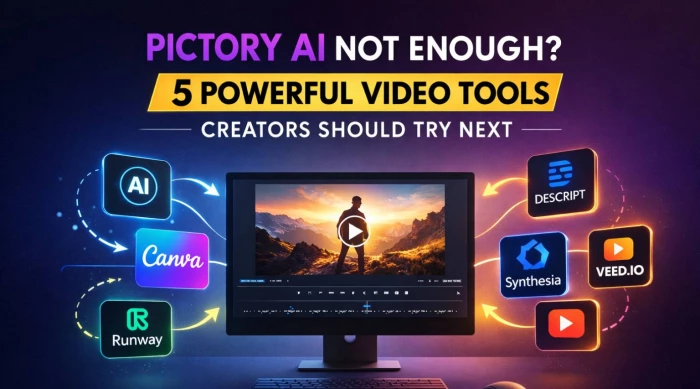
Pictory AI is great for turning scripts and long-form content into short, social-ready videos, but it is no longer the only serious player in AI video creation. If you want better AI avatars, more control over editing, or region-friendly pricing, several tools now outshine it in specific use cases.
Here are five strong, well-established alternatives you can confidently feature in your article:
● InVideo AI – Best for marketers and YouTube/shorts creators
● Lumen5 – Best for turning blog posts and URLs into social videos
● Descript – Best for podcasters, talking-head, and repurposed video content
● Synthesia – Best for AI avatar training, explainer, and corporate videos
● VEED.io – Best for online editing, subtitling, and AI-assisted social clips
Below, each section is written in article style with minimal bullets and a dedicated pricing table you can directly reuse.

InVideo AI is one of the most popular Pictory AI alternatives if your focus is social media, YouTube, and ad creatives. It combines text-to-video generation, thousands of templates, and a large stock library so even non-editors can produce polished videos in minutes. For creators in markets like India, it’s also known for aggressive entry-level pricing compared to many Western tools.
From a workflow perspective, InVideo AI feels familiar if you’re coming from Pictory. You start with a script, keyword, or idea, the AI generates a draft video, and then you refine scenes, B‑roll, and voiceover in a timeline-style editor. Where it pulls ahead is in real-time script-to-video previews, better social‑platform presets, and more mature collaboration options for teams or agencies managing multiple brands. For marketing agencies, the ability to save brand presets, fonts, and color palettes gives it a clear edge over Pictory’s more generic styling options.
Recent trackers show InVideo AI offering a free tier plus multiple paid plans, with official paid plans starting around the mid‑$20/month range.
| Plan | Price (approx. monthly) | Key notes |
| Free | $0 | Limited exports and features |
| Plus / Basic | From about $24–$25 | Entry paid tier, more exports |
| Max | Around $48 | Higher limits, more premium assets |
| Generative | Around $96 | Extra generative visual credits |
Always confirm exact pricing from the official InVideo AI page before publishing, as promotions and tiers change frequently.
Lumen5 is a strong Pictory alternative if your main goal is repurposing articles, blog posts, and URLs into snackable social videos. It’s widely used by brands and publishers because of its clean interface, focus on social formats, and powerful AI that auto-selects scenes, text highlights, and images from long-form content. Think of it as a “content repurposing engine” more than a generic video editor.
The standout strength of Lumen5 is how quickly it can turn a full blog into multiple, caption-heavy social clips with almost zero manual scene setup. You paste a link or text, and the AI suggests storyboards, layouts, and animations optimized for platforms like LinkedIn, Instagram, and YouTube. Compared to Pictory, the text analysis and automatic scene generation are often rated as more accurate, which means less time fixing the AI’s choices and more time polishing brand details. For teams, features like brand kits, workspaces, and a generous stock media library make it particularly attractive.
Lumen5 has a free “Community” tier plus multiple paid plans, with official 2026 pricing typically spanning from entry-level to professional and enterprise.
| Plan | Price (monthly) | Key notes |
| Community / Free | $0 | Up to 5 videos/month, 720p with watermark |
| Basic | About $19–$25 | No watermark, 720p, limited storage |
| Starter | About $59–$79 | 1080p, more stock media, brand kit support |
| Professional | About $149–$199 | Large stock library, templates, higher limits |
| Enterprise | Custom | Advanced collaboration and security |

Descript is a very different flavor of Pictory alternative, but extremely powerful if you work with talking-head videos, podcasts, webinars, and screen recordings. Instead of only generating videos from text, Descript lets you edit your content by editing the transcript: delete words in text, and those sections are cut from the video automatically. For content repurposing and AI‑assisted editing, it’s one of the most advanced tools available.
Creators like Descript because it bundles multi-track video editing, podcast-level audio tools, AI transcription, AI voice cloning (Overdub), filler-word removal, automatic social clip generation, and even basic AI avatars in a single workspace. Compared to Pictory, you get much finer control over the actual edit while still enjoying AI features like auto‑captions, studio‑sound cleanup, and eye‑contact correction on higher tiers. For teams, shared projects and brand kits make it a legitimate production hub rather than just a “text-to-video” generator.
Recent 2025–2026 breakdowns of Descript show four core tiers, from Free up to Business, with the main differences in export quality, transcription minutes, and AI usage.
| Plan | Price (monthly, approx.) | Key notes |
| Free | $0 | Limited minutes, 720p export with watermark |
| Hobbyist | Around $16–$24 | 1080p, 10 hours transcription, basic AI tools |
| Creator | Around $24–$35 | 4K export, 30 hours, advanced AI, stock media |
| Business | Around $50–$60 | Team features, brand kits, priority support |
If your Pictory use case revolves around training videos, onboarding content, or explainer presentations, Synthesia is arguably the most advanced alternative right now. It specializes in studio-quality AI presenters (avatars) that speak your script in multiple languages, letting companies produce “talking head” videos without cameras, actors, or studios. This makes it especially popular with HR, L&D, SaaS product teams, and global enterprises.
Synthesia’s modern templates, teleprompter-style text layout, and PowerPoint-to-video workflows turn slide decks or scripts into polished presenter-led videos. Compared to Pictory, it offers a much larger avatar library, personal avatar options on higher tiers, and stronger support for localization through AI dubbing. The trade-off is that it behaves less like a full timeline editor and more like a structured video builder, which suits corporate workflows but may feel restrictive to traditional editors.
2026 pricing reviews show Synthesia using a freemium model (Basic) plus three main paid tiers—Starter, Creator, and Enterprise—with lower rates on annual billing.
| Plan | Price (monthly) | Key notes |
| Basic | $0 | Limited minutes, small avatar set |
| Starter | About $29 monthly / $18 yearly | 120 yearly minutes, 125+ avatars, no watermark |
| Creator | About $89 monthly / $64 yearly | 360 yearly minutes, API, personal avatars |
| Enterprise | Custom | Unlimited scale, SSO, team features |
VEED.io is a browser-based video editor that has grown into a popular alternative to Pictory for social clips, subtitles, and quick collaborative edits. While it doesn’t focus exclusively on blog-to-video the way Pictory or Lumen5 do, it offers a powerful mix of AI captioning, translation, simple timeline editing, and branding tools. If your readers care about subtitling, reels, and short-form content more than full AI generation, VEED deserves a place in the top five.
Recent updates have added AI features such as auto clip generation, AI backgrounds, and AI avatars on higher tiers. You can import raw footage, add subtitles in one click, translate them, and then export in platform-specific aspect ratios for TikTok, Instagram Reels, or YouTube Shorts. Compared with Pictory, VEED feels more like a traditional editor with AI assist rather than an end‑to‑end automated generator, which many editors actually prefer once they grow out of one‑click tools.
VEED’s pricing has evolved over time, but recent reviews show Lite and Pro tiers plus an Enterprise option, with watermarks removed from paid plans and advanced AI features gated at higher levels.
| Plan | Price (monthly, approx.) | Key notes |
| Free | $0 | Basic editing, watermark, limited exports |
| Lite | Around $12–$19 | 1080p, no watermark, limited AI usage |
| Pro | Around $29–$49 | 4K exports, more AI, translations, AI avatars |
| Enterprise | Custom | Volume usage, team management, advanced support |
Choosing the right Pictory alternative depends on your main goal. If you’re focused on high-volume social content and ads, InVideo is ideal for quickly turning scripts into ready-to-publish videos using templates and stock assets. For repurposing blog posts and long-form articles into branded social videos, Lumen5 works best, especially for marketing and editorial teams that need consistency across channels.
Creators working with podcasts, interviews, and talking-head content will prefer Descript, thanks to its transcript-based editing and AI cleanup tools. Businesses producing training or multilingual onboarding videos should consider Synthesia, which generates professional avatar-led videos from scripts. Meanwhile, social-first teams that need fast captions, resizing, and browser collaboration will find VEED.io the most flexible option.
If your readers want a quick rule of thumb, you can present your verdict as: “InVideo AI and Lumen5 are the best picks for text‑to‑video and content repurposing, Descript is unbeatable for transcript‑driven editing, Synthesia dominates AI‑avatar training videos, and VEED.io is the most versatile choice for fast, social‑first editing and subtitling.” Rather than forcing a single winner, position your article as a decision guide: the “right” Pictory alternative is the one that aligns with the reader’s workflow, content type, and publication frequency.
When I sat down to seriously compare InVideo and Pictory, I wasn’t just testing...
Grace Howard5 months ago

AI background removal has quietly become the “first edit” step for almost every...
Benjamin Clark5 months ago

AI photo enhancement has quietly become the “secret sauce” behind sharp Instagra...
Funke Ogunleye5 months ago

Looking Beyond Canva: What Are You Really Missing?Canva is brilliant for getting...
Grace Howard5 months ago

A few years ago, “chatbot” meant a rigid decision tree that collapsed as soon as...
Benjamin Clark5 months ago
ElevenLabs has set a high bar for lifelike AI voice generation, but it’s no long...
Grace Howard6 months ago
Discussion