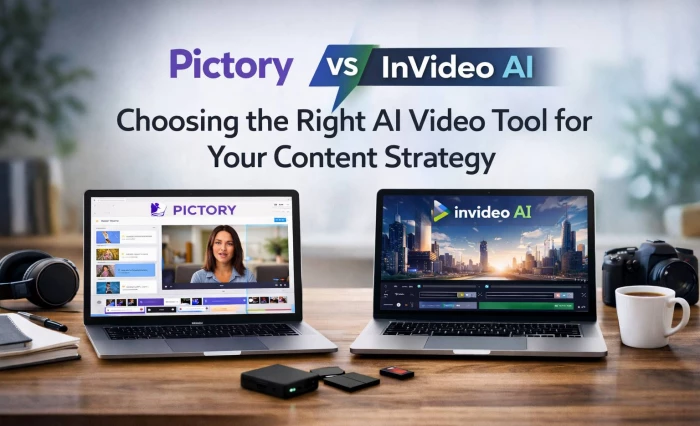
Having used both Pictory and InVideo AI across real client projects and my own content, I see them as two very different beasts: Pictory is my automation engine for turning text and long-form content into faceless videos, while InVideo AI is my creative studio for polished, branded campaigns.
On the surface, both tools claim to do the same thing “AI video creation in minutes.” In practice, they behave very differently once you start relying on them day after day.
When I have finished blogs, scripts, webinars, or podcast episodes and just want to turn them into a steady stream of videos, I instinctively open Pictory. When a project involves a launch, an ad campaign, or anything where visuals and branding are non‑negotiable, I go straight to InVideo AI. This article breaks down that difference in detail, section by section, with my real-world impressions and a clear verdict at the end.
_1775564634.webp)
Pictory is built around the idea that you already have content and you don’t want to edit much. You paste in a blog URL, drop a script, or upload a webinar and it automatically: splits the content into scenes, picks stock footage, adds captions, and generates a voiceover. Most of the time, I’m editing the ideas (trimming text, shortening explanations) rather than wrestling with the editor.
Where Pictory shines for me is in predictable, repeatable video formats – faceless explainers, listicles, quote videos, and webinar clips. It’s the tool I open when I need volume and consistency more than visual flair.
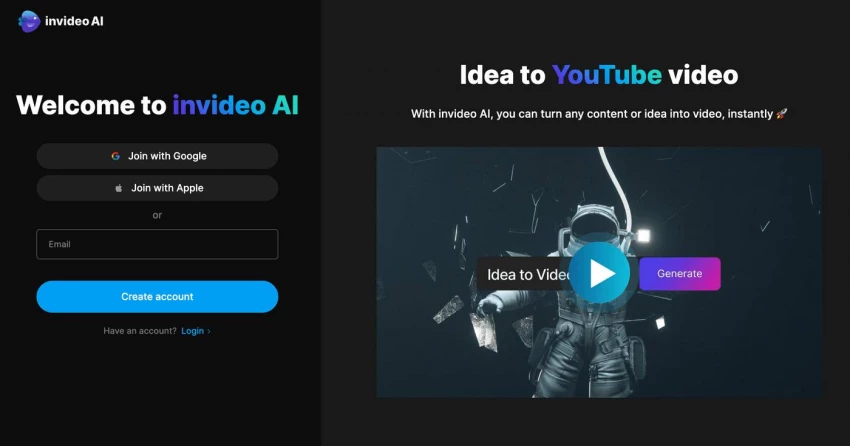
InVideo AI leans much more towards creative direction and design. I can start from a text prompt, pick a template, or just open a blank timeline. Once inside, I’m working with scenes, layers, transitions, overlays, and brand kits. It feels closer to a simplified version of a professional editor, but with AI constantly nudging me forward – generating scripts, scenes, and visual suggestions.
This is the tool I rely on when clients expect something “agency‑grade”: product promos, brand videos, social ads, launch teasers, and platform‑specific creatives (Reels, Stories, YouTube intros, etc.).
| Area | Pictory | InVideo AI |
| Core role | Content repurposing machine | Creative studio in the browser |
| Best starting point | Blogs, scripts, webinars, podcasts, long videos | Ideas, briefs, campaigns, visual concepts |
| Ideal user | Bloggers, educators, faceless YouTubers, content repurposers | Marketers, agencies, brands, design‑conscious creators |
| Primary strength | Volume and speed | Polish and creative control |
| Typical output style | Script‑driven, stock‑supported explainers and clips | Template‑driven, visually rich promos and social campaigns |
My first hour with Pictory felt almost trivial. The interface is guided and linear, so you never really feel lost. The tool walks you through the flow: choose input, generate scenes, tweak visuals and text, export.
For someone who has never touched editing software before, this is a huge advantage. It feels like filling out a form rather than learning a craft. That’s exactly why I recommend Pictory to non‑technical creators who have content but no editing skills or patience for timelines.
InVideo AI took a bit more mental adjustment. You have to understand where templates are, how the timeline works, what layers are, and how brand kits plug in. It’s not overwhelming, but it does expect you to think like an editor, not just a writer.
The payoff is that once you cross that initial learning hump, you can create much more sophisticated videos. You get to control pacing, layout, movement, and hierarchy of information in a way Pictory simply doesn’t allow.
Pictory’s workflow is strictly linear, and that’s part of its power. A typical session for me looks like this:
● I paste a blog URL or script.
● Pictory auto‑breaks everything into scenes and attaches visuals.
● I skim through, shorten text, replace a few clips, pick a voice, and export.
When I’m repurposing a webinar or podcast, I let it find highlight segments, then I refine only the ones that matter. This makes it incredibly efficient for batch days when I want to schedule a week or month’s worth of short videos in one sitting.
InVideo AI’s workflow depends on the project, but it usually follows a creative pattern:
● For a campaign, I often start from a suitable template and adapt it.
● For something more original, I might begin with a prompt, let it generate, then refine everything in the timeline.
● I duplicate versions for different aspect ratios and platforms, making small layout tweaks each time.
This takes longer than Pictory, but it’s the workflow that gives me confidence when the video needs to represent a brand publicly and compete in busy social feeds.
Pictory’s intelligence shows up when you feed it finished content. It’s very good at recognising logical chunks in text or long video. When I feed it a blog post, it’s often surprisingly accurate at turning headings and key paragraphs into scenes. When I drop a webinar, it finds logical highlights that stand on their own as short clips.
I still review what it creates – especially visuals – but as a first draft engine for repurposing, it consistently saves me hours.
InVideo AI feels smarter when I have only a concept or a brief. I can tell it the product, audience, desired tone, and approximate length, and it generates a rough script and corresponding scenes in a chosen style. That rough version usually looks like a real marketing asset instead of a slideshow.
From there, I use the editor to make it truly mine: adjusting copy, pacing, transitions, and brand elements until it looks “on‑brief” and “on‑brand”.
Pictory keeps things intentionally shallow. Inside the editor, I can adjust scenes, swap stock clips, rewrite on‑screen text, adjust fonts and colours, change captions, and choose or tweak an AI voice. I can also make small timing adjustments and pick a music track.
Where it stops is where serious motion design begins. If I want highly stylised transitions, layered graphics, or complex motion that supports a narrative, Pictory starts to feel like a ceiling. For straightforward faceless explainers, that ceiling rarely matters. For campaigns, it matters a lot.
InVideo AI is where I push creative limits. I can work with multiple video and graphic layers, create overlaps, time text to beats, and design transitions that feel deliberate rather than generic. The brand kit system lets me keep typography and colours consistent across dozens of pieces.
If I want to create, for example, a launch video with fast cuts, quick on‑screen text, product close‑ups, and a strong beat, InVideo AI can handle it comfortably. That’s simply outside Pictory’s scope by design.
In Pictory, templates are more like “styles” than full-fledged design systems. Once I pick one that fits my brand, I usually stick to it across a series of videos. The main job of the template is to keep fonts, colours, and caption styles consistent.
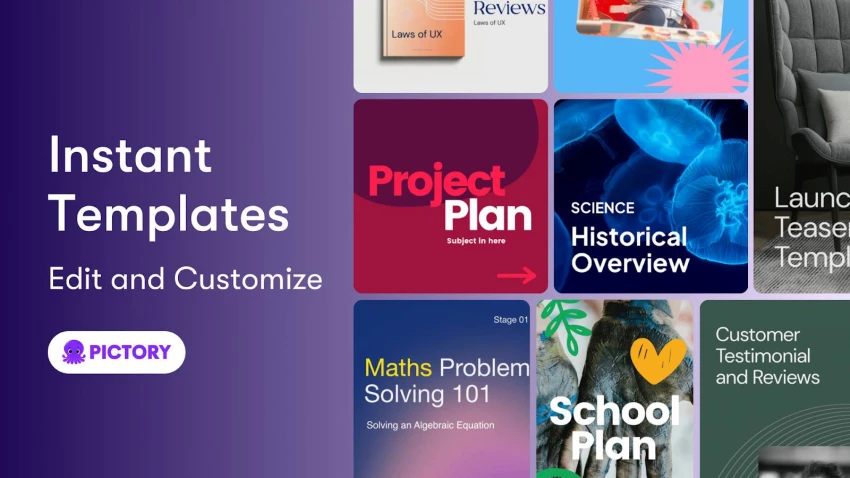
The stock library is good enough for most generic B‑roll (cities, people, offices, abstract backgrounds). I rarely browse for long; I either accept Pictory’s suggestion or swap in something slightly better and move on.
InVideo AI’s template library is central to my workflow there. If I need a Black Friday promo, a SaaS explainer, a YouTube intro, or a vertical UGC‑style ad, there’s usually a template that gets me 60–70 percent of the way.
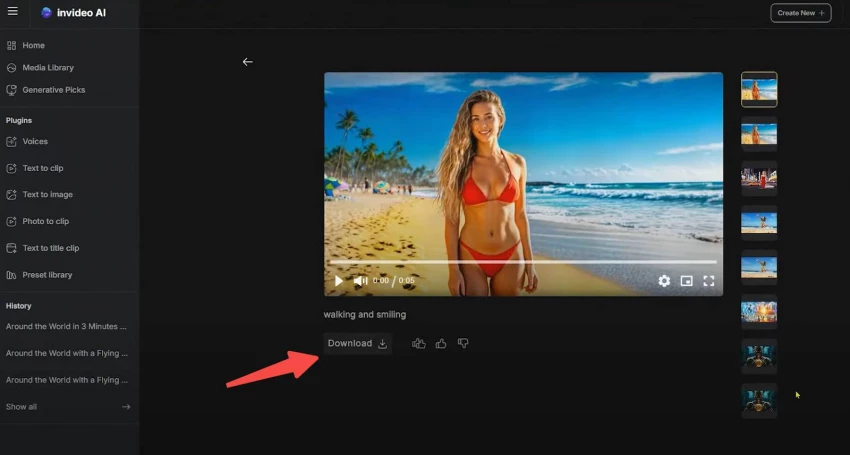
I then swap content, tweak scene order, adjust text and pacing, and apply the right brand kit. For agencies and brands, this template‑first approach is incredibly efficient because it lets you ship “designed” content quickly without starting from a blank timeline every time.
Pictory gives basic but useful branding capabilities. I can upload logos, define brand colours, and use templates that loosely match my visual identity. For personal brands, educators, or simple content channels, this is more than enough.
Where it feels light is when a brand has a strict design system and expects videos to follow it precisely. You can get “close enough”, but not “pixel perfect”.
InVideo AI is built with branding as a core use case. Brand kits let me store logos, primary and secondary colours, and fonts. Templates can be customised once and reused for future iterations, which is ideal for ongoing campaigns.
I also find it much easier to adapt a single creative into different formats (16:9, 9:16, 1:1) while maintaining a consistent visual language. When you manage multiple channels or clients, this kind of consistency is invaluable.
Pictory treats voice and captions as central, especially for faceless videos. Auto‑captions are usually accurate enough that only small corrections are needed. AI voices are good enough for informational content and keep improving.
A common pattern for me is: use AI voice and captions for fast TikTok/Shorts/LinkedIn clips, and only invest in custom voiceovers for flagship content. Pictory fits that philosophy perfectly.
InVideo AI’s audio feels more like part of a crafted edit. I sync voiceovers (AI or recorded) to the timeline, adjust music to match beats, and time transitions to the audio flow. This is crucial for ads and promos, where rhythm and emotion significantly impact performance.
When I need multi‑language versions, InVideo AI’s timeline makes it easier to adapt timing and layout for each language without everything falling apart.
In teams, I see Pictory as a “repurposing station.” It’s great to hand to someone responsible for turning written or long-form content into publishable video. The linear interface limits how much they can complicate things, which can actually be reassuring when you want consistency.
However, it’s not ideal for iterative creative feedback with clients, especially when they start asking for specific visual changes, animation timings, or “make this feel more like X brand’s ad.”
InVideo AI feels much more at home in a collaborative environment. Because it has a clear timeline and layered structure, feedback becomes very specific: shorten this shot, move this block, change this transition, adjust this logo.
If you’re sending drafts to clients, InVideo AI is far easier to iterate inside, and you can also standardise reusable structures (like intros, outros, lower thirds) across a team.
Pictory is generally snappy and stable because it doesn’t try to be a full editor. The limits I’ve felt are not technical but creative. It’s not designed for long narrative content, advanced motion design, or highly artistic videos. It’s a workhorse for structured, text-led videos.
I’ve occasionally wished for more control, but when I do, my solution is simple: I export from Pictory and move to a more advanced editor or InVideo AI for the final polish.
InVideo AI can feel heavier, especially on big scenes with many layers and effects, or on less powerful machines. You pay a performance tax for flexibility.
That said, for typical social and marketing lengths (30–120 seconds), I’ve found it perfectly manageable. The extra power more than compensates for the minor slowdowns during complex edits.
Pricing changes over time, so think of these as typical ranges rather than fixed numbers. Always double‑check current plans before you publish or purchase.
| Plan | Approx. Monthly Price (Monthly Billing) | Typical Use Case |
| Standard | Around $23–$25/month | Solo creators with moderate repurposing needs |
| Premium | Around $47–$50/month | Heavy users needing more exports and better voices |
| Enterprise | Custom | Teams and businesses with larger-scale requirements |
Pictory’s value metric in my mind is “minutes of content repurposed per month.” If you’re converting blogs, webinars, and long videos every month, even the mid-tier can be extremely cost-effective.
| Plan | Approx. Monthly Price (Monthly Billing) | Typical Use Case |
| Business / Basic | Around $25–$30/month | Solo creators and small businesses |
| Unlimited / Pro | Around $45–$60/month | Agencies, power users, and high-output marketers |
| Enterprise | Custom | Larger brands and teams |
For InVideo AI, I think of value in terms of “campaigns and client projects delivered.” You may produce fewer videos than with Pictory, but they tend to be higher-value, client-facing assets.
| Scenario | My Pick | Reason |
| Daily faceless explainers from scripts | Pictory | Fast script‑to‑video, minimal editing overhead |
| Turning a 60–90 minute webinar into 10 clips | Pictory | Highlight extraction and easy batch generation |
| Repurposing blog posts into LinkedIn/YT shorts | Pictory | Text/article input and smart scene generation |
| Launching a polished product promo | InVideo AI | Better templates, timeline control, and brand quality |
| Multi-language ad variants for social | InVideo AI | Flexible timing and layout per language |
| Full social campaign for a brand | InVideo AI | Brand kits, reusable templates, multi-platform output |
If your workflow is content‑heavy like you write articles, run webinars, host podcasts, and want to transform all of that into consistent video output, Pictory is the tool that will genuinely change your life. It’s your content factory: fast, predictable, and built for scale. You’ll sacrifice deep visual control, but you’ll gain massive efficiency.
If your work is brand‑heavy : you build campaigns, run ads, pitch clients, and care deeply about how every frame looks, InVideo AI is the smarter long‑term choice. It’s your creative studio: more demanding at first, but far more capable when you need control, variation, and polish.
In my own stack, I don’t see them as rivals; I see them as partners, Pictory handles volume and repurposing and InVideo AI handles flagship pieces and campaigns.
If you can only pick one, base your choice on this single question:
Do you care more about speed and volume from content you already have (choose Pictory) or polished, brand‑first videos and campaigns (choose InVideo AI)? Once you answer that honestly, the decision becomes very straightforward.
When I sat down to seriously compare InVideo and Pictory, I wasn’t just testing...
Grace Howard5 months ago
AI background removal has quietly become the “first edit” step for almost every...
Benjamin Clark5 months ago
AI photo enhancement has quietly become the “secret sauce” behind sharp Instagra...
Funke Ogunleye5 months ago

Looking Beyond Canva: What Are You Really Missing?Canva is brilliant for getting...
Grace Howard5 months ago

A few years ago, “chatbot” meant a rigid decision tree that collapsed as soon as...
Benjamin Clark6 months ago
ElevenLabs has set a high bar for lifelike AI voice generation, but it’s no long...
Grace Howard6 months ago
Discussion