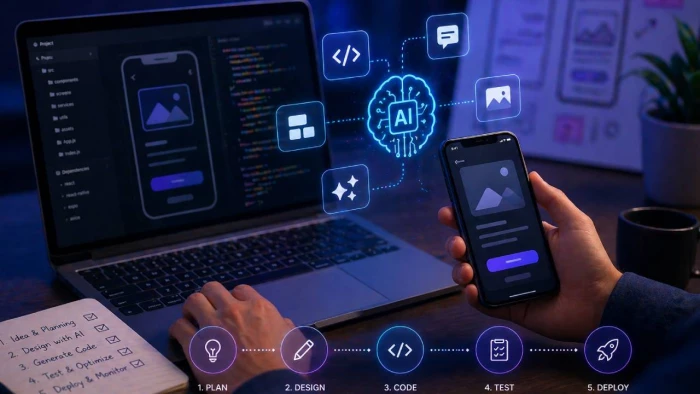
AI is changing how businesses approach mobile app development, making it faster to build, easier to scale and more effective at driving user engagement. From automating repetitive tasks to enabling advanced ai powered features, modern development teams are now integrating AI at every stage of the development process.
If you’re exploring how to use ai in mobile app development, the key is applying it in a structured way. Working with a mobile app development company ensures AI fits your app idea, supports your goals and delivers measurable outcomes.
AI in mobile app development refers to using machine learning, deep learning and natural language processing to improve both how apps are built and how users interact with them.
AI technology can:
This applies across mobile applications, web apps and native mobile apps, whether you are building an android app, iOS solution or cross-platform product.

Before integrating AI, you need a clear app idea and understanding of where AI fits.
Ask:
Not every mobile app needs complex AI models. Sometimes simple workflow automation or predictive analytics delivers more value than advanced such models.
There are a wide range of ai tools available for mobile developer teams.
Common options include:
These tools support ai assisted development, helping technical teams reduce manual effort and speed up building apps.
The next step is identifying which ai powered features will deliver value.
Common examples include:
AI can analyze user behavior and deliver tailored content, improving user engagement and retention.
Using natural language processing, apps can understand human language and respond with human like text.
AI apps can process images for security, scanning or product recognition using tools like google ml kit. Many developers also use an advanced AI image detector to identify AI-generated visuals, verify image authenticity, and improve content moderation workflows. This helps mobile applications deliver more reliable image analysis while enhancing security and user trust.
Machine learning models can identify complex patterns and forecast user behavior, helping optimise app logic.
These ai driven applications create smarter experiences where users interact with apps in more intuitive ways.
AI should be embedded throughout the development process, not added at the end.
Tools like github copilot can generate code snippets, improve functional code and reduce time spent writing code.
AI supports automated testing by identifying bugs, running unit tests and improving reliability. Many development teams also integrate a headless browser api to automate browser-based tasks, collect dynamic web data, and support AI-driven applications with real-time information from modern websites.
AI can handle repetitive tasks such as version control checks, database schemas updates and internal tools management.
This approach improves efficiency and allows developers to focus on higher-value work.
For more advanced use cases, you’ll need to train machine learning models.
This involves:
For example, predictive analytics models can be trained to detect churn risk or optimise recommendations.
Training requires high-quality data and careful monitoring to ensure the ai model delivers consistent results.
AI must be optimised for performance across mobile devices.
Key considerations include:
Balancing cloud based ai services with on device ai ensures apps remain responsive while maintaining efficiency.
AI should enhance the experience, not complicate it.
Focus on:
Whether users interact through voice, text or touch, AI should feel natural and intuitive.
Natural language prompts and conversational interfaces can improve usability, especially in ai powered apps.
Once your app is ready, it needs to be deployed effectively.
For mobile applications, this means:
Ensure your app meets platform requirements and performs well across devices.
AI continues to deliver value after launch.
Use AI to:
Continuous improvement is key to maintaining performance and competitiveness.
AI is now used across a wide range of applications:
These use cases show how AI can transform both functionality and business outcomes.
While AI offers clear benefits, there are challenges:
Working with experienced software development teams helps manage these risks effectively.
AI is now a core part of modern mobile app development. From ai assisted development and code generation to advanced ai powered features, it enables businesses to build smarter, faster and more scalable applications.
The key is not just using AI, but using it correctly. By following a structured step by step guide, focusing on user value and leveraging the right ai tools, businesses can create apps that stand out in competitive markets.
As AI technology continues to evolve, the gap between standard apps and ai driven applications will only increase. Businesses that invest now will be in a stronger position to deliver high-performing mobile applications that meet user expectations and drive long-term growth.ts.

When I sat down to seriously compare InVideo and Pictory, I wasn’t just testing...
Grace Howard2 months ago

AI background removal has quietly become the “first edit” step for almost every...
Benjamin Clark2 months ago

AI photo enhancement has quietly become the “secret sauce” behind sharp Instagra...
Funke Ogunleye2 months ago

Looking Beyond Canva: What Are You Really Missing?Canva is brilliant for getting...
Grace Howard2 months ago
A few years ago, “chatbot” meant a rigid decision tree that collapsed as soon as...
Benjamin Clark2 months ago
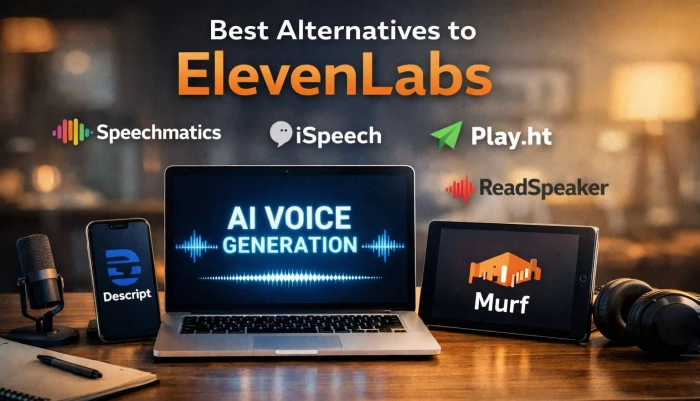
ElevenLabs has set a high bar for lifelike AI voice generation, but it’s no long...
Grace Howard2 months ago
Discussion