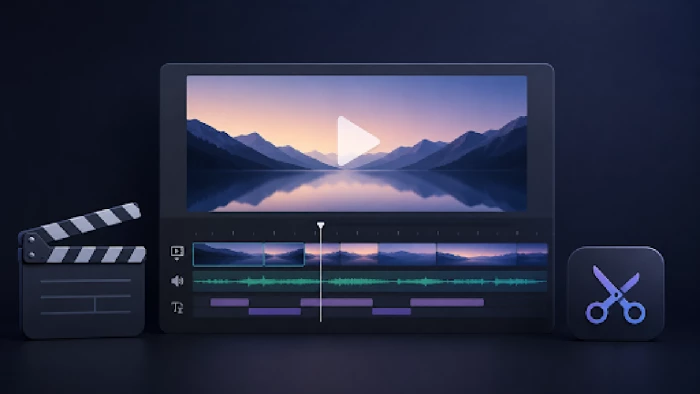
Most first edits die in the same spot: the timeline. You drop in twenty clips from a weekend away, and forty minutes later you're squinting at something eight minutes long that even your mom would skip. We’ve all been there. The fix has almost nothing to do with talent. It's knowing a few moves and dodging the traps everyone hits early.
Video editing for beginners gets talked about like it's hard. It isn't. This is a plain walk through how to edit a video: what the work actually feels like, where to point your attention, the mistakes that burn an afternoon, and the software worth your time. You won't need a film degree or an expensive machine. The laptop you already own is fine. And forget the whole "video editing for dummies" framing, like you're too clueless to manage it. You're not.
Figuring out how to make videos that people watch to the end is about what you leave out. So here's the actual order. You import your clips. You drop them on the timeline in rough sequence. You chop the dead air, the rambling, the bit where you knocked the tripod. Then you watch it back. Transitions, color, music? Those come after.
Beginners run this backwards. They'll burn twenty minutes on a zoom for a shot they delete anyway. If you're working out how to start video editing, build the boring skeleton first and decorate it later. That one habit is most of what basic video editing really is, and it's the difference between a clip that drags and one that actually goes somewhere.
Audio. Nobody believes it the first time, but it really is that important. People will sit through a shaky, dim video if they can hear you clearly. Flip it, muddy sound over a gorgeous shot, and they're gone in five seconds. Kill the room hum, even out your volume, and slide any music well under your voice.
Pacing is next. Trim the first and last second off nearly every clip, since that's usually you reaching for the camera. Of all the video editing tips for beginners floating around online, that's the cheapest one going, and it's the gap between a cut that looks thrown together and one edited professionally.
Then there's matching the look across shots. One clip reads orange, the next is cold and blue, and the cut feels wrong even when you can't name why. A light color pass to line them up beats any flashy preset.
Captions, last but not optional. Loads of people scroll with the sound off, so on-screen text keeps them watching. Most editors auto-generate these now, which saves you typing the whole thing by hand.
A handful of errors show up in almost every first project.
Over-editing tops the list. New editors treat transitions like seasoning, then tip the whole jar in. A straight cut from one shot to the next is usually the better call. Unsure? Cut clean and move on.
Wrong aspect ratio is the next one. YouTube wants wide. TikTok and Reels want tall. Decide where the video's going before you edit, or you'll be re-cropping every shot at the end while feeling angry and frustrated.
Skipping the backup has killed more first films than bad footage ever has. Save often. Keep your original clips somewhere you won't accidentally overwrite them.
And export settings get everybody once. You send out a sharp video at the wrong bitrate and it turns to mess the second YouTube's compression touches it. Match the export to where it's going. 1080p covers most things, and only reach for 4K if you actually shot in it.
One more trap, and it's a big one because it only shows up once you're done: music. Drop your favorite chart song under a clip and there's a real chance YouTube mutes the audio, sticks an ad on it that pays someone else, or pulls the video outright. Instagram and TikTok are stricter than they look, too.
The way around it isn't to gamble. Pull tracks from a library that's cleared for creators. YouTube's own Audio Library is free and right inside Studio. Pixabay and Free Music Archive are solid for the same reason.
If you post seriously, services like Epidemic Sound or Artlist run around ten dollars a month and up, and cover you across platforms. Pick the track before you cut, not after, because the rhythm usually tells you where your edits should fall anyway. Letting the music lead is one of the easier ways to make a rough clip feel deliberate.
This is the question people lead with, and the straight answer is that the best editor is the one you'll keep opening. The top free options in 2026 are genuinely good, so there's no reason to pay until something forces your hand.
On a phone, the editors built into iOS and Android handle a quick social clip without complaint. On a computer, a few names keep coming up for anyone learning how to edit videos for beginners.
iMovie is where most Mac newcomers are usually sent. Free, almost impossible to break, and it'll do roughly 80 percent of what a casual creator needs. DaVinci Resolve is the other free heavyweight, with color and editing tools that hold up in real studios, though it throws a wall of buttons at you in the first hour and that puts people off.
Movavi Video Editor sits in the friendly middle, with an easy, uncluttered layout, a gentle learning curve, and AI features such as auto subs and background removal that take the fiddly jobs off your hands.
There are obviously some more advanced options on the market, but their price and depth usually only earn their keep once you've outgrown the simpler stuff.
Honest advice: start free, learn one program well, and only switch when you bump into something it flat-out can't do. Most beginners never even get there.
No two edits are the same, but the bones barely change. Add everything into one folder so nothing goes missing. Watch it through once and flag the keepers. Lay a rough cut in story order, then keep trimming until the rhythm feels right. Text, music, and effects go on last, and only where they pull their weight. One more pass for color and sound, then export.
Call it six or seven steps, depending on how you count. After a dozen projects it stops feeling like a process and turns into something closer to muscle memory, the way driving does once you quit thinking about the pedals.
So make a few throwaway videos before you attempt anything you care about. The easy early wins are what build the instinct you'll lean on later, and they're a lot more fun than reading one more guide.
When I sat down to seriously compare InVideo and Pictory, I wasn’t just testing...
Grace Howard5 months ago
AI background removal has quietly become the “first edit” step for almost every...
Benjamin Clark5 months ago
AI photo enhancement has quietly become the “secret sauce” behind sharp Instagra...
Funke Ogunleye5 months ago
Looking Beyond Canva: What Are You Really Missing?Canva is brilliant for getting...
Grace Howard5 months ago

A few years ago, “chatbot” meant a rigid decision tree that collapsed as soon as...
Benjamin Clark6 months ago

ElevenLabs has set a high bar for lifelike AI voice generation, but it’s no long...
Grace Howard6 months ago
Discussion